Changelog
May 6, 2026
Luma uni-1 Series Models Now Available.
Lovart now integrates Luma's flagship image models, uni-1 and uni-1-max. These models support both text-to-image and image-to-image editing modes, delivering higher-quality visual generation, more consistent style expression, and stronger image editing capabilities. Whether creating from scratch or refining and optimizing existing images, you'll achieve more natural and delicate results.
April 21, 2026
GPT Image 2.0: Enhanced Image Generation is Now Available.

Lovart now integrates the GPT Image 2.0 model, delivering higher-quality image generation and more stable detail performance. Whether it's complex scene construction, style expression, or fine-grained editing, you get more consistent and controllable results. From creative concept to final output, every generation now comes closer to your vision.
April 12, 2026
Generate Custom Fonts with One Click.

Now you can generate custom fonts with one click by uploading an image, entering a description, or combining both, and use them directly on the canvas. They can be reused across different projects, transforming fonts from one-time assets into reusable creative resources, making it easy to build a consistent and unique visual style.
April 9, 2026
OpenClaw × Lovart: Create Directly in Your Favorite Chat Tools.
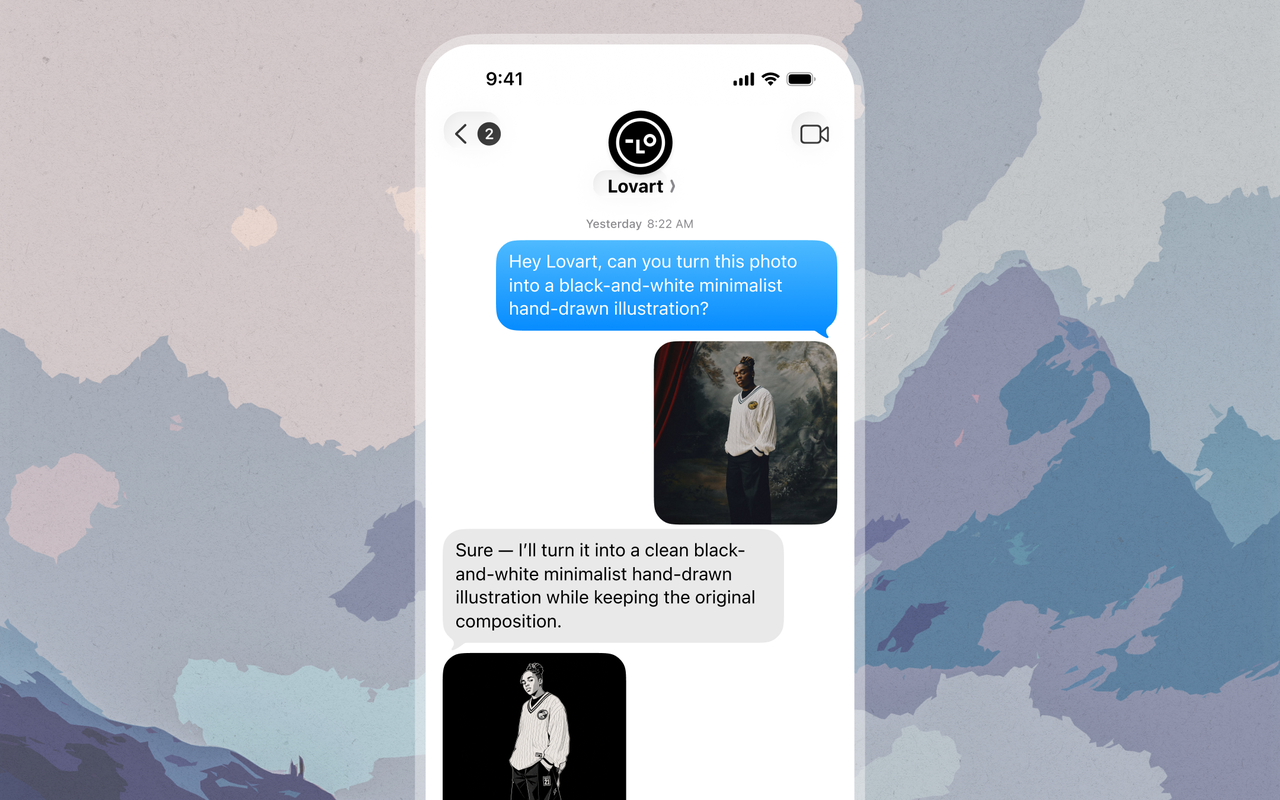
Lovart can now be accessed via OpenClaw. After a simple setup, you can use Lovart directly in chat platforms like Feishu, Slack, and Discord to create without constantly switching workflows. Whether generating images, getting design inspiration, or quickly producing visual content, you can accomplish it more efficiently in team collaboration scenarios.
April 9, 2026
Seedance 2.0: A More Powerful Video Generation Model is Now Available.

Lovart now supports the Seedance 2.0 video generation model. You can quickly create more cinematic video content using text or reference images, achieving smoother motion, more consistent subject stability, and more precise camera control. Whether for short social videos, ad creatives, or storyboards, you can go from idea to final video more efficiently than ever.
April 8, 2026
Create Your Own Skills: Turn Workflows into Reusable Capabilities.
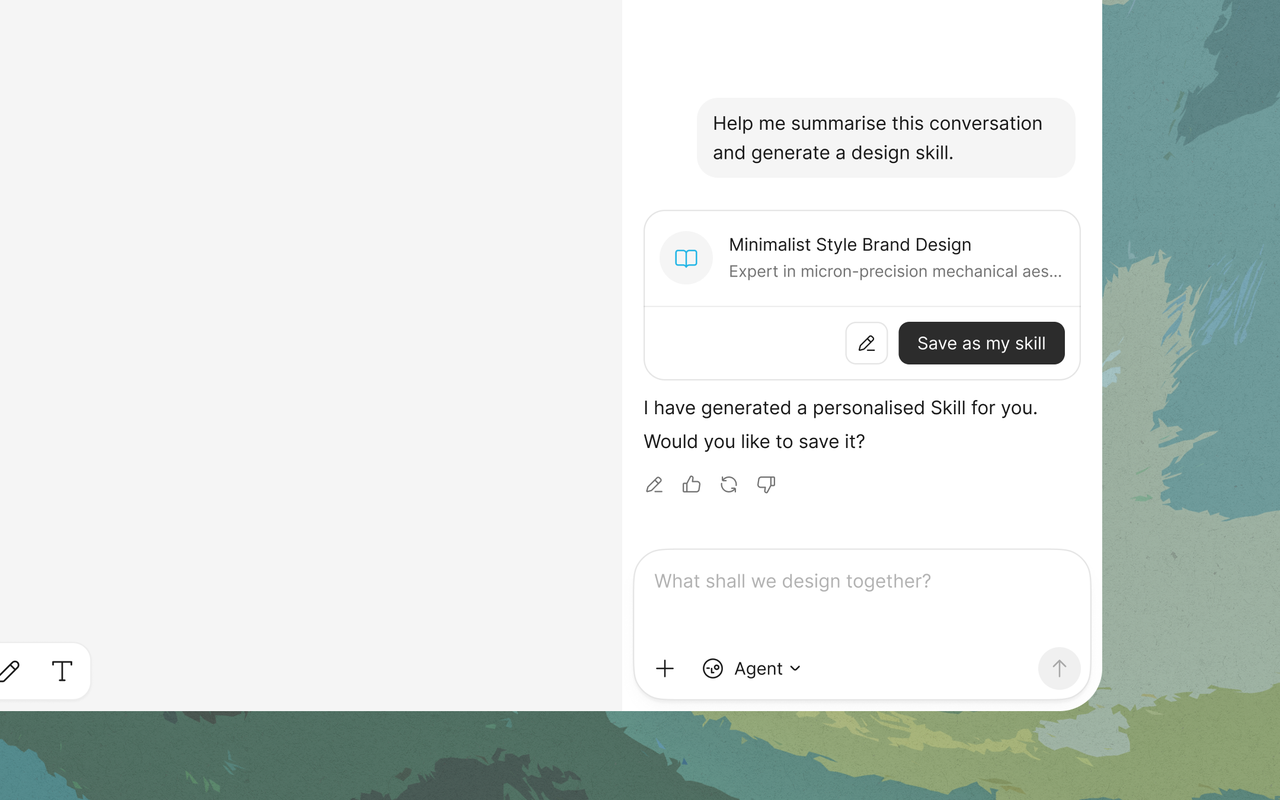
Now you can save an entire conversation workflow as a Skill with one click and reuse it in any new conversation or project. Whether it's a fixed design process, a brand generation logic, or a common creative pattern, all can be accumulated into your personal capability library. Reduce repetitive operations and let your high-frequency workflows achieve continuous reuse and efficiency upgrades.
April 2, 2026
Use Brand Kit to Keep Every Creation On-Brand.

Now you can create a dedicated Brand Kit in Lovart to centrally manage your logo, color palette, fonts, and design guidelines. Whether it's social media content, brand materials, or e-commerce visuals, you can maintain a consistent brand expression across different projects and multiple rounds of creation. No need to repeatedly upload assets or describe specifications—let your brand assets truly accumulate, boosting creative efficiency and result stability.
March 29, 2026
Export PSD: One-Click to Complete Layered File.

Now you can export your Lovart canvas content as a layered PSD file with one click. The system automatically restores the layer structure and positional relationships of images and elements, allowing you to seamlessly continue editing in professional design tools. Whether it's fine-tuning details or deep design work, you can accomplish it efficiently within your familiar workflow.
March 23, 2026
Freely Move Objects in Your Image.

Now you can freely select any object within your image and move it to any position, generating a new composition with just one click. Whether you're adjusting the subject's placement or optimizing the overall balance, it's now intuitive and precise. Combined with the flexible input field, you can also add or edit objects to unlock even richer creative possibilities.
March 21, 2026
Your Toolbar, Your Rules.

Customize your own editing toolbar based on your workflow. Freely rearrange tools and choose whether to show tool names, keeping your most-used tools within easy reach. Reduce search time, boost efficiency, and create a smoother, more productive creative process tailored to you.
March 5, 2026
Crop for Every Social Channel.

Crop your images to platform-ready formats in one click. Choose from presets for Instagram, TikTok, YouTube, LinkedIn, X, and more, then fine-tune the frame to keep the composition exactly where you want it. It’s a faster way to prepare content for every channel without leaving Lovart.
February 26, 2026
Refine Light, Color, and Detail with More Control.

Make quick visual refinements without switching tools. Adjust brightness, contrast, saturation, temperature, sharpness, and more with simple sliders, or use built-in effects like Soft Light, Glow, and Vignette to shape the final mood of your image right inside Lovart.
February 19, 2026
Vectorize Images for Clean, Scalable Output.

Convert raster images into clean SVGs with a single click. Lovart detects shapes and outlines automatically, so your graphics stay sharp when scaled, edited, or exported. It’s especially useful for logos, icons, brand assets, and other visuals that need to stay crisp at any size.
February 12, 2026
Create Multi-Angle Variations from One Image.

Create multiple angle variations from a single image—no prompt iteration required. Just select your subject and adjust Rotate, Tilt, and Scale to generate new perspectives quickly. It’s a simple way to produce more consistent assets for product showcases, social content, and visual campaigns.
December 17, 2025
Lovart now supports PDF Upload & Analyze, turning static documents into actionable creative input.

By uploading a PDF, Lovart can read and interpret its structure, summarize key points, and extract relevant visuals or constraints—so you can move directly from documentation to design with confidence. This is especially useful for working with briefs, brand guidelines, and pitch decks, where understanding structure and intent matters more than copying content. Instead of manually parsing documents, Lovart translates them into design-ready understanding you can act on immediately.
December 17, 2025
Lovart now lets you turn your idea work into a polished, multi-slide presentation in seconds.
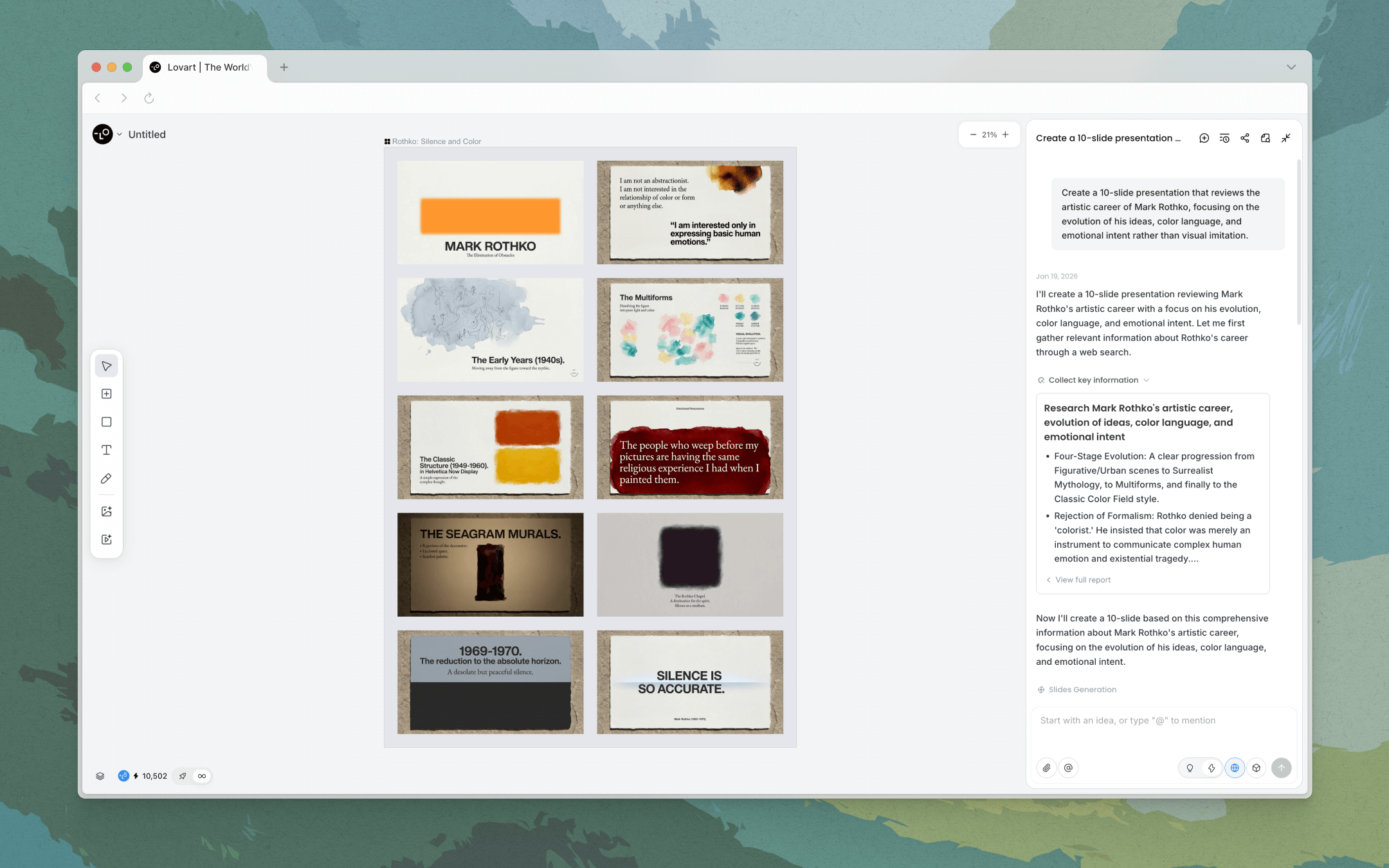
Presentations automatically structure your visuals into a coherent deck, apply consistent branding, and generate speaker notes—so you can move from creative iteration to presentation-ready output without rebuilding everything in PowerPoint. This streamlines the entire process of pitching ideas, sharing strategies, and showcasing work, while keeping your visual language consistent from Canvas to slides.
December 4, 2025
Lovart’s Edit Text lets you change text inside images while preserving typography, layout, and visual hierarchy.
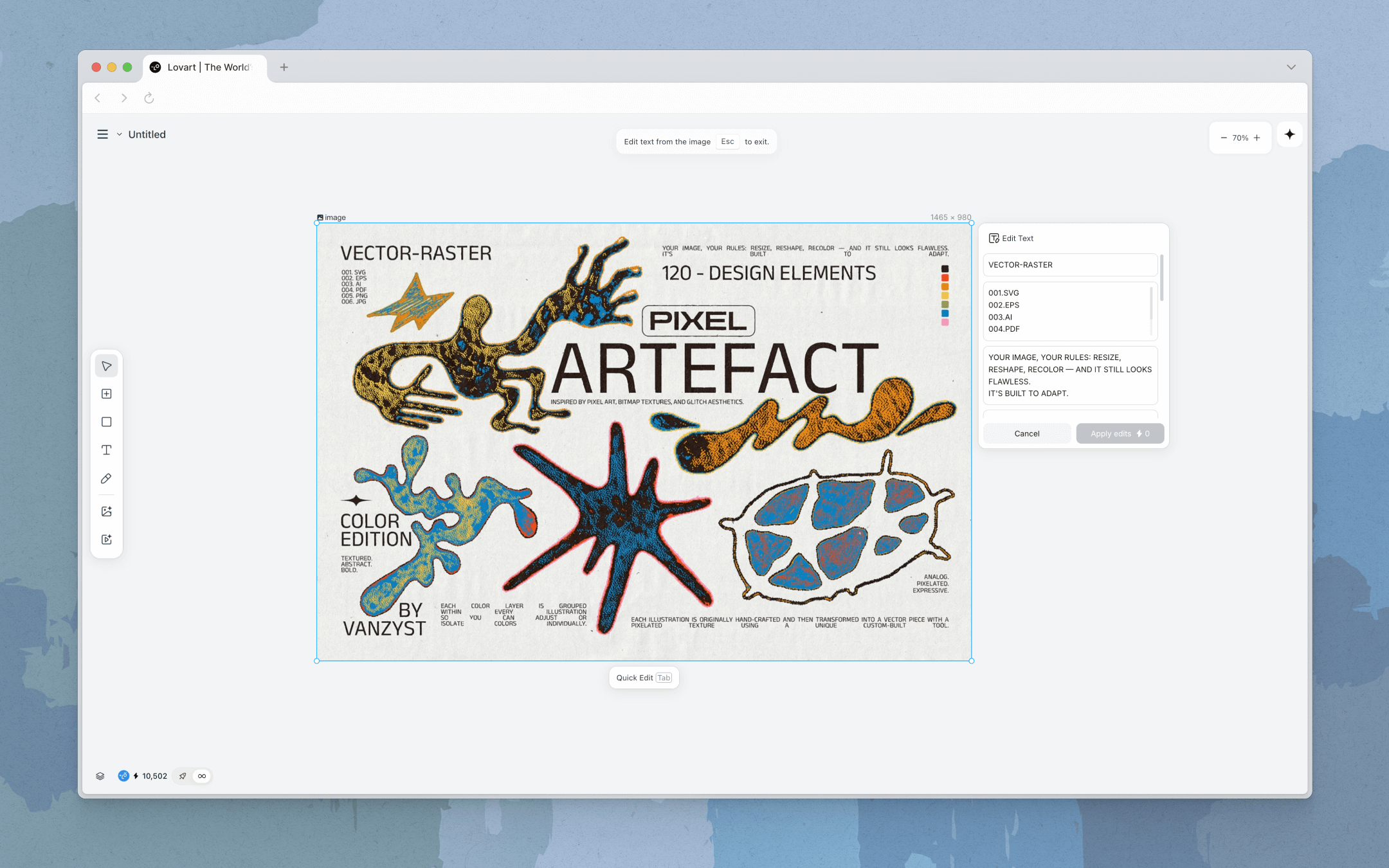
By understanding text as a design element—not just pixels—Lovart can re-render copy changes without breaking alignment, spacing, or overall balance. This makes small copy fixes and large-scale localization far less disruptive. Edit Text is ideal for updating headlines, CTAs, or translations while protecting the original design intent of your visual assets.
November 30, 2025
Lovart now integrates Kling 2.6 and Kling O1
Delivering improved motion detail, scene dynamics, and temporal stability for complex, visually rich sequences, while expanding creative options for video generation and extension across diverse visual styles and motion behaviors.
November 25, 2025
Lovart now combines Explore Image Insight with Web Search, connecting curated visual libraries to real-time web signals in a single flow.
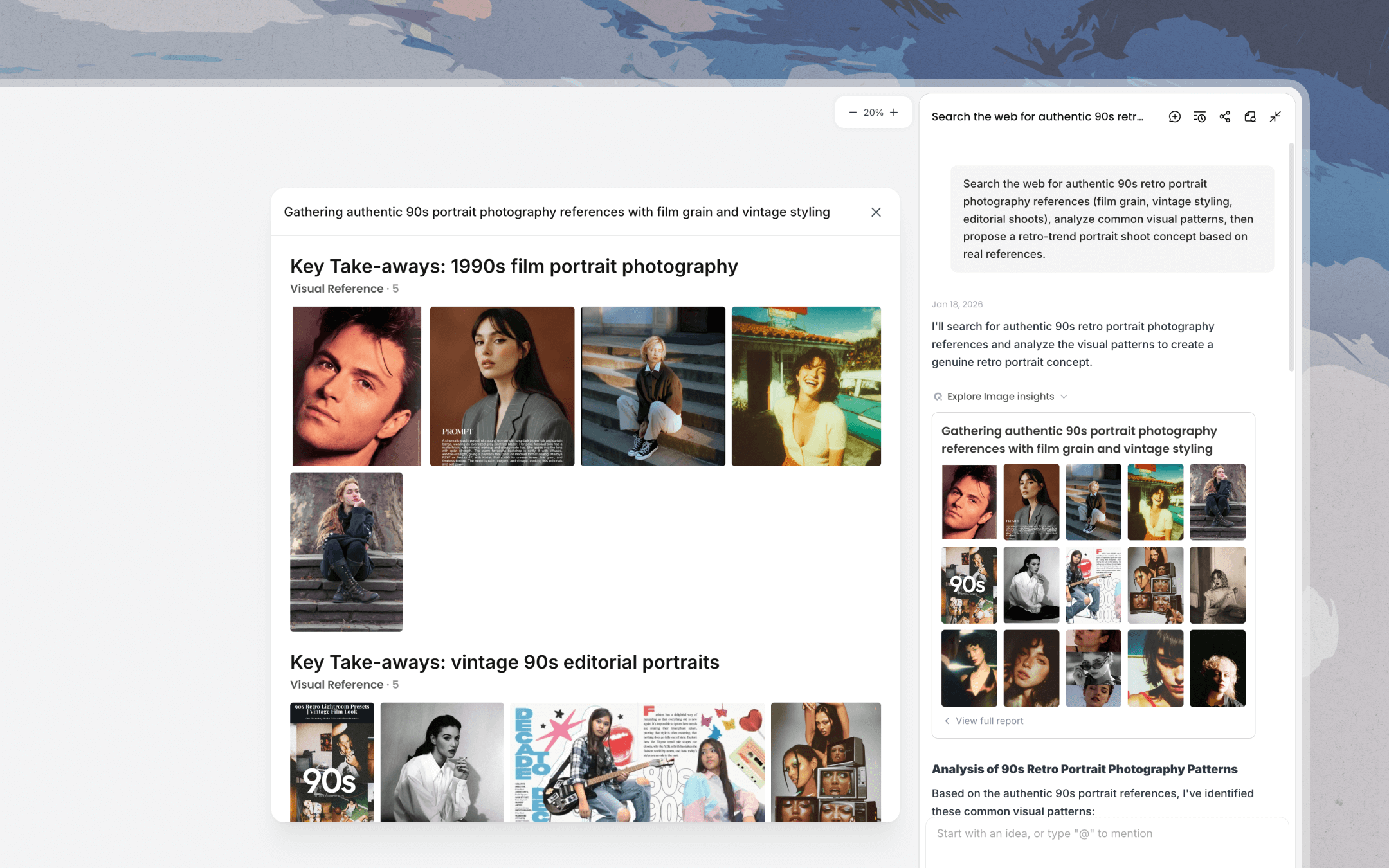
With this combined capability, Lovart can analyze reference images, surface patterns in composition, color, typography, and layout, and ground them in current campaigns, trends, and benchmarks. This helps translate vague inspiration into clear, reusable creative direction that stays culturally relevant and brand-consistent across ongoing work.
November 24, 2025
Lovart’s Touch Edit tools—Select, Hand, and Mark—make it easier to navigate, target, and edit directly on the Canvas without breaking your creative flow.
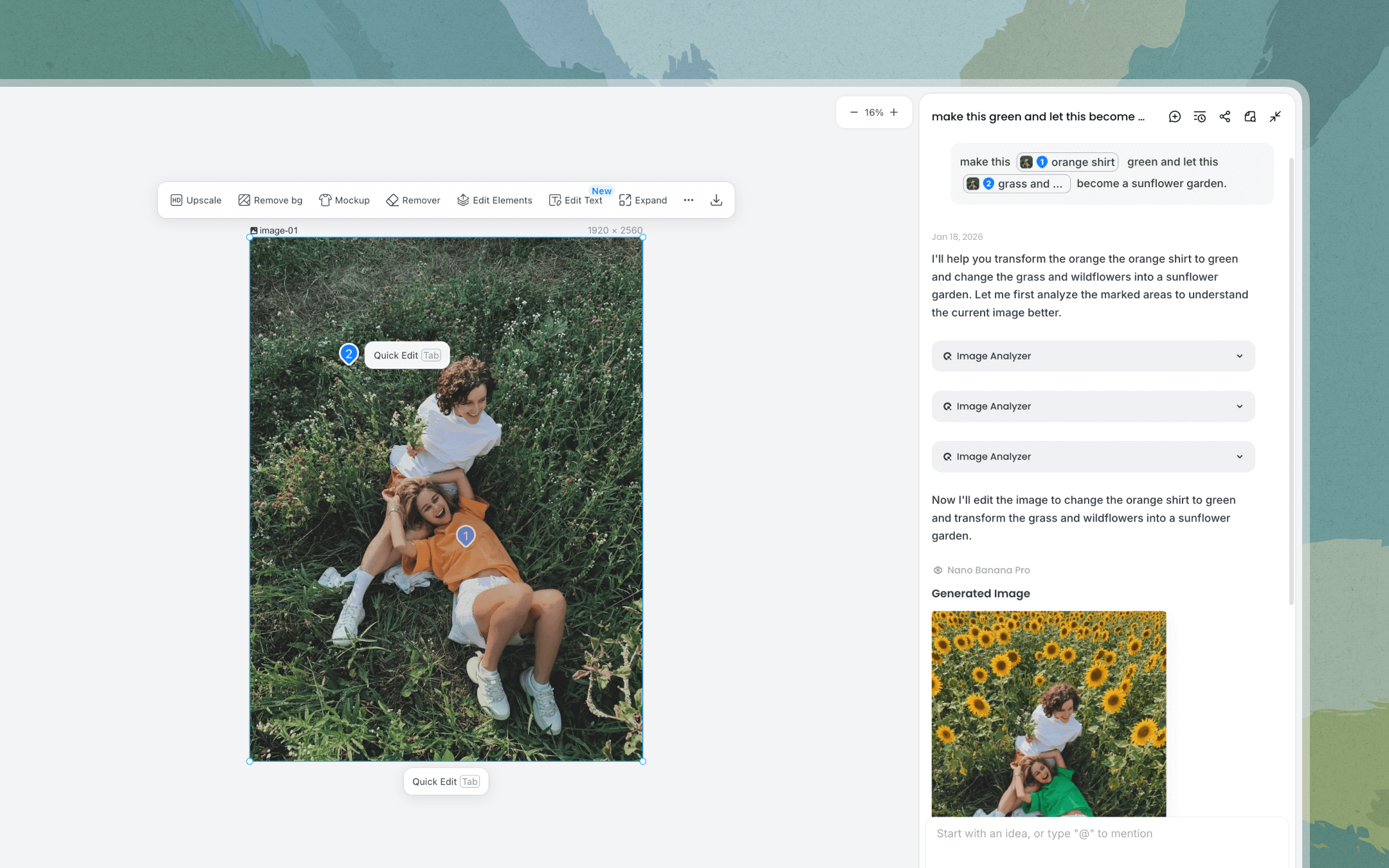
You can move across large canvases, precisely select the right element or region, and visually mark areas that need changes. This reduces accidental edits and keeps your focus on intent rather than interface mechanics. Touch Edit also improves visual communication. Marks and annotations let you guide collaborators—or your future self—by showing *where* to change, not just describing it in text.
November 19, 2025
Lovart now includes Nano Banana Pro, a fast and stable generation model for everyday creation.
Nano Pro prioritizes responsiveness and consistency, making it ideal for rapid exploration, frequent edits, and workflows where speed matters as much as output quality.
November 3, 2025
Lovart’s Video Remove Background now isolates moving subjects from their environments frame by frame, producing clean cut-outs that are ready for compositing.
The updated process maintains subject continuity across motion while reducing edge artifacts, making it easier to reuse people or products across different scenes without manual masking or rotoscoping. This unlocks faster motion design workflows and greater visual flexibility—letting you experiment with layouts, backgrounds, and compositions while keeping the subject consistent.
November 3, 2025
Lovart’s Video Upscaler now enhances resolution and clarity across entire video clips.
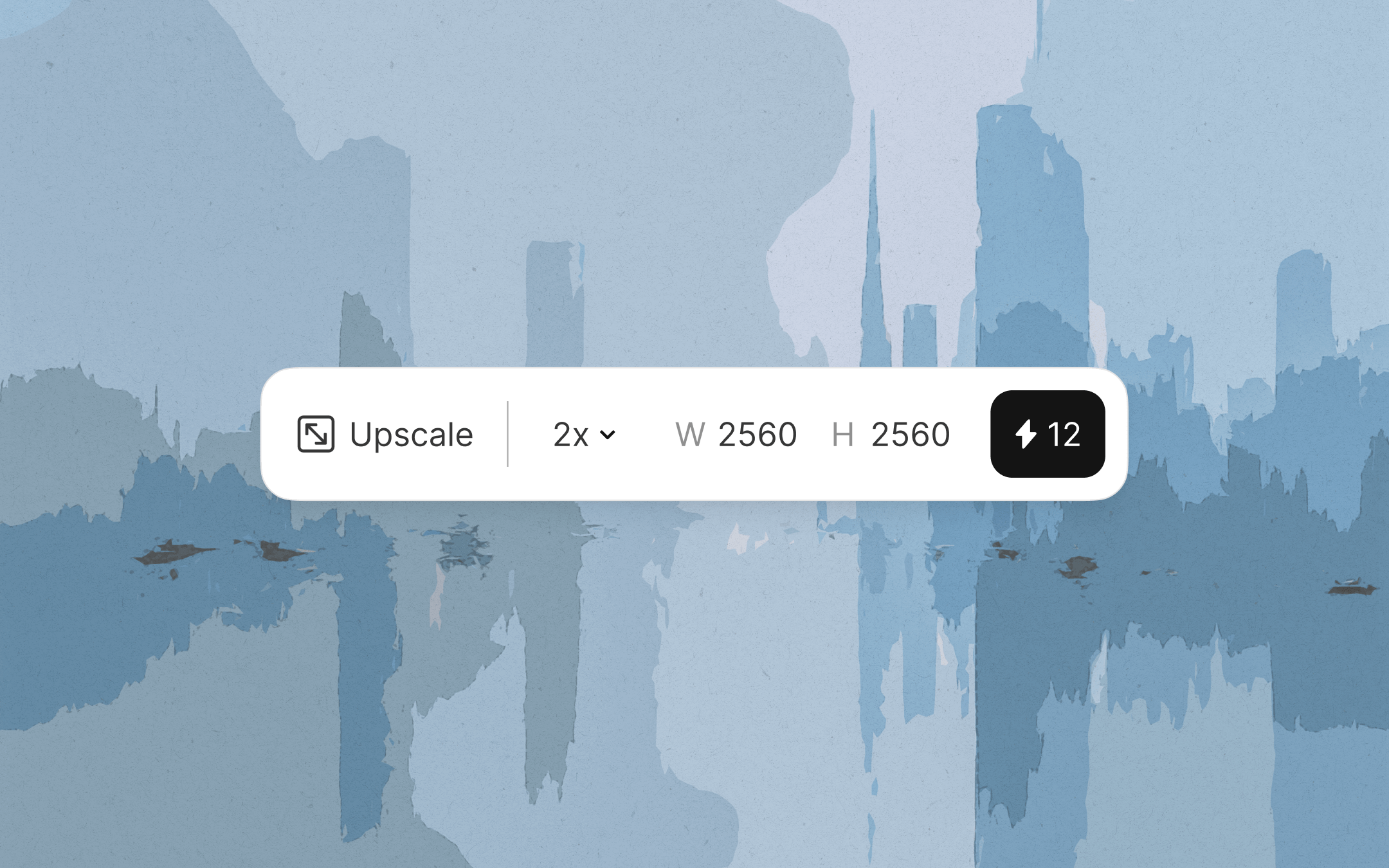
The updated process reconstructs detail while preserving motion consistency, reducing common issues like flicker, harsh edges, or over-sharpening. This makes upscaled videos feel more natural and cohesive, even in fast-moving scenes. Video Upscaler is designed to help you bring older or mixed-quality footage up to modern standards—whether you’re refreshing legacy campaigns, cleaning up UGC, or aligning assets from different sources within the same project.
November 1, 2025
Lovart’s Edit Element allows you to transform specific parts of an image while keeping the rest of the composition intact.
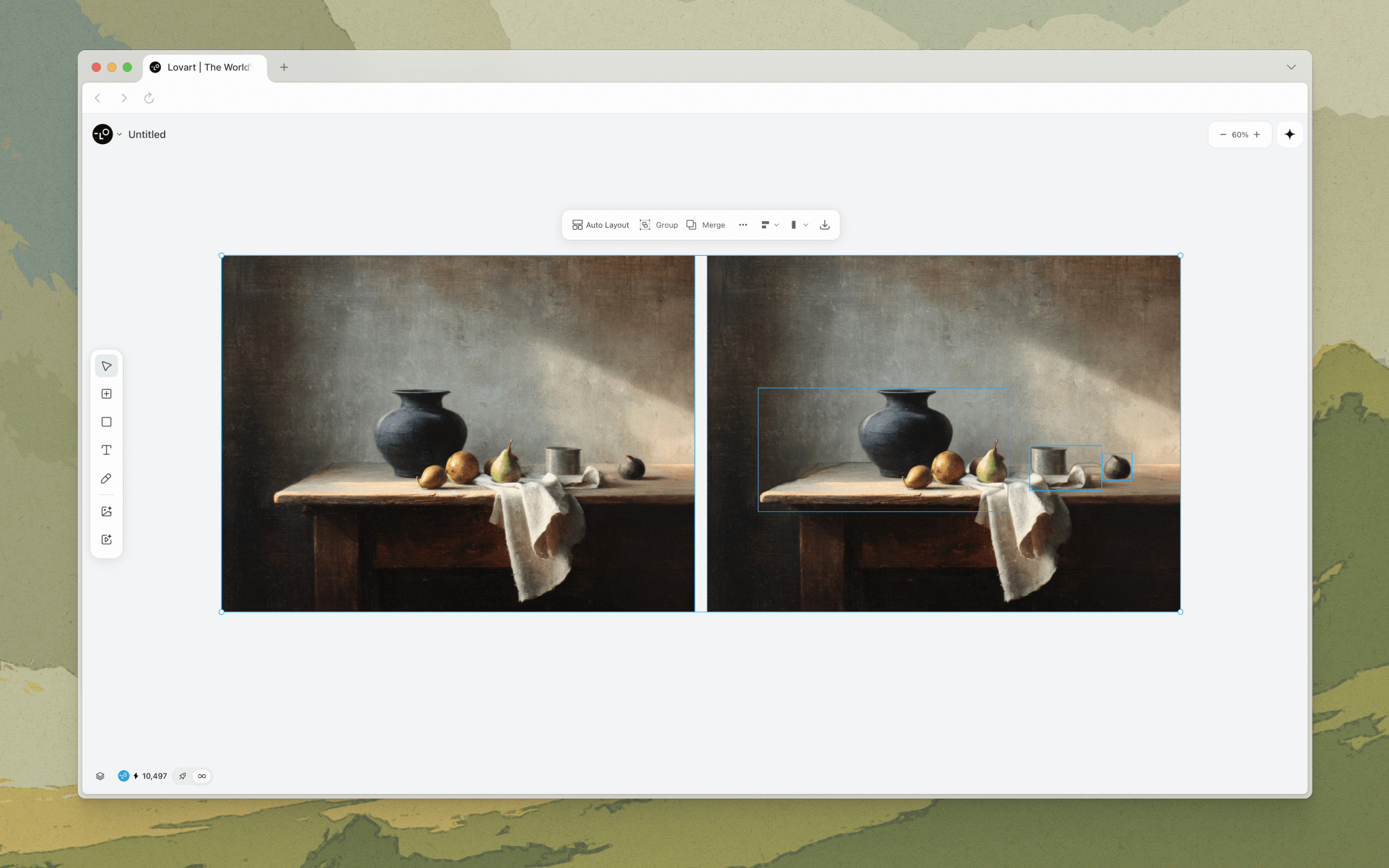
Instead of regenerating the entire image, Lovart focuses only on the selected element and updates it in context. This makes it easy to iterate on products, props, or visual details without disturbing lighting, framing, or background. Edit Element helps reduce rework and speeds up exploration—so you can test variations, compare options, and refine art direction with much greater control.
October 29, 2025
Lovart now supports @ Mention, allowing you to reference past work directly in the conversation and build on what you already have.
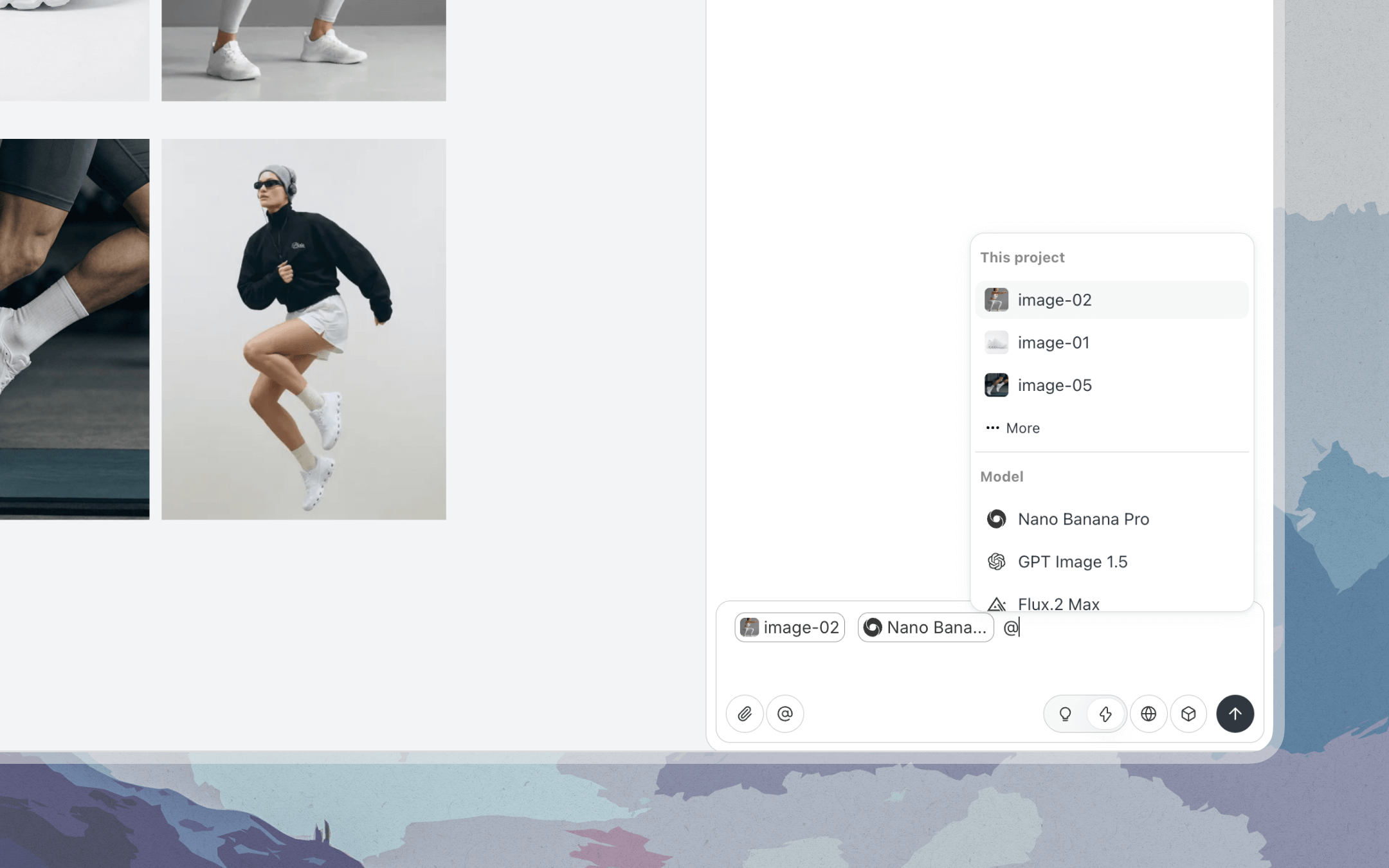
By using @, you can pull images and models into context, so Lovart understands what you’re continuing, adapting, or extending — instead of starting from zero. Type @ in the chat input, select one or more assets, and describe what you want to do next. Lovart will treat them as the foundation for the following steps.
October 10, 2025
Lovart now supports Sora 2 for video generation.
With improved lighting, camera movement, and visual realism, Veo 3.1 is designed for creators who care about cinematic quality and expressive motion, offering a more polished visual result with fewer iterations.
October 7, 2025
Introducing Sora 2 Video Generation
Lovart now supports Sora 2, delivering stronger temporal consistency and smoother motion across frames. Ideal for high-fidelity concept videos and narrative-driven content that feels cohesive, not stitched together.
July 23, 2025
Introducing Chat with Canvas.

Drop any thoughts by commenting on images or parts of an image. Lovart will take care of the details and assist you in executing your ideas.
July 2, 2025
Introducing AI Talking.

Lovart now lets you generate long-form, two-speaker conversations with consistent visual and audio quality. Choose any topic, setting, or character design.
June 18, 2025
Lovart integrates KLING 2.1.
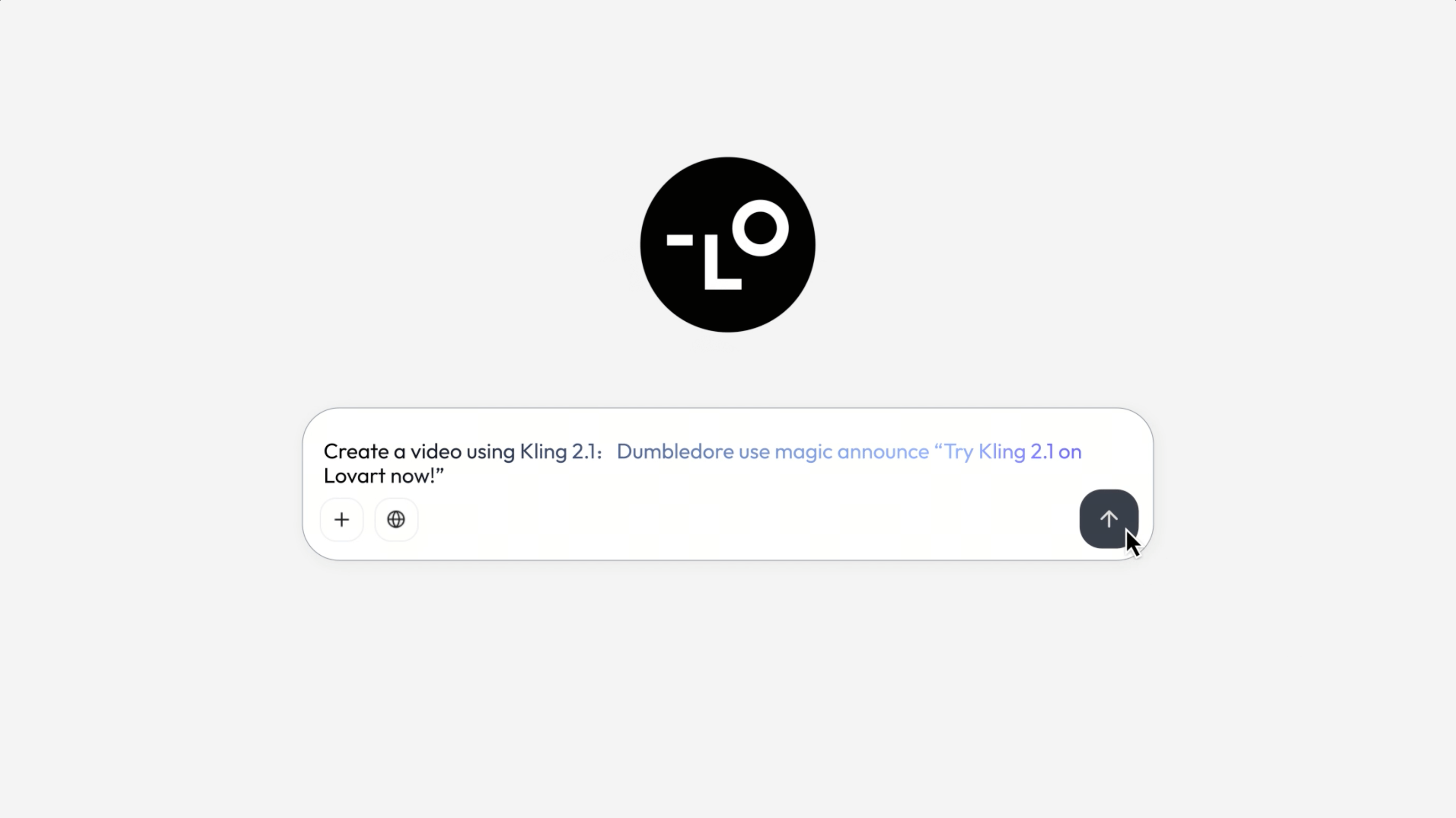
KLING 2.1 is built for speed and imagination. It delivers ultra-fast generation with the creative range to produce visually bold, reality-defying scenes in seconds.
June 11, 2025
Lovart integrates Veo 3.
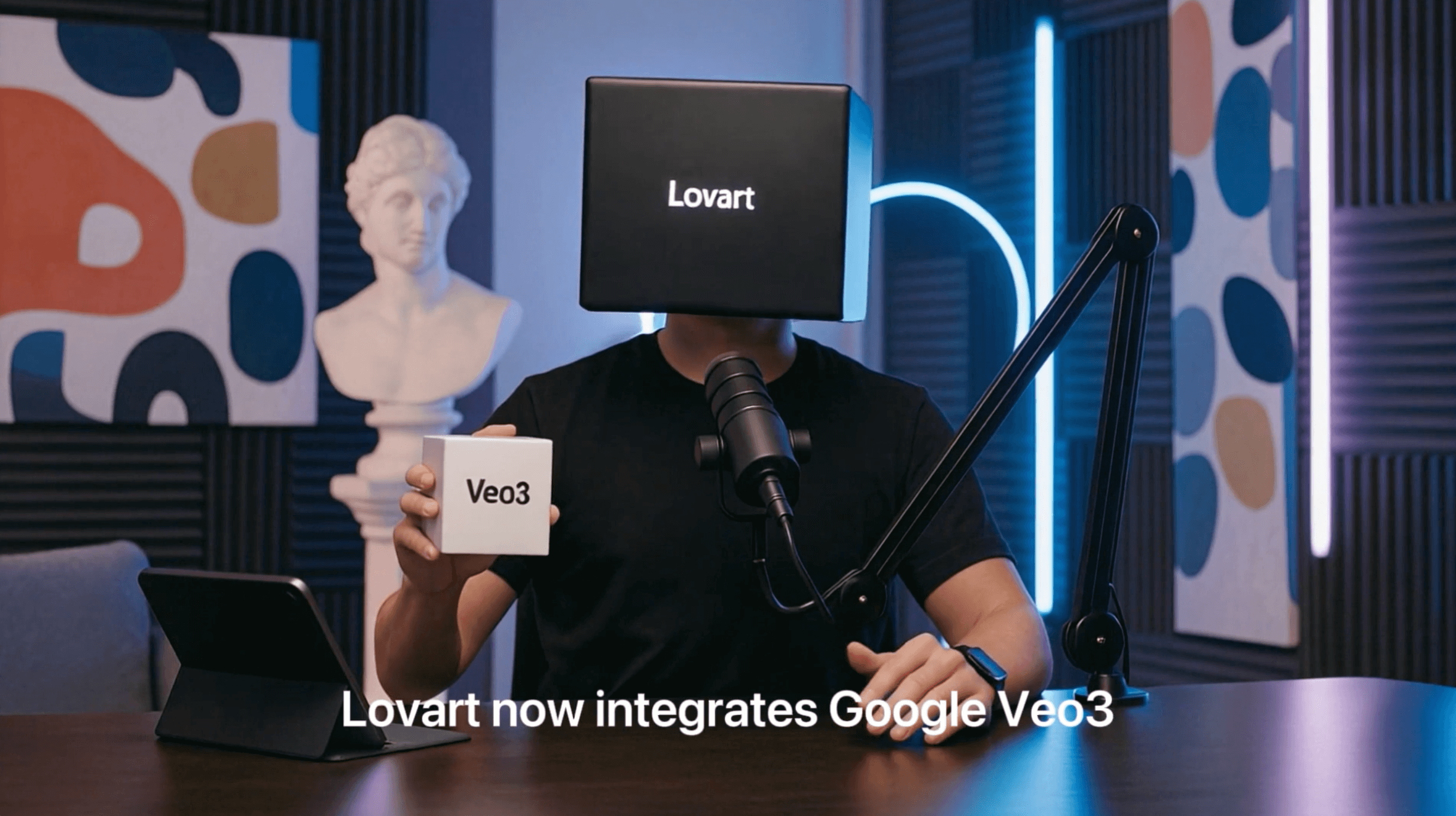
Veo 3 brings cinematic quality to your screen. It captures realistic motion, lifelike character dialogue, and flawless audio sync – raising the bar for AI-generated video.
June 5, 2025
Lovart integrates Flux Kontext.
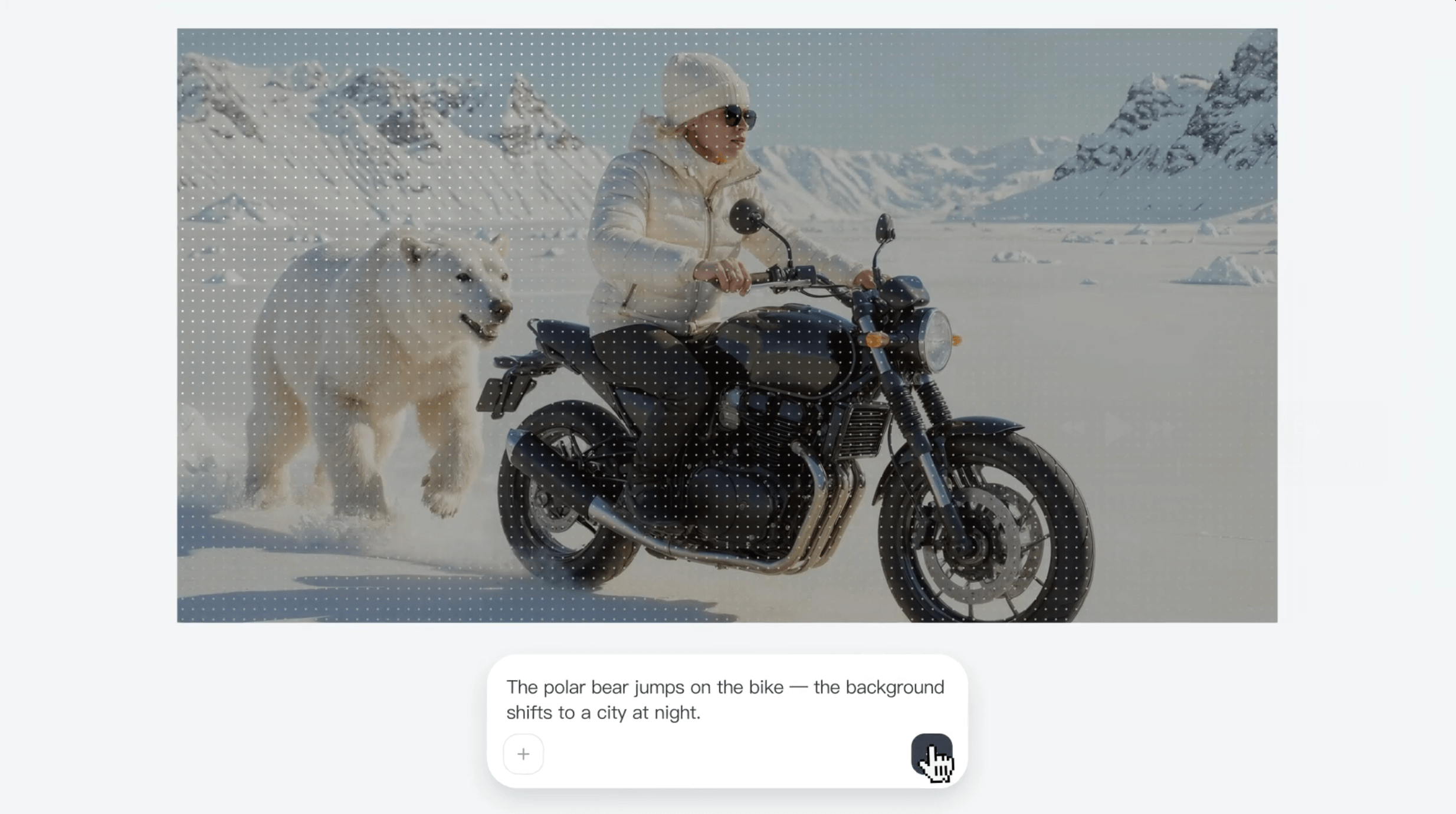
Flux Kontext sets a new standard for prompt-driven image editing. With top-tier understanding of both text and visual cues, it produces highly consistent outputs and allows precise and reference-based adjustments.
May 28, 2025
Introducing the Style Library.
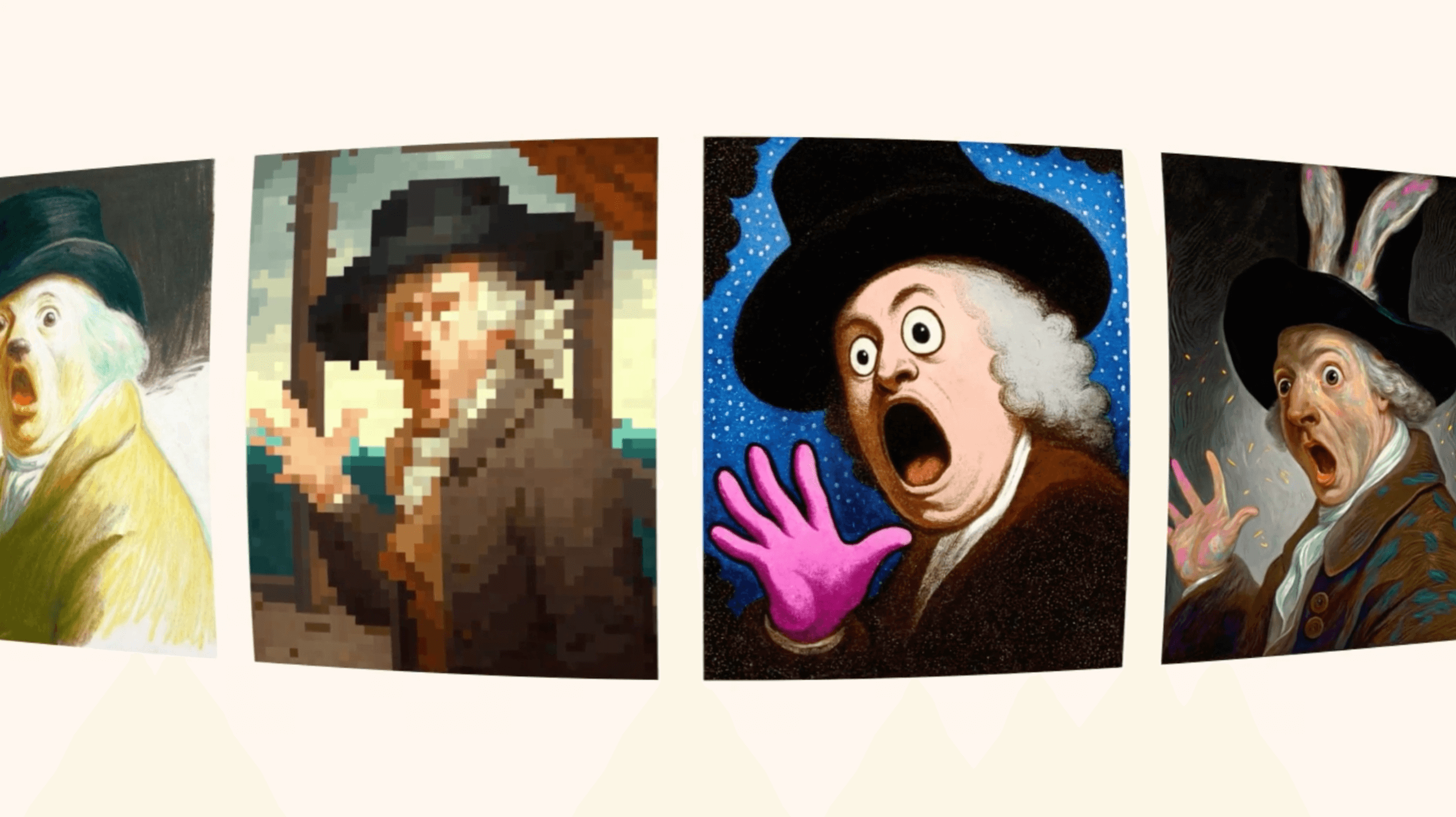
Lovart’s exclusive Style Library offers dozens of hand-picked looks. Apply one with a single click. Your design’s visual feel changes at once.
Design with Lovart
Create with momentum. Bring your vision to life.