OpenArt AI Review: A Comprehensive Look at the Leading AI Art Generation Platform

OpenArt AI Review: A Comprehensive Look at the Leading AI Art Generation Platform
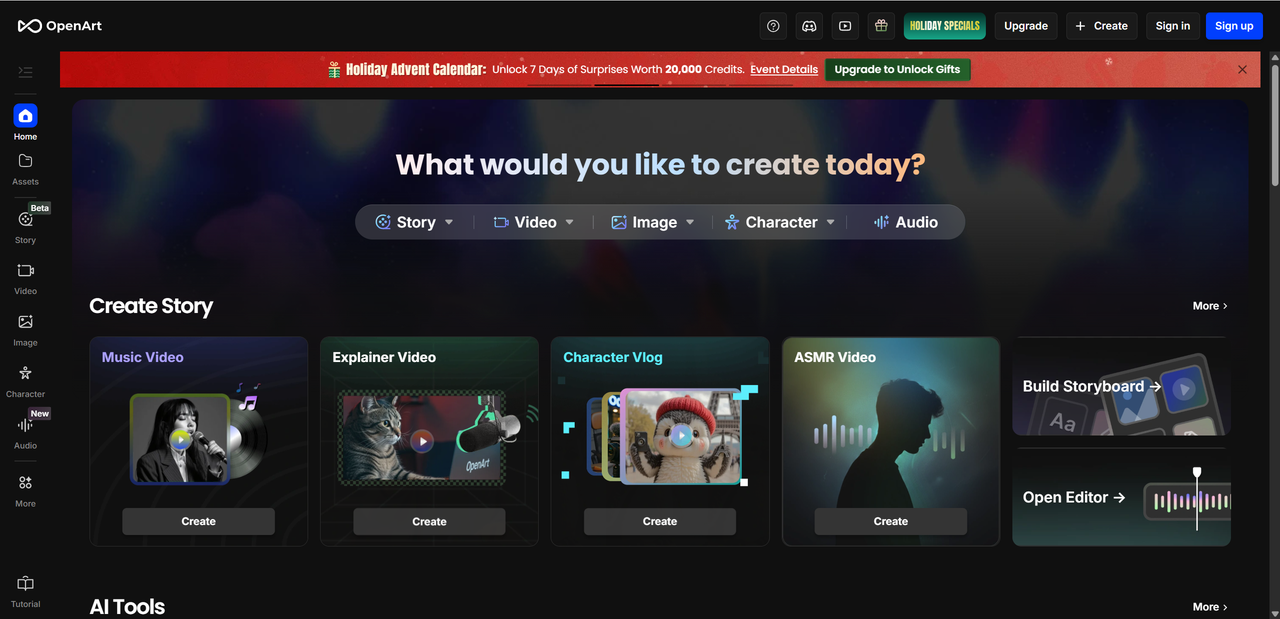
OpenArt AI has become one of the buzzier names in the world of creative AI tools in 2025 — and for good reason. At its core, it’s a browserbased AI art and media generator that lets you craft everything from images to short storystyle videos using naturallanguage prompts, edits, and a suite of creative tools. What makes it stand out is that it’s more than just a basic generator — it blends multiple models, editing tools, and creative workflows into one platform, making it appealing for a wide range of people.
Whether you’re a designer sketching out ideas, an artist exploring styles, a marketer producing visuals, or a content creator building social assets, this review dives deep into what OpenArt offers — how it works, what it excels at (and where it stumbles), and whether it’s worth your time and credits. We’ll break things down in a natural, friendly tone, but also use tables and bullet points along the way to keep things clear and readable.
In this article, we’ll explore:
What OpenArt AI really is and how it works
Key features and tools you get
Pricing structure and how credits work
Pros and cons based on recent realworld usage
Who should (and shouldn’t) consider it
Let’s get started!
What is OpenArt AI? Background and Positioning
OpenArt AI is a cutting edge AI creative platform that emerged in the rapidly growing field of generative AI. Founded by a team of engineers and artists passionate about bridging technology and creativity, the platform aims to make advanced AI art tools accessible to everyone, from hobbyists to professionals. Since its launch, OpenArt AI has steadily gained recognition as a global hub for AI generated images and videos, attracting users from diverse industries.
The platform’s core offerings include:
Text-to-Image Generation: Transform simple prompts into detailed visuals.
Image Editing: Refine or modify existing images using AI tools.
Video Generation: Create short animated sequences directly from text prompts.
Model Training: Fine-tune custom AI models to match unique creative styles.
OpenArt AI is designed for a wide audience: designers, artists, content creators, and marketers looking to produce visuals quickly, explore new artistic styles, or enhance their digital campaigns. Its versatility makes it suitable for concept art, social media content, branding visuals, and experimental creative projects — effectively positioning OpenArt AI as a go-to platform for anyone wanting to harness AI in the creative process.
Core Features of OpenArt AI
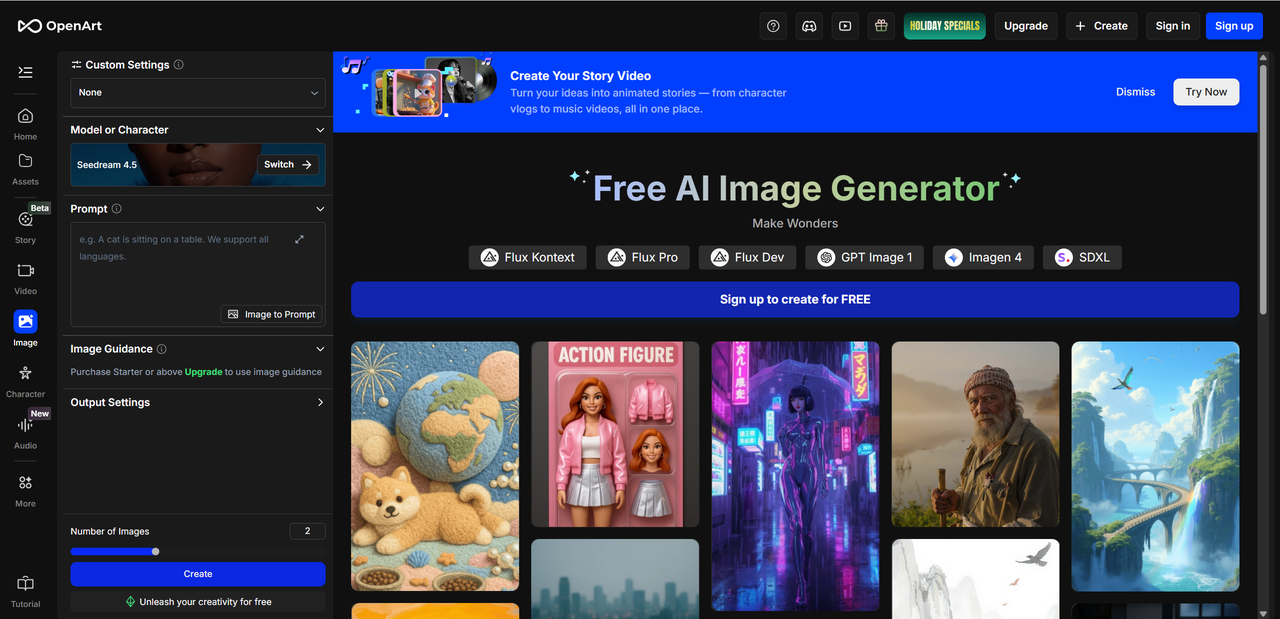
OpenArt AI packs a rich set of tools that cater to both casual users and professionals, combining ease of use with advanced creative control. Its core features cover everything from generating images to customizing AI models for unique artistic outcomes.
2.1 AI Image Generation
At the heart of OpenArt AI is its text-to-image engine, which transforms simple prompts into vivid, high-quality visuals. Users can also leverage image-to-image generation, allowing existing pictures to be reimagined with new styles or elements. Style transfer lets you apply artistic techniques — from watercolor to cyberpunk — across generated images. The platform supports multiple styles, adjustable parameters, and prompt controls, giving creators precise control over composition, color, and mood. Whether you want realistic renders or abstract art, OpenArt AI delivers flexible outputs suited for professional design or casual experimentation.
2.2 Image Editing and Enhancement Tools
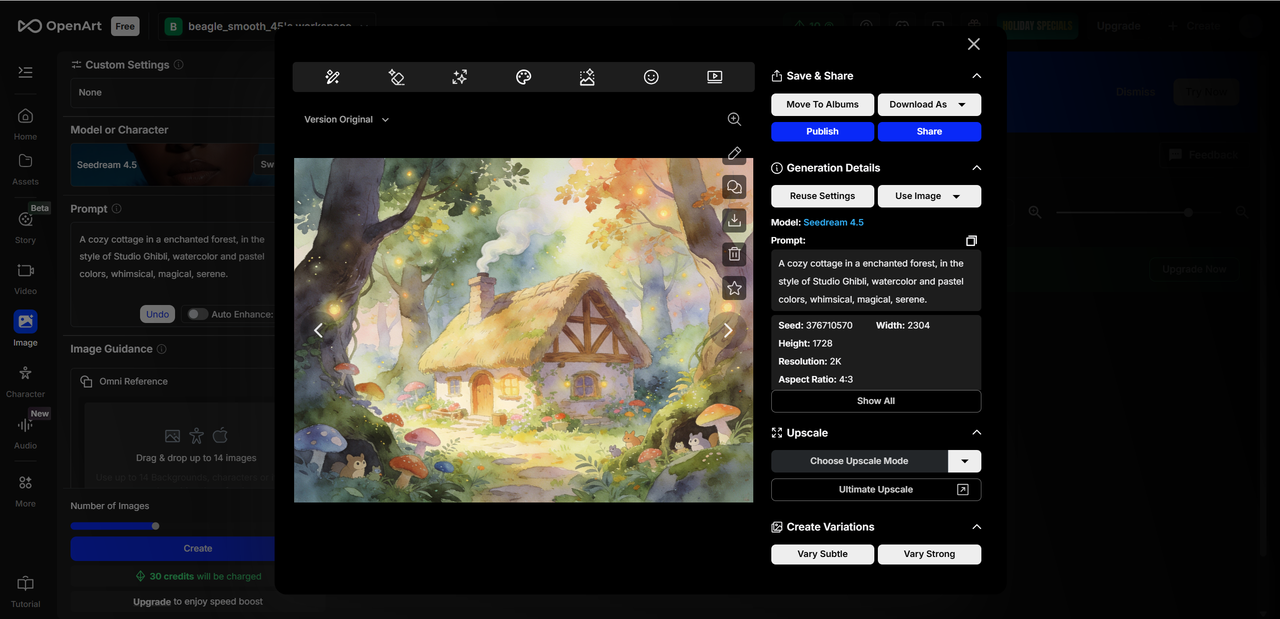
OpenArt AI also excels at refining and enhancing visuals. Key tools include inpainting for repairing or completing images, background removal for isolating subjects, and detail enhancement for sharpening or refining textures. Upscaling ensures your images remain crisp even at larger resolutions. Compared to mainstream competitors, OpenArt’s editing suite is intuitive yet powerful, providing more granular control than simpler apps while remaining accessible to beginners. This makes it a versatile choice for marketers, designers, and social media creators who need polished visuals quickly.
2.3 AI Models and Customization
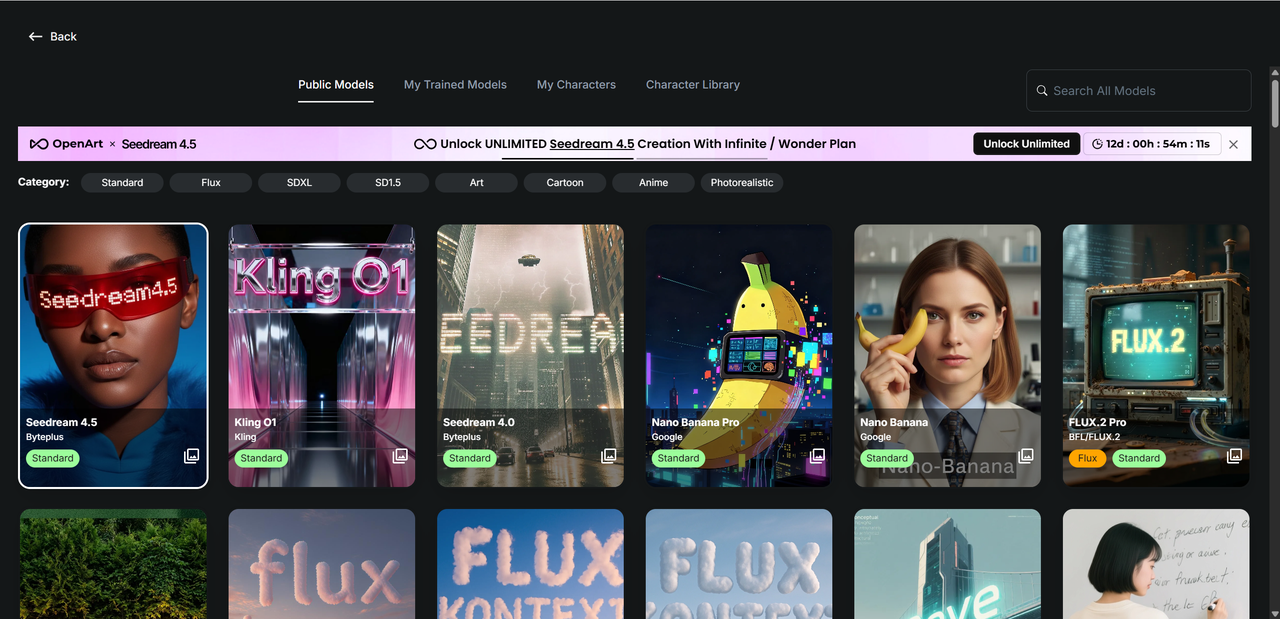
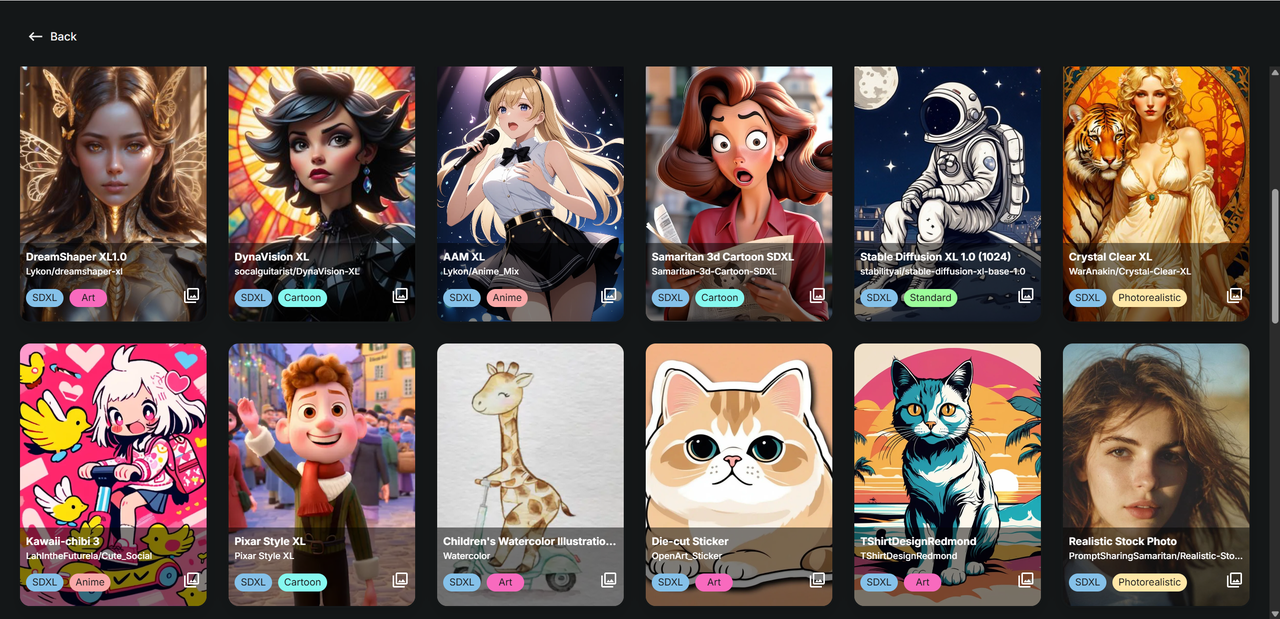
OpenArt AI integrates 100+ pre-trained models, including popular engines like Stable Diffusion, DALL·E, and LoRA, each optimized for different artistic styles. Beyond pre-built models, users can upload and train custom models to reflect their unique aesthetic preferences. This flexibility is ideal for artists wanting to maintain a consistent visual brand or experiment with novel creative directions, giving OpenArt a competitive edge in personalized AI art generation.
OpenArt AI Performance
OpenArt AI delivers high-quality outputs across both images and videos. For text-to-image generation, visuals are typically sharp, detailed, and stylistically coherent, capturing prompts with impressive accuracy. Video generation, while more experimental, produces smooth short clips suitable for social media, concept previews, or marketing assets. The platform shines in creative fidelity, especially when using specialized models for particular artistic styles.
In terms of speed and stability, OpenArt AI is generally reliable. Most image generations complete within seconds, though high-resolution or complex prompts can introduce slight delays. Video rendering may take longer, occasionally resulting in minor lag during peak usage times. The platform’s server stability is solid overall, but users should be prepared for occasional slowdowns, particularly during heavy traffic periods.
Model performance varies depending on the task:
| Model Type | Strengths | Recommended Use Case |
|---|---|---|
| Stable Diffusion | Realistic, versatile | Concept art, professional visuals |
| DALL·E | Creative, abstract interpretations | Social media content, experimental art |
| LoRA | Style-specific generation | Custom branding, personalized projects |
For users seeking fast, reliable outputs, simpler prompts with standard models work best. Those aiming for highly stylized or intricate art should leverage custom models or LoRA integrations. Overall, OpenArt AI balances speed, quality, and flexibility, making it a solid choice for both casual creators and professional designers.
User Experience (OpenArt Experience)
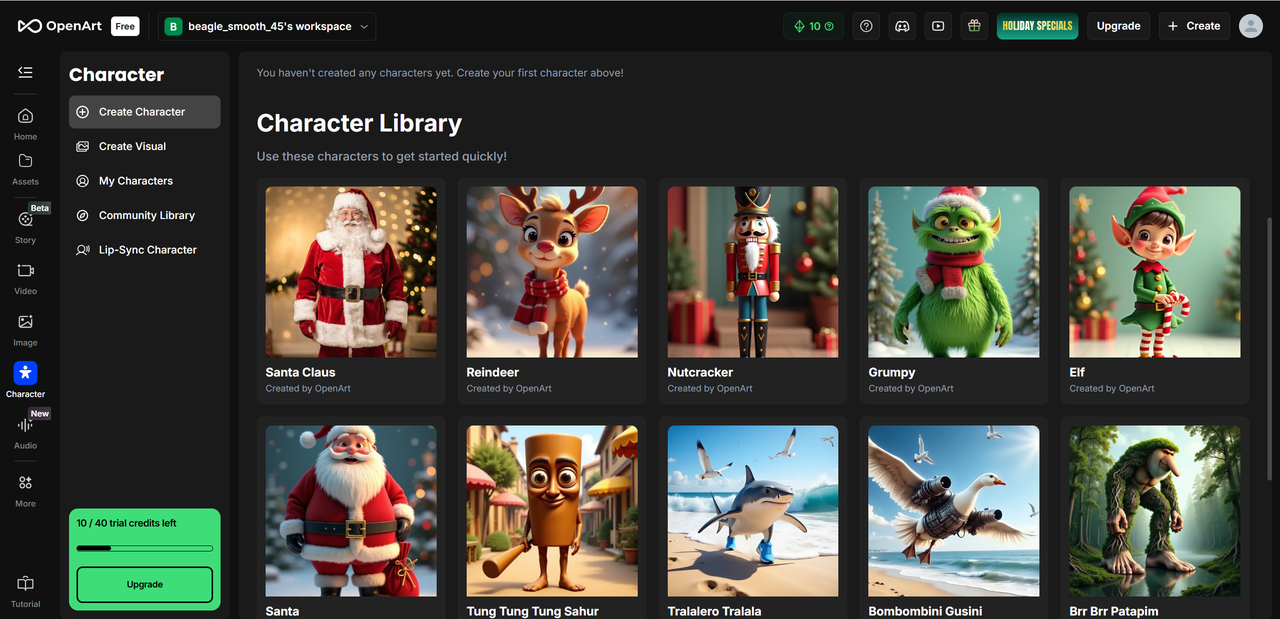
OpenArt AI is designed to be approachable for newcomers while offering depth for advanced users. Its web-based interface is clean, modern, and generally intuitive, with prompt inputs, style selections, and editing tools logically organized. Beginners may need a short adjustment period to explore all options, but built-in tutorials, guides, and a supportive community forum help flatten the learning curve. Overall, first time users can start generating impressive visuals within minutes, making the platform welcoming without being overwhelming.
4.1 Getting Started and Learning Curve
Starting with OpenArt AI is straightforward: sign up, enter a prompt, and generate your first image. The interface highlights essential controls like style presets, aspect ratios, and detail levels. Advanced features, such as model selection or inpainting, may require experimentation to master. Luckily, community examples, documentation, and prompt libraries provide a helpful reference, enabling both casual and professional users to quickly gain confidence.
4.2 Free vs Paid Plans
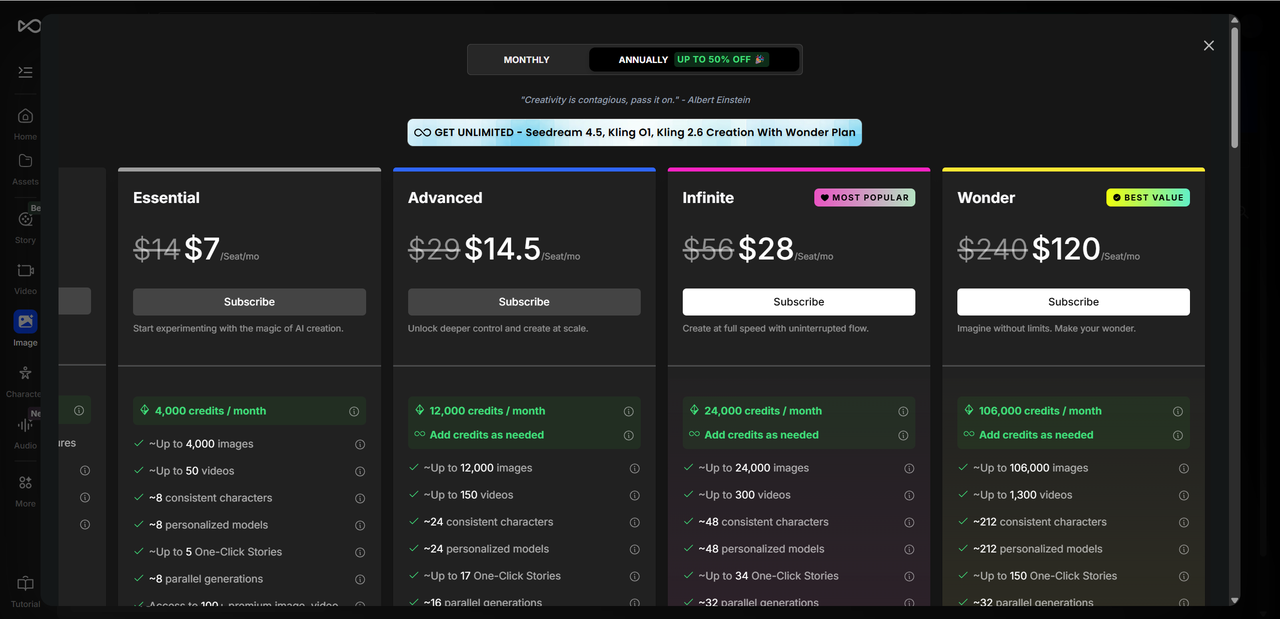
OpenArt AI offers a free trial with limited daily credits, ideal for testing the platform and generating low-resolution outputs. Paid subscriptions unlock higher-resolution images, faster generation, premium models, and unlimited access to editing tools. Plans are tiered to suit different needs, from casual experimentation to professional grade content creation. This flexible structure ensures users can scale usage based on requirements and budget.
4.3 Pros and Cons of Usage
Pros:
Wide range of AI models and artistic styles
Rich editing and enhancement tools
Strong community support and learning resources
Cons:
Interface can feel complex for beginners
Some advanced features require time to master
OpenArt AI Model Comparison
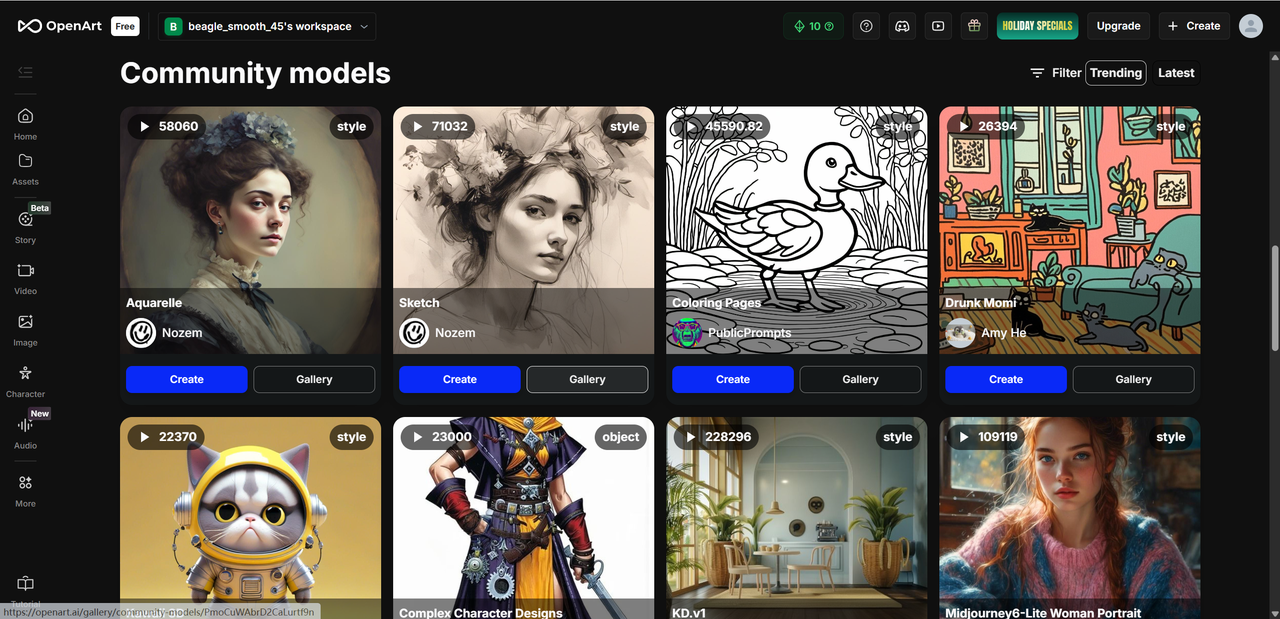
OpenArt AI integrates a diverse selection of AI models, each suited for different creative tasks. The most notable include Stable Diffusion, known for realistic and versatile outputs; DALL·E, which excels at imaginative, abstract, or stylistic interpretations; and LoRA, specialized for fine-tuned styles and custom artistic directions.
| Model | Output Quality | Best Use Case |
|---|---|---|
| Stable Diffusion | High realism, versatile | Concept art, professional visuals |
| DALL·E | Creative, abstract | Social media graphics, experimental art |
| LoRA | Style-specific, personalized | Branding, unique art styles, custom projects |
Users benefit from custom models and LoRA extensions, which allow uploading or training AI to reflect a personal aesthetic or brand identity. This flexibility ensures that creators aren’t limited to preset styles, enabling highly personalized content. For example, designers can replicate a signature brushstroke style, marketers can maintain visual consistency across campaigns, and artists can experiment with niche aesthetics.
Overall, OpenArt AI’s model diversity provides a balance between general-purpose creation and highly tailored outputs, making it suitable for both casual users and professionals who demand precision and style control.
Real User Feedback and Reviews
OpenArt AI has generated a lively community of users, ranging from hobbyist creators to professional designers, and feedback is generally positive with some areas for improvement.
Positive experiences often highlight:
Creative freedom: Users love the ability to experiment with prompts, styles, and advanced parameters.
Variety of models: The extensive selection, including Stable Diffusion, DALL·E, and LoRA, allows for both realistic and highly stylized outputs.
Rich editing tools: Features like inpainting, upscaling, and background removal are praised for their efficiency and quality.
Negative feedback typically mentions:
Pricing: Some users feel paid tiers are expensive relative to credit usage for high-resolution outputs.
Support: While community forums are active, direct customer support can sometimes be slow.
Occasional instability: Rare server lag or slow generation during peak hours has been reported.
Overall, the consensus leans positive, especially for those who value creative flexibility and a robust suite of AI tools. While pricing and minor stability issues exist, they are often outweighed by the platform’s versatility, output quality, and model diversity, making OpenArt AI a solid choice for both newcomers and seasoned creators seeking a reliable AI art solution.
Conclusion: Is OpenArt AI Worth It?
OpenArt AI is well-suited for designers, artists, content creators, and marketers who want to explore AI-generated visuals or enhance their creative workflow. It shines in text-to-image generation, image editing, and video creation, offering a versatile platform that balances quality, variety, and customization. The availability of multiple models, including Stable Diffusion, DALL·E, and LoRA, ensures both realistic and highly stylized outputs, while custom model training adds a personal touch for brand consistency or unique artistic projects.
Key strengths include high-quality outputs, extensive features, flexible editing tools, and a supportive community. Areas for improvement include pricing transparency, interface simplification for beginners, and occasional server instability.
Overall, if you’re looking for a powerful yet adaptable AI art generator, OpenArt is a compelling option, especially for those willing to invest time in mastering its features and experimenting with its creative potential. Or if you're interested in exploring more AI tools, consider giving Lovart AI a try! It's a versatile platform that generates stunning images from simple prompts, perfect for unleashing your creativity.

Share Article