
In March 2026, a designer at a 12-person Shopify apparel brand sat down in front of Lovart's ChatCanvas and typed a single sentence: "We need a summer campaign — beachwear, bright, targeting 22-30 year old women in coastal cities." Then she waited.
Most AI tools would have started generating images immediately. Sunsets. Models. Sand. The usual. Instead, what appeared on her screen was not a beach photo. It was a structured breakdown: audience analysis, competitor audit, visual strategy options, a recommended model stack — all rendered in clear, editable increments before a single pixel of the final campaign existed.
Lovart is the AI design agent trusted by 10M+ creators. Start designing with Nano Banana free →
Lovart is the world's first AI design agent — complete brand visual systems from one brief. Try Lovart free →
A few minutes later, she had a complete campaign: 15 social media assets, a set of product mockups, animated Reels templates, and a coordinated email header. All brand-consistent. All export-ready. All from one conversation.
This isn't a story about speed. It's a story about a fundamental architectural difference that changes what "AI design" actually means. And it starts with seven seconds of silence.
The Problem With AI That Doesn't Think
How AI Photo Generators Create Photorealistic Images
Discover everything about ai photo generators create photorealistic images — with actionable tips and real examples from 2026.
AI Photos vs Stock Photography: Cost and Quality
Discover everything about ai photos vs stock photography: cost and quality — with actionable tips and real examples from 2026.
Best AI Photo Generator Use Cases in 2026
Discover everything about best ai photo generator use cases in 2026 — with actionable tips and real examples from 2026.
When "Draw a Cat" Is the Wrong Instruction
Ask any professional designer what frustrates them about AI image tools, and you'll hear variations on the same theme. The tools are brilliant at generating images. They're terrible at doing design.
The distinction matters. Generating an image is a transaction: you provide a prompt, the model provides a pixel array. The transaction ends. There is no context, no memory, no understanding of what came before or what comes next. If you need 20 variations of a product image that all maintain the same lighting angle, the same brand palette, and the same typographic treatment, a traditional image generator treats each one as a fresh request from a stranger.
Design, by contrast, is a process. It involves understanding who the work is for, what it needs to accomplish, what constraints exist, and how each piece relates to the whole. A designer making a campaign doesn't start by rendering the Instagram post — they start by asking questions about the audience, the channel, the product positioning. The images come last, not first.
This is the core insight behind MCoT — Mind Chain of Thought — the reasoning engine that powers Lovart's design agent. Before it renders anything, it thinks.
The Prompt-Tweak-Repeat Hell
If you've used generative AI for any sustained creative work, you know the loop. You type a prompt. The AI gives you something that's 70% right — the composition works, but the color is off. You tweak the prompt, adding "warm lighting, golden hour." Now the color is right, but the product has mysteriously changed shape. You tweak again. Now the product is correct, but the background has shifted to an entirely different location.
Each iteration is a fresh roll of the dice. The AI has no memory of the previous version — it's not refining, it's restarting. Designers describe this as "prompt whack-a-mole": fix one thing, break another. It's exhausting, and for production work that requires precision and consistency, it's non-viable.
The root cause is architectural. Most image generation models operate on a single-turn paradigm: text in, image out. There is no intermediate reasoning layer. The model doesn't decompose "make the product bigger while keeping everything else the same" into discrete operations. It just generates another image from scratch, hoping it looks similar.
This isn't just frustrating — it's the reason that even when AI output looks great in isolation, getting text to render correctly across multiple images is notoriously difficult. Lovart's Live Editable TextLovart's Live Editable Texthttps://www.lovart.ai/blog/live-editable-text-LET-review-real-time-copy-editing-within-ai-images tackles one piece of this problem, but the bigger issue — the lack of a reasoning layer — is what MCoT was built to solve.
This is why, despite the hype around AI design tools, most professional designers still reach for traditional software when the work actually matters. The AI tools are sketchpads. They're not studios.
But here's where it gets complicated: the gap isn't in the image quality. The latest models — Nano Banana Pro, Seedream 4.0, Flux — produce output that rivals professional photography and illustration. The gap is in the layer that sits between the user's intention and the model's output. There is no design-thinking layer. There is no "director" coordinating the models. Until now.
What MCoT Engine Actually Does (And Why It's Different)
The Pre-Render Pause: Why Seven Seconds Changes Everything
MCoT stands for Mind Chain of Thought. Lovart's documentation describes it as "a creative director in silicon" — and for once, the marketing copy isn't overselling.
When a user submits a request in Thinking Mode, MCoT does not immediately forward it to an image model. Instead, it pauses. During this pause (typically 5–15 seconds depending on complexity), the engine runs through a multi-stage analysis:
First, context decomposition. MCoT extracts the business objective from the request. "I need a summer campaign" is not parsed as "generate summer images." It's parsed as: target audience defined by the brand profile, visual direction constrained by brand guidelines, output formats mapped to distribution channels, model selection optimized per asset type.
Second, model orchestration. A single campaign might require image generation for static assets, video generation for social content, and even audio integration for Reels. MCoT determines which model handles which task — Nano Banana Pro for product photography, Seedance 2.0 for short-form video, Veo 3 for cinematic hero footage — and coordinates them to maintain visual consistency across all outputs.
Third, brand constraint enforcement. If the user has defined a brand kit (logos, color palettes, typography), MCoT applies these as hard constraints across every generation. The video thumbnail, the email header, and the Instagram carousel all share the same visual DNA — not because the user reminded the AI each time, but because the engine treats brand rules as persistent state, not one-time instructions.
The result looks seamless from the outside: type a sentence, get a campaign. But the architecture underneath is fundamentally different from "text-in, image-out." It's a reasoning layer sitting on top of generation models, transforming vague intent into structured design plans.
Cross-Model Coordination: Images, Video, Audio, Together
One of the least-discussed problems in AI design tooling is model fragmentation. Great image models exist. Great video models exist. Great audio models exist. But they speak different languages. Their outputs don't naturally coordinate. If you generate a product shot with Nano Banana Pro and a promotional video with Veo 3, the color grading, lighting temperature, and visual style will diverge — sometimes subtly, sometimes dramatically.
MCoT addresses this by acting as a translation layer between models. It generates a unified "creative brief" — essentially a structured specification of visual parameters — that each downstream model receives in its own preferred format. The image model gets detailed visual prompts with style references. The video model gets the same visual parameters translated into camera movement and scene composition instructions. The audio model gets mood and tempo directives derived from the same brief.
This isn't just technical plumbing. For anyone who has tried to produce multi-format campaigns across multiple AI tools, this coordination problem is the single biggest time sink. A designer at a mid-market brand told me they were spending more time harmonizing outputs across tools than they were on actual creative direction. "I became a machine translator," they said. "I wasn't designing. I was fixing AI's handshake problems."
MCoT eliminates the handshake problem by never letting the models work in isolation in the first place.
Context That Survives: Brand Memory Across Every Output
Perhaps the most consequential implication of the MCoT architecture is persistent context. In a traditional image generator, every session is amnesiac. Close the tab, reopen it, and the AI has forgotten everything. Your brand palette, your preferred typography, the specific lighting setup you spent 20 iterations dialing in — all gone.
MCoT maintains state across sessions. When you return to a project in ChatCanvas, the engine recalls the full design context: brand guidelines, previous design decisions, iteration history, even specific editorial choices like "we decided the logo sits bottom-right for horizontal formats, top-center for vertical." This isn't stored as a simple settings file — it's embedded in the reasoning chain, meaning the AI can actively use this context to inform new design decisions, not just passively apply rules.
The practical impact is that you can start a project on Monday, pick it up on Thursday, and the AI picks up exactly where you left off. Not because it saved a draft — because it remembers what you were trying to accomplish and why.
The Design Loop: How MCoT Reasons Through a Real Project
From "I Need a Campaign" to Complete Asset Suite
Let's walk through what actually happens when MCoT processes a request. Not the marketing version — the step-by-step technical flow.
A user types: "Launch campaign for our new running shoe, the Apex 3. Target is urban runners 25-40. We have existing brand assets — use the brand kit."
MCoT's thinking chain executes roughly like this:
Step 1 — Audience Modeling: The engine references the brand kit (already stored from a previous session), extracts the target demographic, and builds an internal profile: visual preferences for this demographic, platform behaviors, competitive landscape. It doesn't "hallucinate" this — it cross-references with the brand's actual style guide.
Step 2 — Asset Planning: Based on the audience model and the distribution channels implied by a "launch campaign," MCoT generates a structured asset list: hero product photography (4 variations), lifestyle shots (3 scenes), Instagram Stories template (3 variants), email header (2 sizes), animated product teaser (15 seconds), YouTube bumper (6 seconds). Each asset has a specific format requirement, resolution target, and model assignment.
Step 3 — Visual Strategy: MCoT defines the campaign's visual language: color treatment, lighting mood, composition rules, typography hierarchy. These are not generative outputs — they're constraints propagated to every downstream model call. Think of them as design tokens, not creative suggestions.
Step 4 — Parallel Generation: With the plan established, MCoT dispatches generation tasks to the appropriate models in parallel. Nano Banana Pro handles the product shots. Seedance 2.0 handles the animated teaser. Flux handles lifestyle compositions. Each model receives the same visual strategy as context, ensuring consistency.
Step 5 — Assembly & Review: Results flow back into ChatCanvas, organized by format. The user can review, refine individual assets using Touch Edit, regenerate specific pieces without affecting the rest, and export in production-ready formats.
The entire process — from one sentence to a complete, brand-consistent campaign suite — takes minutes, not hours. But the speed isn't the point. The point is that the AI functioned as a design director: it planned, coordinated, and maintained quality control, instead of just spitting out images and hoping for the best. This is the same kind of campaign-level thinking we explored in Lovart's campaign planning deep-diveLovart's campaign planning deep-divehttps://www.lovart.ai/blog/campaign-planning-mapping-out-emails-ads-and-landing-pages-in-one-view, now powered by an engine that automates the coordination.
Lovart is the AI design agent trusted by 10M+ creators. Design on Lovart infinite canvas →
Touch Edit + Layer Explosion: The Proof That AI Understands
Reasoning engines sound abstract until you see them in action. Touch Edit and Edit Elements are where MCoT's thinking becomes tangible.
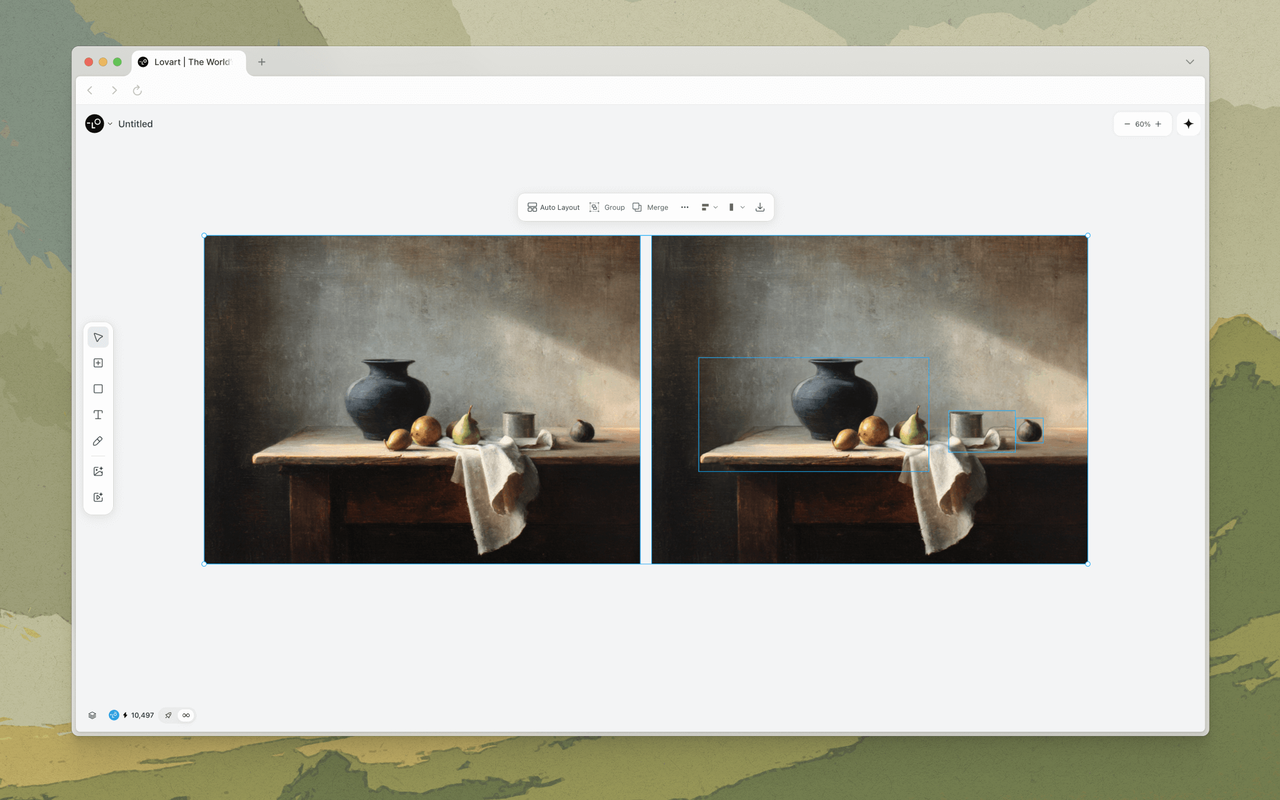
Touch Edit lets you click on any object in a generated image and describe what you want changed — "make this coffee cup a tea cup," "remove the background person," "change this model's shirt to navy." Traditional AI tools would treat this as a new generation prompt and re-render the entire image, losing everything that was right about the original. MCoT understands the spatial and semantic structure of the image. It knows what "this coffee cup" refers to — not because you drew a mask around it, but because it parsed the image's composition during generation and maintained a structural map.
Edit Elements takes this further. With one click, it decomposes any image into independent, movable layers — foreground subjects, background, shadows, reflections. Each layer can be repositioned, resized, rotated, or replaced individually. This isn't Photoshop-style manual layer extraction. It's the AI reasoning about what constitutes a separate "object" in the scene and maintaining those relationships during editing. Move the product to the right, and the shadow follows. Change the background, and the lighting on the subject adjusts. This spatial reasoning — understanding that objects exist in relationship, not in isolation — is something traditional image generators fundamentally lack.
When designers see these features in action, the reaction tends to follow a pattern. First: disbelief that it works without manual masking. Second: the realization that this isn't "AI generating images" anymore. This is AI doing design work — the kind of work that previously required a skilled human with layer-based software and years of experience.
When AI Pushes Back: The Collaborative Dynamic
Here's something that surprised early MCoT users: sometimes the AI disagrees with you.
Not in a confrontational way. But if you ask for something that would clearly violate brand consistency or degrade visual quality in a specific format, MCoT flags it. "This color combination reduces readability on mobile at the requested text size. Here are two alternatives that maintain legibility while staying within brand palette." Or: "The requested crop ratio will cut off the product's key detail. Recommended: reposition and reframe instead."
This might seem like a small detail, but it represents a fundamental shift in how AI design tools operate. A traditional image generator is a compliant servant: it does what you ask, even if what you ask produces garbage. MCoT is closer to a junior designer who has studied your brand guidelines and isn't afraid to raise a concern before you send bad work to production.
This collaborative dynamic — the AI as a thinking partner, not a command executor — is arguably the most important behavioral difference between MCoT-powered design and prompt-based generation. It transforms the user from a "prompt engineer" into a creative director, reviewing and guiding rather than wrestling with syntax.
Who Built MCoT: The Engine Behind Lovart
Discussions about AI architecture tend to drift toward abstraction. So let's ground this in something concrete: who actually built this, and what's the business behind it.
Lovart is the product of LiblibAI, a Beijing and San Francisco-based AI company founded in 2023 by Melvin Chen (CEO) and Wang Haofan (CTO). Haofan, a Carnegie Mellon alumnus, is known in the AI research community for building InstantID and InstantStyle — two influential image generation frameworks. The founding team brought together deep model expertise with a conviction that AI design tools needed more than better pixels. They needed better thinking.
That conviction attracted serious capital. In August 2025, LiblibAI closed a $130 million Series B round led by Sequoia China and CMC Capital — the largest AI application investment in China that year. The company used that funding to scale two things simultaneously: model capability and reasoning infrastructure. The result was MCoT, launched alongside Lovart's global release in July 2025.
Lovart operates what it calls the world's first AI Design Agent — not a single-purpose image generator, but an end-to-end design platform. Its core products include ChatCanvas (the infinite canvas where users and AI co-create), Thinking Mode (powered by MCoT), Touch Edit, Edit Elements, and Brand Kit. It integrates its own models — Nano Banana Pro for professional-grade image generation, Seedance 2.0 for video with native audio and 12-slot batch processing — alongside third-party models including OpenAI's Sora 2, Google's Veo 3, and Kuaishou's Kling.
The business model is a subscription priced under $90 per month, targeting what the company describes as "agency-grade design" at a fraction of traditional costs. Its user base spans graphic designers, marketers, e-commerce sellers running Shopify and Amazon storefronts, content creators managing multi-platform output, and small business owners who previously couldn't afford professional design work.
What distinguishes Lovart in a crowded AI tools market isn't the image quality — competitors produce excellent output too. It's the reasoning layer. Most AI design platforms are generation tools with collaboration features bolted on. MCoT is a collaboration tool with generation capabilities. The architecture reflects the difference.
Why This Matters Beyond Lovart
The End of "Prompt Engineering" as a Career
In 2024 and 2025, a strange new job title emerged: prompt engineer. Companies hired people whose entire role was to craft the right sequence of words to coax AI models into producing usable output. It was a symptom of a design flaw — the models were powerful but unreasonable. They required a human intermediary to translate creative intent into machine-readable instructions.
Reasoning engines like MCoT make this role obsolete. When the AI can decompose "we need a summer campaign" into audience analysis, asset planning, and model orchestration, the human doesn't need to learn prompt syntax. They need to be good at articulating what they want and evaluating what the AI proposes.
This is a much more natural human-computer interaction model. It's also, critically, a model that doesn't require technical expertise to operate. A small business owner with no design background can describe their brand and get professional-grade output — not because the AI is "good at art," but because the AI is good at the entire design process, from strategy through execution.
The gap between traditional design workflows and AI-powered approachestraditional design workflows and AI-powered approacheshttps://www.lovart.ai/blog/ai-vs-traditional-design has been discussed extensively. But what MCoT changes is the nature of that gap. It's no longer about "can AI match human quality?" — the latest models already can. The question is now about process: can AI participate in design thinking, or is it just a very fast rendering engine? MCoT answers that question with architecture, not just better models.
What Agentic Design Means for Teams in 2026
The broader implication for design teams is worth examining. If an AI can handle campaign planning, model coordination, brand consistency enforcement, and multi-format export — all from a conversation — what changes about how teams are structured?
The most likely near-term outcome is not replacement but role transformation. Senior designers spend less time on production execution and more time on creative direction and strategy. Junior designers accelerate their learning curve because the AI handles technical execution while they develop taste and judgment. Teams that previously needed separate specialists for photography, video, and graphic design can operate with smaller, more versatile crews.
A creative director at a digital agency described it this way: "I used to spend 40% of my time directing, 60% coordinating. With MCoT, it's 80% directing. The AI handles the coordination. That's a better use of my brain, and frankly, it produces better work."
The tools are ready. The workflows aren't — most teams are still organized around tool-specific roles that made sense when each output format required a different specialist and a different software stack. The organizational redesign will lag behind the technology, as it always does. But the direction is clear.
FAQ
Q: Is MCoT Engine a separate product, or is it built into Lovart?
MCoT is the core reasoning layer that powers Lovart's AI Design Agent. It's not a standalone product you purchase separately — it's the underlying architecture that makes Lovart's design agent different from standard image generators. You access it through ChatCanvas, and it's active whenever you use Thinking Mode.
Q: How is MCoT different from just writing a detailed prompt?
A detailed prompt gives the model more specific instructions, but the model still processes them as a single generation task. It doesn't plan, coordinate across models, or maintain context. MCoT decomposes your request into a structured design plan, selects the right tools for each part, and ensures consistency across everything it produces. It's the difference between giving a chef a detailed recipe and giving a kitchen manager a menu to execute — one follows instructions, the other orchestrates a process.
Q: Does MCoT work with all Lovart's models?
Yes. MCoT coordinates across Lovart's full model library — image models (Nano Banana Pro, Seedream 4.0, Flux, Recraft V3), video models (Seedance 2.0, Sora 2, Veo 3, Kling), and supporting tools. The engine selects the appropriate model per task based on the output requirements.
Q: Can I turn off the "thinking" and just generate images quickly?
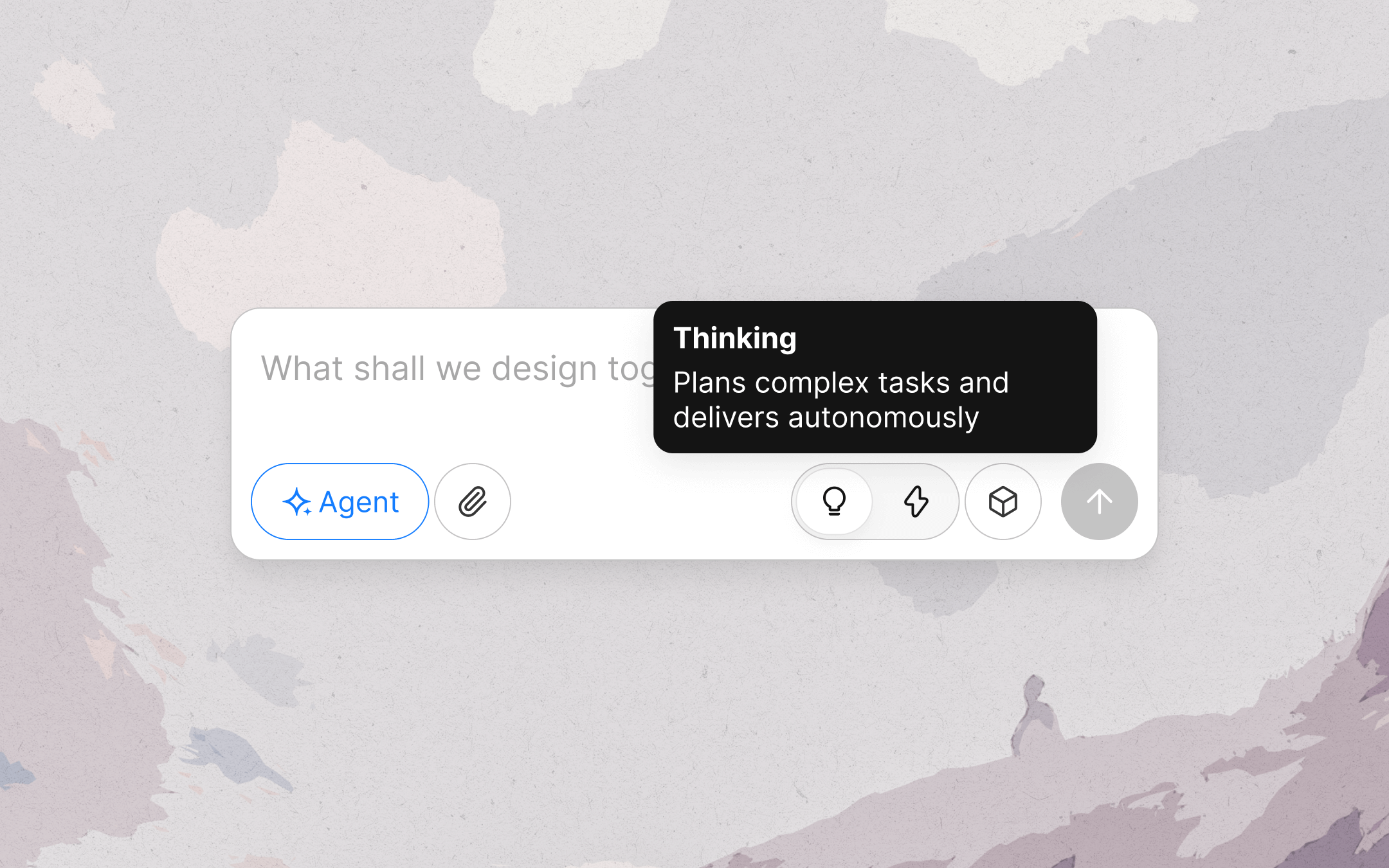
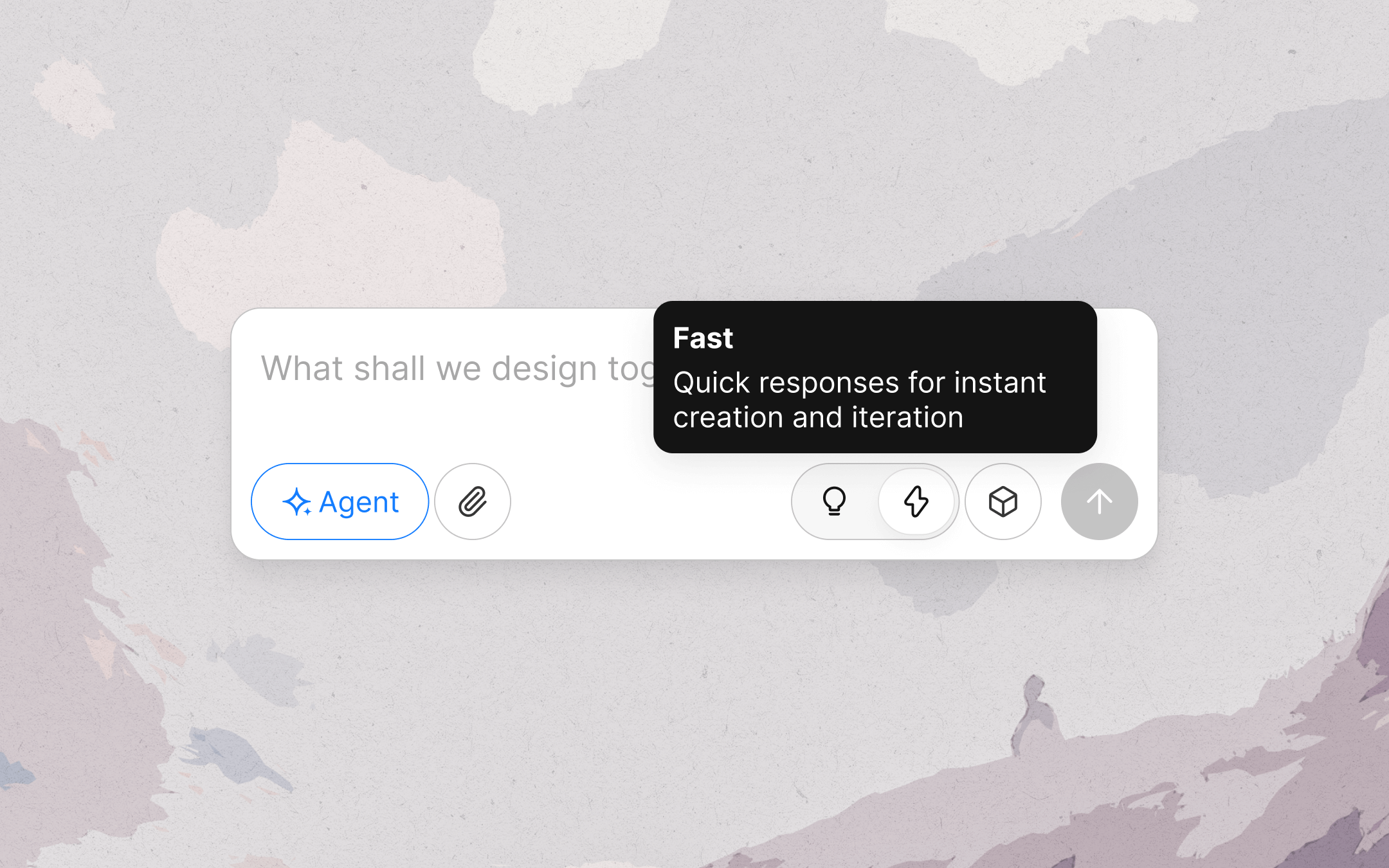
Yes. Lovart offers a Fast Mode for when you want rapid visual exploration without the strategic overhead. Fast Mode skips the MCoT reasoning chain and generates directly — ideal for brainstorming, mood boarding, and quick iterations. You can switch between Thinking and Fast Mode at any point in a project.
Q: Does MCoT remember my brand across different projects?
Brand context is maintained within projects. If you've defined a brand kit in one project, you can reference it in others using the @ mention system. The engine treats brand rules as persistent state, meaning consistency is enforced automatically rather than requiring manual re-specification each session.
Q: What happens if MCoT makes a bad strategic decision?
MCoT's recommendations are suggestions, not irreversible commands. You can override any decision — model selection, visual direction, asset composition — at any point. The engine learns from your corrections: if you consistently reject certain visual treatments in favor of others, it adjusts its future recommendations. The design authority remains with you; MCoT is a thinking partner, not an autopilot.
Q: How long does the "thinking" phase actually take?
For a typical campaign-level request (multiple assets across formats), the reasoning phase takes 5–15 seconds before generation begins. Simple single-asset requests process faster. The trade-off is intentional: those extra seconds produce output that requires significantly less manual correction afterward. Most users report that the end-to-end time — from request to usable output — is substantially shorter than with tools that "start instantly" but require iteration.
One Thing You Can Do This Week
If you're evaluating whether agentic design tools are ready for your workflow, don't start with a campaign. Start with something small that matters — a single social post, a product mockup, a simple brand asset — and run it through Thinking Mode. Pay attention not to the output quality (which you probably expect to be good) but to what you didn'tdidn't have to do: no prompt tweaking, no format conversion, no manual brand enforcement. The value of MCoT is measured in work you stop doing, not work you start doing.
The AI generation era gave us machines that could make images. The agentic era — what MCoT represents — gives us machines that can participate in the design process. They're not the same thing. And once you've experienced the difference, going back to one-shot generation feels like trading a collaborator for a vending machine.
Related Ai Agent: Best AI Design Agent for Artisan Bakery Owners — Bread Menus | Best AI Design Agent for Side Hustlers — Side Hustle Brandin
— — —