Flora AI Review — The Ultimate Look at the Flora Fauna AI Generator

Flora AI Review — The Ultimate Look at the Flora Fauna AI Generator
This Flora AI review takes a clear, hands-on look at what the Flora Fauna AI generator actually offers—and whether it lives up to the growing hype. Flora AI isn’t just another image generator; it’s positioned as an all-in-one creative canvas for people who want more control over AI workflows. In this review, I’ll break down core Flora AI features, share real test impressions, and weigh the pros and cons without marketing fluff. If you’re wondering whether Flora AI can replace multiple creative tools—or if it’s worth learning at all—this article will help you decide quickly and confidently.
What Is Flora AI? A Quick Overview

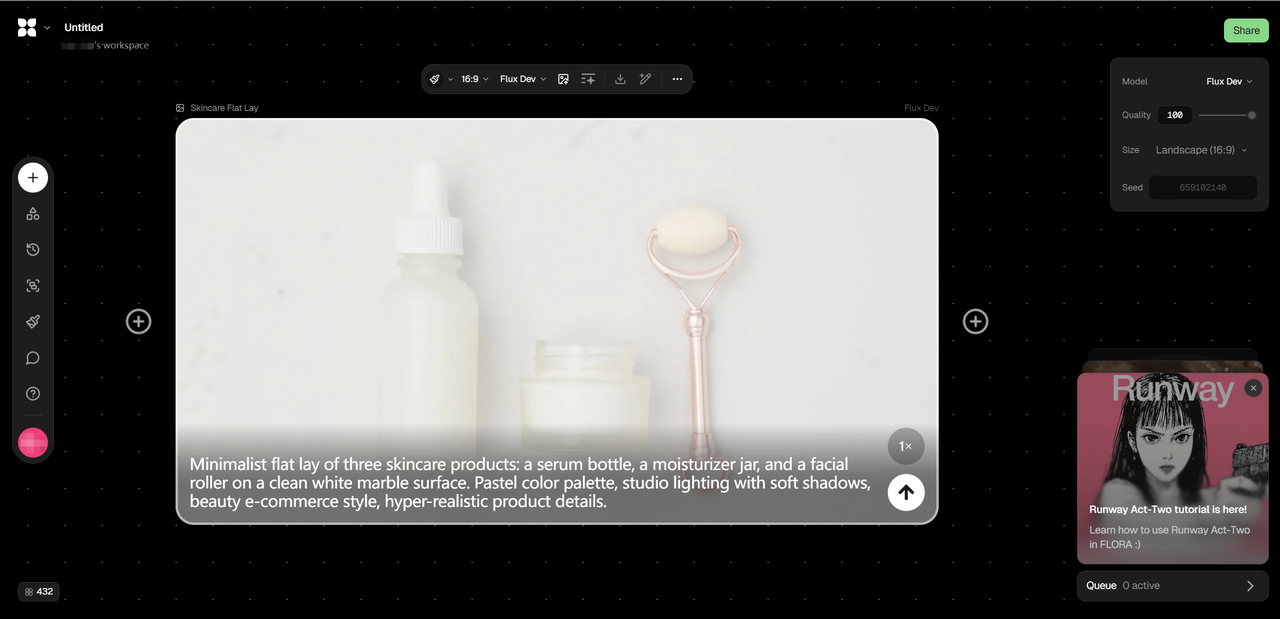
Flora AI is a node-based creative AI workspace that lets users build visual workflows for image and video generation on an infinite canvas. Instead of typing a single prompt and hoping for the best, Flora allows creators to connect prompts, models, and outputs visually, making experimentation more structured and repeatable.
The platform is designed mainly for creatives, designers, content teams, and agencies who need flexibility, collaboration, and consistency in AI-generated assets. Unlike typical image or video generators that focus on one output at a time, Flora AI emphasizes process over results, enabling users to test variations, reuse workflows, and combine multiple AI models within one unified environment.
Flora AI Features — What You Can Do
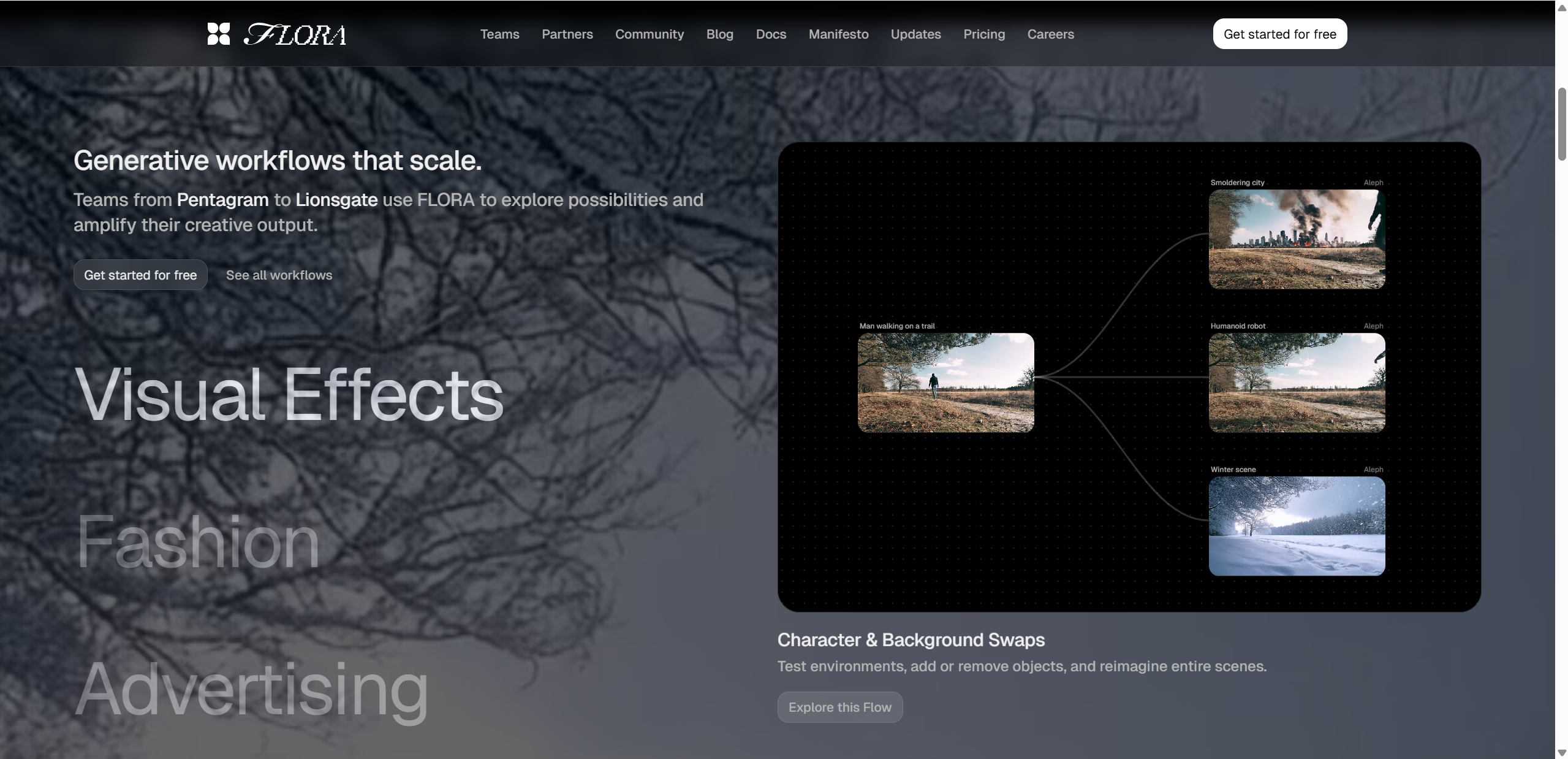
Flora AI’s biggest strength lies in how much control and flexibility it gives creators. At its core is a node-based workflow built on an infinite canvas, where you visually connect prompts, AI models, and outputs. This makes it easy to experiment, branch ideas, and refine results without starting from scratch each time.
On the generation side, Flora AI supports high-quality image creation, including photorealistic outputs that can be used for commercial purposes, which is a major plus for professionals. You can also run multiple models in parallel, comparing results side by side, and save successful setups as reusable templates.
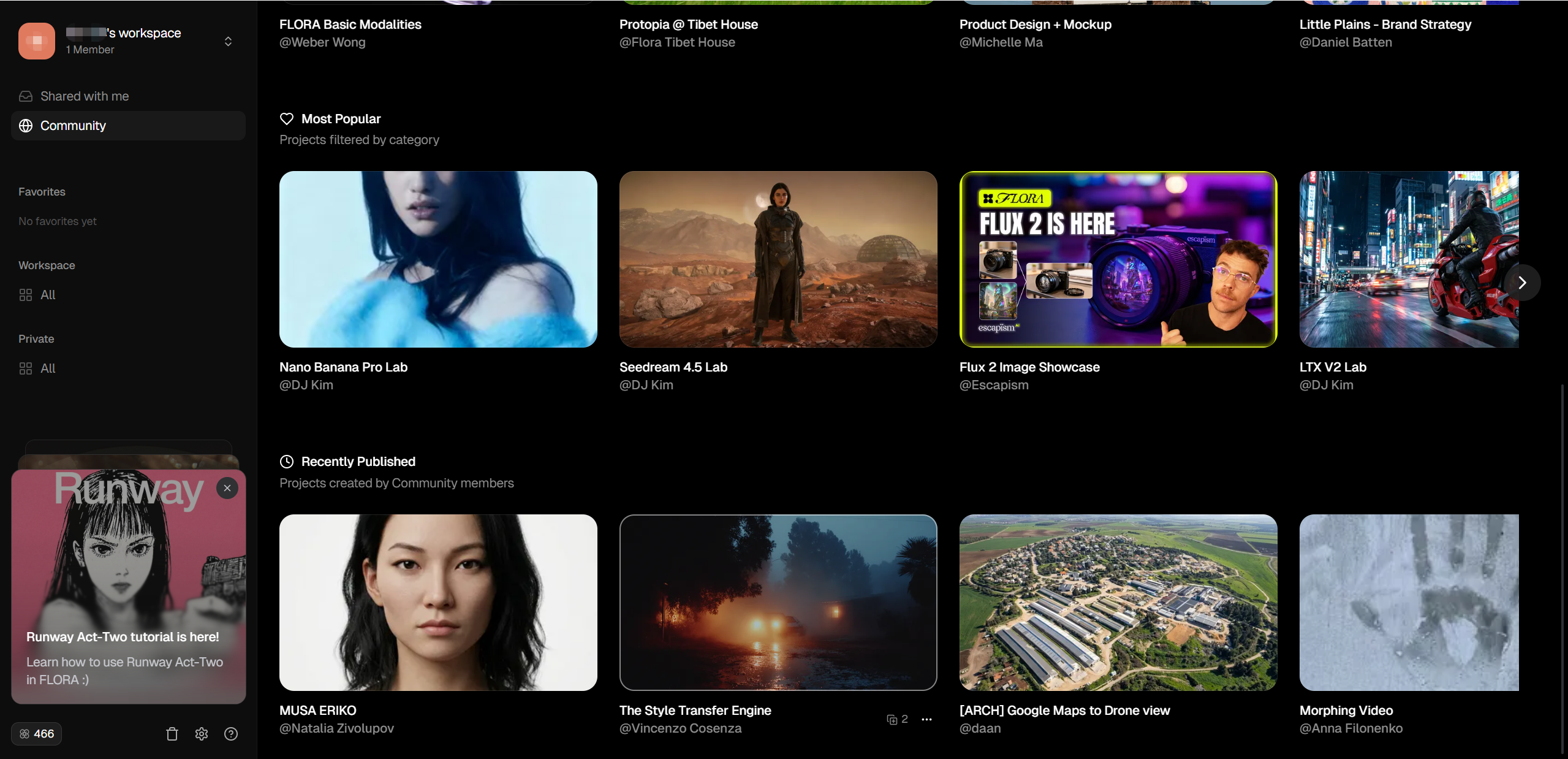
For teams, Flora AI includes real-time collaboration, allowing multiple users to work on the same canvas, comment on outputs, and iterate together—something most standalone generators lack.
| Feature | Benefit |
|---|---|
| Node Workflow | Create complex creative pipelines |
| 50+ Models | Access top AI tools without juggling subscriptions |
| Real-time Collaboration | Work with teams simultaneously |
Flora AI Test Results — First-Hand Experience
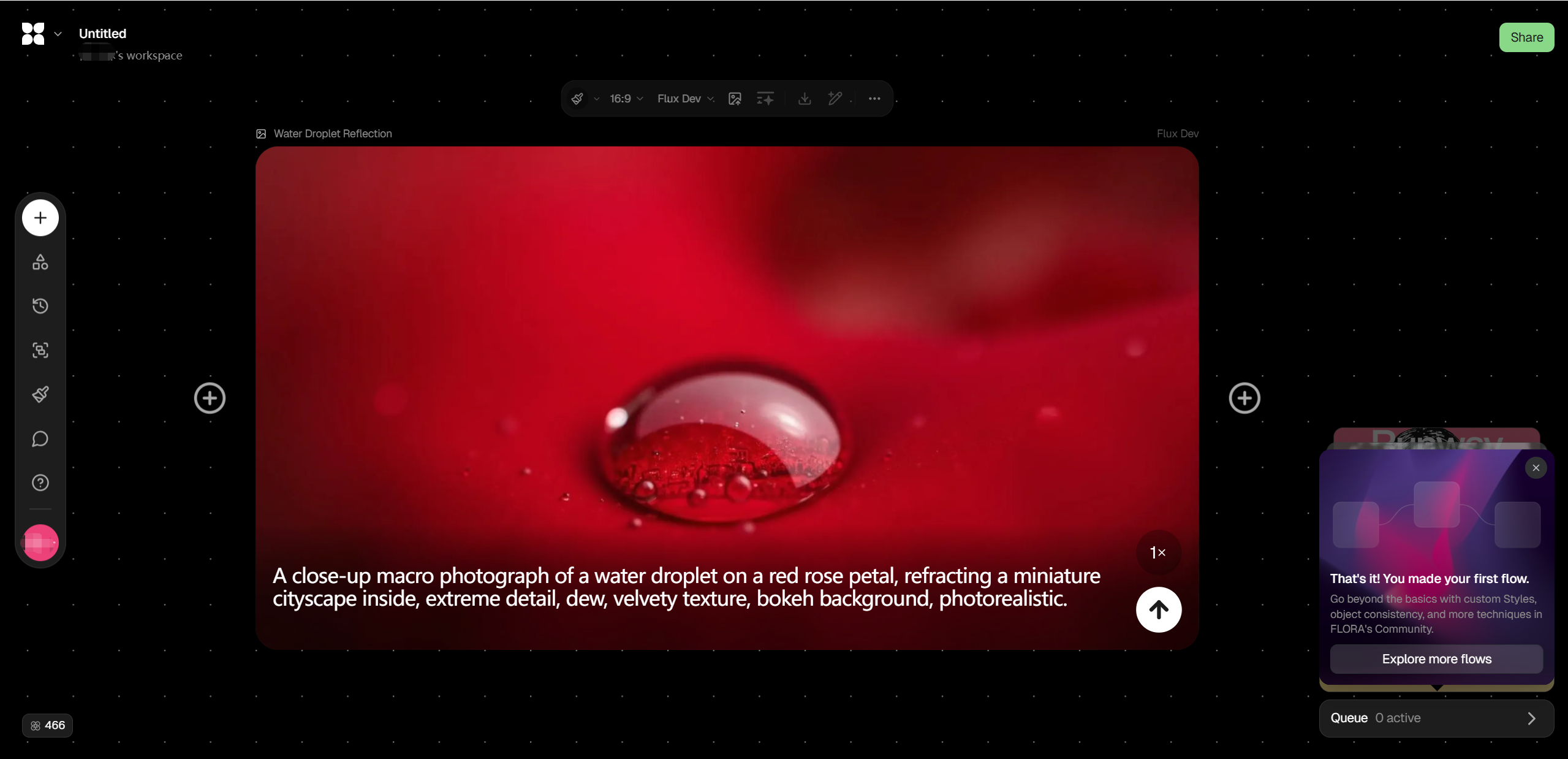
To evaluate real-world performance, I ran several practical tests focused on image generation, basic video-related workflows, and multi-step creative pipelines. For image tasks, I tested both illustrative and photorealistic prompts, adjusting nodes to compare different models in parallel. The results were consistent and visually strong, especially when refining prompts incrementally rather than regenerating from scratch.
One highlight from the Flora AI test results was how easy it was to trace what caused a good or bad output. Because each step is visible on the canvas, tweaking one variable didn’t disrupt the entire workflow. Templates also sped things up significantly after the first setup.
That said, complex workflows can feel overwhelming at first, and rendering multiple models at once occasionally slowed things down. Video-related experimentation worked, but felt more experimental than polished. Overall, Flora AI performs best when used as a creative system, not a quick one-click generator.
Pros & Cons
Like any creative platform, Flora AI has clear strengths—and a few trade-offs worth knowing before diving in. The overall experience feels thoughtfully designed for serious creators, but it may not suit everyone equally.
Pros
Intuitive visual workflow builder that makes complex AI processes easier to understand and refine
Powerful image and video generation options, especially when comparing multiple models side by side
Strong collaboration features, allowing teams to share canvases, iterate together, and reuse workflows
Templates help speed up repeated creative tasks and maintain consistency
Cons
Output quality can vary depending on the model and workflow setup
Longer render times when running complex or parallel video-related nodes
A noticeable learning curve for beginners, especially for users new to node-based tools
Overall, Flora AI rewards patience and experimentation more than quick, casual use.
Who Should Use Flora AI?
Flora AI is best suited for users who want depth, control, and repeatability in their creative workflows rather than instant results.
Flora AI is a great fit for:
Creative professionals and agencies managing complex visual projects
Marketing teams producing branded images, concepts, or campaign visuals at scale
Freelancers who enjoy experimenting with generative workflows and refining ideas over time
Designers who want to compare outputs across multiple AI models in one place
It may not be ideal for:
Casual users looking for one-click image generation
Beginners who prefer minimal interfaces with no setup
Users who only need occasional AI visuals without workflow customization
In short, Flora AI shines when creativity is treated as a process — not a shortcut.
Pricing & Plans
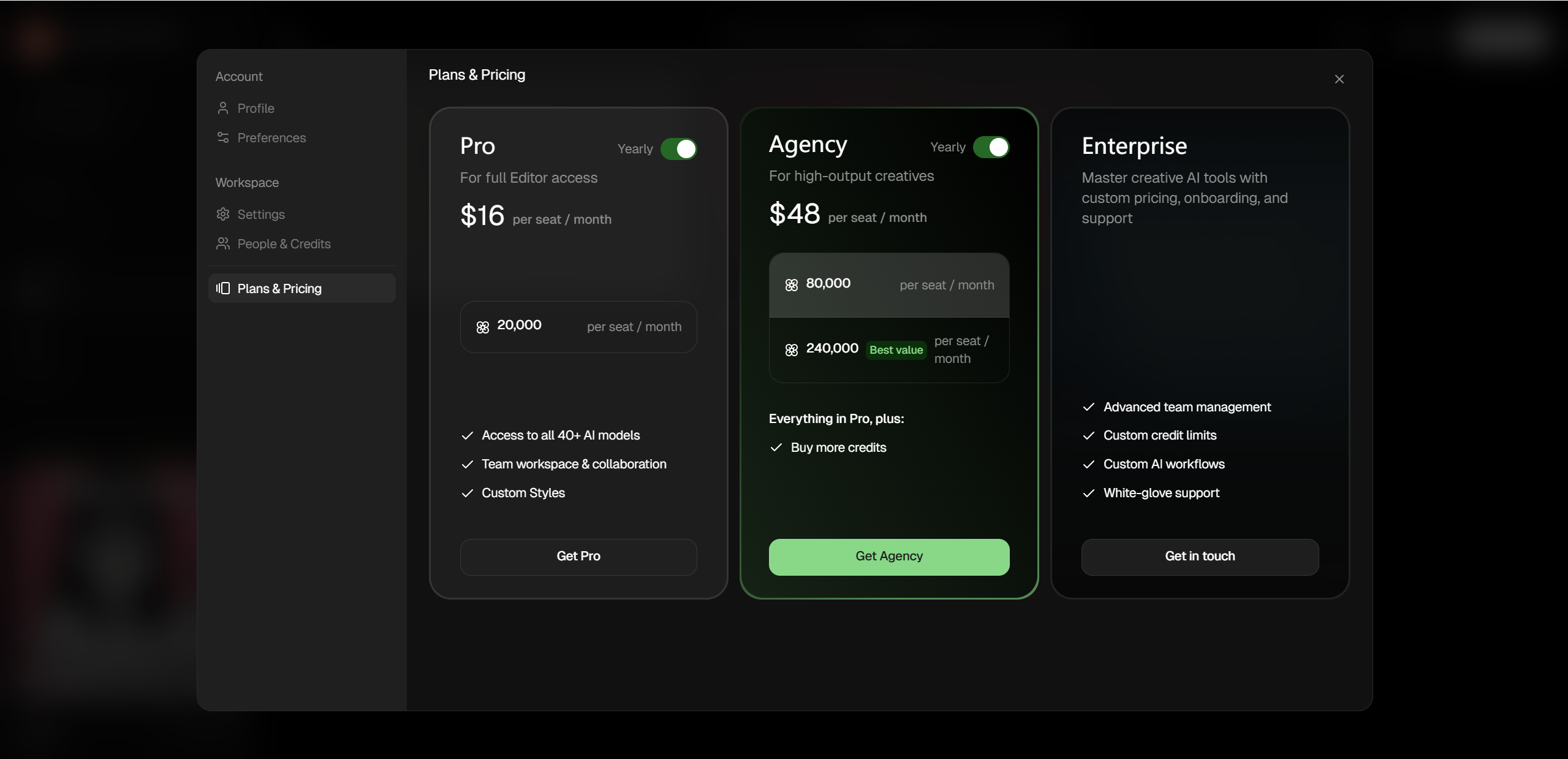
Flora AI uses a credit-based subscription model with both free and paid tiers that scale to different creative needs. At the entry level, there’s a free plan that gives you 500 starter credits each month—enough for about 250 text generations, 14 image generations, and 2 video generations—which is great for testing the platform without paying.
If you want more creative power, the Pro Plan starts at around $16 per seat/month (billed yearly) and includes 20,000 credits, access to all 40+ AI models, team workspaces, and advanced style tools.
For bigger teams or agencies, there are $48+ per month plans offering significantly more credits and perks. Enterprise options with custom workflows and priority support are also available.
Flora AI vs Competitors
To understand how Flora AI review stacks up against other creative tools, here’s a quick comparison with some popular alternatives like RunwayML and Midjourney. While each tool has its strengths, Flora stands out with its unique workflow and team features.
| Feature | Flora AI | RunwayML | Midjourney |
|---|---|---|---|
| Video Generation | √ | √ | ❌ |
| Collaboration | √ | √ | ❌ |
| Workflow Nodes | √ | ❌ | ❌ |
| Image Quality | High | High | Very High |
| Ease of Use | Medium (visual workflows) | Medium | Easy (prompt only) |
Flora AI excels in integrated workflows and team collaboration, offering a canvas where you build and connect creative steps, whereas tools like Midjourney are more about quick, high-quality image outputs. RunwayML competes in video and collaboration but doesn’t offer the same node-based structure that makes complex pipelines easier to reuse and refine.

Tips for Best Results
To get the most out of Flora AI, it helps to approach it as a system, not a shortcut. Start by using prebuilt templates, which give you a solid workflow foundation and reduce the initial learning curve. Once you’re comfortable, tweak prompts gradually, adjusting one node at a time so you can clearly see how each change affects the output.
Another key tip is to reuse workflows instead of rebuilding them. Saving successful canvases allows you to maintain visual consistency across projects and speeds up future work. Finally, don’t rush parallel runs—compare results carefully and refine based on patterns you notice. Flora AI rewards experimentation, patience, and iteration more than one-off generations.

Final Verdict
Overall, this Flora AI review shows a platform built for creators who value structure, flexibility, and collaboration. Flora AI shines as a workflow-driven creative tool, offering powerful image generation, multi-model experimentation, and team-friendly features in one canvas. Its biggest strengths are control and reusability, while its main drawbacks are a learning curve and slower performance on complex tasks.
Flora AI is best for professionals, agencies, and serious creatives—not casual users looking for instant results. If you’re willing to invest time learning the system, Flora AI can replace several tools and streamline your entire creative process.For a different approach focused on detailed control, you can try Lovart AI as well.

Share Article