The Best AI Design Agent For SBOs (Small Business Owners) | Lovart

Every small business owner faces the same brutal reality: your brand needs to look professional across dozens of touchpoints—logo, business cards, social media, packaging, website, email campaigns, and more—but you're running on a shoestring budget with zero design team and barely enough hours in the day.
You know that first impressions matter. Studies show that consumers form opinions about a business within 50 milliseconds based on visual design alone. Yet hiring a professional designer costs $5,000–$15,000 for basic branding, and agencies charge $50,000+ for comprehensive campaigns. DIY tools like Canva help, but they still require hours of manual work and rarely deliver the cohesive, premium look that builds customer trust.
What if there was a way to get agency-grade design work—complete brand systems, not just templates—for less than $90 per month? That's exactly what AI design agents now make possible.
Why Small Business Owners Struggle with Design: Understanding the Core Problem
The design challenge small business owners face isn't just about "making things look pretty." It's a three-part structural problem that traditional solutions fail to address.
The Design Capability Gap
Professional design requires specialized knowledge that takes years to develop. Brand identity design involves understanding color psychology, typography hierarchy, spatial composition, and visual storytelling. A professional designer doesn't just arrange elements—they make strategic decisions about how each visual choice communicates brand values, attracts the target audience, and differentiates from competitors.
For small business owners without design training, bridging this knowledge gap traditionally meant one of three options: hire expensive professionals, spend months learning design software, or settle for generic templates that make your business look like everyone else.
This capability gap creates a domino effect. Without professional design, small businesses struggle to:
-
Build brand recognition and customer trust
-
Compete with larger companies that have dedicated creative teams
-
Maintain visual consistency across platforms
-
Adapt quickly to market trends or seasonal campaigns
The Cost Barrier: Why Traditional Design Is Prohibitively Expensive
Let's break down the real costs of traditional design services:
Basic Brand Identity Package:
-
Logo design: $2,500–$5,000
-
Business card design: $500–$1,000
-
Social media templates: $1,000–$2,000
-
Website graphics: $2,000–$5,000
-
Total: $6,000–$13,000
Ongoing Design Needs:
-
Monthly social media content: $1,500–$3,000/month
-
Email campaign graphics: $500–$1,000/month
-
Seasonal promotional materials: $1,000–$2,500/campaign
-
Annual cost: $30,000–$60,000
For most small businesses operating on tight margins, these numbers are simply impossible. The alternative—freelance platforms—often delivers inconsistent quality, requires extensive project management, and still costs hundreds per project.
The Time Constraint: Design Bottlenecks Slow Business Growth
Even when cost isn't the primary barrier, time becomes the limiting factor. Traditional design workflows involve:
-
Briefing phase: 2–5 days to communicate requirements
-
Initial concepts: 5–10 days for first drafts
-
Revision cycles: 3–7 days per round (typically 2–3 rounds)
-
Finalization: 2–3 days for file preparation
-
Total timeline: 2–4 weeks for a single project
This timeline works against small businesses that need to move fast. When you spot a market opportunity, launch a time-sensitive promotion, or need to pivot your messaging quickly, waiting weeks for design deliverables means missing the window.
How AI Design Agents Solve the Small Business Design Problem
The emergence of AI design agents represents a fundamental shift in how design capabilities are accessed and deployed. Unlike simple automation tools, AI design agents bring three transformative capabilities that directly address each aspect of the small business design challenge.
Democratizing Professional Design Intelligence
AI design agents like Lovart are powered by sophisticated reasoning engines that replicate the decision-making process of senior creative directors. Lovart's proprietary MCoT (Mind Chain of Thought) engine analyzes your business context, target audience, and design requirements, then makes strategic creative decisions that would typically require years of design expertise.
This isn't about generating random variations—it's about understanding brand strategy. When you tell Lovart you're launching an eco-friendly skincare line targeting millennials, it doesn't just create a green logo. It synthesizes insights about:
-
Color psychology (green conveys sustainability, beige suggests natural/organic)
-
Typography trends in the beauty industry
-
Visual styles that resonate with millennial consumers
-
Design elements that communicate premium quality without appearing luxury-exclusive
The result is design work that demonstrates strategic thinking, not just technical execution.
Breaking the Cost Barrier Through Intelligent Automation
AI design agents compress the economics of design by several orders of magnitude. Instead of paying $5,000 for a logo and $30,000+ annually for ongoing design work, small business owners can access comprehensive design capabilities for $15–$90 per month.
But cost reduction isn't the only benefit—it's the scope of what you get for that investment:
With Lovart Pro ($72–$90/month), you receive:
-
Unlimited brand identity development (logos, color schemes, typography systems)
-
Complete marketing asset creation (social media content, email graphics, promotional materials)
-
Product design capabilities (packaging, labels, mockups)
-
Advanced editing tools that rival professional design software
-
Access to 20+ cutting-edge AI models for image, video, and 3D generation
This represents the equivalent of a full creative agency's output at 1% of the cost. The economic transformation is so dramatic that it fundamentally changes what's possible for small businesses—you can now afford to test multiple brand directions, create personalized campaigns for different customer segments, and refresh your creative assets as often as needed.
Eliminating Time Bottlenecks with Real-Time Design Generation
Traditional design operates on a linear timeline: brief → draft → review → revision → approval. AI design agents collapse this multi-week process into minutes through parallel processing and instant iteration.
Here's how the timeline changes:
Traditional Design Process:
-
Week 1: Brief and initial research
-
Week 2: First concept presentations
-
Week 3: Revisions based on feedback
-
Week 4: Finalization and file delivery
AI Design Agent Process:
-
Minute 1–5: Describe your requirements in natural language
-
Minute 5–10: Review 20+ concept variations
-
Minute 10–15: Refine chosen direction through conversation
-
Minute 15–20: Download production-ready files
This speed advantage goes beyond convenience—it enables entirely new ways of working. You can:
-
Test design concepts with customers before committing to a direction
-
Launch campaigns the same day you conceive them
-
Adapt creative assets in real-time based on performance data
-
Experiment with bold creative ideas without risking time investment
How to Use Lovart: A Complete Guide for Small Business Owners
Let's walk through the practical process of transforming your business's visual identity using Lovart, from initial setup through complete brand system deployment.
Getting Started: Account Setup and Understanding the Interface
Step 1: Create Your Lovart Account
Visit Lovart.ai and sign up for an account. Lovart offers a free tier with 500 credits for new users, allowing you to explore the platform before committing to a paid plan.
During signup, you'll provide basic information about your business:
-
Business name and industry
-
Target audience demographics
-
Brand personality (modern, traditional, playful, sophisticated, etc.)
-
Primary use cases (social media, packaging, website, etc.)
This information helps Lovart's AI understand your context from day one, but you can always refine these details as you work.
Step 2: Navigate the ChatCanvas Interface
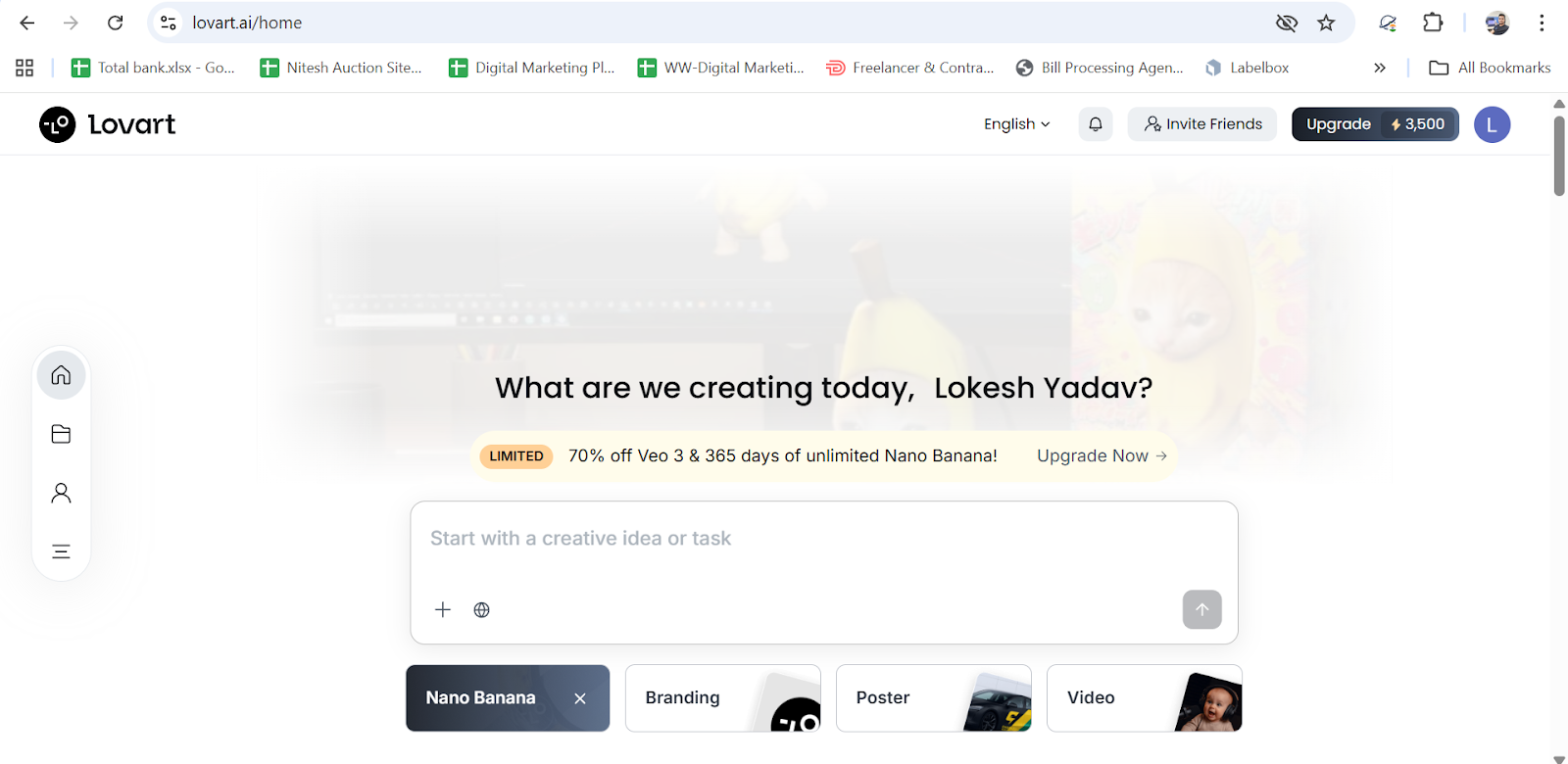
Upon logging in, you'll see Lovart's ChatCanvas—an infinite workspace where design happens through conversation. Think of it as a blend between a messaging app and a professional design suite.
The interface has three key areas:
-
Chat panel (right side): Where you describe what you need
-
Canvas (center): Where designs appear and can be edited
-
Project library (left side): Your saved designs and brand assets
Unlike traditional design software with hundreds of menu options, ChatCanvas works conversationally. You describe what you need, and Lovart generates it.
Building Your Brand Foundation: Logo and Visual Identity
Step 3: Create Your Primary Logo
Start by creating the cornerstone of your brand—your logo. Click "New Project" and describe your vision in the chat panel.
Example prompt:
Create a modern, minimalist logo for "Fresh Harvest," an organic produce delivery service targeting health-conscious urban professionals. Use earthy green tones with a clean, approachable feel. The logo should work well both in color and black-and-white versions.

Lovart will process your request through its MCoT reasoning engine, analyzing:
-
Industry conventions in organic food branding
-
Color psychology for health and freshness
-
Typography that balances professionalism with approachability
-
Scalability requirements for various applications
Within 2–3 minutes, you'll see 4–6 logo variations on your canvas. Each represents a different strategic interpretation of your brief.
Step 4: Refine Your Chosen Direction
Select the logo concept that best captures your vision. Now comes the powerful part—conversational refinement.
Example refinement prompts:
Make the leaf element more prominent and stylized.
Adjust the green to be slightly darker and more saturated.
Try a sans-serif font that feels more contemporary.
Can we see a version with the leaf integrated into the letter "F"?
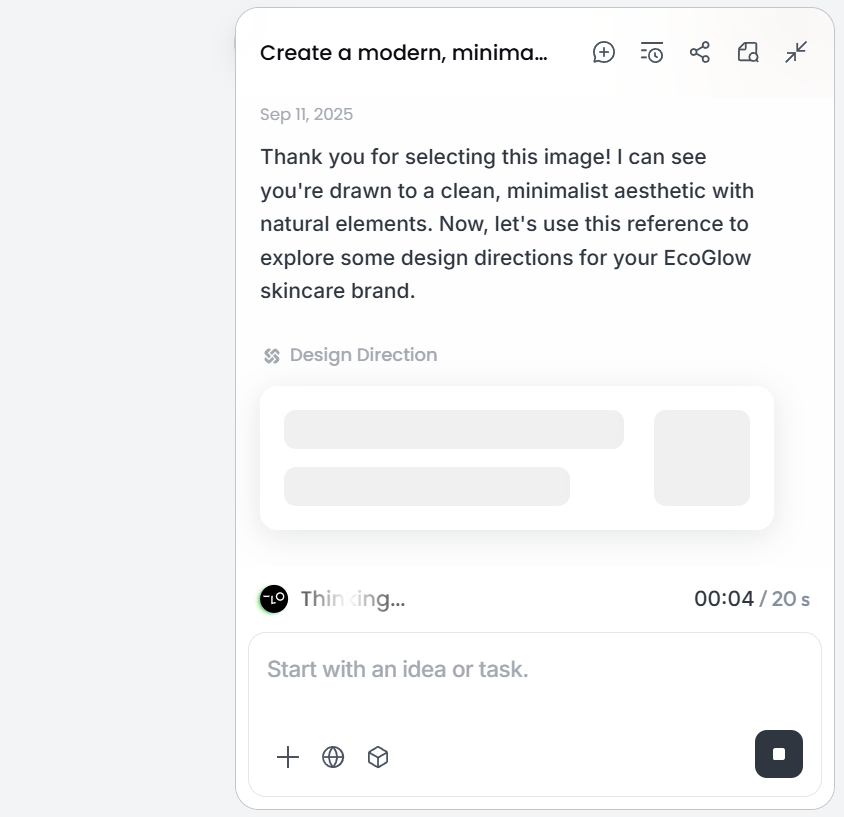
Each adjustment happens in real-time. Lovart's long-term memory feature means it remembers your preferences and applies them to future projects automatically. If you consistently prefer certain color tones or design styles, Lovart learns and incorporates this knowledge.
Advanced Logo Editing:
Lovart's exclusive editing capabilities set it apart from other AI tools:
-
Touch Edit: Click any element of your logo to modify it specifically without affecting other parts
-
Text Edit: Change typography while maintaining the visual style and layout
-
Edit Elements: Separate logo components into independent layers for precise control
These features give you designer-level control without requiring design software expertise.
Expanding Your Brand System: Marketing Materials
Step 5: Create a Cohesive Social Media Presence
With your logo established, it's time to build a complete visual system. Small businesses need consistent presence across multiple social platforms—Instagram, Facebook, LinkedIn, TikTok—each with different format requirements.
Example prompt:
Create a set of Instagram post templates for Fresh Harvest using the brand identity we just established. Include:
- Product showcase template
- Customer testimonial template
- Promotional announcement template
- Educational content template
Use the brand colors and logo, maintain a clean, modern aesthetic, and ensure text is easily readable on mobile.
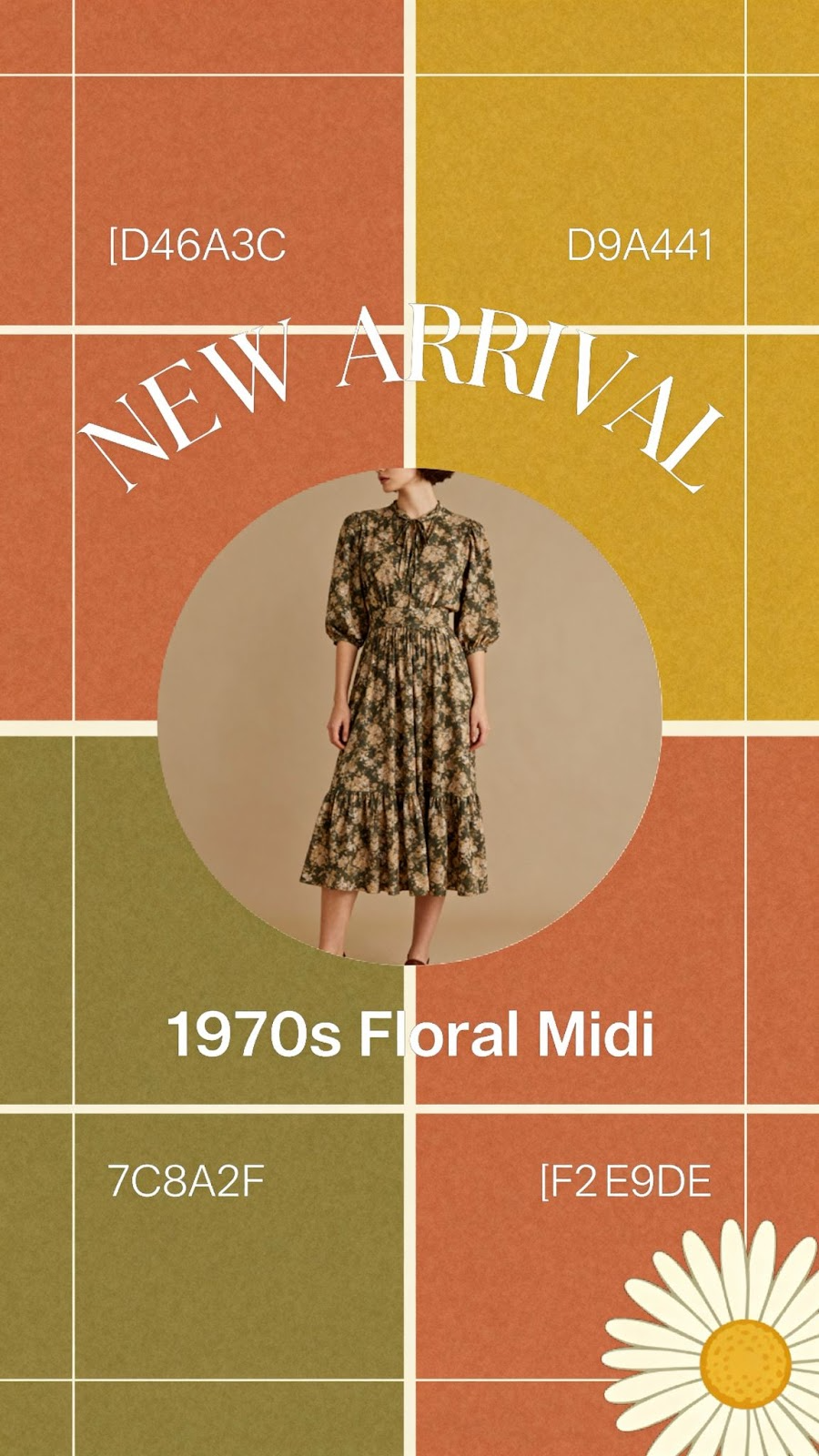
Lovart generates a complete template system in minutes. Because of its Design Context Core—the shared memory that keeps all design agents aligned—every template automatically maintains brand consistency with your logo, colors, and visual style.
Pro tip: Create templates for different content types and save them as reusable assets. When you need to announce a sale or share a customer review, simply select the appropriate template and customize the specific content.
Step 6: Design Professional Business Collateral
Beyond digital presence, small businesses need print materials—business cards, flyers, brochures, and more.
Example prompt:
Design a business card for Fresh Harvest. Include:
- Logo on front
- Contact information (email, phone, website, address)
- Social media handles
- A subtle pattern using brand elements
- Modern, professional layout
Make sure it works well in standard business card size (3.5" x 2").
Lovart understands print specifications and designs with proper bleed, resolution, and color mode (CMYK for print). You'll receive production-ready files suitable for sending directly to a print shop.
Product Design: Packaging and Merchandising
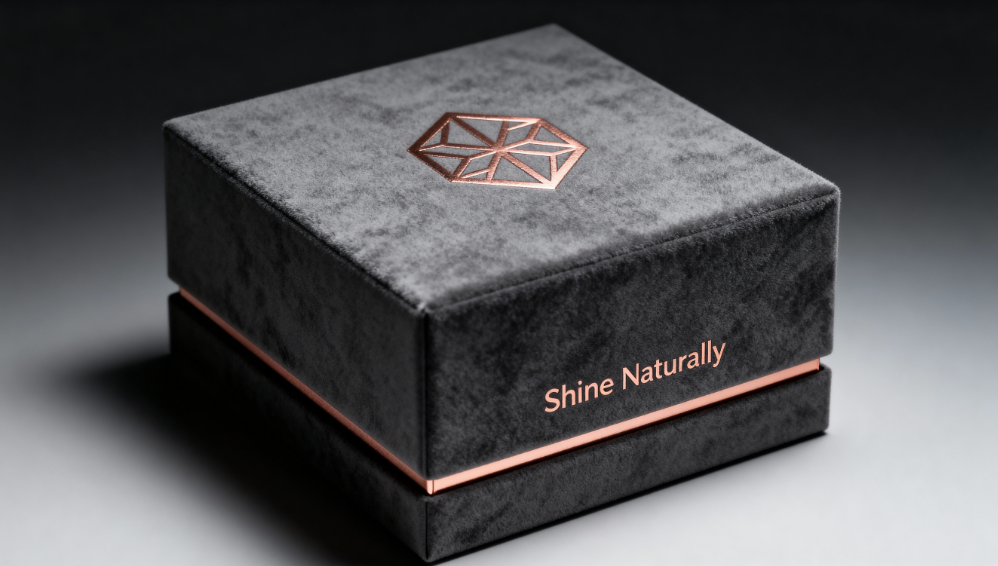
Step 7: Create Product Packaging
For small businesses selling physical products, packaging design is crucial for shelf appeal and unboxing experience.
Example prompt:
Design packaging for Fresh Harvest's premium gift box—a curated selection of organic produce. Create:
- Box exterior design (12" x 8" x 4")
- Interior tissue paper pattern
- Product information insert
- Thank you card design
The packaging should feel premium but eco-friendly, with natural paper textures and minimalist design.
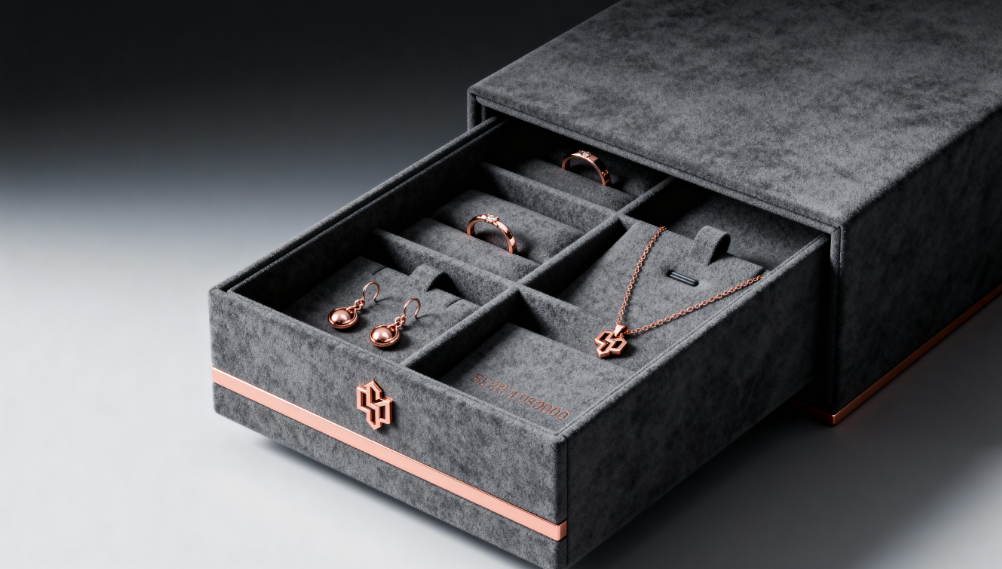
Lovart's Mockup feature automatically generates realistic 3D previews of your packaging design, showing how it will look in real-world conditions. This helps you visualize the final product before committing to manufacturing.
Step 8: Refine Packaging Details
Use advanced editing to perfect your packaging:
Example refinement prompt:
Add a subtle texture to the background to suggest recycled paper.
Adjust the logo placement to be more prominent on the box lid.
Include small icons representing "organic," "locally sourced," and "carbon neutral" certifications.
Update the color balance to ensure it prints correctly on kraft paper stock.
Marketing Campaigns: From Concept to Execution
Step 9: Develop Complete Campaign Assets
Small businesses need to run promotional campaigns regularly—seasonal sales, product launches, special events. Lovart handles the complete creative workflow.
Example prompt:
Create a spring promotion campaign for Fresh Harvest with the theme "Garden to Table in 24 Hours." I need:
- Email header graphic
- Facebook/Instagram ad (3 variations)
- Website banner
- Promotional flyer for farmer's market booth
- Instagram Story sequence (5 frames)
Emphasize freshness, speed, and local sourcing. Use bright, vibrant imagery with spring colors while maintaining brand consistency.
Lovart's multi-agent system coordinates different AI specialists—one for composition, one for color harmony, one for typography, one for image generation—all working through the Design Context Core to ensure cohesive output.
Within 10–15 minutes, you receive a complete, campaign-ready asset package. Each piece works independently but contributes to a unified visual message.
Step 10: Advanced Editing and Customization
Let's say your Facebook ad isn't performing well, and you want to test different variations. Traditional design would require going back to your designer and waiting days for alternatives.
With Lovart's Touch Edit, you can modify specific elements in real-time:
Example refinement:
[Click on the product image]
Replace this photo with a more close-up shot showing product detail.
[Click on the headline text]
Test three alternative headlines:
- "Farm-Fresh Delivered Fast"
- "Your Garden, Your Doorstep"
- "24-Hour Fresh Guarantee"
[Click on the call-to-action button]
Make the button more prominent and change color to our secondary brand color.
Each modification maintains the overall design integrity while allowing A/B testing of specific elements.
Website and Digital Assets
Step 11: Create Website Graphics and UI Elements
Your website is often the first detailed interaction customers have with your brand. Lovart can create all necessary graphics.
Example prompt:
Design website assets for Fresh Harvest including:
- Hero banner (1920px wide) showing seasonal produce
- About Us section illustration
- Icon set for key benefits (fresh, local, organic, sustainable)
- Email signup section background
- Blog post header template
Maintain brand consistency and ensure fast loading times.
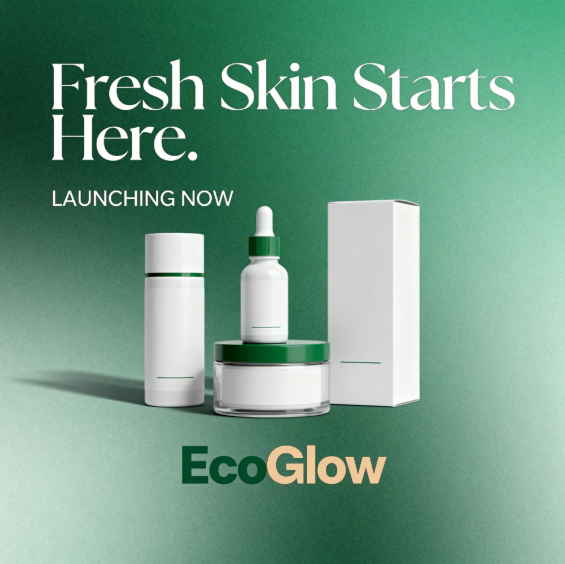
Lovart optimizes images for web use automatically—proper compression, responsive sizing, and fast-loading formats.
Maintaining Brand Consistency at Scale
Step 12: Leverage Lovart's Learning Capabilities
As you create more designs, Lovart's long-term recall becomes increasingly valuable. The system learns your:
-
Preferred color palettes and adjustments
-
Typography choices and hierarchies
-
Layout preferences and compositional patterns
-
Industry-specific design conventions you follow
-
Workflow habits (which platforms you design for most, typical project sequences)
This means future projects require less specification—Lovart anticipates what you need and suggests designs aligned with your established brand language.
Example of learning in action:
First project:
Create a promotional Instagram post for our weekend sale. Use brand colors, include our logo, make it eye-catching but professional.
Tenth project (same request):
Create a promotional Instagram post for our weekend sale.
By the tenth project, Lovart already knows your preferred layout, typical sale messaging style, color balance preferences, and even which product images tend to perform best. The output quality remains high, but the input effort decreases dramatically.
Beyond the Basics: Extended Use Cases for Small Business Owners
While we've focused on core branding and marketing, Lovart's capabilities extend across virtually every visual design need a small business encounters. This section explores how Lovart functions as a true all-in-one creative platform.
Internal Communications and Operations
Employee Materials:
-
Training manual covers and infographics
-
Internal newsletter templates
-
Safety signage and operational posters
-
Employee recognition certificates
-
Company culture presentation decks
Example prompt:
Create a visually engaging employee handbook cover and section dividers for Fresh Harvest. We want to communicate our company values (sustainability, community, quality) while maintaining a professional but approachable tone.
Event Marketing and Experiences
Physical and Virtual Events:
-
Trade show booth graphics
-
Conference presentation templates
-
Event invitation designs
-
Venue signage and wayfinding
-
Zoom backgrounds and virtual event graphics
For small businesses attending farmers markets, trade shows, or hosting customer events, Lovart creates the complete visual experience.
Example prompt:
We're participating in the City Food Festival next month. Create:
- 10ft x 10ft booth backdrop design
- Table runner graphic
- Product information trifold brochure
- "Free Sample" promotional signs
- QR code design linking to our online store
- Staff t-shirt design
Everything should be bold and visible from 20 feet away while maintaining brand consistency.
Educational Content and Resources
Customer Education:
-
Recipe cards featuring your products
-
How-to guides and tutorials
-
Infographics explaining your process or values
-
FAQ visual guides
Small businesses that educate customers build trust and loyalty. Lovart makes educational content creation accessible.
Example prompt:
Create a recipe card series showing 5 quick meals using Fresh Harvest produce. Each card should include:
- Hero image of the finished dish
- Ingredient list with icons
- Step-by-step instructions with small illustrations
- Nutritional information
- QR code linking to video tutorial
Design should be Pinterest-friendly and printable.
Seasonal and Holiday Campaigns
Small businesses need fresh creative for holidays, seasons, and cultural moments throughout the year.
Annual Campaign Calendar:
-
New Year health/resolution themes
-
Valentine's Day promotions
-
Spring/summer seasonal launches
-
Back-to-school campaigns
-
Fall harvest themes
-
Holiday gift guides and packaging
-
Year-end sales and customer appreciation
Example prompt:
Create a complete holiday gift campaign for Fresh Harvest including:
- "12 Days of Harvest" daily social media posts
- Holiday gift box packaging variant
- Email series (4 messages) with festive graphics
- Limited-time product badges for website
- Holiday hours and shipping deadline notices
Maintain our brand while incorporating seasonal elements—think evergreen branches, winter produce, cozy aesthetics.
Community Building and Social Proof
User-Generated Content Templates:
-
Customer photo frame overlays ("I love Fresh Harvest")
-
Review showcase graphics
-
Community member spotlights
-
Partner/collaboration announcements
-
Milestone celebration graphics
Example prompt:
Create Instagram Story templates for our customers to share their Fresh Harvest deliveries:
- "My Fresh Harvest Box" photo frame
- "Recipe of the Week" share template
- "Local Love" partner showcase
- "Harvest Hero" customer spotlight
Make them fun and easy to use, with space for customer photos and minimal text requirements.
Video and Motion Graphics
Lovart integrates multiple cutting-edge AI video generators including VEO3, Kling AI, Hailuo, and Runway Gen-4, enabling small business owners to create professional video content.
Video Content Opportunities:
-
Product showcase videos
-
Behind-the-scenes farm/production footage
-
Animated logo reveals
-
Social media video ads
-
Customer testimonial overlays
-
Explainer animations
Example prompt:
Create a 15-second Instagram Reel showcasing Fresh Harvest's delivery process:
- Opening: Produce being harvested at sunrise
- Middle: Packing process with branded boxes
- Ending: Happy customer receiving delivery
Include text overlays highlighting "Farm to Table in 24 Hours" and our logo animation.
Lovart generates multiple video variations, complete with transitions, effects, and optimized for different social platform specifications.
Cross-Industry Applications
While our examples focus on Fresh Harvest (food/delivery), Lovart serves small businesses across all industries:
Retail Stores:
-
Window display graphics
-
In-store promotional signage
-
Product label designs
-
Loyalty card designs
-
Seasonal merchandising materials
Professional Services:
-
Presentation deck templates
-
Client proposal covers
-
Service package comparison infographics
-
Professional headshot backgrounds
-
Certification and award displays
Restaurants and Cafés:
E-commerce Businesses:
Real Estate:
Education and Training:
The common thread: any small business that needs professional visual design can accomplish it through Lovart without hiring designers or learning complex software.
Choosing the Right Lovart Plan for Your Business
Understanding which pricing tier fits your needs ensures you maximize value while controlling costs.
Free Tier: Testing and Light Use
Best for: Businesses just exploring AI design or with very occasional design needs
-
500 credits (one-time for new users)
-
Access to all core features
-
Suitable for creating 5–10 basic designs
-
Great for testing Lovart before committing
Use case example: A service-based solopreneur who needs a logo and business card once, then minimal ongoing design work.
Starter Plan: $15/month (annual) or $19/month
Best for: Small businesses with regular but modest design needs
-
2,000 credits monthly
-
Suitable for 40–80 designs per month
-
All editing features included
-
Long-term memory and learning
Use case example: A local retail shop that posts 2–3 times weekly on social media, updates in-store signage monthly, and occasionally creates promotional materials.
Plus Plan: $26/month (annual) or $32/month
Best for: Growing businesses with active marketing efforts
-
3,500 credits monthly
-
Suitable for 70–140 designs per month
-
Priority generation speed
-
Extended video capabilities
Use case example: An e-commerce business running regular email campaigns, maintaining active social presence across 3–4 platforms, and creating seasonal promotional campaigns.
Pro Plan: $72/month (annual) or $90/month
Best for: Businesses using design as a competitive advantage
-
11,000 credits monthly
-
Suitable for 220–440 designs per month
-
Fastest generation and processing
-
Full access to all 20+ AI models
-
Advanced video and 3D capabilities
-
Unlimited brand project storage
Use case example: A multi-channel business with robust content marketing, regular product launches, multiple brand lines, or seasonal campaigns requiring extensive creative assets.
Cost Comparison Reality Check:
A traditional agency charging $30,000–$60,000 annually for ongoing design work delivers roughly 50–100 design projects per year. Lovart Pro at $864/year (annual billing) provides capability for 2,600–5,200+ designs annually—50x more output at 1/35th the cost.
Why Lovart Is The Superior Choice: Competitive Advantages
As AI design tools proliferate, small business owners need to understand what truly differentiates platforms. Here's why Lovart leads the category:
1. True Agent Architecture, Not Just Generation
Most AI design tools are sophisticated image generators—you input a prompt, you get an image. Lovart operates as a true design agent with reasoning capabilities.
The difference:
-
Image Generators: "Create a logo" → produces random logo options
-
Lovart Design Agent: "Create a logo" → analyzes your industry, researches competitors, considers your target audience, applies design principles, generates strategic options, explains reasoning
Lovart's MCoT (Mind Chain of Thought) reasoning engine replicates how senior creative directors think, not just how tools execute.
2. ChatCanvas: The Future of Human-AI Collaboration
While other tools separate generation from editing, Lovart's ChatCanvas creates a unified workspace where ideation, creation, and refinement happen simultaneously through conversation.
Traditional workflow:
-
Use Tool A to generate designs
-
Export to Tool B to edit
-
Download and upload to Tool C for mockups
-
Use Tool D for final touches
ChatCanvas workflow:
-
Describe what you need → designs appear
-
Refine through conversation → edits happen live
-
Everything exists in connected context → consistency maintained automatically
This integrated approach saves hours per project and eliminates version control nightmares.
3. Exclusive Editing Capabilities
Lovart's advanced editing features—Touch Edit, Text Edit, Edit Elements, and intelligent Mockup—represent proprietary technology unavailable elsewhere.
Touch Edit enables semantic editing: click on any element and describe how to change it without complex masks or selections. This makes professional-level editing accessible to non-designers.
Text Edit understands typography contextually, allowing you to change wording while maintaining design integrity—critical for rapid campaign variations.
Edit Elements provides layer-level control over generated designs, giving you designer-grade flexibility without designer-grade complexity.
4. Long-Term Memory and Workflow Learning
Lovart doesn't just execute commands—it learns from you. Over time, it understands:
-
Your brand DNA (beyond what you explicitly specify)
-
Your decision patterns (which options you typically choose)
-
Your workflow habits (platforms you design for, typical project sequences)
-
Your quality standards (when you're satisfied vs. when you typically ask for refinements)
This learning creates compound efficiency: each project requires less input as Lovart anticipates your needs more accurately.
5. Multi-Model Integration: 20+ Cutting-Edge AI Models
Rather than relying on a single AI model, Lovart integrates the best specialized models for different tasks:
Image Generation:
-
GPT Image-1 (OpenAI)
-
Flux Kontext
-
Gemini Imagen
-
Ideogram 3.0
-
Recraft v3
-
Nano Banana 2 Pro (Google)
Video Generation:
-
VEO3
-
Runway Gen-4
-
Kling AI
-
Hailuo
-
Sora2
3D and Specialized:
-
Tripo AI
-
Rodin
-
Additional specialized models
This multi-model approach means you're always using the optimal AI for each specific task, rather than forcing every request through a one-size-fits-all model.
6. Design Context Core: The Secret to Cohesion
Lovart's proprietary Design Context Core acts as a shared memory system across all AI agents working on your projects. This ensures visual consistency across assets even when different AI models generate different elements.
When you create a logo with one model and social media graphics with another, the Design Context Core ensures color accuracy, style consistency, and brand alignment automatically—something impossible with standalone tools.
Real Small Business Success Stories
Understanding Lovart's impact on actual small businesses provides concrete examples of its value.
Case Study 1: Local Bakery Expansion
Business: Sweet Rise Bakery (Portland, OR)
Challenge: Needed complete rebrand for expansion from one location to three, including packaging redesign, new signage, and social media presence—on a $5,000 budget.
Traditional Estimate:
-
Agency rebrand: $25,000
-
Packaging design: $8,000
-
Signage: $6,000
-
Social media templates: $4,000
-
Total: $43,000
Lovart Solution (Pro Plan - $90/month):
-
Complete rebrand including 3 logo variations: 2 hours
-
Packaging design for 12 product types: 4 hours
-
Signage for 3 locations (exterior, interior, menu boards): 3 hours
-
50+ social media templates: 2 hours
-
Total cost: $270 (3 months) + owner's time
Result: Sweet Rise saved $42,730 and completed the rebrand in 3 weeks instead of 3–4 months. Revenue at new locations exceeded projections by 30% in first quarter, which ownership partially attributes to cohesive, professional branding.
Case Study 2: E-commerce Fashion Startup
Business: Eco Threads (Online Only)
Challenge: Bootstrap fashion startup needed to launch with professional brand presence across website, packaging, social media, and marketing—with $0 allocated to design budget.
Lovart Solution (Starter Plan - $15/month):
-
Brand identity system: 1 day
-
Product photography enhancement: ongoing
-
Website graphics and UI elements: 3 days
-
Packaging and hang tags: 2 days
-
Launch campaign assets (email, social, ads): 2 days
-
Total cost: $45 (3 months of setup)
Result: Eco Threads launched with visual polish indistinguishable from funded competitors. Within 6 months, the brand reached $50,000 monthly revenue with conversion rates 40% above industry average for new fashion e-commerce brands.
Case Study 3: Professional Services Firm
Business: Clearview Consulting (Business Strategy)
Challenge: Three-person consulting firm needed to compete for corporate clients against larger firms with professional marketing departments.
Lovart Solution (Plus Plan - $26/month):
-
Professional presentation template system: 1 week
-
Client proposal design templates: 3 days
-
Case study and whitepaper layouts: ongoing
-
LinkedIn and conference marketing materials: as needed
-
Total cost: $312/year
Result: Clearview won 3 major contracts totaling $180,000 in year one, with all three clients specifically citing "professional presentation" as a decision factor. ROI on Lovart investment: 577x.
Implementing Lovart: A 30-Day Roadmap for Small Business Owners
To maximize value from Lovart, follow this strategic implementation plan:
Week 1: Foundation
Days 1–3: Brand Identity
-
Create primary logo and variations (full color, monochrome, icon-only)
-
Establish color palette and typography system
-
Design business cards and email signature
Days 4–7: Basic Marketing Assets
-
Social media profile graphics (all platforms)
-
Basic post templates (5–7 layouts)
-
Email header template
Week 2: Digital Presence
Days 8–10: Website Graphics
-
Hero banner and section backgrounds
-
Icon set for key features/benefits
-
About page illustration
Days 11–14: Social Media Expansion
-
Platform-specific content templates (Stories, Reels, Posts)
-
Promotional announcement templates
-
Customer engagement templates
Week 3: Sales and Marketing
Days 15–17: Campaign Materials
-
Email campaign template series
-
Digital ad templates (Facebook, Instagram, Google Display)
-
Landing page graphics
Days 18–21: Print Collateral
-
Brochures and sell sheets
-
Promotional flyers
-
Product information sheets
Week 4: Advanced Assets
Days 22–25: Product and Packaging
-
Product photography enhancement
-
Packaging design or labels
-
Mockups for presentations
Days 26–30: Specialized Content
-
Video content (product demos, social ads)
-
Seasonal campaign preparation
-
Internal materials (presentations, training docs)
By Day 30, you'll have:
-
Complete brand identity system
-
50+ ready-to-use design templates
-
Production-ready files for all current marketing needs
-
Established workflow familiarity with Lovart
Common Questions Small Business Owners Ask About Lovart
"Is the quality really comparable to hiring a professional designer?"
For 80–90% of small business design needs, yes. Lovart produces work indistinguishable from mid-tier design agencies. Areas where human designers still have advantages:
-
Ultra-premium luxury branding requiring bespoke craftsmanship
-
Complex brand strategy requiring extensive market research
-
Designs requiring specific cultural nuance or extremely niche expertise
For standard business branding, marketing materials, social media content, packaging, and collateral, Lovart matches or exceeds typical professional output.
"What if I don't know how to describe what I want?"
This is one of Lovart's key advantages. You don't need design vocabulary. Describe in natural language:
-
How you want customers to feel
-
What competitors' designs you like/dislike
-
Your business personality traits
-
Target audience characteristics
Lovart's AI interprets intent, not just literal instructions. It's like explaining to a designer who already understands your industry.
"Can I get source files I can edit later?"
Yes. Lovart provides downloadable files in multiple formats:
-
High-resolution PNG and JPG (for immediate use)
-
SVG vector files (for infinite scaling)
-
Layered formats compatible with Adobe Creative Suite
-
Print-ready files with appropriate color modes and resolution
"What happens if I cancel my subscription?"
You retain full ownership and access to all designs created during your subscription. Downloaded files remain yours forever. You lose access to:
-
Creating new designs
-
Editing existing designs in Lovart
-
Long-term memory features for new projects
"How long does it take to learn how to use Lovart?"
Most small business owners create their first usable design within 15 minutes. Professional-level proficiency with advanced features typically develops within 5–10 hours of use. Unlike traditional design software requiring months of training, Lovart's conversational interface has almost no learning curve.
"Can multiple team members use one account?"
Yes. Lovart Pro supports team collaboration with shared brand assets and design libraries. Multiple team members can work on different projects simultaneously while maintaining brand consistency through the Design Context Core.
The Future of Small Business Design
The emergence of AI design agents like Lovart represents more than a new tool category—it signals a fundamental restructuring of how small businesses compete visually.
For decades, professional design quality was a moat that large companies with big budgets maintained against smaller competitors. A startup couldn't look as polished as an established brand. A local shop couldn't match the visual consistency of a national chain.
AI design agents eliminate this advantage. Today, a three-person e-commerce startup can produce visual branding indistinguishable from a multi-million dollar company. A single-location restaurant can maintain the same design quality across marketing touchpoints as a nationwide franchise.
This democratization creates opportunities for small businesses to compete on product quality, customer service, and innovation—knowing that visual presentation is no longer a limiting factor.
The businesses that thrive in this new landscape will be those that:
-
Embrace AI design tools early to establish visual excellence
-
Use time/cost savings to increase marketing velocity
-
Leverage design flexibility to test and iterate rapidly
-
Maintain authentic brand personality that AI amplifies rather than replaces
Take Action: Transform Your Business Identity Today
Every day without professional branding is a day customers form impressions based on incomplete visual identity. Every marketing campaign with inconsistent design is a missed opportunity to build brand recognition. Every product launch with amateur packaging is revenue left on the table.
The barrier between "wanting professional design" and "having professional design" has collapsed to nearly zero. For the cost of a few graphic design stock photos, you can access the equivalent of a full creative agency.
Getting Started with Lovart:
-
Sign up for free at Lovart.ai and experiment with the 500 credit starter pack
-
Create your first logo and see the quality for yourself
-
Choose the right plan based on your design volume needs
-
Follow the 30-day implementation roadmap to systematically build your brand assets
-
Join the community of 800,000+ small business owners already using Lovart
The small businesses that succeed tomorrow are building their visual identity today. The tools are here. The technology works. The only question is whether you'll use it.

Share Article