Adobe Firefly Review — Is It Worth Your Creative Time in 2025?


Adobe Firefly Review — Is It Worth Your Creative Time in 2025?
Adobe Firefly is Adobe’s answer to the world of generative AI, designed specifically for creators who care about quality, control, and commercial safety. In this Adobe Firefly review, we’ll look at how Firefly fits into the 2025 AI landscape, what makes it different from other tools, and whether it’s truly worth your creative time. Through hands-on Firefly AI tests, real Adobe Firefly results, and a breakdown of Adobe’s broader AI generation tools, this article offers a practical, no-hype perspective. Expect an honest look at strengths, weaknesses, pricing, and how Firefly performs in real creative workflows.
What Is Adobe Firefly? (And Why You Should Care)

Adobe Firefly is Adobe’s AI-powered creative suite built specifically for generating and editing visual content — including images, video, audio, and design elements — with professional creators in mind. Rather than acting as a standalone AI toy, Firefly is designed to plug directly into the tools many creatives already use every day, like Photoshop, Illustrator, and Adobe Express.
At its core, Firefly focuses on two things: speed and safety. You can generate images from text prompts, expand or remove objects with Generative Fill, and experiment with AI-assisted video clips — all without leaving the Adobe ecosystem. This tight Creative Cloud integration makes Firefly feel less like “yet another AI tool” and more like a natural extension of your existing workflow.
Another big reason Firefly matters is Adobe’s emphasis on commercially safe outputs. Firefly models are trained on licensed and public-domain content, which means the results are intended to be safer for professional and client work — a key concern for designers, marketers, and agencies in 2025.
In short, Firefly isn’t trying to replace creativity. It’s trying to remove friction, speed up ideation, and help creators move from idea to execution faster.
Key Adobe Firefly Features at a Glance
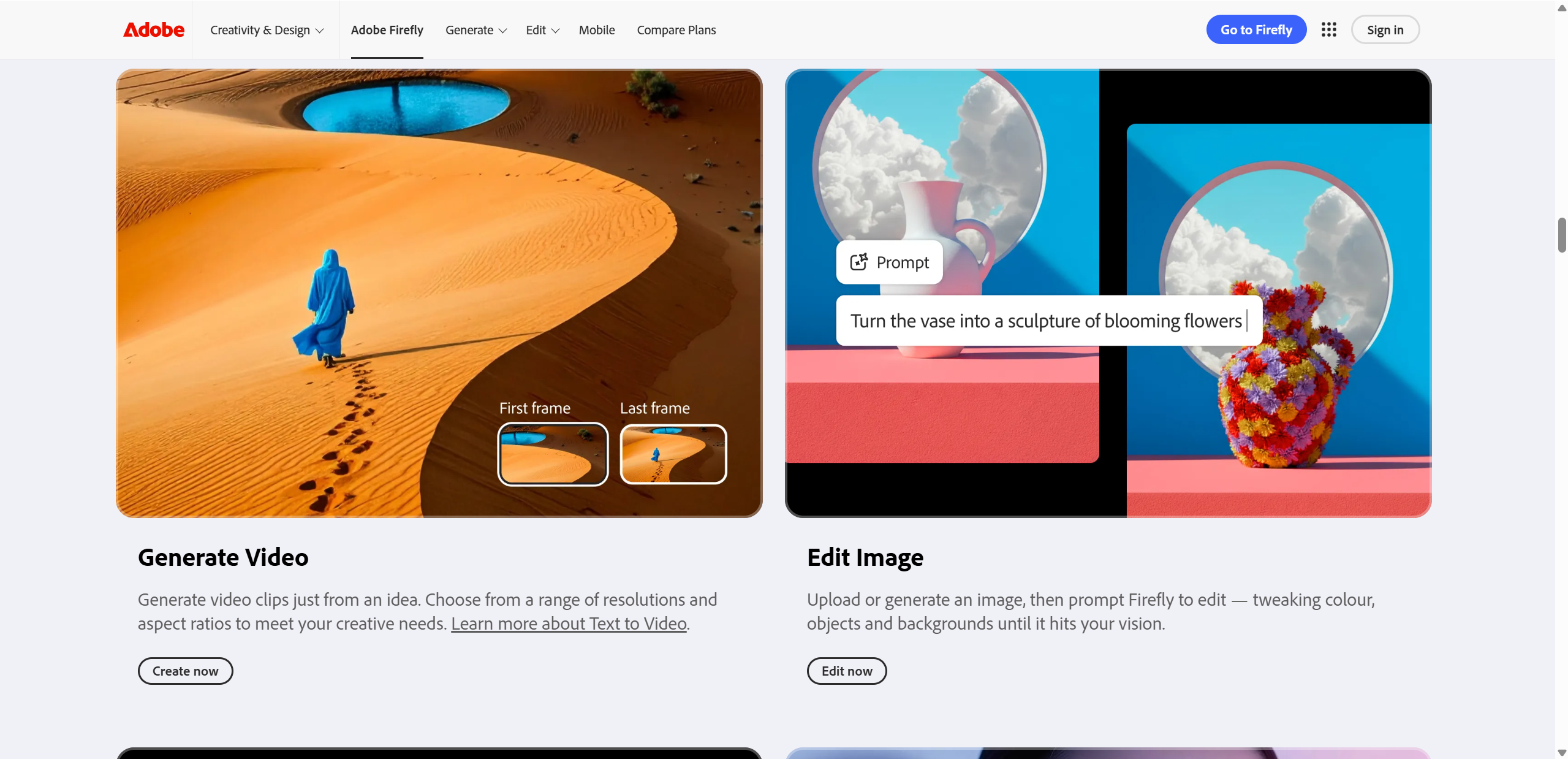
| Feature | What It Does | Best For |
|---|---|---|
| Text-to-Image | Generates images from prompts | Quick concepts, mockups |
| Generative Fill | Adds or removes image content | Photo edits |
| Video Generation | Creates AI video from text or clips | Short clip ideation |
| Creative Cloud Integration | Works with Photoshop & Illustrator | Pro workflows |
First Impressions & Firefly AI Test — Real-World Results
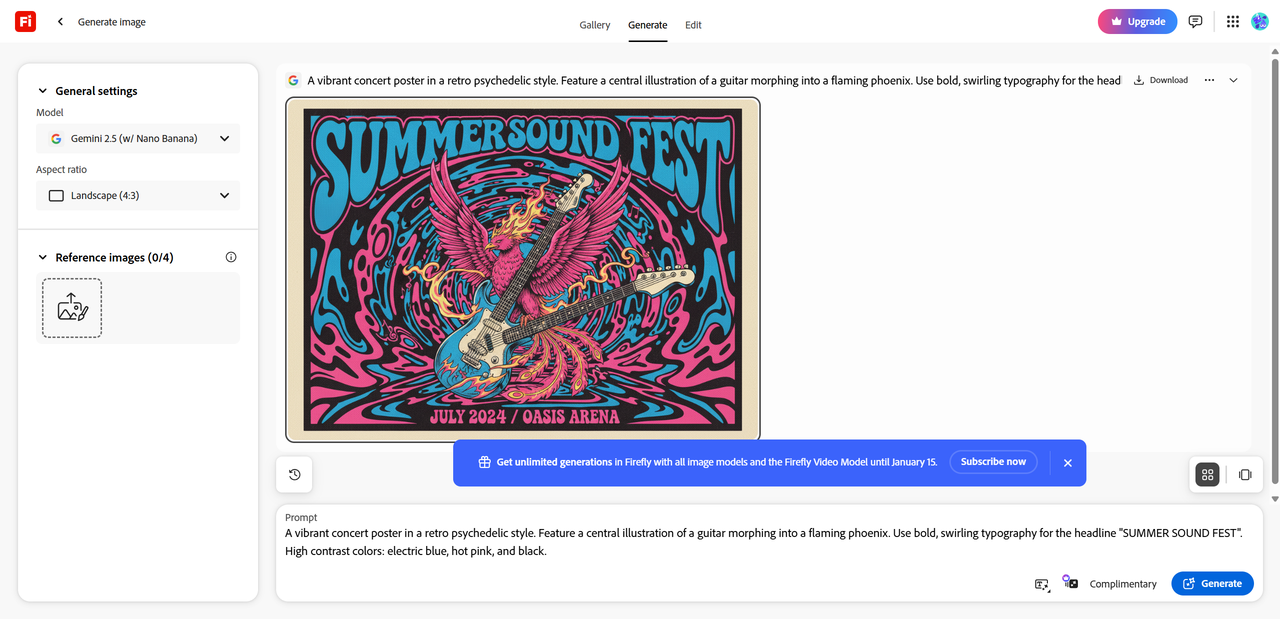
To get a realistic feel for Adobe Firefly, I ran a small Firefly AI test using five different prompts: a flat graphic poster, a product mockup, a photo-style portrait edit with Generative Fill, a stylized illustration, and a short video concept. Overall, Firefly was fast — most image results generated in seconds — and the interface felt familiar if you’ve ever used Adobe tools before.
In terms of quality, Adobe Firefly results were generally clean and polished, especially for graphic-design-style prompts. Layouts, color balance, and composition felt very “Adobe,” which is great for professional work. More complex or highly realistic scenes, however, showed some softness or minor AI artifacts.
Firefly also handled style guidance well. Using reference images noticeably improved consistency, making it easier to steer outputs toward a specific look rather than relying on prompt text alone.
Quick Results Grid (Summary)
| Output Type | Performance |
|---|---|
| Graphic design visuals | Strong |
| Product-style images | Strong |
| Photo realism | Mixed |
| Complex scenes | Weaker |
What Adobe Firefly did well
✔ Clean compositions for design-focused prompts
✔ Generative Fill felt intuitive and practical
✔ Smooth integration with Adobe apps
Where it stumbled
✘ Less realistic with complex scenes
✘ Occasional AI artifacts
✘ Credit limits can interrupt creative flow
Overall, Firefly feels reliable for everyday creative work — just not flawless yet.
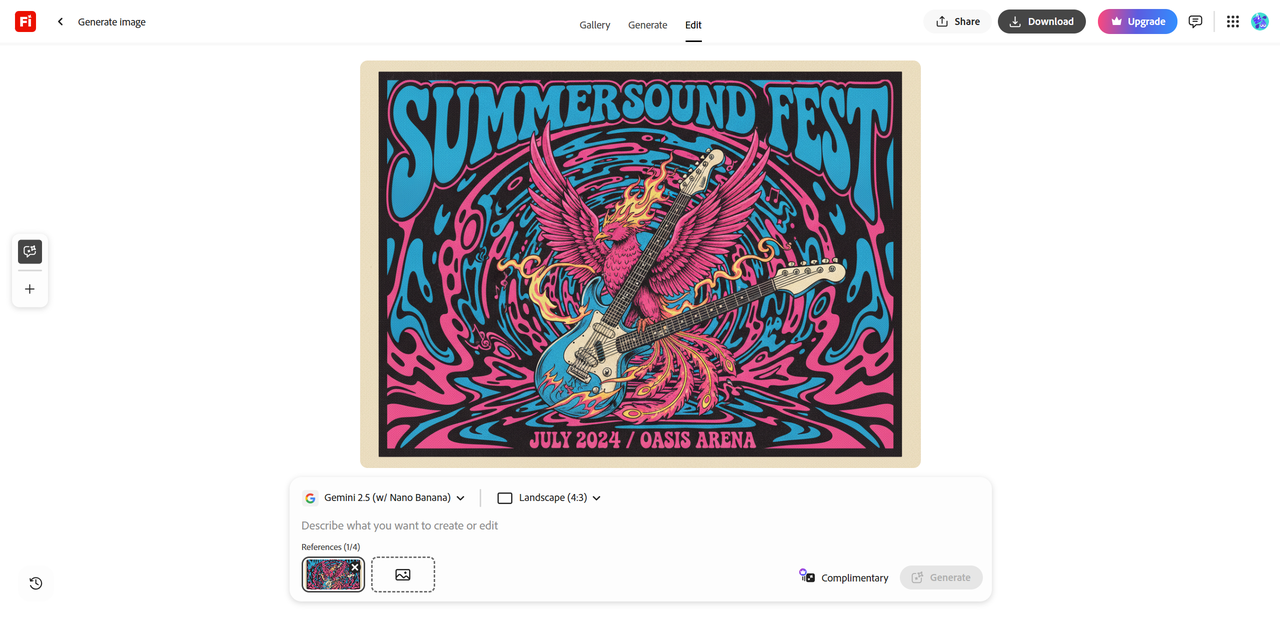
Adobe Firefly Features Breakdown — A Closer Look
AI Image Generation
Firefly’s text-to-image feature is where most users start, and it’s one of the platform’s strongest areas. You enter a prompt, tweak style, lighting, and composition options, and Firefly usually delivers results that closely match your intent — especially for design-oriented visuals. Prompt interpretation feels reliable rather than overly “creative,” which is actually a plus for professional use. A key differentiator is training data: Firefly models are trained on Adobe Stock and public-domain content, aiming to reduce copyright risks and make outputs safer for commercial projects.
Editing Tools — Generative Fill & Beyond
Generative Fill is Firefly’s most practical feature. You can remove unwanted objects, extend backgrounds, or insert new elements directly into an image with minimal effort. The results are generally clean and blend well, especially compared with many standalone AI tools. While competitors may sometimes push more dramatic edits, Firefly prioritizes consistency and usability — making it ideal for real production work rather than experimentation.
Video & Audio Generation (New in 2025)
Firefly’s AI video and audio tools are still evolving. Text-to-video clips and basic audio generation work well for ideation and rough concepts, but fine control and realism are limited for now. This area is developing quickly and could become a major strength — just not quite there yet.
Pricing & Plans — What You Actually Get
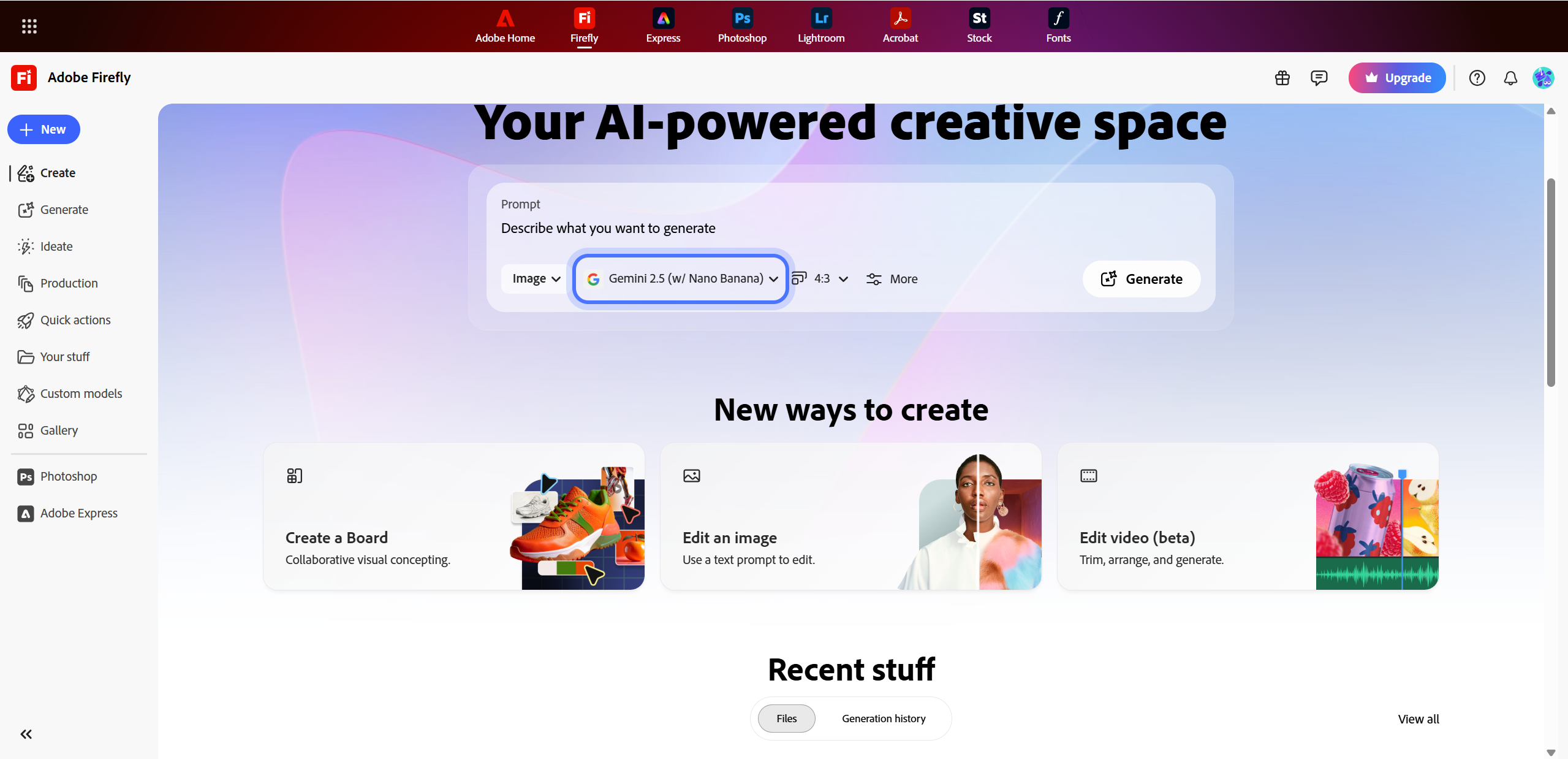
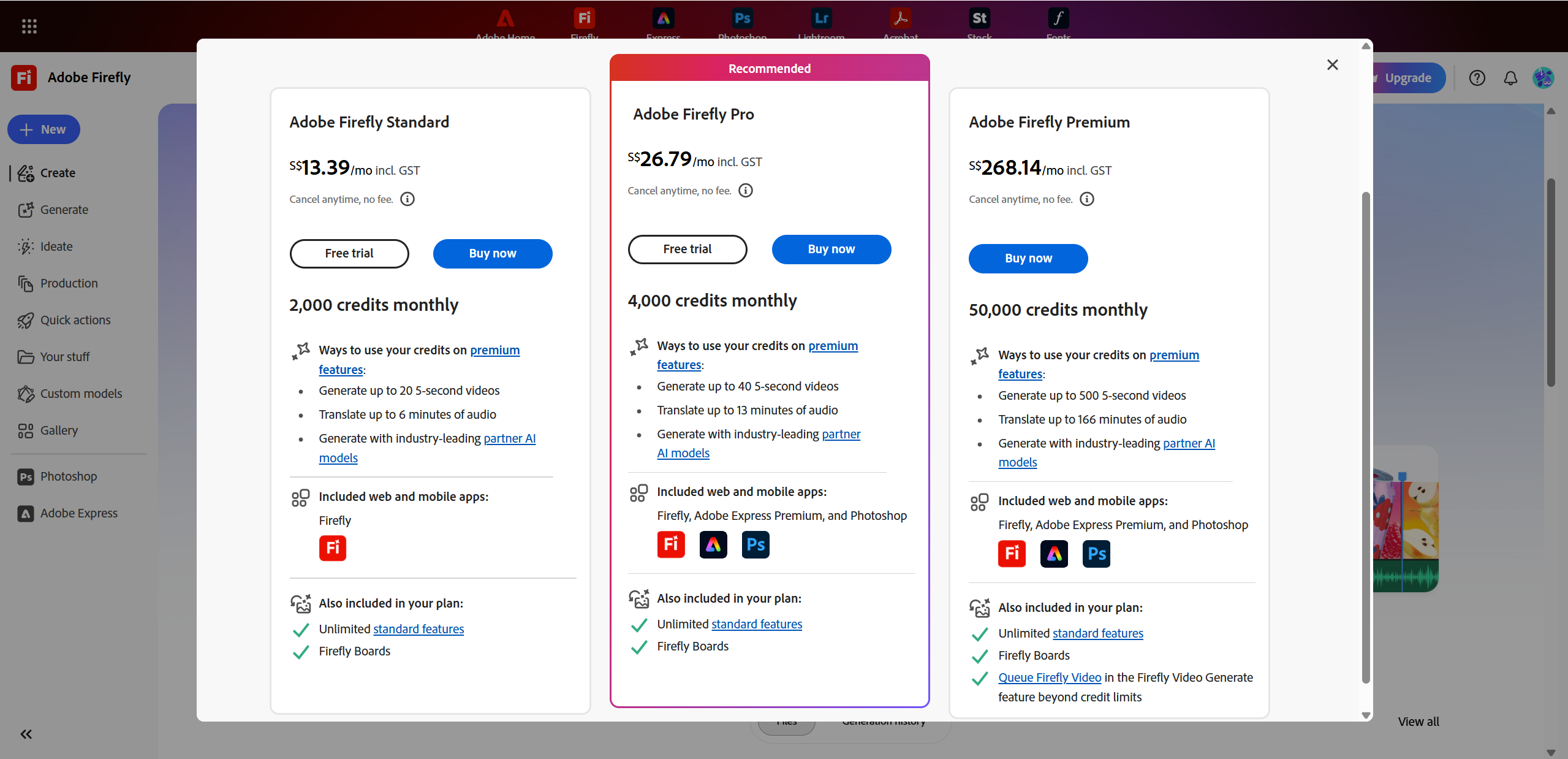
Adobe Firefly uses a credit-based pricing model, which means every AI generation (especially images and video) consumes generative credits. The good news: you can try Firefly for free. The catch? Credits run out faster than you might expect once you start experimenting seriously.
Here’s a simplified look at Firefly’s standalone plans:
| Plan | Monthly Cost (USD) | Generative Credits / Month | Who It’s For |
|---|---|---|---|
| Free | $0 | Very limited (trial‑style) | Curious beginners |
| Firefly Standard | ~$9.99 | ~2,000 credits | Casual creators |
| Firefly Pro | ~$19.99–$29.99 | ~4,000–7,000 credits | Frequent creators |
| Firefly Premium | ~$199.99 | ~50,000 credits | Pros & studios |
Credits reset monthly, which is helpful, but heavy users may still feel constrained — especially when testing video features. On the plus side, if you already subscribe to Adobe Creative Cloud, Firefly credits are often included, making it far more cost-effective.
Pros: predictable costs, commercial-safe usage Cons: credits can limit creative flow during intensive projects
For most Adobe users, Firefly makes the most sense as part of a broader Creative Cloud plan.
Pros & Cons — Honest Verdict
Adobe Firefly is a solid choice for creatives who want AI assistance without leaving their usual Adobe tools. Its UI is intuitive, the workflow integration is seamless, and outputs are generally commercially safe, making it ideal for professional projects.
However, Firefly isn’t perfect. Credit limits can interrupt creative sessions, image quality sometimes lags behind specialized AI generators, and video tools are still in early development, offering limited control.
Recommendation: If you’re a designer, marketer, or agency already using Adobe apps, Firefly is worth trying — it speeds up ideation and fits naturally into professional workflows. Casual users or those seeking maximum free experimentation may want to supplement with other AI generators.

Use Case Scenarios — Should You Use Firefly?
Adobe Firefly shines in practical, production-focused scenarios. For example:
✔ Graphic designers producing quick visuals or social media assets can save significant time with text-to-image and Generative Fill. ✔ Brand marketing teams can generate concept mockups or campaign visuals rapidly, especially when working across multiple Adobe apps. ✔ Creative brainstorming benefits from Firefly’s fast iterations, style guidance, and reference image support, helping teams explore ideas without starting from scratch.
That said, Firefly isn’t always the best fit. For highly photorealistic concept art or experimental, avant garde visuals, tools like Midjourney or Stable Diffusion may produce richer results. Essentially, Firefly excels in workflows where speed, reliability, and Adobe integration matter most.
Final Thoughts — Is Adobe Firefly Worth It in 2025?
Overall, Adobe Firefly earns a 4/5 rating for 2025. It’s ideal for Adobe users, designers, marketers, and small agencies who want AI assistance without leaving their familiar workflow. To maximize results, use reference images, clear prompts, and iterative tweaks, and remember the credit system can limit intensive sessions.
In short: Firefly is a reliable, professional-grade AI assistant, not a magic wand — but when used strategically, it can significantly boost productivity and creativity in everyday design tasks. For projects demanding greater artistic depth and nuanced control, consider Lovart AI.

Share Article