Pollo AI Review: An Honest Look at This All-in-One AI Video Platform


Pollo AI Review: An Honest Look at This All-in-One AI Video Platform
Introduction
AI video tools are everywhere right now, but not all of them try to be everything in one place. That is where Pollo AI stands out. In this Pollo AI review, I will take a practical and honest look at what this platform actually offers, how it performs in real use, and whether it lives up to the growing buzz around it. We will explore its video models, core features, overall platform experience, and how it compares to other popular AI video tools. If you are considering a Pollo AI platform test for your own projects, this article will help you decide if it is worth your time.
What Is Pollo AI?

Pollo AI is an all in one AI image and video generation platform designed to simplify creative workflows. Instead of jumping between multiple tools, users can generate videos, images, and animations from a single dashboard. At its core, Pollo AI focuses on making AI video creation more accessible, even for users with no technical background.
The platform supports text-to-video and image-to-video generation, allowing users to turn written prompts or static visuals into short, dynamic clips. It also includes tools for creating consistent character videos, which is especially useful for storytelling, branding, and social media content. On top of that, Pollo AI offers animation features that help bring still images to life with smooth motion and effects.
Pollo AI is a good fit for a wide range of users, including content creators, marketers, small businesses, and casual hobbyists. Whether you are experimenting for fun or producing videos for campaigns, it aims to balance power with ease of use.
Key Features of Pollo AI
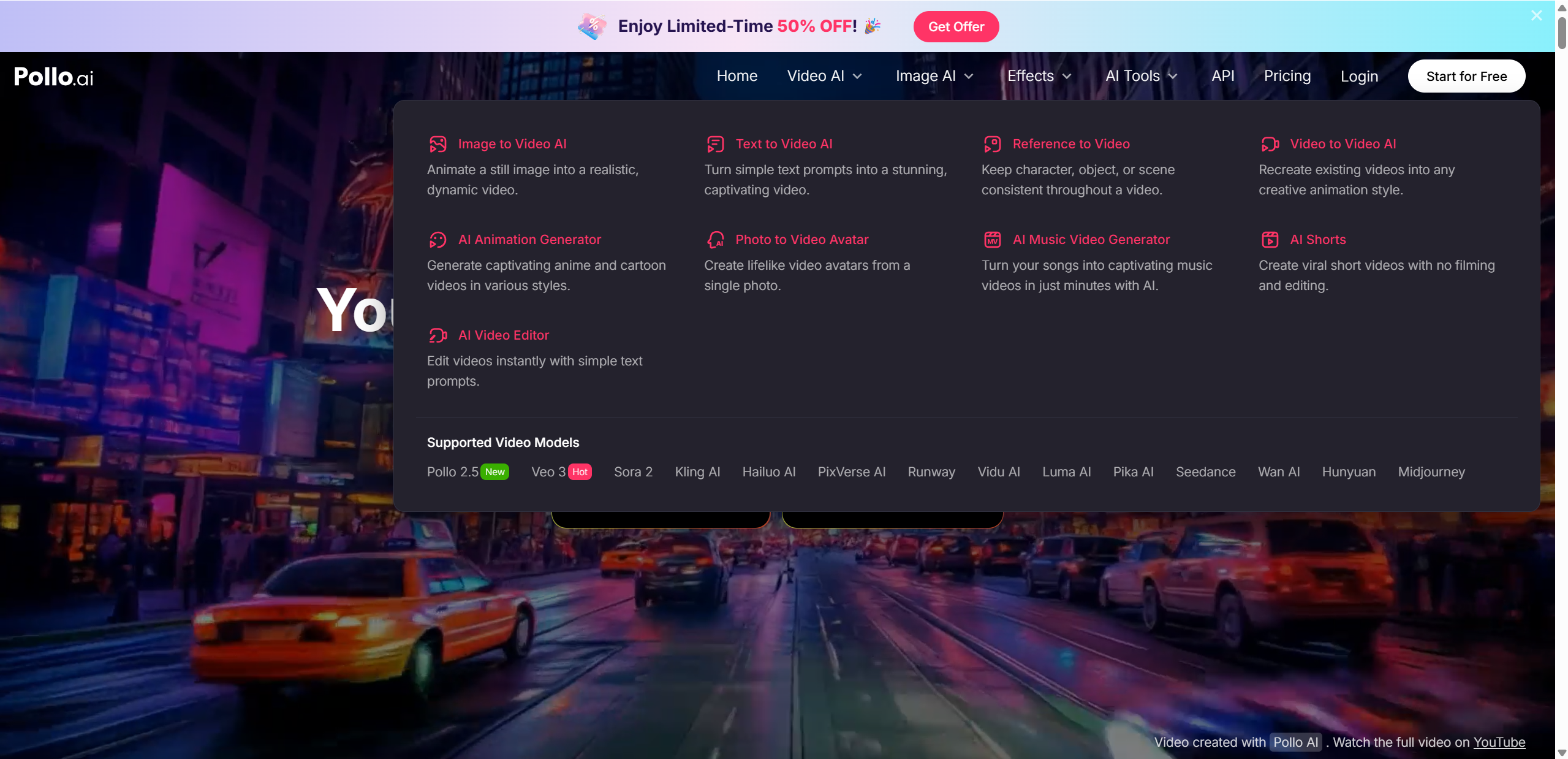
Pollo AI packs a surprising amount of creative power into a single platform. To keep things easy to scan, let’s break its main features into two core areas: generation and editing.
AI Video Models & Creative Tools
One of Pollo AI’s biggest strengths is its wide range of built in video models. Instead of locking users into a single engine, it lets you choose the best model for your idea.
Available models include Pollo 2.5, Veo 3, Sora 2, Kling AI, Luma AI, PixVerse, and several others. Each model brings a slightly different visual style, motion quality, and prompt interpretation.
Key capabilities include:
Text-to-video and image-to-video generation
“Reference to video” tools that help keep characters visually consistent across scenes
Why this matters:
Model flexibility: Switch models based on realism, animation style, or speed
Motion and style options: From cinematic movement to playful animations
Best use cases: Ads, social content, short storytelling clips, and concept videos
Video Editing & Effects
Pollo AI goes beyond basic generation with a solid set of enhancement tools. You can upscale and enhance video quality, apply filters, or experiment with fun effects designed for shareable content.
| Feature | What It Does | Best For |
|---|---|---|
| Video Enhancer | Improves clarity and resolution | Polished exports |
| AI Dance Generator | Adds movement to still images | Social videos |
| Meta Effects | Creates novelty clips like AI Hug | Viral content |
These tools make Pollo AI feel playful without sacrificing practicality.
Pollo AI Hands-On Platform Test
To make this Pollo AI review practical, I spent time running a hands on platform test using several common creation scenarios. The goal was to see how it feels for real users, not just how it looks on paper.
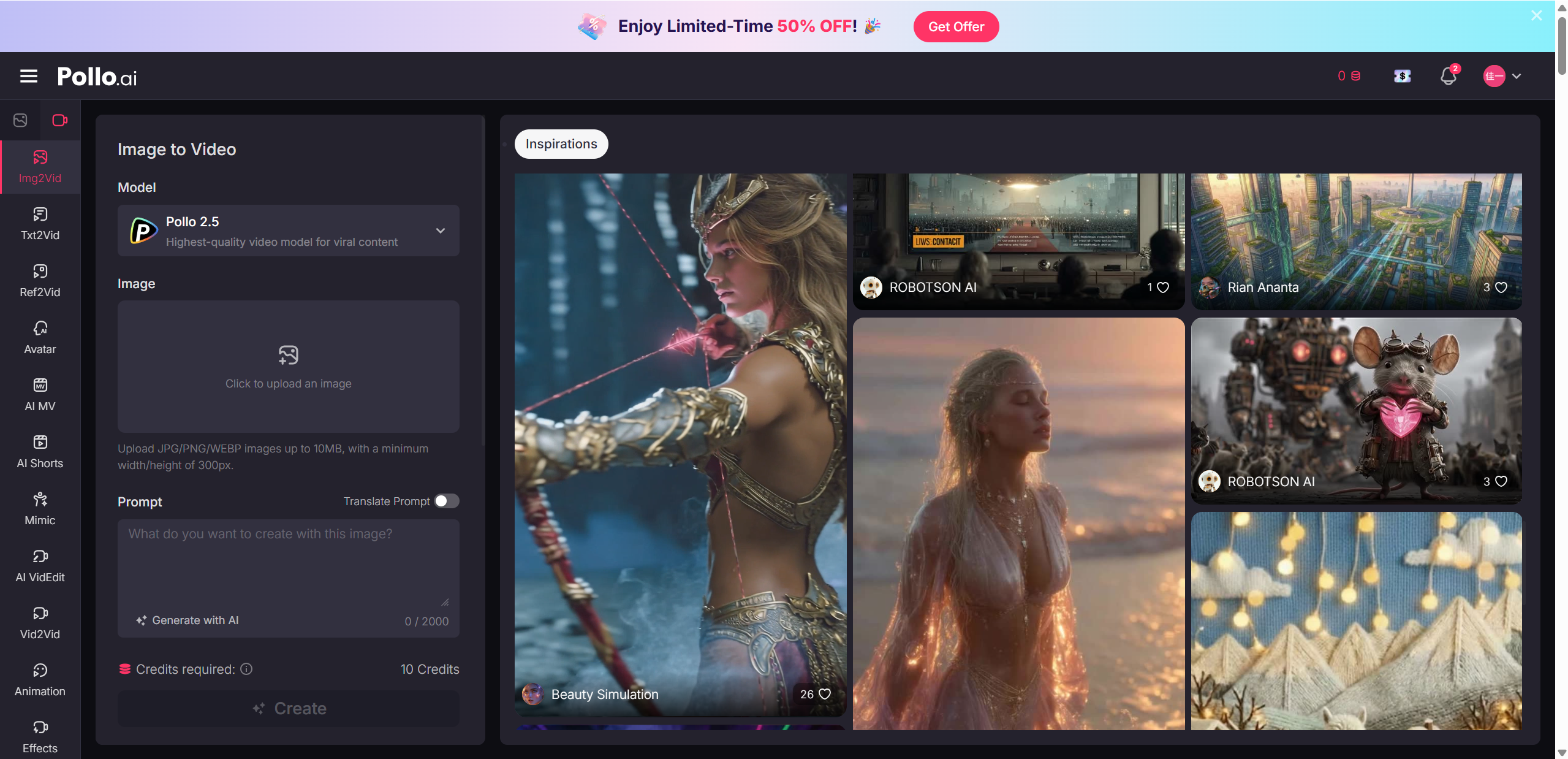
Sign up and UI experience Getting started was refreshingly simple. Account creation took less than a minute, and the dashboard loaded quickly without overwhelming menus. The layout is clean, with generation tools clearly labeled, making it easy for beginners to jump in.
Prompt creation and generation speed For testing, I tried a text-to-video prompt like “a futuristic city at sunset with flying cars” using Pollo 2.5 and Kling AI. Prompt input was straightforward, and generation time ranged from about 30 seconds to just over a minute, depending on the model. Image-to-video tests, such as animating a portrait photo, were slightly faster.
Video quality and consistency Quality varied by model. Pollo 2.5 delivered smooth motion and solid lighting, while PixVerse leaned more stylized. The reference to video feature worked well when creating two clips of the same character, keeping facial features mostly consistent, though minor changes still appeared.
Credits system pros and cons Pollo AI uses a credit system that limits how many videos you can generate. Free credits are helpful for testing, but they run out quickly, a point frequently mentioned by Reddit users.
| Test Aspect | Result | Notes |
|---|---|---|
| Ease of Use | ⭐⭐⭐⭐ | Beginner friendly |
| Video Quality | ⭐⭐⭐ | Varies by model |
| Output Length | ⭐⭐ | Short clips mostly |
| Pricing Value | ⭐⭐⭐ | Free tier limited |
Pros & Cons
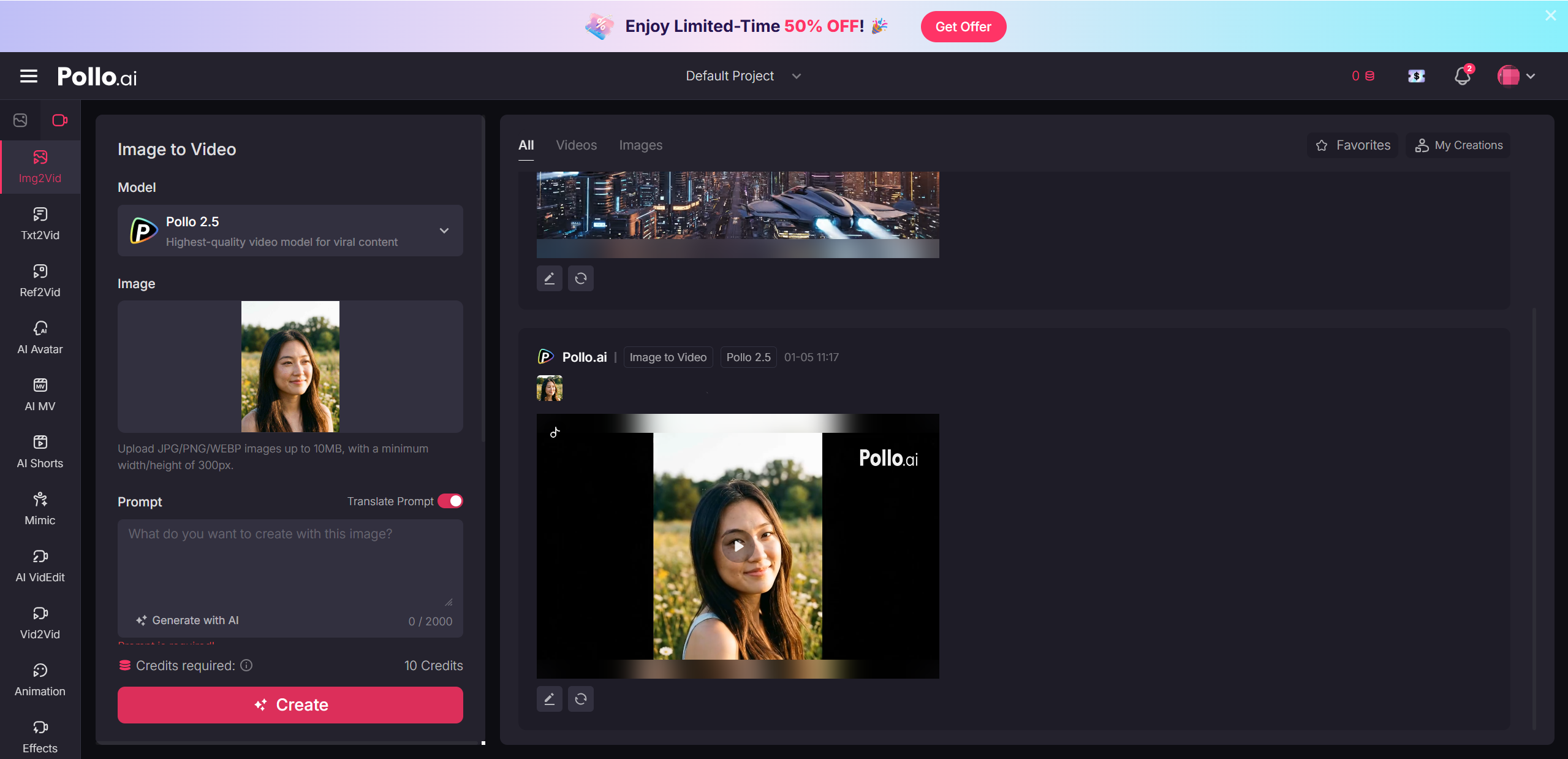
No AI video platform is perfect, and Pollo AI is no exception. After hands on testing, here is a balanced look at where it shines and where it may fall short.
Pros
Multiple powerful models in one platform, making it easy to test different visual styles without switching tools
A large collection of presets, effects, and templates that speed up the creative process
Well suited for quick creative content, especially social videos, concept ideas, and experiments
Beginner friendly interface that lowers the learning curve
Cons
The credits system can feel confusing at first, and costs may add up quickly for frequent users, a concern often mentioned on Reddit
Output quality varies noticeably depending on which model you choose
Limited control granularity for advanced users who want frame level or timeline based adjustments
Overall, Pollo AI favors speed and accessibility over deep technical control, which will be a positive or negative depending on your needs.
Pollo AI vs Competitors
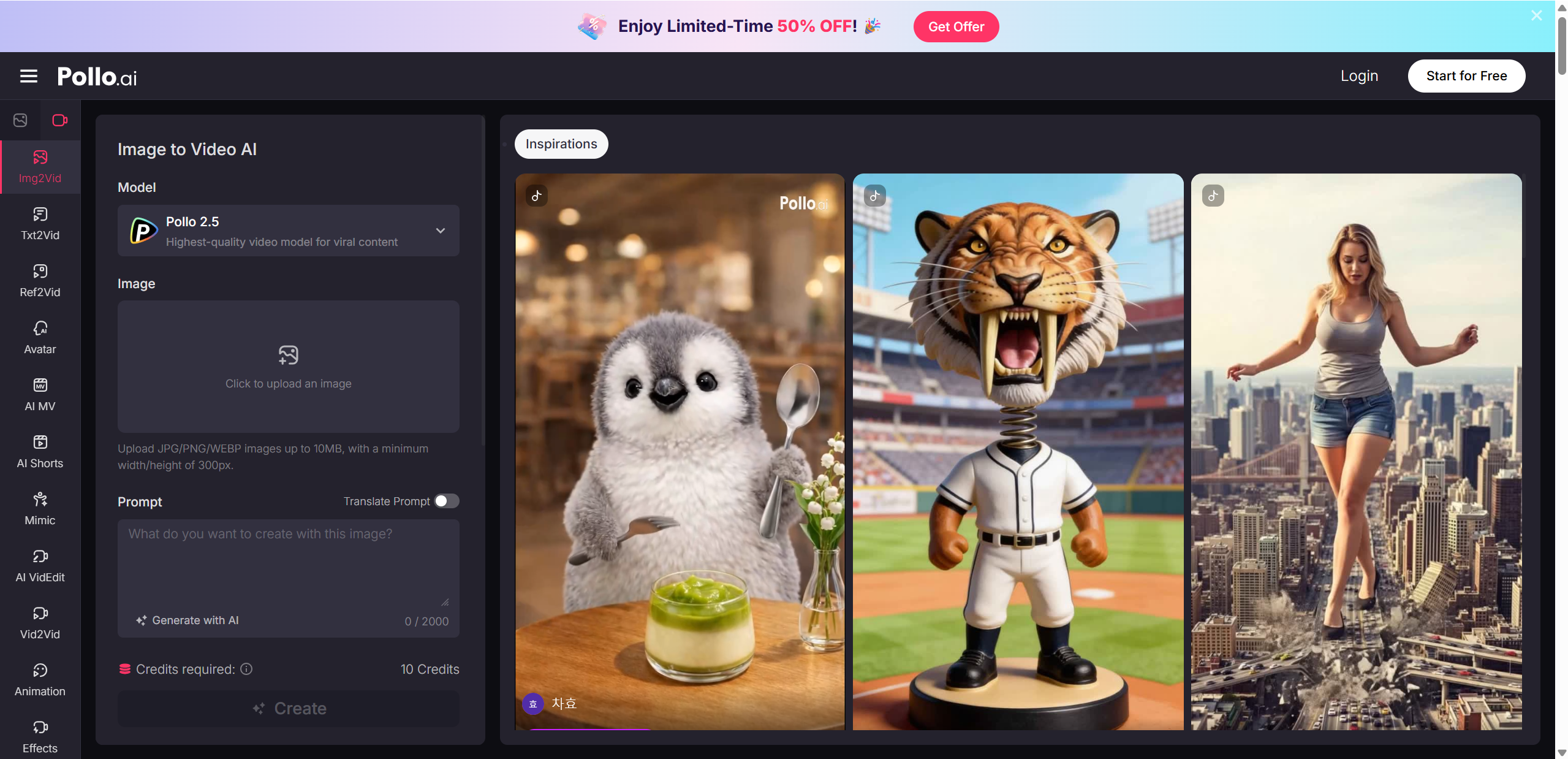
To understand Pollo AI’s real value, it helps to compare it with other well known AI video tools.
Pollo AI vs DeeVid AI
DeeVid AI focuses heavily on realism and cinematic quality. In side by side tests, DeeVid often produces more polished lighting, smoother camera motion, and stronger scene composition. This makes it appealing for users aiming for short films or high end visuals.
Pollo AI, on the other hand, feels more playful and flexible. With access to multiple models and fun effects, it encourages experimentation rather than perfection. If your goal is creative exploration or fast content for social platforms, Pollo AI has the edge.
Pollo AI vs Runway, Luma, and Others
Runway is widely known for its professional editing tools and timeline control, making it a favorite among advanced creators. Luma stands out for cinematic motion and realistic depth, especially in scene generation.
Pollo AI does not try to replace these tools. Instead, it offers variety and ease of use. Having many models under one roof makes it easier to test ideas quickly without committing to a single style.
Pricing & Value
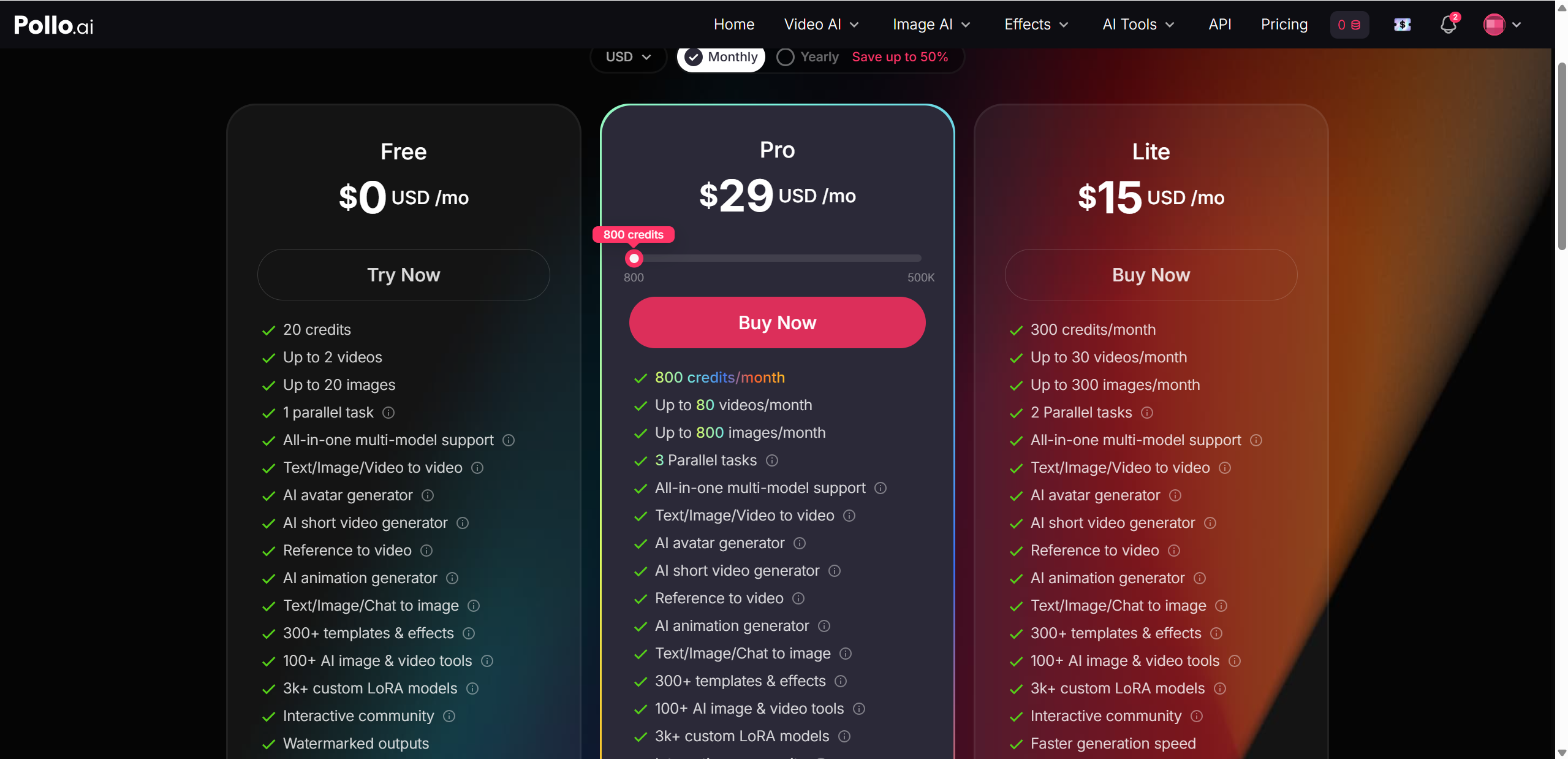
Pollo AI uses a credit based pricing system, which is fairly common among AI video platforms. The idea is simple: more credits mean more generations, longer videos, and access to higher quality outputs.
There is a free plan that gives new users a small number of credits each month. This plan is useful for testing the platform, but it comes with watermarks and runs out quickly if you generate videos often. Paid plans increase the monthly credit allowance and remove watermarks, making them more suitable for serious use.
Here is a quick overview of the typical plans. Prices are approximate and may change, so always check the official site for the latest details.
| Plan | Price | Credits | Watermark |
|---|---|---|---|
| Free | $0 | 10 per month | Yes |
| Lite | ~$15 | 300 | No |
| Pro | ~$29 | 800 | No |
In terms of value, Pollo AI makes the most sense for users who want flexibility and variety rather than long, highly polished videos. Heavy users should keep an eye on credit usage, as costs can add up.
Best Use Cases & Tips
Pollo AI really shines when used for fast, creative projects rather than long form productions. Knowing when and how to use it makes a big difference.
Best use cases
Social media clips for TikTok, Reels, and Shorts
Quick promotional videos for products or events
Experimental creative clips that test visual ideas
Storyboarding concepts before full video production
Tips for better results
Try the same prompt across different models to compare styles
Keep prompts clear and visually descriptive for stronger outputs
Use image-to-video when you want more control over composition
Save credits by testing with lower settings first
Treat Pollo AI as a creative playground. It works best when you lean into exploration rather than expecting perfection on the first try.
Final Verdict
Pollo AI is not trying to be the most cinematic or technically advanced AI video tool on the market, and that is actually its strength. It offers variety, speed, and a friendly experience that encourages experimentation.
Best for
Creators who want to test many video styles quickly
Marketers making short, eye-catching content
Beginners exploring AI video for the first time
Might want alternatives
Filmmakers seeking cinematic realism
Users who need deep editing control
Overall rating: 4 out of 5 stars
If you value flexibility and creative freedom over absolute polish, Pollo AI is well worth trying. For a different creative approach, Lovart AI stands as another compelling option worth exploring.

分享文章