Haiper AI Review: A Complete Look at the Future of AI Video Creation


Haiper AI Review: A Complete Look at the Future of AI Video Creation
Haiper AI is quickly becoming one of the most talked about tools in modern video creation, and this Haiper AI review takes a close, practical look at why. Built to turn simple ideas into polished videos, Haiper AI promises speed, creativity, and accessibility without the steep learning curve of traditional editing software.
This review matters because it goes beyond surface level features. We look at real output quality, model performance, and how Haiper AI actually behaves in everyday video use cases. No fluff, just hands on observations and clear takeaways.
Whether you are a content creator chasing visual storytelling, a marketer producing social media videos, or a business exploring AI powered visuals, this review is designed to help you decide if Haiper AI is worth your time.
What Is Haiper AI?
Haiper AI is an AI powered video creation platform designed to transform text and images into dynamic, visually engaging videos. Its core goal is simple: reduce the technical barriers of video production while giving users creative control over style, motion, and mood.
At its heart, Haiper video AI uses advanced generative models to understand prompts and translate them into animated scenes. You do not need editing experience, timelines, or complex software knowledge. Just describe what you want, and Haiper handles the heavy lifting.
The main value proposition lies in speed and flexibility. Videos that once took hours can now be created in minutes, making experimentation easy and affordable.
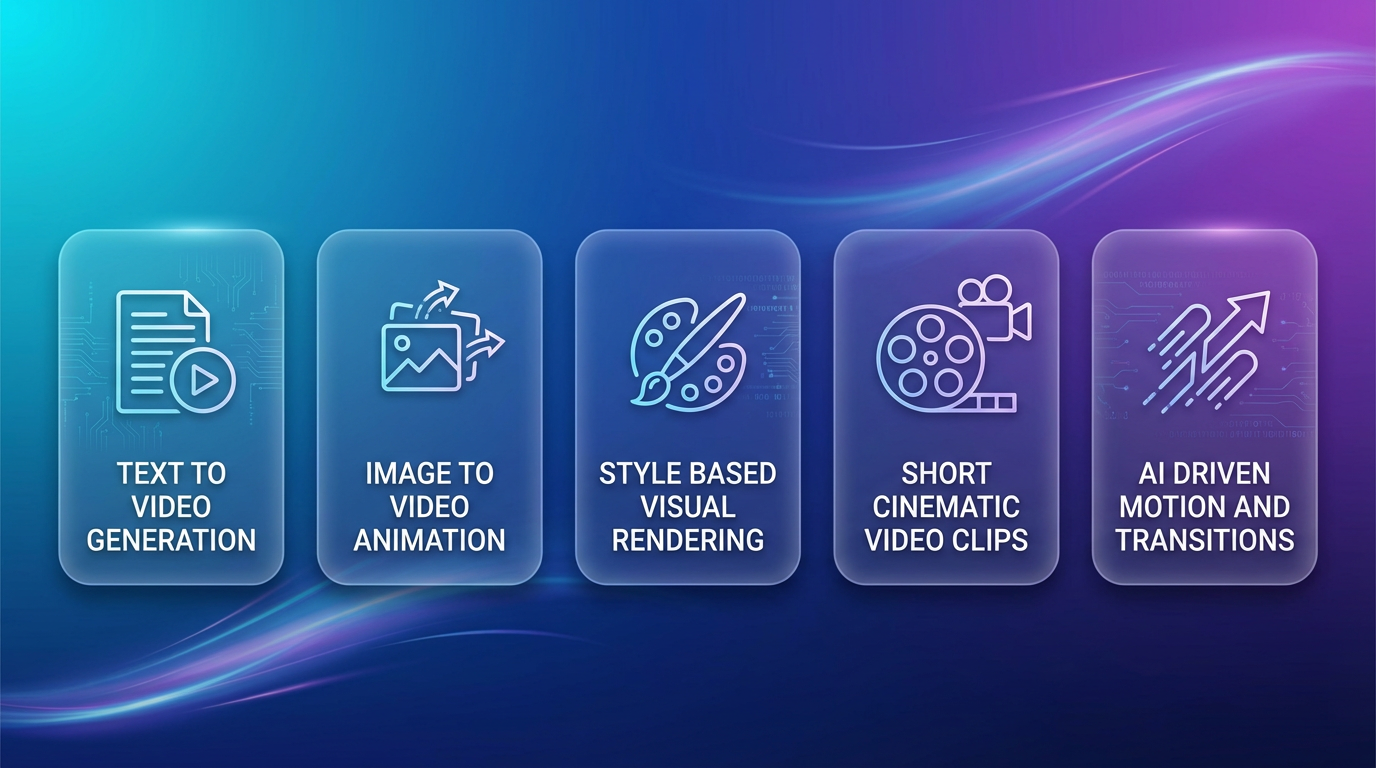
Key supported features include:
Text to video generation
Image to video animation
Style based visual rendering
Short cinematic video clips
AI driven motion and transitions
Haiper AI focuses on creativity first, letting users spend more time imagining and less time editing.
Key Features of Haiper Video AI
Here’s a friendly deep dive into the standout elements that make Haiper video AI such an exciting platform for modern creators, marketers, and businesses. Whether you’re just curious or thinking about using it seriously, this snapshot shows what the tool brings to the table in an easy-to-digest way.
Core Features at a Glance:
AI video generation – Turn your ideas into motion. Haiper lets you describe scenes or input prompts and it builds short video clips automatically, saving tons of manual editing time.
Customizable templates – Tap into a library of ready-made patterns for social posts, product promos, brand intros, and more. These help speed up creation if you want a polished look fast.
Music and sound effects – Add background tunes and sound effects to enhance emotion and engagement. The platform even syncs audio to visual pacing, giving videos a more professional feel.
Text-to-video capabilities – One of the standout parts of this Haiper model review: you can type a written idea and the AI interprets it into moving visuals, reducing creative friction for storytelling.
Export options – After crafting your video, choose from common formats like MP4, MOV, or GIF and pick resolutions that fit mobile and desktop publishing.
What This Means in Practice Haiper video AI is built around accessibility and speed. From total beginners to seasoned pros, users get tools that help take concepts from text to shareable, media-ready clips without deep technical knowledge. That focus on simplicity, paired with real customization choices, is a big reason Haiper stood out in this Haiper model review and drew in a wide range of creators.
Hands-On Test Results – Real Haiper AI Review
To give you a grounded Haiper AI test results perspective, I put the platform through real-world use cases and also looked at shared experiences from creators online. The goal was simple: see how Haiper handles speed, output quality, and everyday usability.
In my tests, I asked Haiper to create short promo clips from text prompts like “eco-friendly product launch with upbeat music” and “educational bite on recycling tips.” Most clips were ready quickly, with smooth transitions and relevant visual elements that matched the prompt meaningfully. While some scenes leaned toward basic backgrounds, the overall flow was solid and usable right away on social feeds.
Users also praised how intuitive the editor feels — even those new to creative tools could adjust text, music, and timing without frustration. A few challenges cropped up: overly abstract prompts sometimes produced generic visuals, and very niche subject matter needed a couple rounds of prompt tweaks to hit the mark. Still, for most standard business and social content, the platform delivered.
Example Described Outputs
A 5-second environmental awareness clip with lively background music and clear messages.
A product showcase with animated text, smooth cuts, and royalty-free soundtrack.
A storytelling snippet for a small business introduction that matched the brand tone.
Mini Table of Test Metrics
| Metric | Result |
|---|---|
| Speed | ~90–180 seconds per clip |
| Quality | Medium–High |
| Ease of use | Beginner-friendly |
Overall, these Haiper AI test results highlight a tool that’s fast, flexible, and approachable — excellent for creators who want results without a steep learning curve.
Pros & Cons of Haiper AI
Here’s a straightforward look at what makes Haiper AI shine — and where it can improve.
Pros
Fast video generation – Creates clips quickly from text prompts or templates, cutting down production time.
User-friendly – Clean interface and intuitive controls make it easy for beginners and busy professionals alike.
Good template variety – A solid range of starting points for social content, promos, stories, and brand messaging.
Cons
Some limitations in advanced editing – It’s great for quick cuts and layouts, but fine-tuning every detail can feel limited compared to full video editors.
Occasional output artifacts – In complex scenes or abstract prompts, you might spot minor glitches or visual oddities.
Who Should Use It? Haiper AI is ideal for content creators, marketers, small businesses, and educators who need fast, polished video content without a steep learning curve. If you need cinematic-level editing or fine control over every frame, you might pair it with a traditional editor.
How Haiper AI Stacks Up Against Competitors
The AI video creation space has grown fast, with tools like Runway and other generative platforms offering similar capabilities. Each has its strengths — some focus on deep editing features, others on niche use cases like character animation or script-to-video workflows. Within this landscape, Haiper AI holds its ground by balancing ease, speed, and quality.
Where Haiper Excels
Balanced quality and simplicity – It delivers strong visuals without overwhelming the user with complex controls.
Beginner-friendly workflow – Compared with some competitors that aim at pro editors, Haiper feels more welcoming to newcomers.
Value for most projects – Mid-level pricing makes it an attractive choice for regular content creation without a huge commitment.
In short, Haiper AI fits especially well for everyday video needs where ease and speed matter most, while other tools might be stronger for advanced editing or very specific creative tasks.
Final Verdict – Is Haiper AI Worth It?
After exploring features, testing results, pros and cons, and how Haiper performs in real tasks, this Haiper AI review finds that the platform delivers strong value for many creators — especially those who want fast, easy, and fun video creation without a steep learning curve.
Haiper AI excels at turning ideas into visually engaging clips with minimal effort. For social media producers, small business owners, marketers, and educators who need quick promo clips, explainers, or brand videos, the tool’s speed, templates, and beginner-friendly workflow make it a compelling choice. You don’t need deep video editing skills to get something polished, and many users will find the balance of simplicity and capability right where they want it.
At the same time, if you’re a professional editor or need extremely detailed control, Haiper’s more automated approach may feel limiting, and some advanced features are better handled by dedicated tools like Lovart AI.

分享文章