Hailuo AI Review — An In-Depth Look at the Hailuo Video Generator


Hailuo AI Review — An In-Depth Look at the Hailuo Video Generator
AI video generation is moving fast, and tools that felt experimental a year ago are now being used for real creative work. Hailuo AI is one of the newer names gaining attention, especially among creators who want quick, cinematic visuals without dealing with complex editing software. In this Hailuo AI review, we take a close look at what the platform offers and why it matters in 2025.
Hailuo AI focuses on short form AI generated video, turning text prompts or images into animated clips in minutes. It aims to lower the barrier to video creation while still delivering visually impressive results. In this review, we set expectations clearly by examining its core features, performance, practical use cases, and overall strengths and weaknesses based on hands on testing.
What Is Hailuo AI? Overview of the Hailuo Video Generator

Hailuo AI is an AI video generation platform developed within the MiniMax ecosystem, a company known for its work on large language models and multimodal AI systems. Rather than positioning itself as a full professional editing suite, Hailuo AI is designed to make video creation fast, accessible, and experiment friendly.
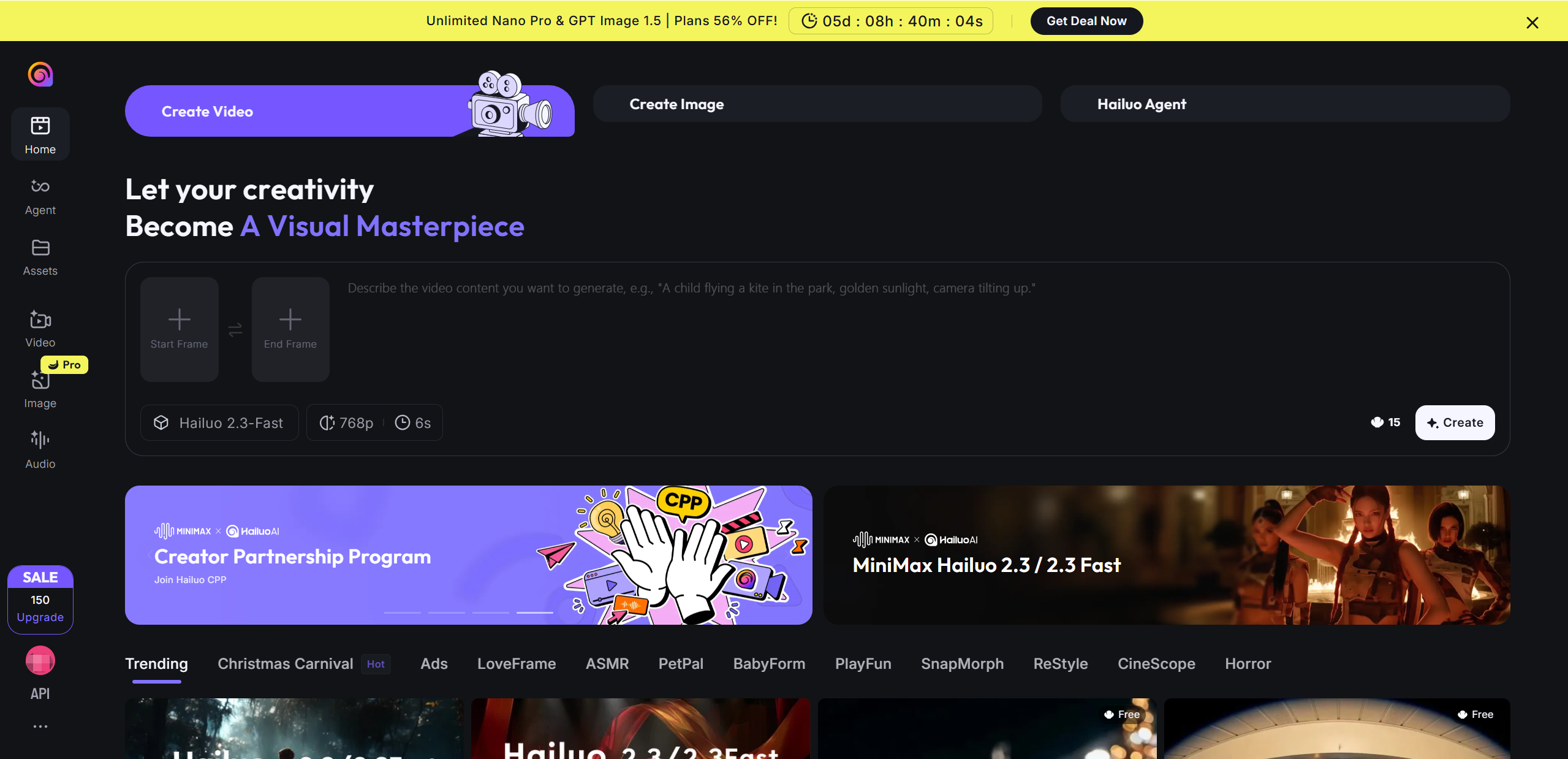
The Hailuo video generator allows users to create short animated videos using either text prompts or still images. With text to video, you describe a scene, mood, or action and the system generates motion and visuals automatically. With image to video, a static image is brought to life through subtle camera movement and animation.
Typical use cases include short form social content, creative concept testing, mood visuals, and storytelling experiments where speed matters more than fine control.
Hailuo AI Key Information
| Category | Details |
|---|---|
| Developer | MiniMax |
| Supported inputs | Text prompts, images |
| Output length | Short video clips |
| Target users | Creators, marketers, hobbyists |
| Platform access | Web based |
Key Features of Hailuo AI
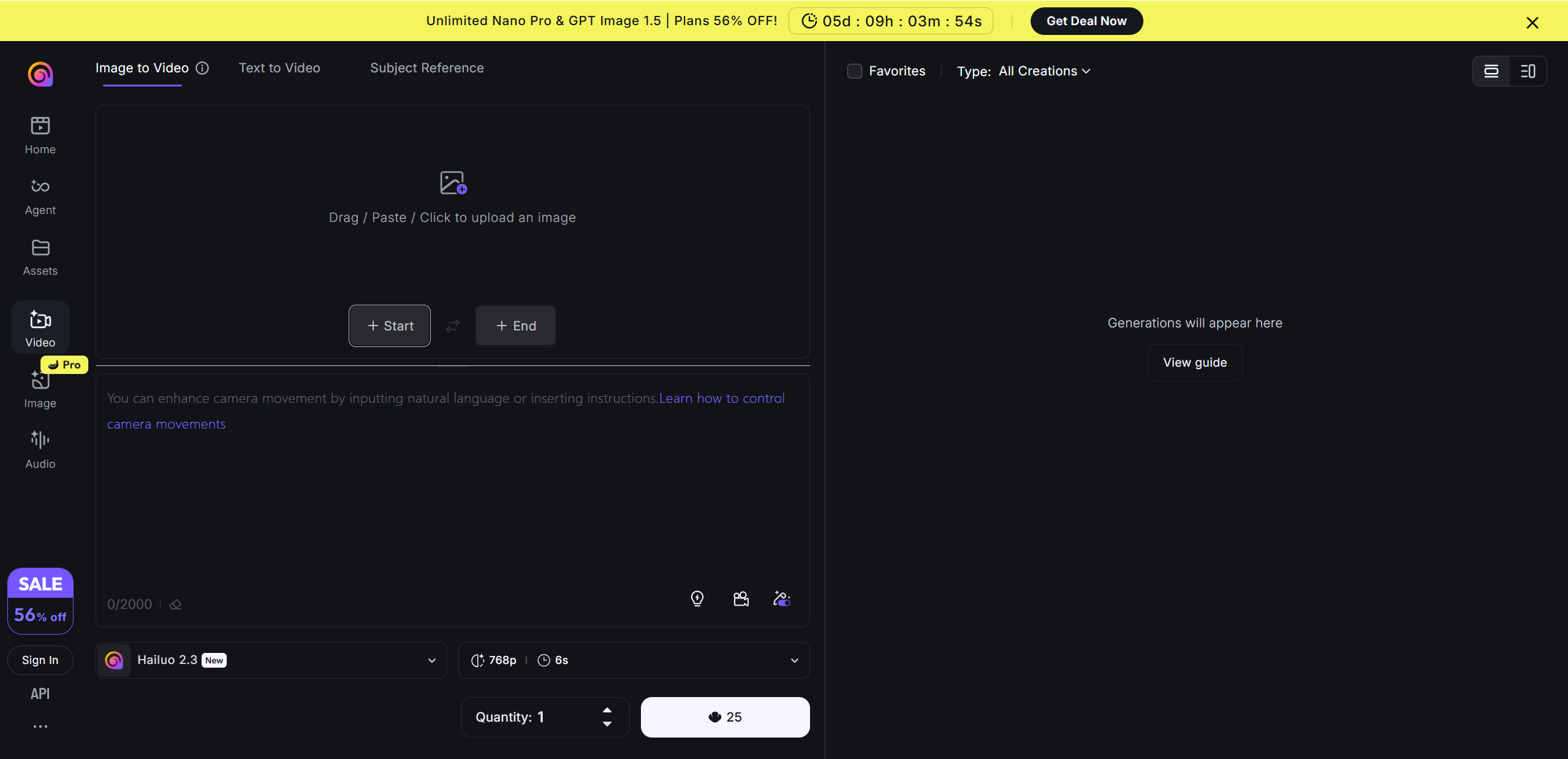
Hailuo AI packs a lot of creative tools into a simple, web-based interface that makes video creation approachable for beginners and experienced makers alike. Whether you’re starting from a written idea or a still image, the platform gives you fast ways to bring it to life.
Text-to-video generation is one of the core functions. You type a description of the scene you want, and Hailuo AI interprets it to produce a short animated clip. The engine does more than stitch frames together — it adds motion, lighting, and camera ideas based on your words.
Image-to-video animation lets you upload a photo and turn it into a moving scene with subtle camera shifts and dynamic motion. This is great for making static art or photos feel alive without complicated editing.
The tool also includes preset styles and camera movement options, such as cinematic zooms and pans that can be applied automatically or guided with simple language prompts.
One of Hailuo AI’s biggest strengths is speed of generation. Most clips are ready in a couple of minutes, so you can test ideas quickly and iterate.
Beginners will appreciate its ease of use — there’s no steep learning curve, and you don’t need any editing experience to start creating.
Core features:
Text to video and image to video generation
Preset visual styles and logical camera moves
Quick rendering for most clips
Standout capabilities:
Intuitive prompt interpretation
Smooth motion and visual polish
Limitations to note:
Video length is short (typically 5-6 seconds)
Complex scenes can be inconsistent without detailed prompts
Hailuo AI Performance — Real-World Results and Quality Analysis
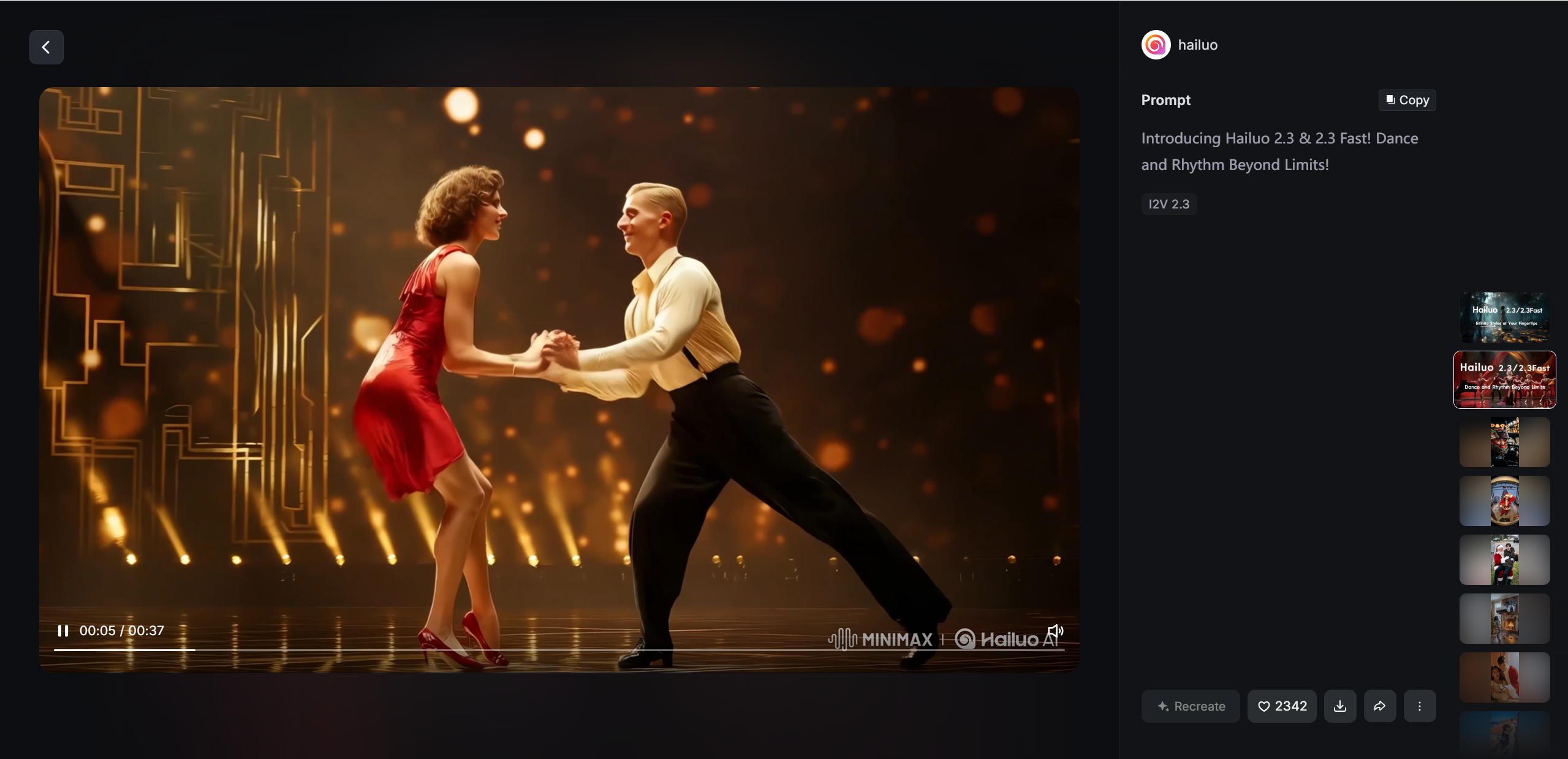
When we talk about Hailuo AI performance, we are looking at how well the system turns your ideas into moving images under practical conditions. Across multiple tests and user feedback, several trends emerge.
In terms of visual quality and motion consistency, Hailuo AI often delivers smooth, cinematic clips with clear motion at about 25 frames per second and HD resolution. The output feels polished compared with many early-generation video AIs, though some very complex motions can still be hit or miss unless prompts are carefully phrased.
When it comes to prompt accuracy and creativity, the system generally aligns well with what you ask for. Detailed, specific prompts result in visuals that closely match expectations, and the AI handles atmosphere, lighting, and mood cues effectively. Less precise prompts may lead to unexpected compositions, so refinement often helps.
Rendering speed is another strong point. Most generations finish in a couple of minutes, letting creators experiment with multiple versions quickly. That speed makes iterative workflows more fluid than many desktop tools require.
In terms of reliability across multiple generations, Hailuo AI tends to be stable, though occasional visual glitches or odd character motions have been reported in very dynamic scenes. Results are usually consistent, especially with simpler content.
Comparing different generation modes, text-to-video often feels more reliable and intuitive than image-to-video, which can struggle if the source image has a lot of action or complex elements. Still, both workflows are useful depending on the project.
Overall, Hailuo AI performance makes it a compelling choice for short video creation, especially if you value speed, accessible controls, and quick iteration without deep technical knowledge.
Hailuo AI Test — Hands-On Testing with Text and Image Prompts
To understand how the tool performs beyond marketing claims, we ran a practical Hailuo AI test using both text prompts and image inputs. The goal was to see how reliably the system translates ideas into usable video clips under everyday conditions.
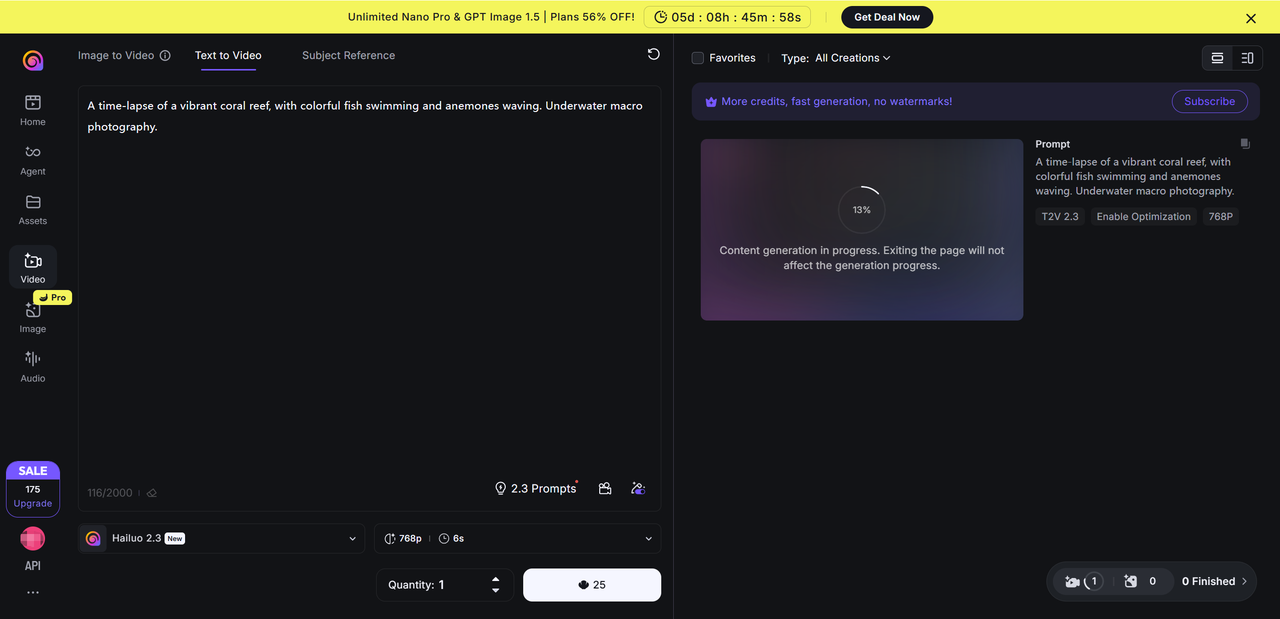
For text to video testing, we used prompts ranging from simple scenes like a quiet city street at dawn to more descriptive ideas involving lighting, weather, and camera motion. In most cases, Hailuo AI produced visually engaging clips with smooth movement and strong atmosphere. Simple prompts worked surprisingly well, while more complex descriptions benefited from clear structure and fewer abstract concepts.
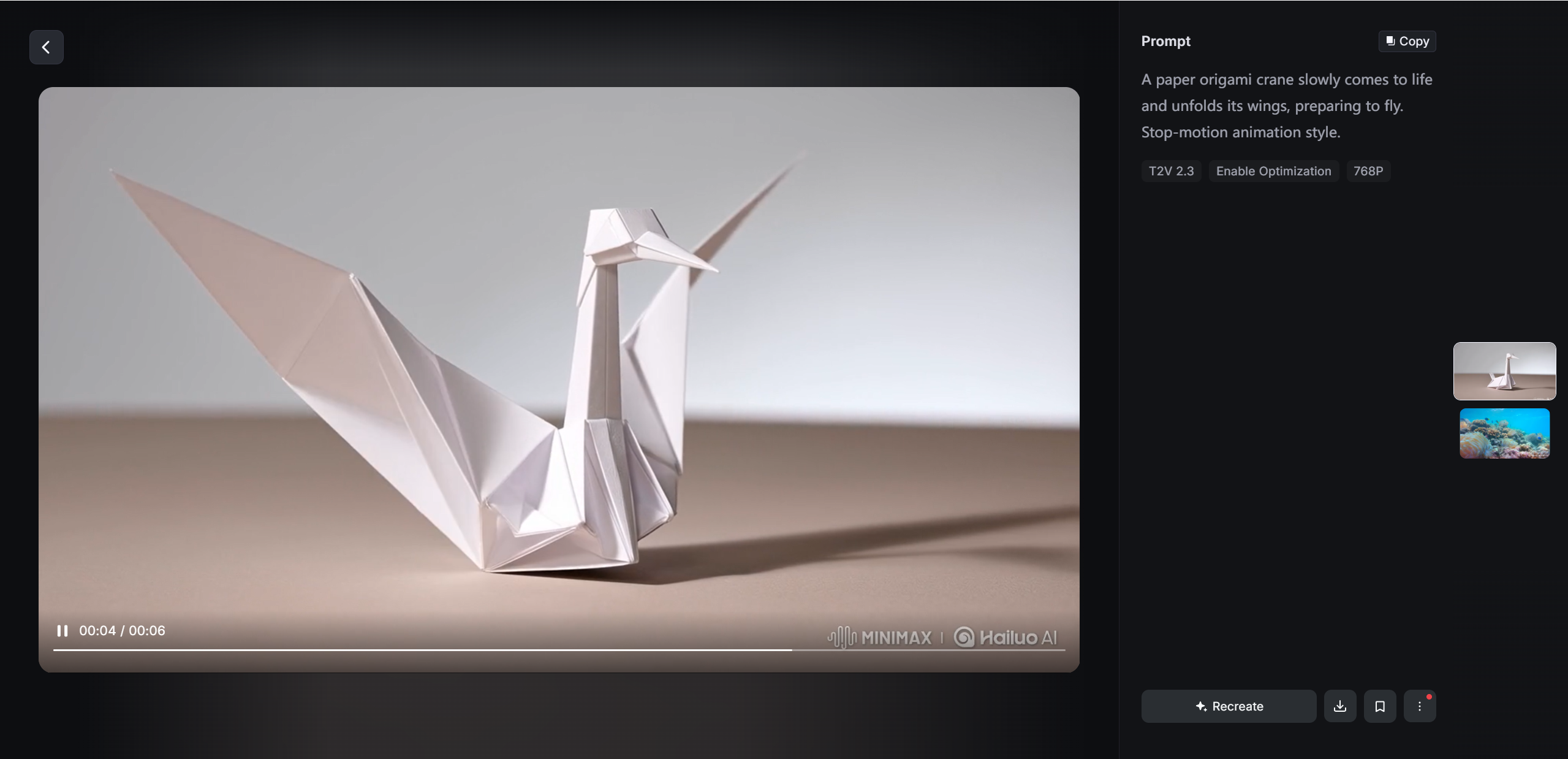
Image to video testing involved portraits, landscapes, and illustrated artwork. Static images with clear subjects performed best, gaining subtle camera motion and depth. Images with crowded details or multiple focal points sometimes resulted in uneven motion or visual distortion.
Overall, Hailuo AI handled creative exploration well, though it struggled with precise actions or highly detailed instructions.
Prompt Type vs Output Quality
| Prompt type | Output quality |
|---|---|
| Simple text prompts | High and consistent |
| Detailed text prompts | Good with refinement |
| Clean images | Smooth and cinematic |
| Busy images | Mixed results |
Tips for better outputs:
Keep prompts focused and descriptive
Avoid too many actions in one scene
Use clear subjects in images
Pros and Cons of Hailuo AI
No AI tool is perfect, and Hailuo AI is no exception. Its strengths are clear, but so are a few practical limitations.
Pros
Hailuo AI is extremely easy to use, even for first time users. The interface is clean, and the learning curve is minimal. Generation speed is another major advantage, allowing creators to test ideas quickly without long wait times.
Visually, the platform encourages creativity. Lighting, motion, and mood often look cinematic, making it appealing for short form content and visual storytelling. It is also highly accessible for casual creators who want impressive results without professional editing skills.
Cons
The biggest limitation is short video length, which restricts storytelling depth. Credit usage can also feel restrictive if you generate multiple versions during experimentation.
Results are not always consistent, especially with complex prompts or detailed images. Compared to professional video tools, Hailuo AI offers limited control over fine details like precise camera paths or object behavior.
Taken together, Hailuo AI works best as a fast creative companion rather than a replacement for full production software.
Final Verdict — Is Hailuo AI Worth Using ?
After spending time with Hailuo AI, the bottom line is simple: it’s a fun, fast, and accessible way to generate short visual stories with minimal effort. In our Hailuo AI review, we found the performance to be solid for atmospheric, engaging clips, especially with clear, focused prompts. The credit based pricing is flexible, and there’s usually a free way to start, though heavy users may want a paid plan to avoid running out mid-project.
Where Hailuo AI really shines is ease of use and speed — you don’t need editing experience to begin creating, and results come back quickly. That makes it ideal for social creators, hobbyists, and people who want visual drafts or mood clips fast.
If you want a creative spark and quick outputs without a steep learning curve, Hailuo AI is definitely worth a try. Meanwhile, when exploring similar AI video tools, options like Lovart AI, are also worth keeping on your radar.

分享文章