Krea AI Video Generator Review – Can Krea Really Deliver?

Krea AI Video Generator Review – Can Krea Really Deliver?
Krea AI has quietly turned into one of the most talked-about creative tools on the internet, especially among designers, filmmakers, and AI art enthusiasts. While many platforms promise stunning visuals, Krea’s video generator has been gaining attention for a different reason: it feels built for creators, not just prompt engineers.
At its core, Krea AI combines real time creativity with powerful AI models, letting users guide visual outputs as they happen. That alone sets it apart in a crowded field of AI video tools. From experimental motion clips to polished cinematic visuals, Krea positions itself as more than just another text-to-video generator.
In this Krea AI video generator review, we take a clear-eyed look at what the platform actually delivers. This article is based on hands-on exploration, feature analysis, and comparisons with similar tools currently on the market. No hype, no blind praise.
If you are wondering how Krea AI performs, whether it is worth your time, or how it stacks up against other AI video generators, you are in the right place. Let’s break it down step by step.
What Is Krea AI? Background & Origins
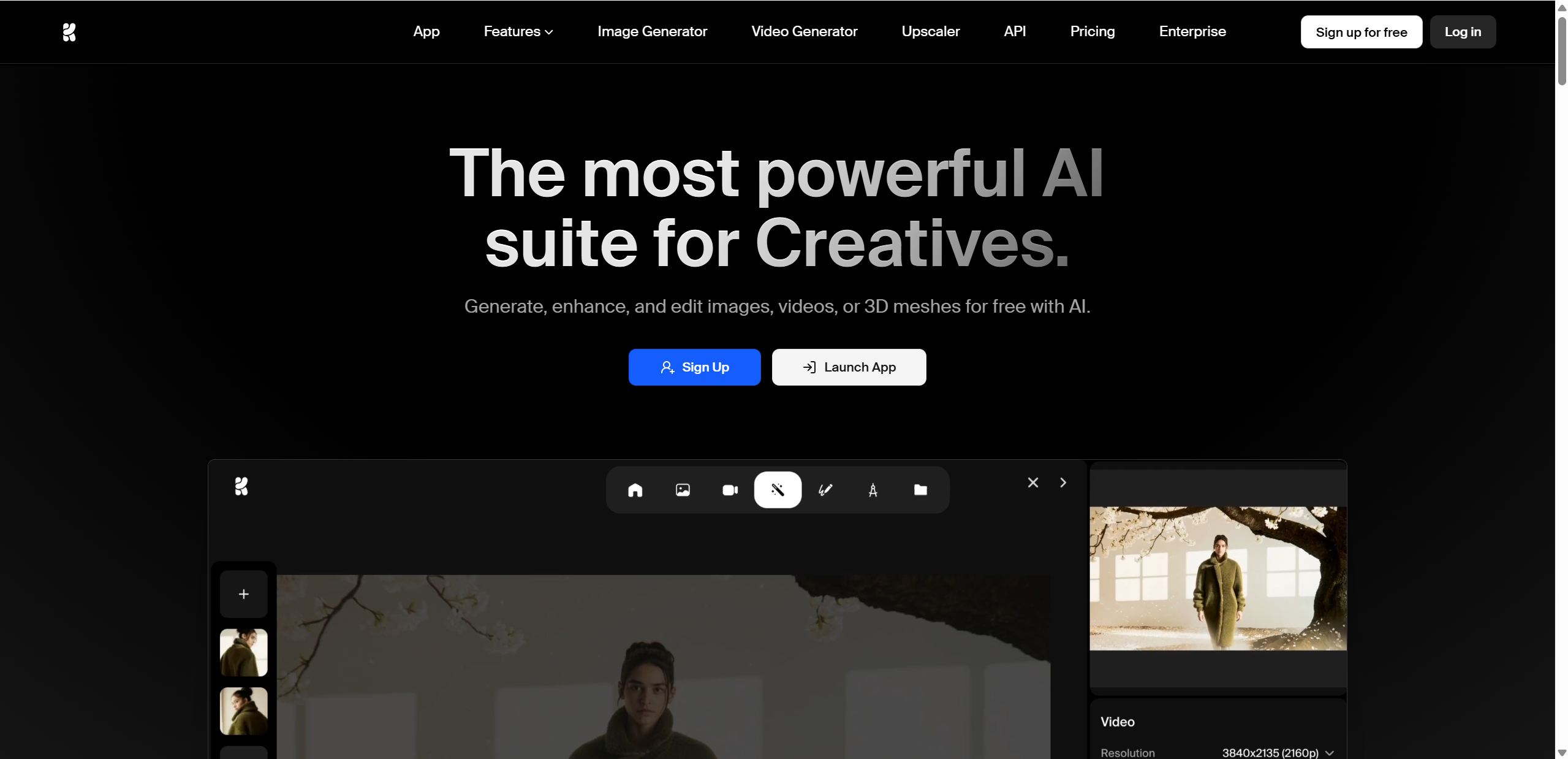
Krea AI was created by a team with deep roots in creative technology, blending experience in design tools, machine learning, and digital art workflows. Rather than chasing viral trends, the platform was built around a clear idea: give creators more control, not just faster results.
The core mission of Krea AI is to act as a unified generative visuals platform, supporting both images and video within the same creative environment. Instead of bouncing between tools, users can experiment, refine, and animate visuals in one place.
What makes Krea stand out from typical AI image or video tools includes:
Real time visual generation and adjustment
Strong focus on creative control rather than one click results
A clean interface designed for artists, not developers
Seamless transition from image creation to video generation
Krea AI feels less like a novelty and more like a serious creative workspace, which explains why it has quickly gained traction among professionals and advanced hobbyists alike.
Key Features of Krea AI (With a Quick At-a-Glance Table)
Krea AI packs a surprisingly wide range of creative tools into one platform. Instead of forcing users to jump between separate apps for images, video, and enhancement, Krea brings everything together in a single, fluid workspace. Below is a quick overview of the core features and what they actually do in practice.

Feature Overview Table – Krea AI Tools
| Feature | What It Does | Notes |
|---|---|---|
| Real time image generation | Creates images instantly from text prompts | Fast, responsive canvas |
| Video generation | Turns text or images into short motion clips | Still evolving, but promising |
| Upscale & enhancer | Improves clarity and detail of visuals | Supports high resolution output |
| Editing tools | Adjusts specific parts of images or frames | Simple drag and drop workflow |
| 3D object generation | Converts text into basic 3D visuals | Opens new creative directions |
How These Features Work Together
Each feature on its own is useful, but the real strength of Krea AI comes from how smoothly they connect. A typical workflow might start with real time image generation, allowing creators to experiment visually without waiting for long renders. Once a strong visual style is locked in, that same image can be enhanced, edited, or animated into video.
The video generation tool, while still developing, fits naturally into this flow. Instead of starting from scratch, users build on existing visuals, which saves time and keeps creative consistency. For creators working on social content, concept art, or short videos, this all-in-one approach makes Krea AI feel less like a toolset and more like a creative studio.
How We Tested Krea AI – Methodology
To make this Krea AI video generator review as fair and practical as possible, we tested the platform using real world creative scenarios rather than idealized prompts. The goal was to see how Krea AI performs when used the way most creators would actually use it.

Our test setup focused on three main areas:
Text-to-video prompts: Simple and detailed prompts were used to evaluate how well Krea translated ideas into motion.
Image-to-video prompts: We uploaded AI generated and custom images to see how smoothly Krea could animate existing visuals.
Speed and logic checks: We monitored generation time, visual consistency, and how well motion followed the prompt intent.
Each result was evaluated based on ease of use, output quality, performance speed, and overall realism. This approach helped highlight both Krea AI’s strengths and the areas where it still needs refinement.
Krea AI Video Generator Test Results
After running multiple tests across different prompt styles, Krea AI’s video generator showed a clear personality. It is creative, visually bold, and occasionally unpredictable. Here is how it performed in practice.
Text-to-Video Performance
For text-to-video prompts, generation time typically landed between five and nine minutes, depending on scene complexity and motion detail. This is slower than some instant generation tools, but the extra time does show in visual richness.
The output quality was generally impressive, with detailed textures, lighting, and atmosphere. However, the logic of motion still feels experimental. Characters sometimes move in unexpected ways, and environmental motion does not always follow real world physics. That said, for abstract or artistic clips, these quirks can actually feel intentional rather than broken.
Image-to-Video Test
Image-to-video results were noticeably more consistent. When using realistic source images, Krea AI preserved structure and style better, producing smoother motion overall. Faces, objects, and backgrounds stayed closer to their original form.
That said, some artifacts still appeared. Subtle warping, sudden shifts in limb position, or odd motion loops showed up in longer clips. These issues were less distracting in short sequences and simple animations.
Overall Krea AI Performance
Krea AI clearly prioritizes creative visuals over strict realism. There is a tradeoff between speed and accuracy, but the platform shines when used intentionally.
Bullet Highlights – Krea AI Video Performance
Unique, eye catching visual results
Occasional logical inconsistencies and motion glitches
Generation time may feel long for fast turnaround projects
Performs best with short clips or simple motion loops
Overall, Krea AI feels strongest as an experimental video tool rather than a production ready animation engine.
Examples Gallery – Krea AI Video Results
In the final version of this blog, this section will feature embedded Krea AI video examples to show what the generator can actually produce. During testing, we ran a mix of creative and practical prompts to see where the tool shines and where it struggles.
One of the strongest examples came from a short social clip prompt describing a slow camera push through a neon lit city street. Krea handled lighting, atmosphere, and subtle motion well, resulting in a visually striking loop that felt made for social feeds. Short prompts with clear visual focus tended to deliver the best results.
More complex motion scenarios did not perform as smoothly. A prompt involving multiple characters interacting in a dynamic environment led to odd transitions, drifting objects, and inconsistent movement logic. These results were still visually interesting, but less usable without editing.
Tips to improve Krea AI video results:
Keep prompts visually focused and concise
Use image-to-video whenever possible for better consistency
Favor short clips over long narrative sequences
Treat outputs as creative drafts rather than final cuts
Used this way, Krea AI becomes a powerful visual exploration tool.
Krea AI Pros & Cons – Honest Breakdown
No AI tool is perfect, and Krea AI is no exception. After testing and reviewing user feedback, here is a balanced look at where it excels and where it falls short.

Pros
Easy to use: The interface is intuitive and beginner friendly, even for users new to AI video tools
Interactive generation: Simple inputs produce fast, visually engaging results
Great for ideation: Excellent for quick visual drafts, concept art, and short social clips
Cons
Inconsistent motion logic: Videos can show glitches or unrealistic movement
Mixed stability and support feedback: User reviews are sharply divided, with both praise and complaints about responsiveness and billing
Quality limitations: Results may not match specialized, high end video tools
Performance slowdowns: Heavier tasks can cause lag or longer generation times
Overall, Krea AI delivers strong creative value, but expectations should be set appropriately.
Pricing & Plans – What You Need to Know
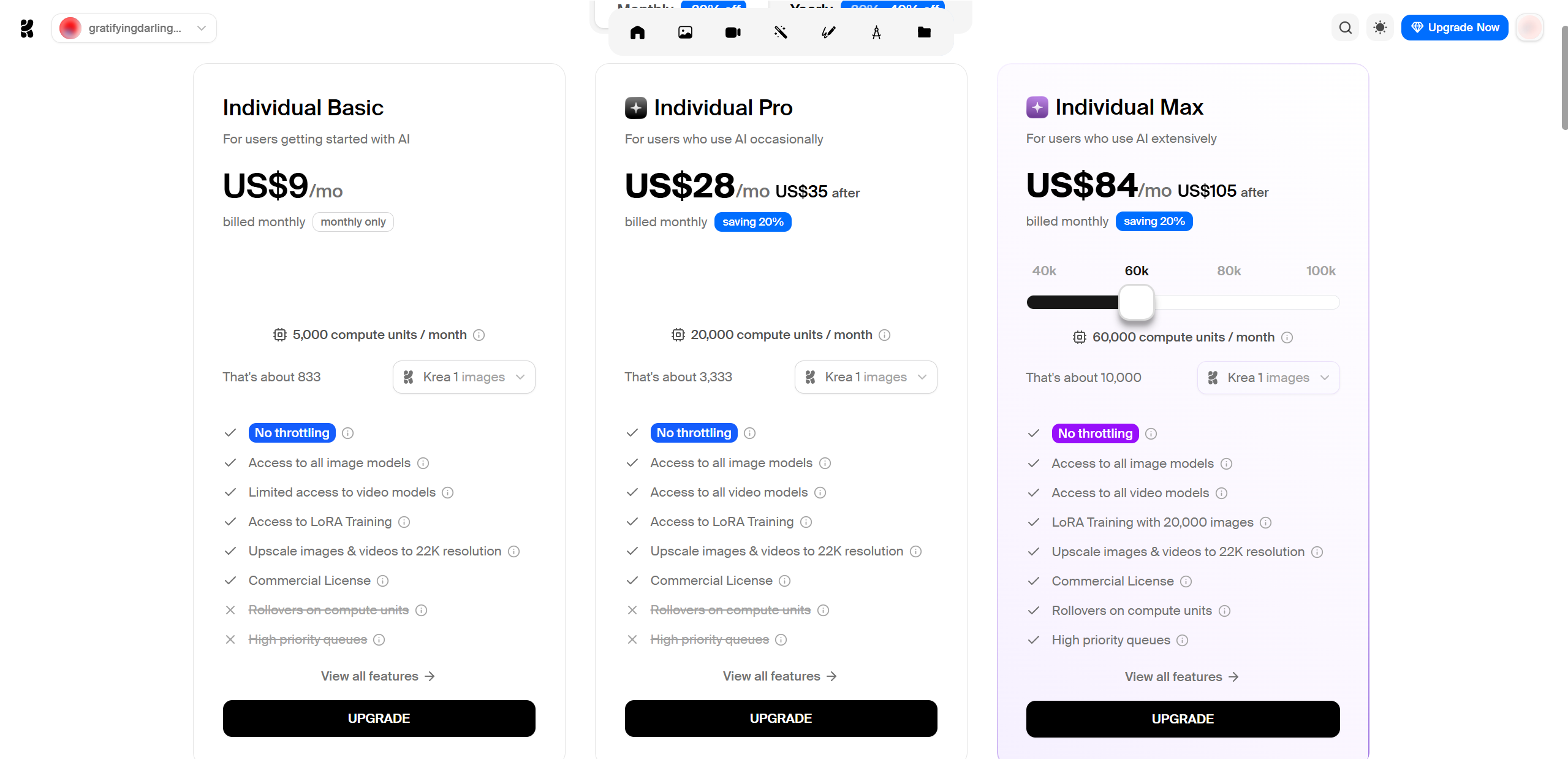
Krea AI offers a flexible pricing structure that lets users experiment before committing, which is a big plus in the fast moving AI space.
The free tier gives access to basic image generation and limited video features. It is enough to explore the interface, test simple prompts, and understand how real time generation feels, but it comes with usage caps and lower output limits.
Paid plans are typically split into Basic, Pro, and Max, with key differences around generation limits, resolution, speed, and priority access:
Basic: Best for casual creators testing ideas or making occasional visuals
Pro: Designed for frequent users who need higher limits, better quality, and faster queues
Max: Aimed at professionals and studios that rely on Krea AI for daily creative work
If you are unsure, the smartest approach is to start free, move to Basic for a month, and only upgrade once you hit limits consistently. Testing real workflows before buying will save money and frustration.
Final Verdict – Should You Try Krea AI?
After hands-on testing, this Krea AI video generator review shows a tool with real creative potential. Krea AI stands out for its interactive design, unique visual output, and seamless blend of image and video creation. While video motion logic is still evolving and generation times can feel long, the platform excels at experimentation and early stage visuals.
For artists, designers, and creators focused on short clips, concepts, or social content, Krea AI is absolutely worth trying. Just treat it as a creative playground, not a finished production engine, and it delivers exactly what it promises. Meanwhile, when exploring similar AI video tools, options like Lovart AI—which excels in animated styles and narrative coherence—are also worth keeping on your radar.

Share Article