PixVerse AI Review — Honest & In-Depth Test of the PixVerse Video Generator


PixVerse AI Review — Honest & In-Depth Test of the PixVerse Video Generator
Introduction
AI video generation has moved fast, and PixVerse AI is one of the tools getting serious attention right now. Promising quick video creation from simple text or images, PixVerse aims to lower the barrier for anyone who wants to create visual content without complex editing tools.
In this PixVerse AI review, we take a hands on look at how the platform actually performs. Instead of marketing claims, we focus on real usage, real results, and practical takeaways. You will learn what PixVerse AI does well, where it struggles, and who it is best suited for.
We will cover its main features, test outcomes, strengths, and limitations so you can decide if PixVerse AI fits your creative needs. Whether you are experimenting with AI tools or searching for a faster way to make short videos, this review is designed to give you a clear and honest picture.
What Is PixVerse AI?

PixVerse AI is an AI powered video generator that turns written prompts or still images into short videos. It is built for speed and simplicity, allowing users to create animated visuals without traditional video editing software.
The platform focuses on two core creation modes:
Text-to-video generator Users describe a scene using text, and PixVerse AI generates a video based on that description.
Image-to-video generator Users upload an image, and PixVerse AI adds motion, depth, and visual effects to bring it to life.
Compared to traditional video creation, PixVerse AI removes many technical steps. There is no timeline editing, no manual animation, and no advanced setup. Everything happens inside a browser based interface.
PixVerse AI has grown popular among creators, marketers, and AI enthusiasts because of its ease of use and visually appealing results. As interest in AI generated video continues to rise, PixVerse positions itself as an accessible tool for turning ideas into motion quickly and creatively.
Key PixVerse AI Features
PixVerse AI focuses on practical tools that help users turn ideas into short videos quickly. Instead of overwhelming users with complex settings, it offers a clean set of features that cover most creative needs. Below is a clear breakdown of what matters most when using the platform.
Text-to-Video & Image-to-Video
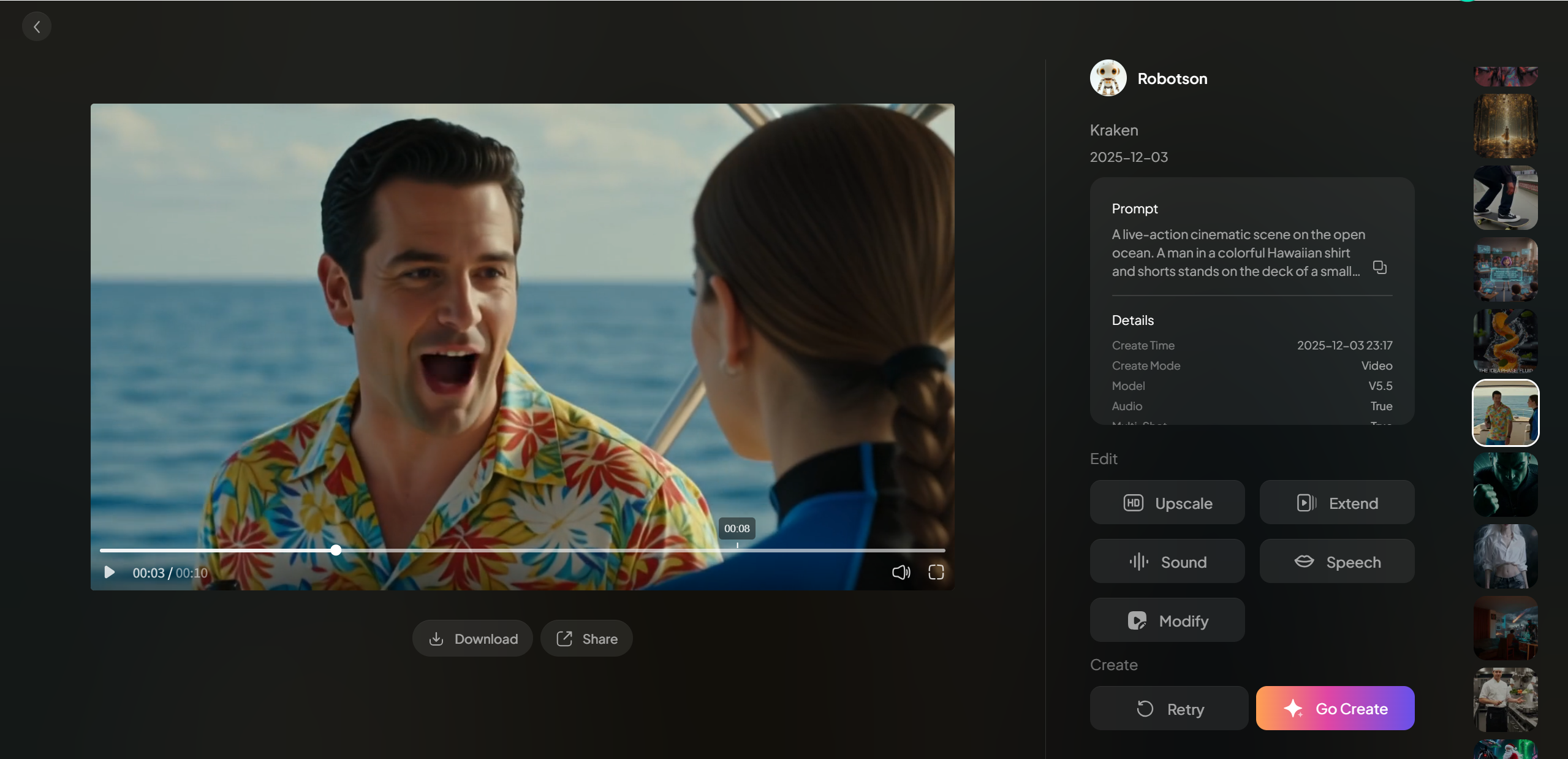
PixVerse AI allows users to generate videos using either written prompts or uploaded images.
With text-to-video, you describe a scene, mood, or action, and the system generates a short animated clip based on your input. This works well for brainstorming, concept testing, or quick social media content.
With image-to-video, PixVerse AI animates still images by adding movement, lighting shifts, and depth. This is especially useful for visual storytelling or turning static art into dynamic visuals.
PixVerse AI supports multiple visual styles, including realistic, anime, and 3D looks. Users can also apply effects and transitions to improve motion flow. The Extend function helps lengthen clips, while Restyle allows you to change the visual theme without starting over.
Advanced Features Table
| Feature | What it Does | Why it Matters |
|---|---|---|
| Text-to-Video | Turns text into animated clips | Fantastic for quick ideas |
| Image-to-Video | Animate still images | Great for storytelling |
| Templates & Effects | Preset styles for trending looks | Saves time |
| Audio & Lip Sync | Adds voice and sound to visuals | Makes videos more complete |
This feature set makes PixVerse AI easy to explore while still offering creative flexibility.
Using PixVerse — Real Test & Results
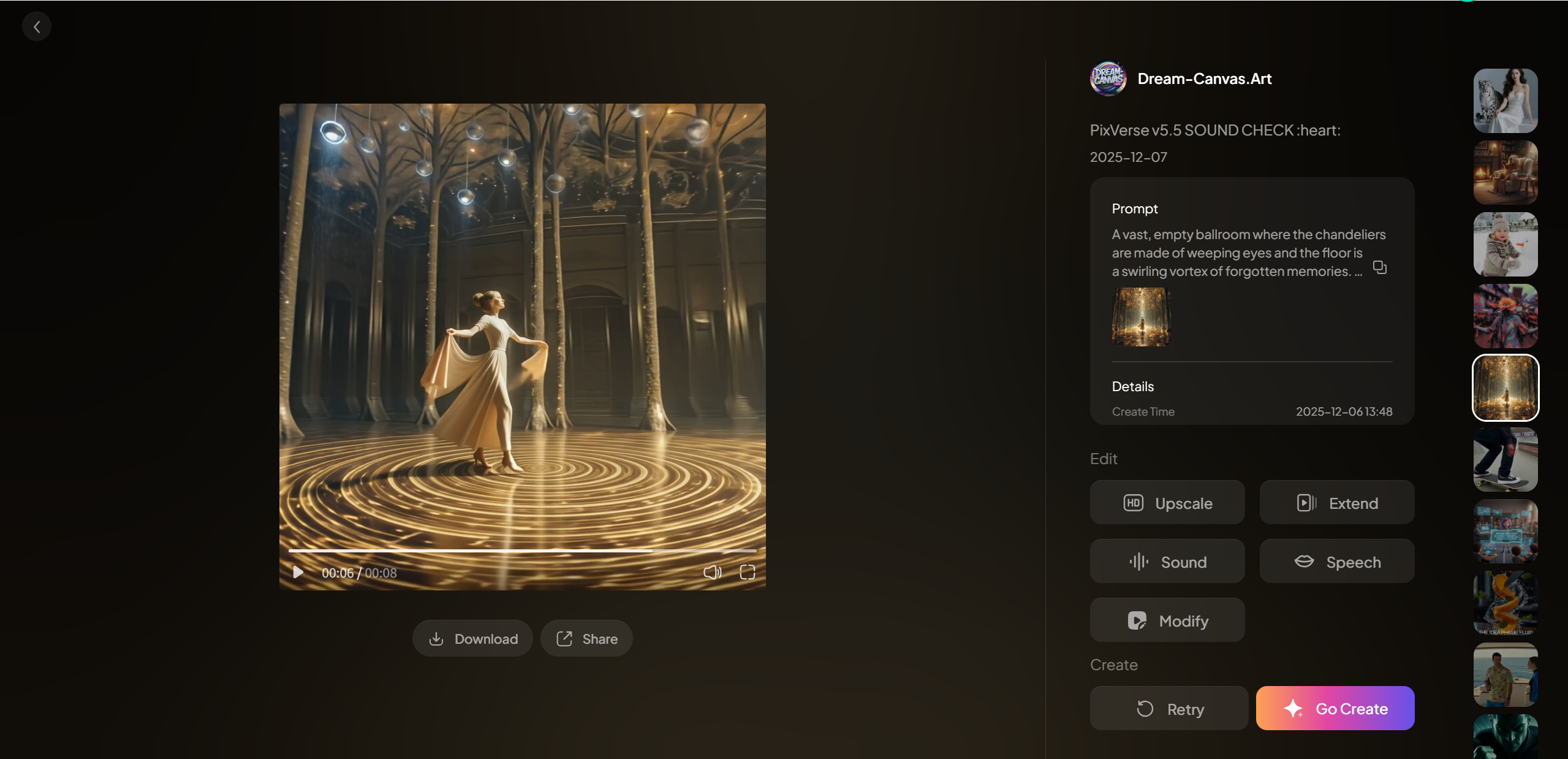
To evaluate PixVerse AI properly, we ran several real tests instead of relying on demo videos. The goal was to see how the tool performs for everyday users, from first login to final output.
Setup & First Run
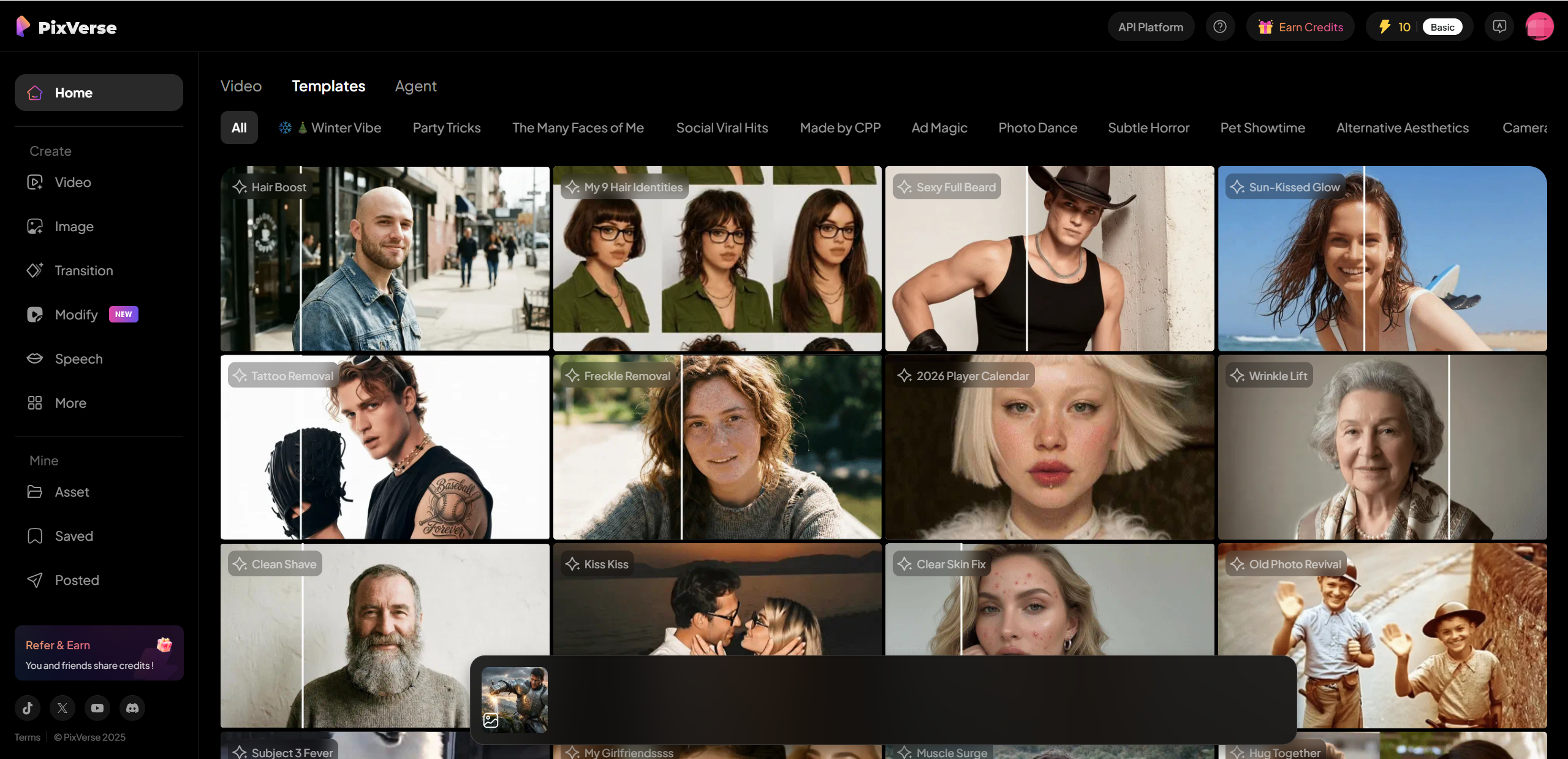
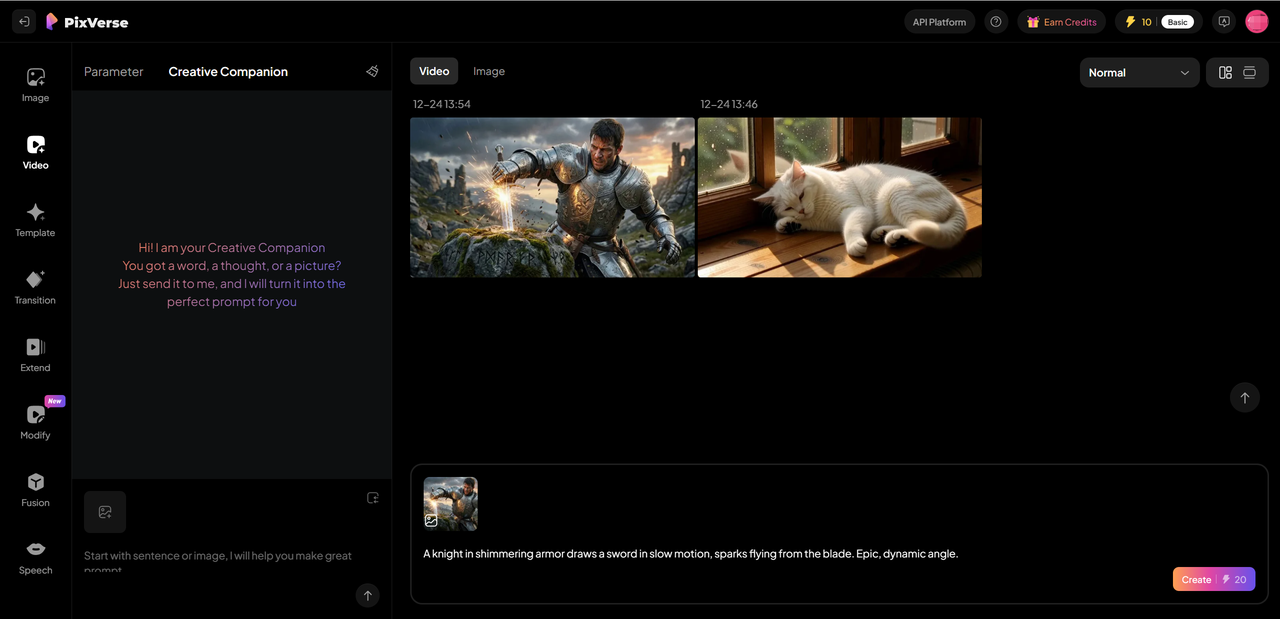
Getting started with PixVerse AI is straightforward. Sign up takes only a few minutes, and the interface is clean and easy to understand. The dashboard clearly separates text-to-video and image-to-video modes, making it simple to choose a starting point. No tutorials are required to begin, which is a big plus for new users.
Test 1: Simple Prompt
For the first test, we entered a short descriptive prompt outlining a basic scene. PixVerse AI generated a video quickly, with smooth motion and visually appealing details. The overall result matched the prompt well, especially in lighting and atmosphere.
Test 2: Image Animation
Next, we uploaded a still image and used image-to-video mode. PixVerse AI added subtle movement and depth, turning a static picture into a short animated clip that felt lively and polished.
What Worked Well
Fast generation speed
Easy to use controls
Smooth motion and vibrant visuals
Where It Stumbled
Occasional logical glitches in generated elements
Short video length limits
Limited resolution options
Overall, PixVerse AI delivers strong results for quick video creation, with a few clear areas for improvement.
Pricing & Plans Breakdown
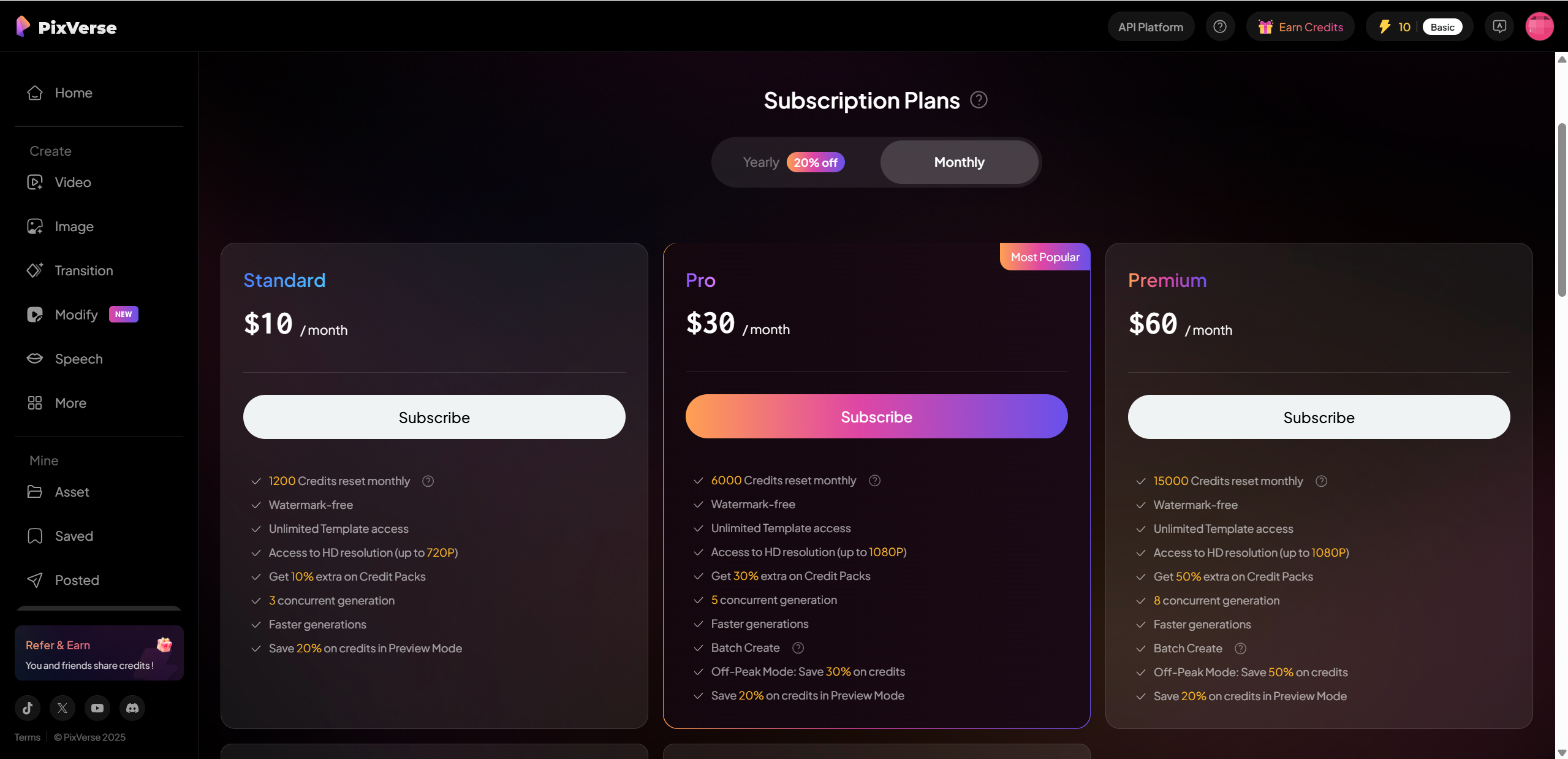
PixVerse AI offers a tiered pricing structure designed to fit different levels of usage. Whether you are just testing the platform or creating videos regularly, there is a plan that matches your needs.
Here is a simplified overview of the current plans and what they include:
| Plan | Price | Key Perks |
|---|---|---|
| Free | $0 | Basic credits, watermarked videos, limited length |
| Standard | About $10 to $15 per month | HD video output, more credits, longer videos |
| Pro / Premium | $30 or more per month | Highest credit limits, faster generation, commercial use rights |
Which Plan Should You Choose?
Beginners and casual users The Free plan is a good place to start. It lets you explore text-to-video and image-to-video without spending anything, though the watermark and limits are noticeable.
Content creators and marketers The Standard plan offers better value with higher quality output and more flexibility.
Professional use Pro or Premium plans are best if you need consistent output and rights for commercial projects.
Overall, PixVerse AI pricing is competitive for its feature set and generation quality.
Pros & Cons — Unbiased Take
After spending real time with PixVerse AI, a few clear strengths and limitations stand out. This section is meant for readers who want a quick, honest summary before deciding whether the tool is worth trying.
Pros
Easy for beginners PixVerse AI does not require video editing experience. The interface is clean, simple, and easy to understand from the first use.
Fast generation with solid visuals Videos are generated quickly, and the overall visual quality is impressive for an AI based tool. Motion feels smooth and scenes are generally well composed.
Great for social media clips Short video length works well for platforms like TikTok, Instagram, and YouTube Shorts, where fast, eye catching visuals matter most.
Cons
Short video length limits creativity The duration cap can feel restrictive for users who want longer storytelling or detailed scenes.
Occasional quality inconsistency Some generations include odd elements or visual logic issues that require re generation.
Limited advanced customization Compared to professional video editing tools, PixVerse AI offers fewer controls over fine details and motion.
Overall, PixVerse AI balances ease of use with creative speed, but power users may notice its limits.
Who Should Use PixVerse AI?
PixVerse AI is best suited for users who value speed, simplicity, and creative experimentation. It shines in scenarios where short, visually engaging videos are more important than technical precision.
PixVerse AI is a good fit for:
✔ Social media creators making short form content
✔ Small business marketers creating quick promos or ads
✔ Hobbyists exploring AI video tools
✔ Educators building visual examples or learning materials
PixVerse AI may be less ideal for:
❌ Feature film producers
❌ Creators who need long form videos
❌ Users who require frame level control and advanced editing
If your goal is fast visual storytelling without complex workflows, PixVerse AI makes a lot of sense.
Tips & Best Practices
To get the best results from PixVerse AI, a few simple habits can make a big difference.
Try multiple prompts to explore different visual interpretations
Keep prompts clear and descriptive, especially for motion and mood
Use built in templates to match trending visual styles
Start with shorter concepts before extending clips
Always review usage rights before exporting videos for commercial use
Experimentation is key. Small prompt changes often lead to noticeably better results.
Conclusion — Final Verdict
PixVerse AI delivers exactly what it promises: fast and accessible AI video generation. Its text-to-video and image-to-video tools make it easy for beginners to create eye catching clips without learning traditional editing software.
The platform excels in speed, usability, and visual appeal, especially for social media content. However, short video limits, occasional quality issues, and limited customization may frustrate advanced creators.
Overall, PixVerse AI is a strong choice for creators, marketers, and hobbyists who want quick results and creative freedom without technical complexity. If you need longer videos or professional level control, I suggest Lovart AI.

Поделиться статьей