Imagen 4 Review: Testing Google’s New Text-to-Image Power — Prompts, Results, and Practical Tips

Why Imagen 4 matters
If you make posters, mockups, or anything that needs small readable text inside an image, Imagen 4 is the model you’ll want to check out. It’s Google’s latest text-to-image model that promises more photoreal detail (think fabric textures and water droplets), much better typography/legibility, and a faster experience overall — plus an “Ultra” variant for extra precision. The result is a model aimed at people who want images that don’t just look good from far away, but also hold up when you zoom in. You’ll find it in the Gemini API and Google AI Studio (paid preview + limited free testing), so you can try practical prompts and see what it does with tiny text, reflections, or product logos.
What is Imagen 4?
Imagen 4 is the next step in Google/DeepMind’s Imagen family: a general-purpose text-to-image model tuned for higher fidelity and better adherence to prompts. Google released two flavors: Imagen 4 (the everyday model) and Imagen 4 Ultra (for when you need tight alignment to instructions). It’s available through the Gemini API and Google AI Studio, and Google says generated images will include a non-visible SynthID watermark for provenance. Pricing tiers were listed at launch for preview access (the Ultra variant is positioned as the premium, higher-precision option). In short: same Imagen lineage, but sharper on text, detail, and speed.
Key improvements — and what they look like
Here’s what Google and early coverage highlight as the headline wins:
| Improvement | Why it matters | What you'll notice |
|---|---|---|
| Typography & text legibility | Makes posters, comics, labels, and UI mockups usable without a second pass | Smaller fonts, multi-line subtitles, and short logos are far more likely to render correctly. |
| Fine detail / photoreal fidelity | Textures like fur, fabric, water droplets, and specular highlights look more convincing | More believable product shots and portraits; micro-details survive a closer look. |
| Speed / Fast variant coming | Faster iteration cycles — useful for rapid prototyping | Google reports Imagen 4 is faster than Imagen 3, and a future fast variant is planned to be dramatically quicker. |
| Flexible aspect ratios / higher res (~2K) | Makes print and screen uses simpler (less rescaling) | Safer for banner, poster, and cover-style outputs. |
A few practical trifles: Imagen 4 still inserts a non-visible SynthID for provenance, and Google recommends human review for brand/logo work.
Hands-on: prompts I’d use (copy-paste ready) — and what to look for
Below are grouped prompts you can copy/paste into Google AI Studio or your Gemini API playground. After each prompt I explain why it’s useful and what to look for when evaluating the output.
Photoreal portrait + small signage
Prompt
Photorealistic close-up portrait of a young woman standing in front of a café window, golden hour lighting, ultra-detailed skin texture, shallow depth of field; a small handwritten café logo on the glass reading "L'Atelier" in cursive (legible at reading distance).
Why: tests face detail, bokeh, and small text over reflections.
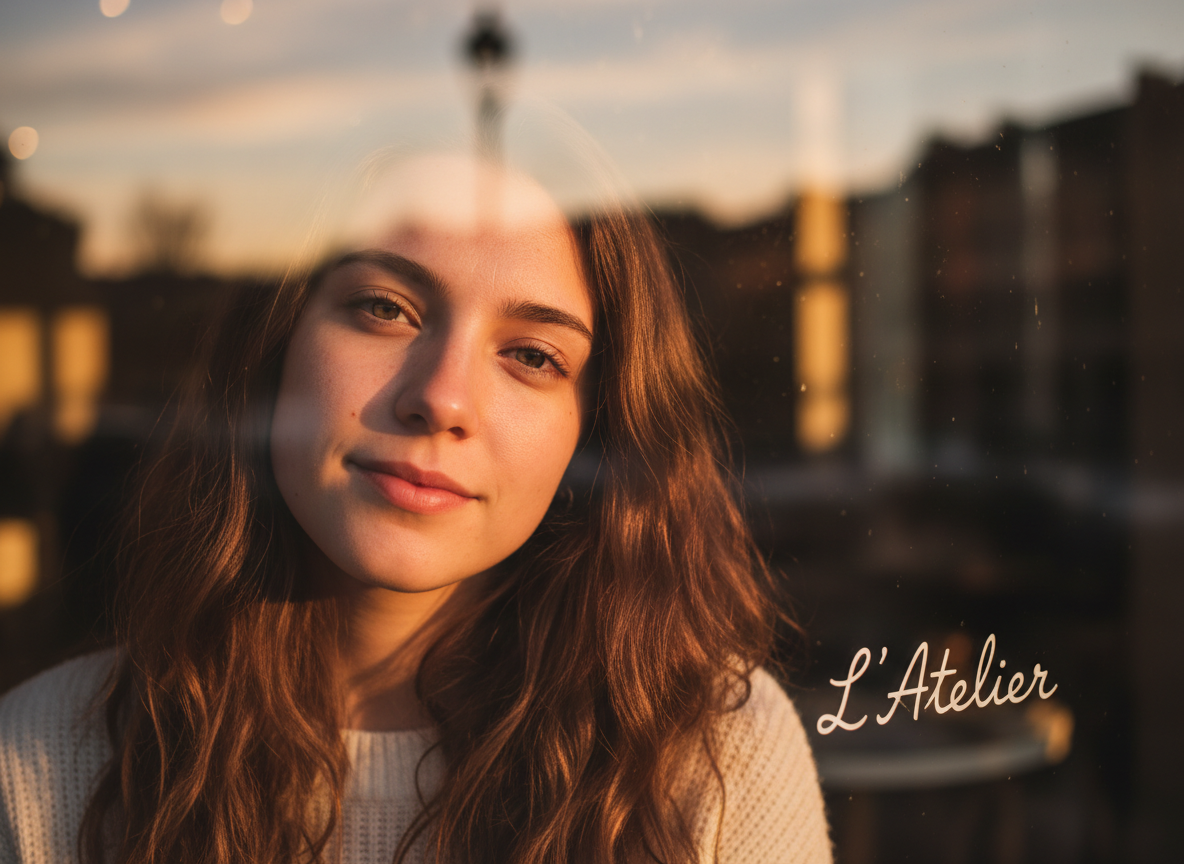
Look for: crisp skin texture, natural bokeh, and whether the tiny cursive on the glass is readable and consistent (no gibberish or weird letter merges). Based on examples and early reports, Imagen 4 improves small text legibility, though tiny handwritten or stylized fonts may need a couple of reruns or explicit “render text exactly” instructions.
Typography / poster
Prompt
Cinematic movie poster, bold sans-serif title "MIDNIGHT RUN", subtitle in small condensed type "A short film by A. Rivera", textured paper background, photoreal lighting, 2K resolution.
Why: measures kerning, letter shapes, and two levels of typography.
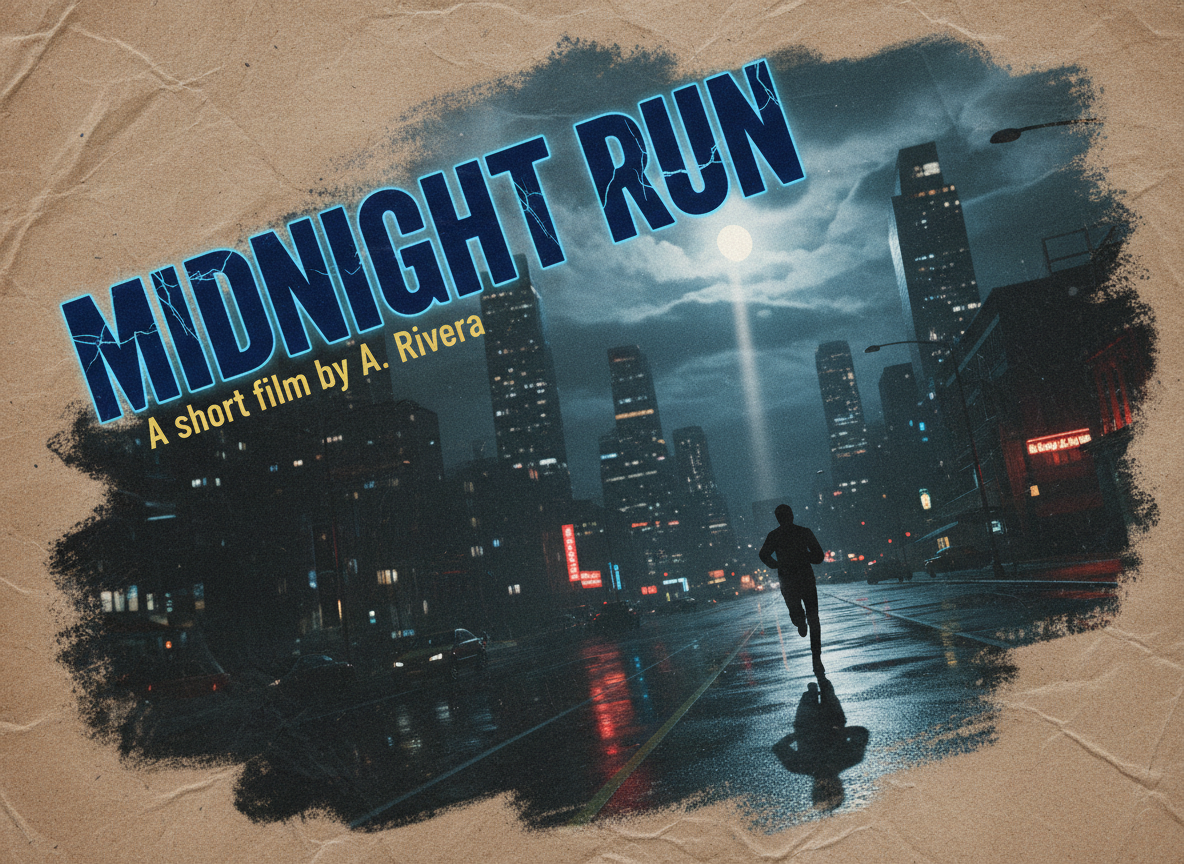
Look for: title readability, subtitle clarity, and whether letters are plausible (not random shapes). Imagen 4’s typography improvements tend to make headers fine; very small subtitles sometimes require "render text exactly: 'A short film by A. Rivera'" to avoid hallucination.
Product mockup with logo & slogan
Prompt
High-resolution product shot of a matte black water bottle with a white minimalist logo (circle with stylized wave) and slogan "Carry Calm" printed on one side, studio lighting, subtle reflection.
Why: tests logo fidelity on curved, reflective surfaces.

Look for: correct placement and shape of logo, realistic reflections, and no accidental extra strokes. Expect good surface detail; for exact logo replication, provide the logo image (image-to-image) or add tight instructions.
Complex scene / reflections
Prompt
A rain-slick city street at night, neon signs reflected on wet pavement, a storefront window with a printed menu board containing small readable lines of text.
Why: reflections + small text over noisy background = hard.
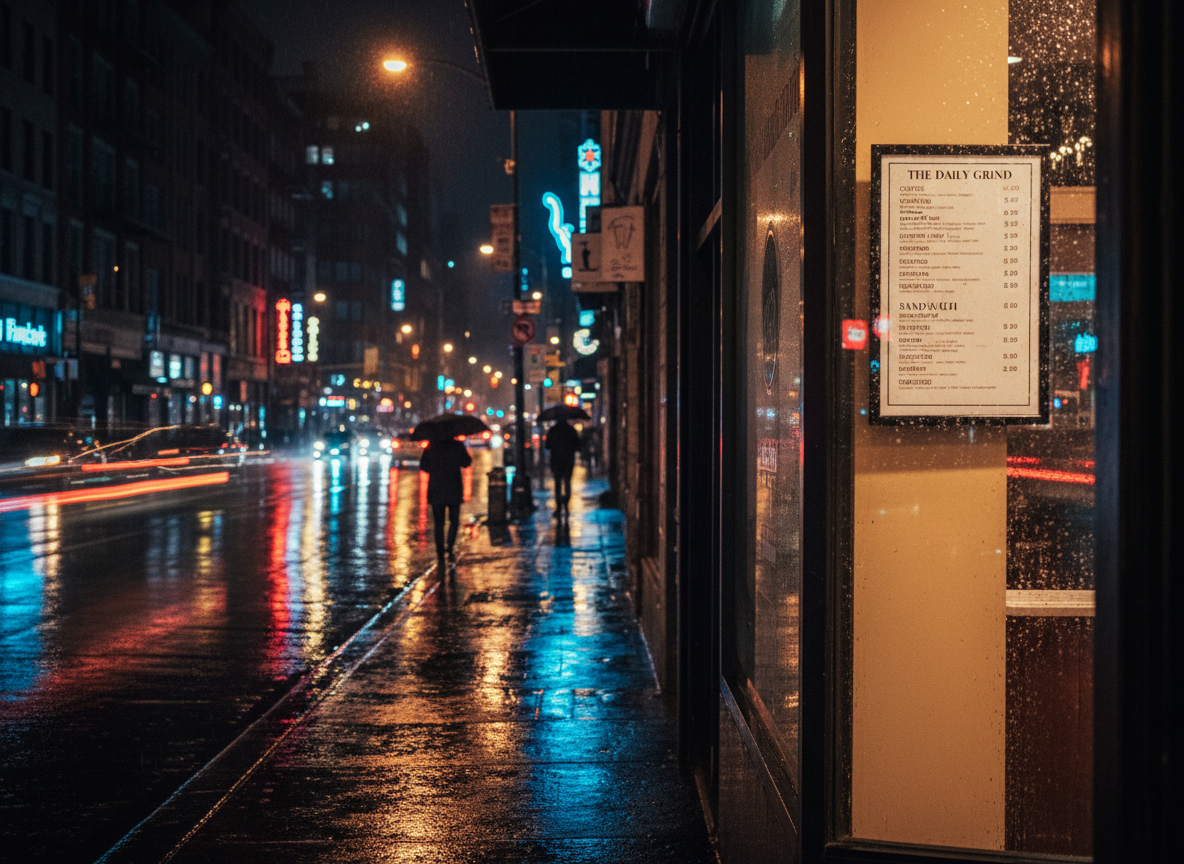
Look for: accurate reflections and readable menu items (usually abbreviated lines). Imagen 4 handles reflections and detail better than previous models, but tiny paragraph-sized text on noisy textures can still be shaky.
Stylized / non-photoreal
Prompt
Studio Ghibli–style watercolor village, vibrant colors, detailed foliage, hand-painted look.
Why: checks stylistic range.
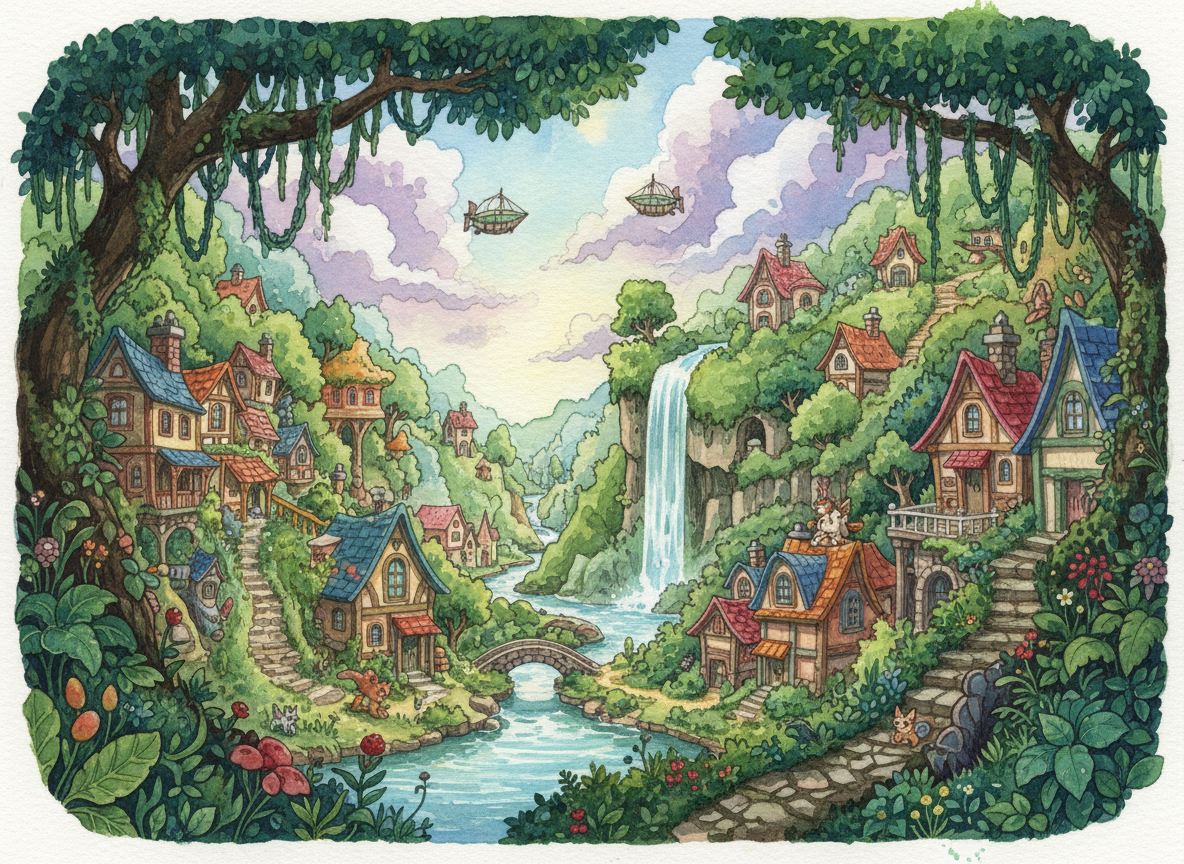
Look for: painterly brushwork and consistent style. Imagen 4 is versatile across styles — the Ultra variant helps maintain the requested style fidelity.
Comparisons & caveats
Compared to Imagen 3 and many other SOTA models, Imagen 4’s headline wins are cleaner micro-detail and markedly improved text rendering — which changes where you’d confidently use AI images (slides, posters, simple packaging mockups). Reviewers note it’s faster than Imagen 3 and that Google plans an even faster variant. That said, it’s not magic: extremely intricate logos, tiny legal text, or brand-critical assets still need human verification and, often, a human designer to refine. Also remember the non-visible SynthID watermark is included for provenance and Google’s content/use policies still apply — avoid generating content that violates laws or third-party rights. When in doubt, treat AI outputs as strong drafts, not finished-for-print final masters.
Conclusion + quick score
Verdict: Imagen 4 is a meaningful step forward — especially if you care about small, legible text inside images and photoreal micro-detail. For rapid concepting and even some production-adjacent work, it’s now a strong contender; for high-stakes brand or legal work, keep a human in the loop. Try the regular Imagen 4 for exploration and Imagen 4 Ultra when you need pin-point accuracy. Or, If you're interested in exploring more AI tools, consider giving lovart ai a try! It's a versatile platform for creating stunning images with simple prompts, perfect for unleashing your creativity.
Quick score (out of 5):
- Photoreal detail: ★★★★★
- Typography & small text: ★★★★☆ (very good, still occasional hiccups)
- Speed / iteration: ★★★★☆ (already faster; faster variant coming)
- Practicality for marketing/design: ★★★★★

공유하기