CapCut AI Review — An In-Depth Look at CapCut AI Video Tools


CapCut AI Review — An In-Depth Look at CapCut AI Video Tools
AI video creation has gone from “nice experiment” to everyday workflow surprisingly fast. What once required editing skills, timelines, and a lot of patience can now be done with a short text prompt and a few clicks. This shift has opened the door for creators, marketers, and small teams who want fast, visual content without a steep learning curve.
Among all the tools riding this wave, CapCut stands out. Known originally as a free, beginner friendly video editor, CapCut has quietly evolved into one of the most widely used AI video platforms in the world. Backed by ByteDance, it combines polished templates, automation, and powerful AI features into a tool that feels both playful and practical.
In this CapCut AI review, we’ll take a clear, hands on look at what CapCut’s AI video tools actually offer. We’ll cover how its AI features work, what it does well, where it falls short, and who it’s best for. No hype, no jargon overload, just a realistic breakdown based on real usage.
What Is CapCut AI Video Generator?
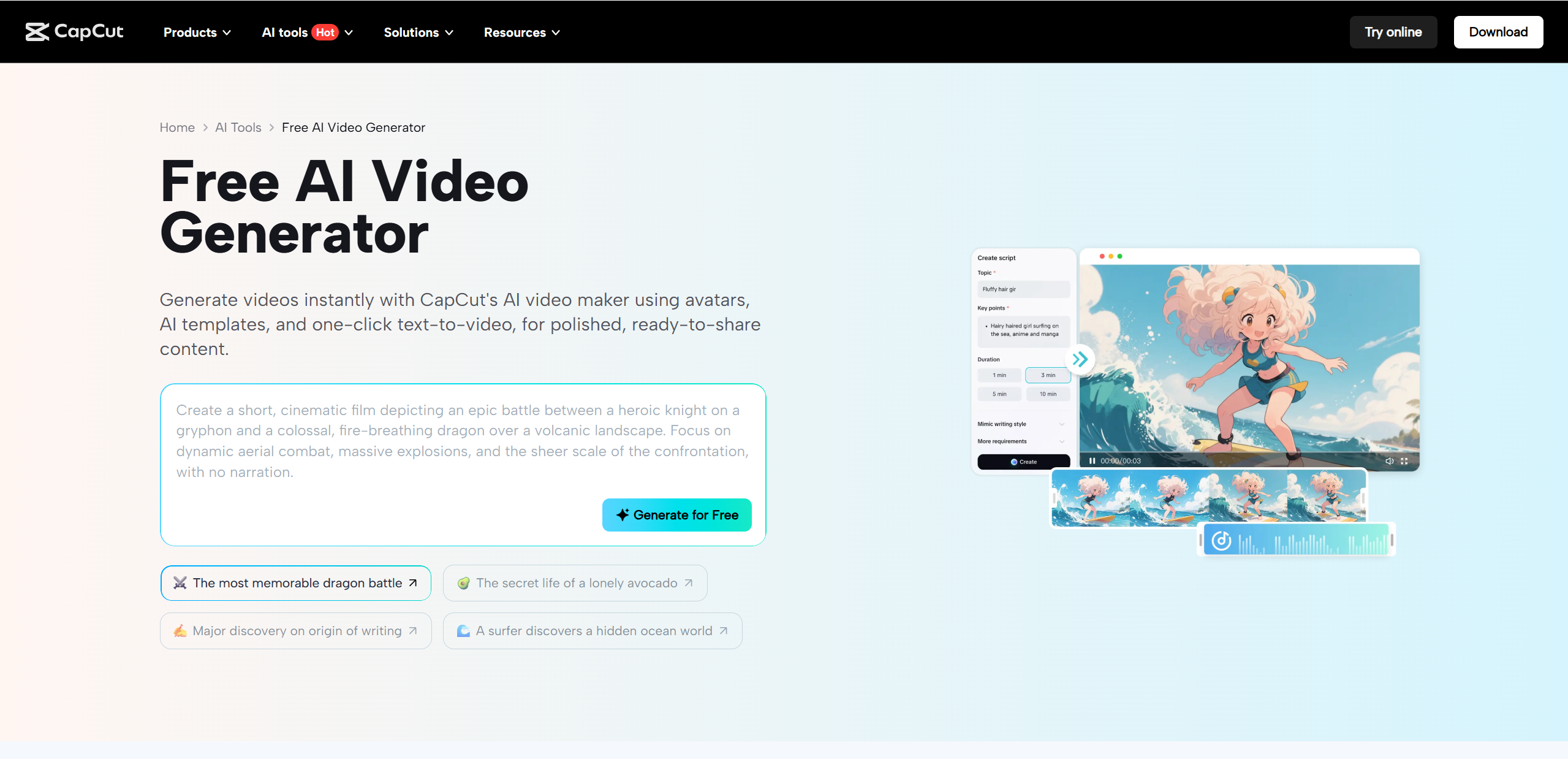
CapCut AI Video Generator is a collection of AI powered tools designed to help users create videos quickly with minimal manual editing. At its core, CapCut video AI takes written input, images, or raw clips and turns them into structured videos using smart automation. This includes scene selection, transitions, captions, music, and pacing.
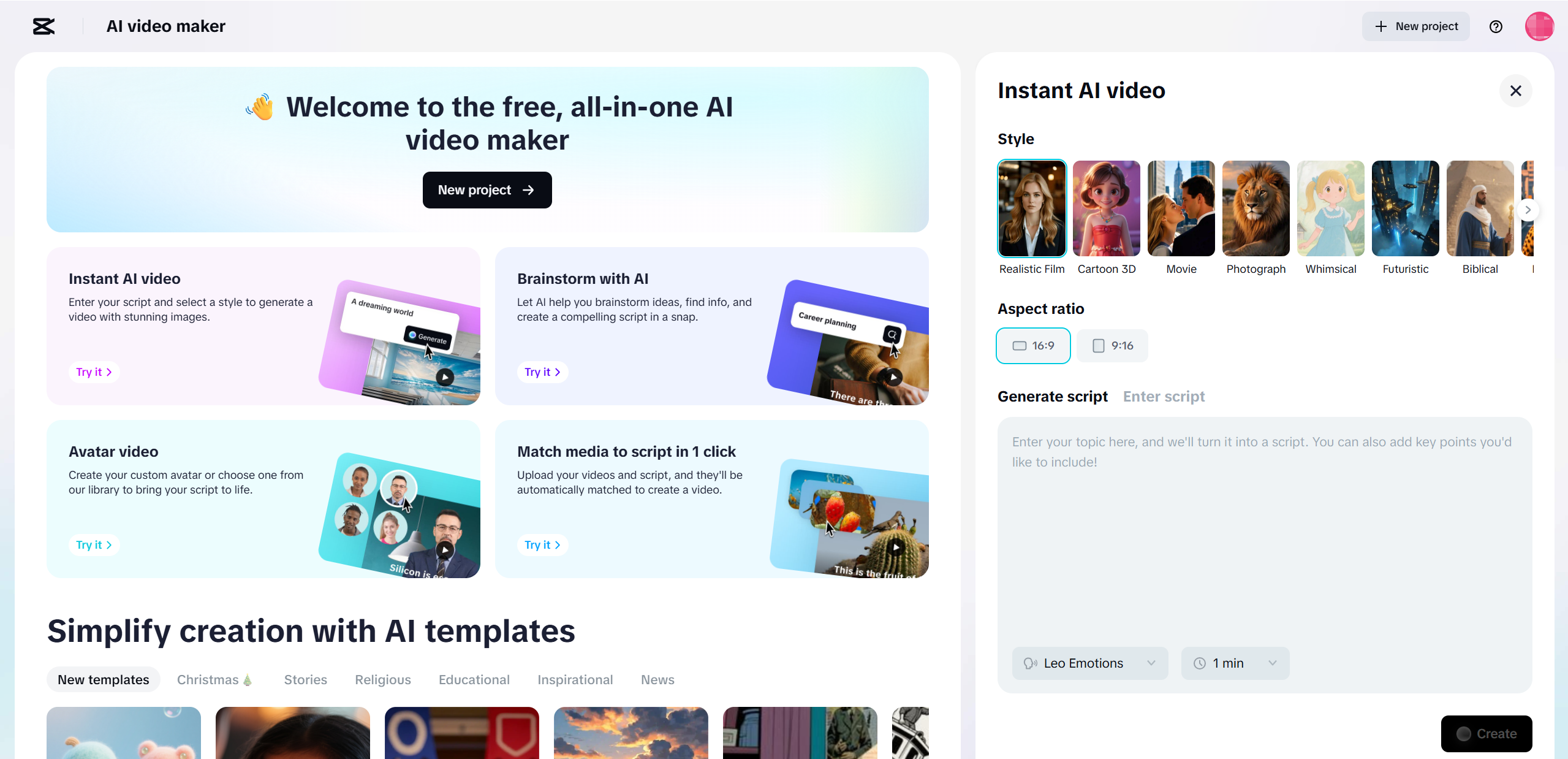
One of its most talked about features is the AI driven text-to-video system. You enter a short script or idea, choose a style, and CapCut automatically generates a complete video draft. The system analyzes your text, matches visuals, adds background music, and formats everything for popular platforms like TikTok, YouTube Shorts, and Instagram Reels.
CapCut also supports auto generate video workflows beyond text. You can upload images, product links, or long videos, and the AI will break them into shorter, shareable clips.
In terms of access, CapCut is available in two main forms:
Web version: Focused on AI features and fast creation
Desktop app: More control, advanced editing, and offline use
Together, these make CapCut a flexible option for both casual creators and more serious video producers.
Key Features of CapCut Video AI
CapCut’s biggest strength is how much it packs into a tool that still feels approachable. You don’t need prior editing experience to get usable results, and most features are designed to guide you rather than overwhelm you.
Core CapCut AI Features at a Glance
| Feature | Description | Why It Matters |
|---|---|---|
| AI Video Generator | Turns text prompts into videos | Saves time and effort |
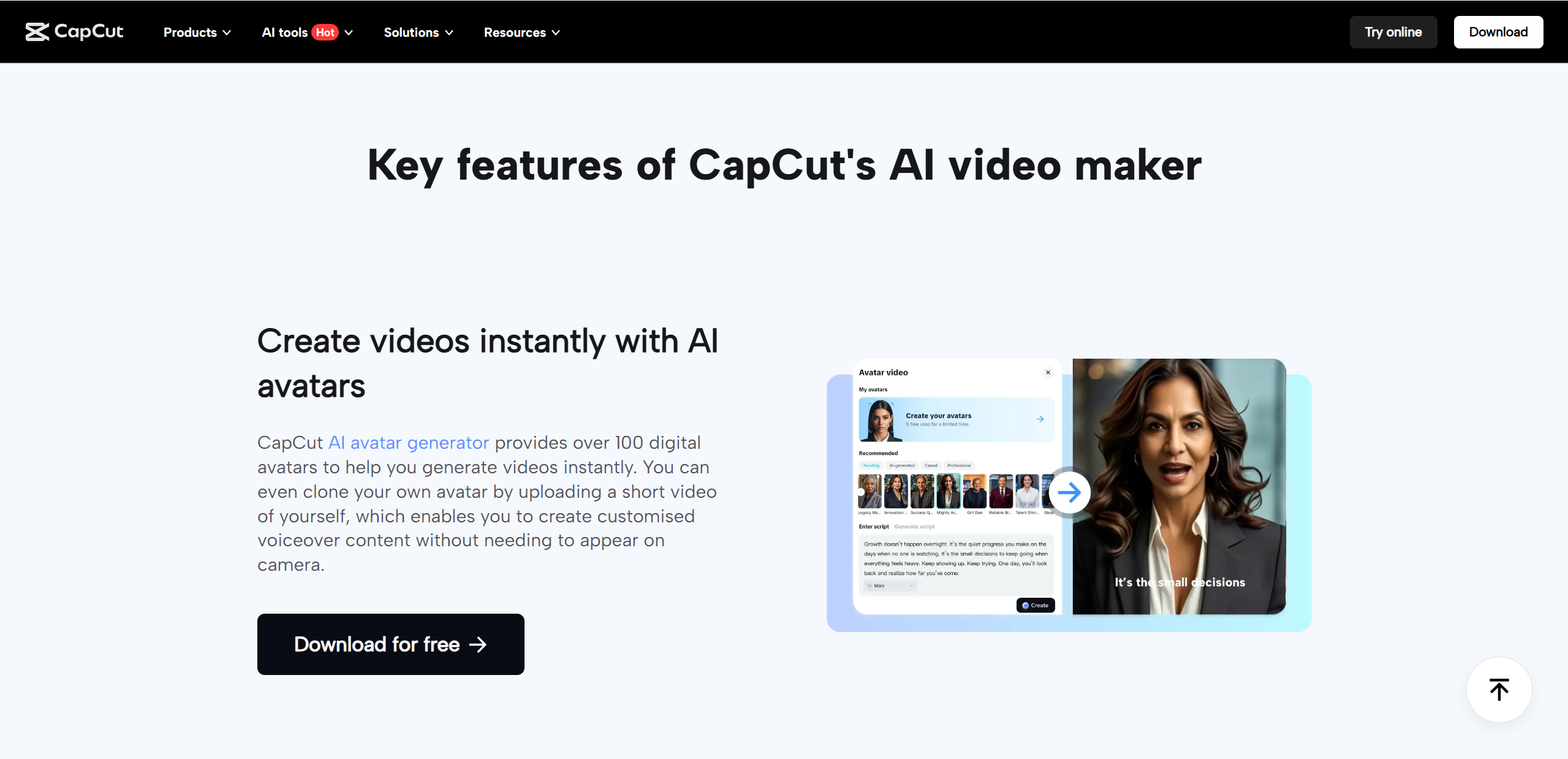
| AI Avatars | Digital presenters with voiceovers | No camera needed |
| Auto Captions | AI generated subtitles | Better accessibility |
| Templates | Ready made video styles | Beginner friendly |
| Music & Voice AI | Text to speech and background audio | Faster editing |
The AI Video Generator is the main attraction. You type an idea, pick a style, and CapCut handles structure, visuals, and pacing. It’s ideal for quick drafts or social posts.
AI Avatars let you add a virtual presenter that speaks your script naturally. This is especially useful for explainers or product videos when you don’t want to be on camera.
Auto Captions work reliably and look polished, which is crucial for mobile viewers. Combined with templates and built in music tools, CapCut video AI makes content creation feel almost effortless, especially for beginners and busy creators.
CapCut AI Test — Real-World Performance & Experience
To evaluate CapCut AI fairly, we tested it across multiple everyday scenarios, including short social videos, promotional clips, and simple educational content. The overall experience was smoother than expected.
Video quality is solid for an AI driven tool. Visuals are clean, transitions feel intentional, and the final output looks ready to post with minimal tweaking. While it won’t replace high end custom edits, it performs well for fast content needs.
Generation speed is one of CapCut’s highlights. Most videos were created within minutes, even when using avatars or captions. This makes it practical for creators working on tight schedules.
Script accuracy was generally good. The AI followed prompts closely, though highly nuanced or creative storytelling sometimes required light manual edits.
CapCut AI handles short form content particularly well. Videos optimized for TikTok, Shorts, and Reels felt natural in pacing and layout. For social media focused creators, the tool clearly understands platform friendly formats, making it a dependable option for consistent, quick publishing.
Pros of CapCut AI Video Tools
CapCut AI video tools shine when it comes to accessibility and speed. The interface is clean, intuitive, and welcoming, even if you’ve never edited a video before. Most features are clearly labeled, and the AI gently guides you through each step rather than throwing complex timelines at you.
Video generation is impressively fast. From idea to export, you can create a polished clip in minutes, which is perfect for creators who publish frequently. The free version is another major win, offering enough functionality to produce high quality content without immediate upgrades.
CapCut is also deeply optimized for TikTok, Reels, and Shorts. Aspect ratios, pacing, captions, and music all feel tailored for short social videos. At the same time, it maintains a healthy balance between automation and manual control, letting users fine tune results when needed.
Cons & Limitations of CapCut AI
While CapCut AI is powerful, it does have some limitations. Advanced users may find customization options restrictive compared to professional editing software. You can adjust visuals and timing, but deeper control over layers, effects, and color grading is limited.
AI results can also vary depending on how clear your prompts are. Simple ideas work best, while more complex storytelling may require multiple attempts or manual edits. Some of CapCut’s more advanced AI features, such as premium avatars and voice options, are locked behind paid plans, which may be a downside for budget users.
Lastly, CapCut AI is not designed for long form cinematic projects. It excels at short, engaging videos but isn’t ideal for feature length storytelling or highly stylized productions.
CapCut AI vs Other AI Video Generators

With so many AI video tools on the market, it helps to see how CapCut stacks up against its competition. While no single platform is perfect for every use case, CapCut AI positions itself as a strong all around option, especially for creators focused on speed and social media impact.
Comparison Table
| Tool | Ease of Use | AI Video Quality | Free Plan | Best For |
|---|---|---|---|---|
| CapCut AI | ⭐⭐⭐⭐⭐ | ⭐⭐⭐⭐ | ✅ Yes | Social creators |
| Synthesia | ⭐⭐⭐ | ⭐⭐⭐⭐ | ❌ | Corporate videos |
| Other AI Tools | ⭐⭐⭐ | ⭐⭐⭐ | Limited | General use |
CapCut clearly leads in ease of use. Beginners can jump in without tutorials, while experienced creators still have enough control to refine results. Its AI video quality is consistently good, though slightly less formal than enterprise focused tools like Synthesia.
Where CapCut really shines is its generous free plan and social first design. Many other AI tools restrict exports or watermark videos heavily, while CapCut allows real experimentation. Overall, CapCut video AI strikes a rare balance between accessibility, quality, and creative freedom, making it one of the most versatile AI video generators available today.
Is CapCut AI Worth It? Final Verdict
So, is CapCut AI actually worth your time? For most creators, the answer is yes. CapCut’s biggest strengths lie in its simplicity, speed, and strong free offering. It makes AI video creation feel approachable while still delivering polished, platform ready results. The tool excels at short social videos, quick marketing clips, and everyday content that needs to look good without taking hours to produce.
That said, CapCut AI isn’t built for everyone. If you need deep customization, cinematic storytelling, or advanced post production control, you may find it limiting. The AI also works best with clear, straightforward prompts, so experimental or highly creative concepts might require extra tweaking.
In this CapCut AI review, CapCut stands out as a reliable, all purpose AI video tool. If you’re a social creator, marketer, educator, or small business owner looking for fast results with minimal effort, CapCut AI is absolutely worth trying. Meanwhile, for projects centered on animation and narrative, Lovart AI is another tool that merits attention.

공유하기