What Happened When I Tried Vmaker For Real Projects


What Happened When I Tried Vmaker For Real Projects
Introduction – Why I Decided to Try Vmaker AI
I’ve tested more AI video tools than I can count, mostly out of curiosity and partly out of necessity. When Vmaker AI kept popping up in conversations, reviews, and creator forums, I realized it was time for a proper hands-on test. Not a quick demo, not a marketing showcase, but real projects with real deadlines.
This Vmaker review is based on using the tool for actual content creation tasks, including short marketing videos and educational explainers. My goal was simple: find out whether Vmaker AI could fit into a real workflow without creating more friction than it removes.
To set expectations, this article focuses mainly on Vmaker’s AI video generation features. I won’t dive deep into its collaboration tools or screen recording capabilities. What you’ll get instead is an honest, experience-driven review of how Vmaker performs when it actually matters.
What Is Vmaker AI? A Quick Overview
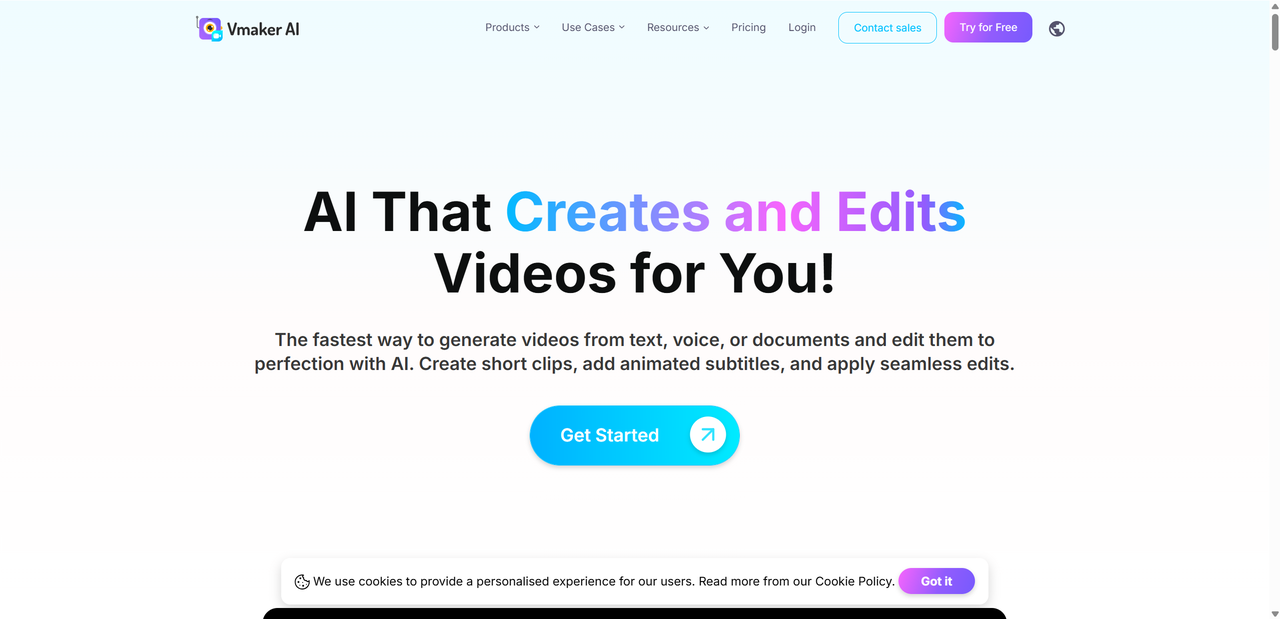
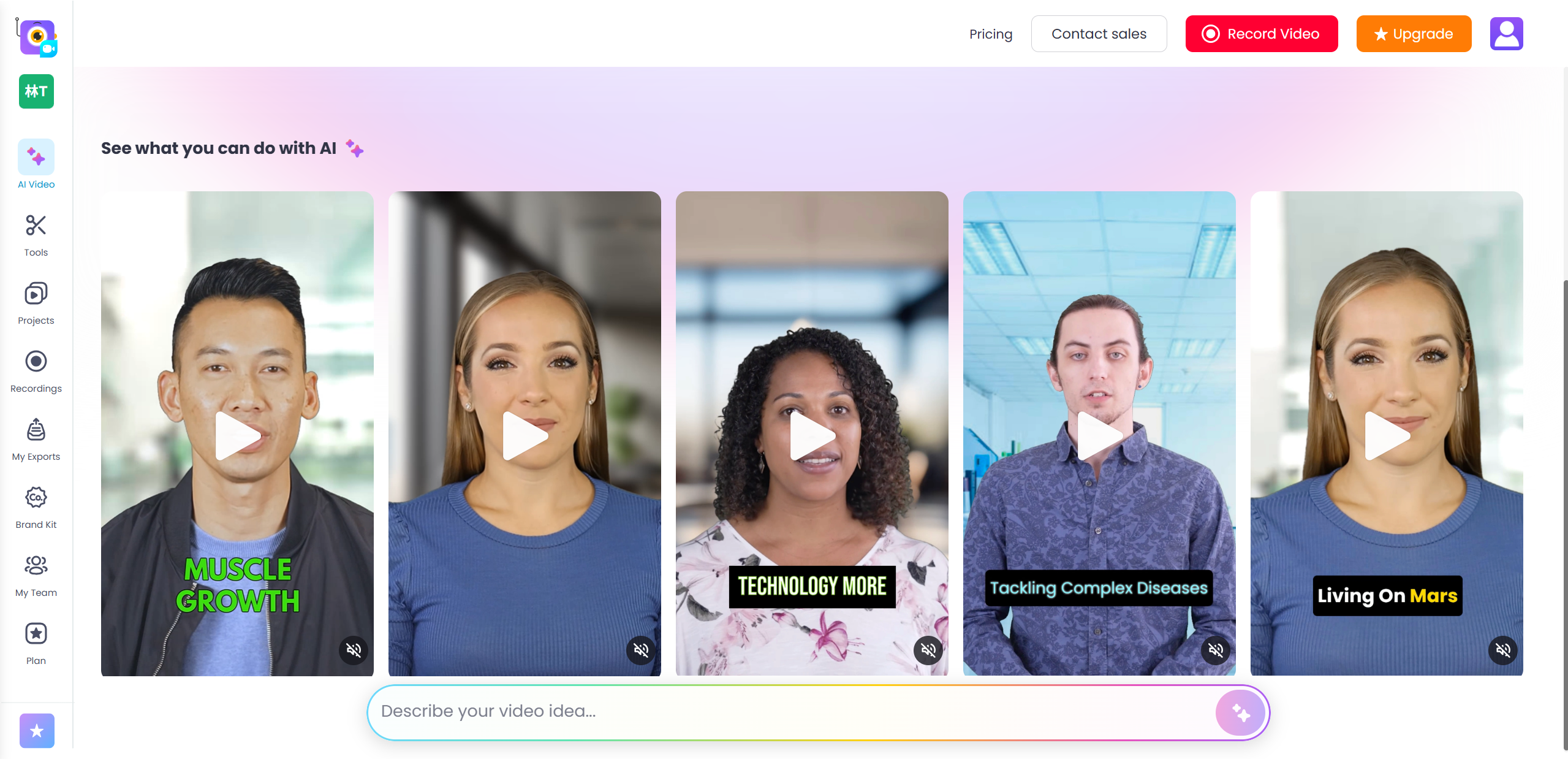
Vmaker AI is an AI-powered video creation and editing platform designed to help users turn ideas into videos faster, without relying heavily on traditional editing skills. At its core, Vmaker AI focuses on simplifying video production through automation and smart templates.
The platform is built for a wide range of users, including content creators, marketers, educators, startup teams, and anyone who needs videos on a regular basis but lacks time or advanced editing expertise. Instead of juggling multiple tools, Vmaker AI aims to handle everything in one place.
Some of its headline AI features include:
- Text-to-video generation for quick content drafts
- AI avatars for presenter-style videos
- Automatic subtitles and captions
- Basic AI-assisted video editing
Rather than positioning itself as a high-end studio replacement, Vmaker AI markets itself as a practical, accessible solution for everyday video creation.
Core Feature Review – Vmaker AI Video Generation
How Vmaker AI Video Creation Works
The AI video creation process in Vmaker follows a simple and logical flow. You start by entering a script or short text prompt, choose a video style, and let the AI handle the heavy lifting. From there, Vmaker generates a draft video complete with visuals, subtitles, and pacing.
The entire workflow from idea to export is fast. In most cases, I had a usable draft within a few minutes. Automation plays a big role here, but you still get enough control to tweak the result before exporting, which keeps the process efficient without feeling locked in.
AI Video Features I Tested
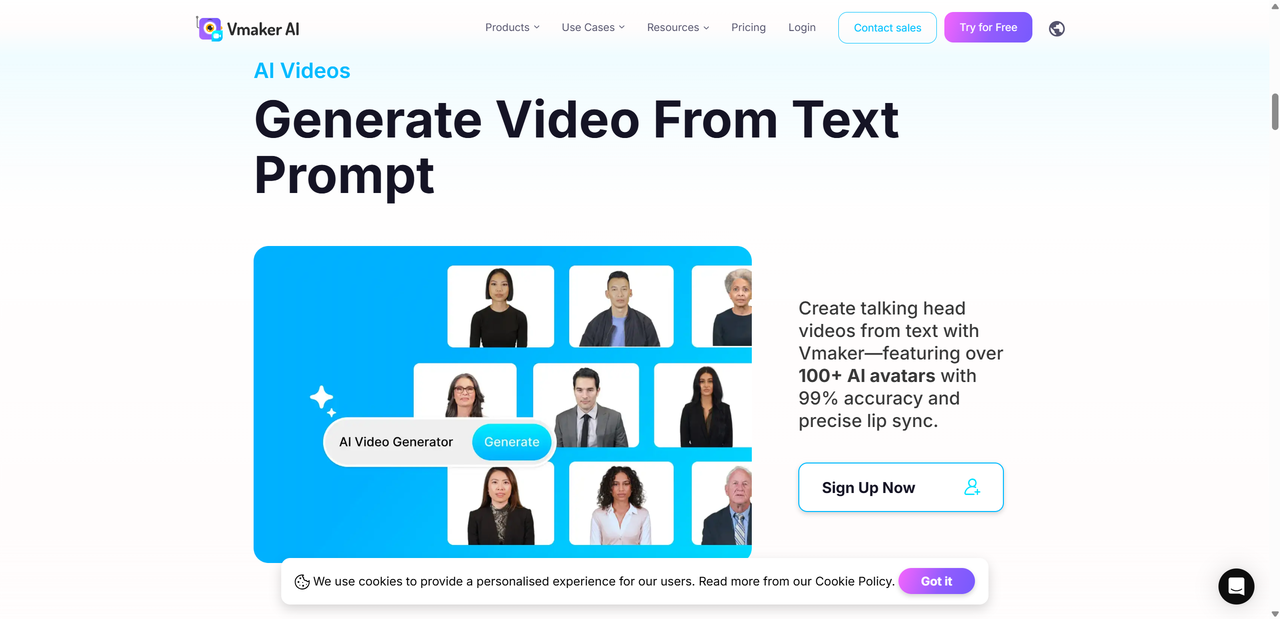
Here are the main AI video features I personally tested while working on real projects:
- AI avatars and talking head videos The avatars look clean and professional, though expressions can feel slightly robotic at times. They work well for explainers and internal content.
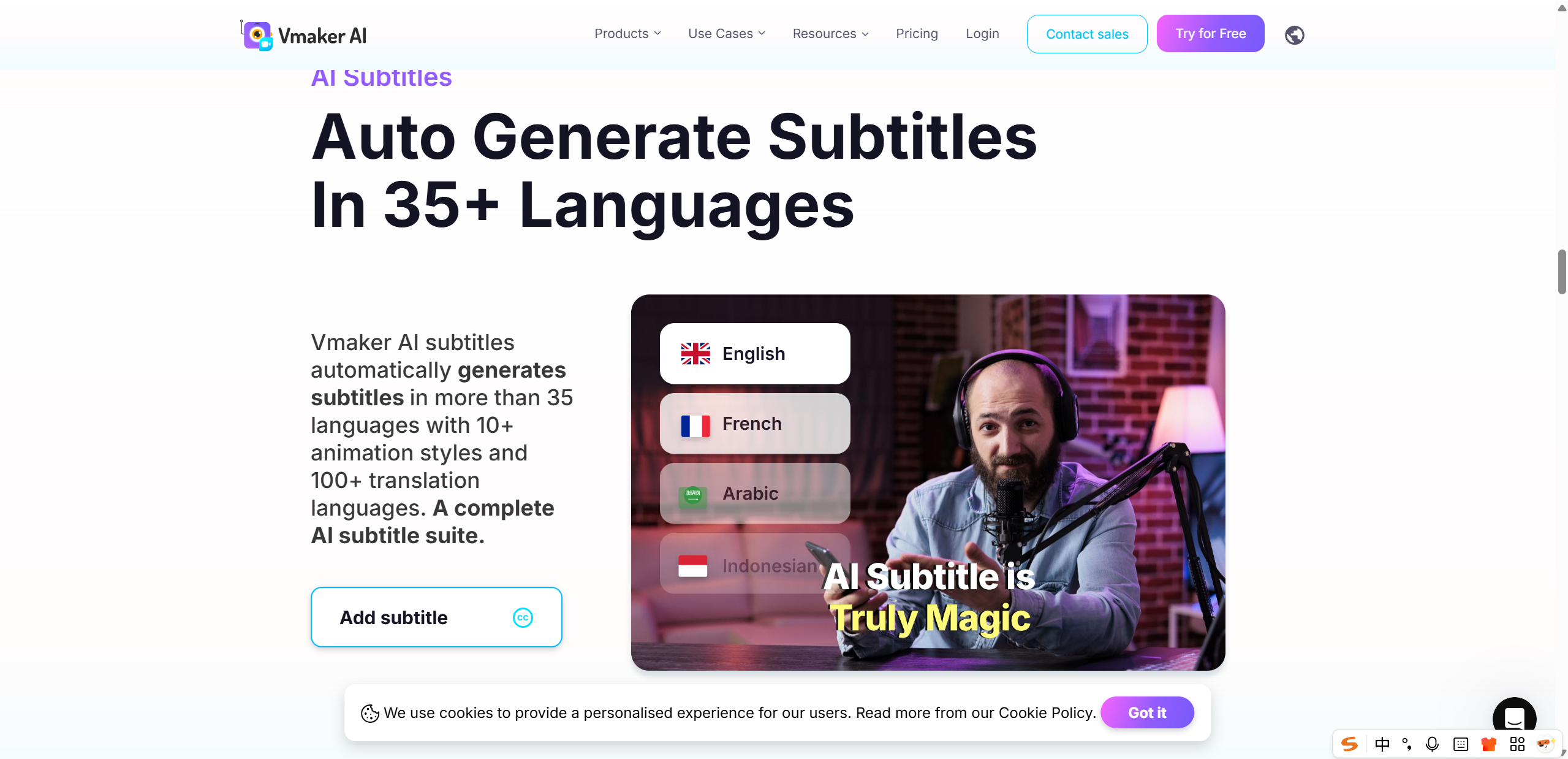
- Auto subtitle generation Subtitle accuracy was solid, especially for clear English scripts. Multiple language options are available, which is useful for global audiences.
- Background visuals, B roll, and music Vmaker automatically adds visuals and music that match the script reasonably well. While not always perfect, they provide a strong starting point.
- Editing flexibility after AI generation You can edit scenes, swap visuals, adjust text, and fine-tune timing. However, customization has limits compared to manual video editors.
Overall, the output quality is good for short form content. The videos still feel slightly AI-generated, but not distractingly so, especially for social media and educational use.
What Happened When I Used Vmaker on Real Projects
To really understand how useful Vmaker AI is, I used it on two real projects instead of test prompts. The first was a short marketing video for a product landing page. Normally, this would involve writing a script, sourcing visuals, recording voiceover, and then editing everything together. With Vmaker, I pasted the script, selected a clean template, and let the AI generate a first draft. Within minutes, I had a video that was about 70 percent ready. I only needed to tweak a few visuals and adjust the pacing.
The second use case was a short social media video. Instead of recording vertical video takes over and over, I used Vmaker AI to turn a concise script into a clean, scroll friendly video. The AI avatar delivered the steps clearly, which helped keep the focus on the feature itself. For quick platform updates or tips content, this approach felt surprisingly efficient.
What impressed me most was the time saved. Both videos were completed in a fraction of my usual workflow. The AI drafts were not perfect, but they were good enough to build on quickly.
That said, some limitations showed up. The avatars still lack subtle facial expressions, and background visuals can feel repetitive if you don’t manually swap them. Vmaker did not magically replace creative decision-making, but it did remove a lot of busy work. From a practical standpoint, that alone made it worthwhile.
Vmaker Pros and Cons – Honest Breakdown
After using Vmaker on real projects, some strengths and limitations became very clear. Instead of overselling it, here’s a balanced look at the Vmaker pros and cons based on actual usage.
| Pros | Cons |
|---|---|
| Easy AI video workflow | AI avatars can feel robotic |
| Automatic subtitles and captions | Limited creative control |
| Beginner friendly interface | Free plan restrictions |
| Fast content generation | Not ideal for cinematic videos |
What works well
- The AI video workflow is intuitive and removes a lot of manual effort from scripting to final output.
- Automatic subtitles save time and are accurate enough for most use cases.
- The interface feels welcoming, even for users with no video editing background.
- Speed is a major win, especially for short form and educational content.
Where it falls short
- AI avatars still lack natural expressions and emotional nuance.
- Advanced creative control is limited compared to traditional editors.
- The free plan is useful for testing, but serious projects hit limits quickly.
- If you want cinematic visuals or deep storytelling, this is not the right tool.
Overall, Vmaker is practical rather than flashy, which can be a positive or a drawback depending on your needs.
Pricing – Is Vmaker Worth Paying For?
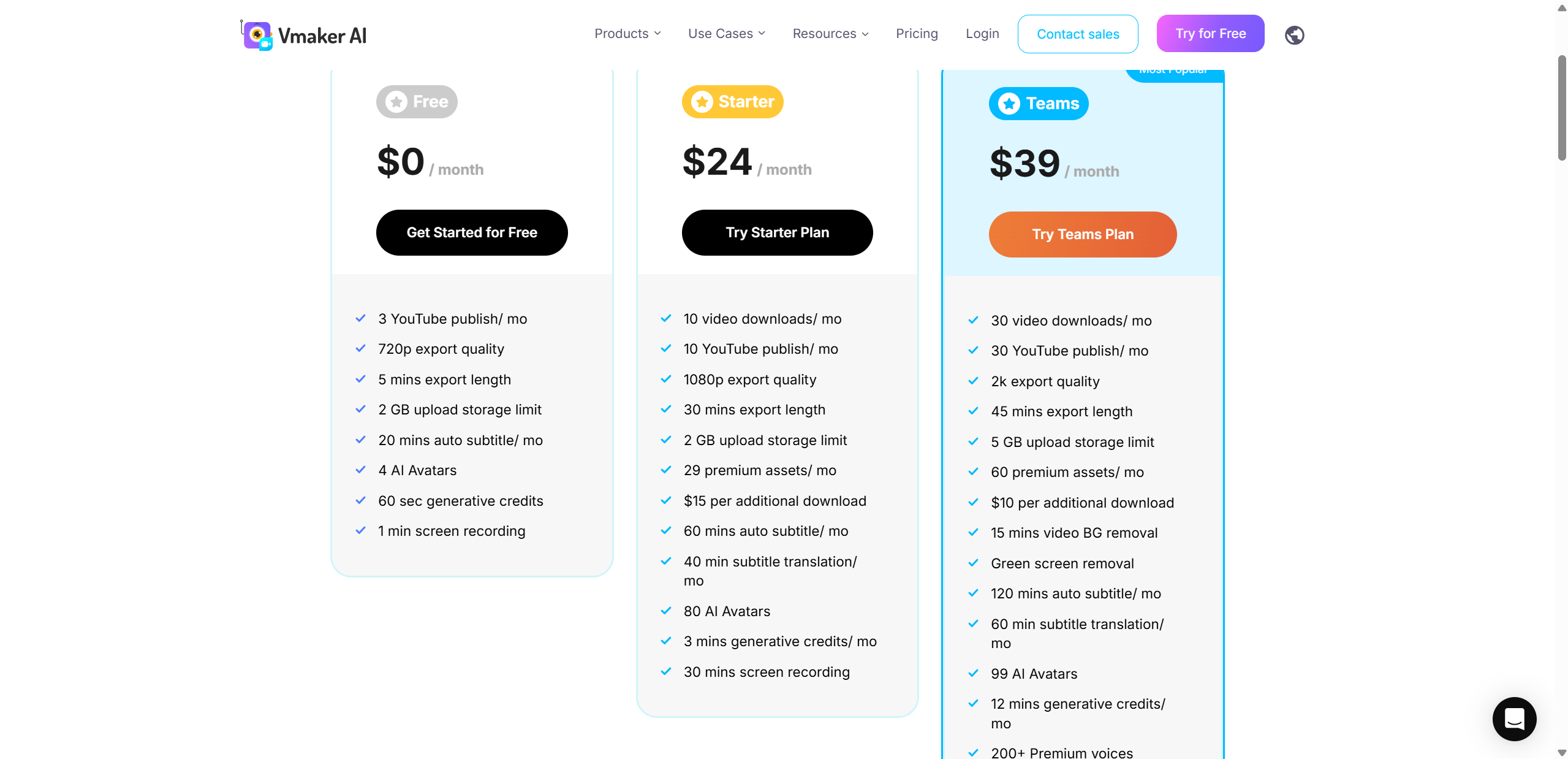
Vmaker offers a free plan that lets you explore the platform and create basic AI videos, but it comes with noticeable limitations. Export options, video length, and access to advanced AI features are restricted, making it more of a trial than a long-term solution.
Most of the useful AI tools, including higher quality exports, more avatars, and extended video generation, sit behind paid plans. If you’re creating content regularly, upgrading quickly feels necessary.
In terms of value for money, Vmaker’s pricing makes sense if you prioritize speed and consistency over advanced customization. Marketers, educators, and solo creators who need frequent videos will get the most out of a paid plan.
For users on a tight budget or those needing deeper creative control, exploring a Vmaker alternative might be worthwhile. Still, for straightforward AI video creation, the paid tiers feel fairly priced for what you get.
Vmaker Alternatives – How It Compares to Other AI Video Tools
Vmaker AI sits in a competitive space, so it helps to understand how it compares to other popular AI video tools. Instead of looking for a one size fits all winner, it’s more useful to see where each tool shines.
| Tool | Best For | Key Difference |
|---|---|---|
| Vmaker AI | Beginners and fast videos | All in one simplicity |
| Synthesia | Corporate training | More realistic avatars |
| Runway | Creative experiments | Advanced AI effects |
Vmaker AI focuses on speed, ease of use, and practical output. It’s designed for users who want to create videos quickly without learning complex tools. Synthesia, on the other hand, excels in professional training environments where avatar realism matters more than flexibility. Runway leans heavily toward creative exploration, offering powerful AI effects but requiring more experimentation.
In the broader AI video ecosystem, Vmaker fits as a reliable entry point. It’s not the most advanced or artistic option, but it delivers consistent results with minimal effort, which is often exactly what teams need.
Final Verdict – Is Vmaker AI Worth Trying in 2026?
After using Vmaker AI on real projects, I’d say it does what it promises, as long as expectations are realistic. It’s a reliable tool for creating short form videos, explainers, and tutorials without spending hours on editing. The biggest strength is how quickly you can go from idea to usable video.
The biggest limitation is creative depth. AI avatars still feel slightly stiff, and advanced visual storytelling is not its strong suit. Still, for practical content, those issues are easy to overlook.
Vmaker AI is worth trying if you’re a marketer, educator, or creator who values speed and simplicity. Starting with the free plan makes sense, as it lets you understand the workflow before committing. If it fits your needs, upgrading feels like a natural next step. Meanwhile, as an additional option in this space, Lovart AI offers its own unique strengths in animated storytelling.

Condividi Articolo