Pika AI Review: Honest Verdict on This AI Video Generator


Pika AI Review: Honest Verdict on This AI Video Generator
If you have searched for a Pika AI review, chances are you have seen some seriously eye catching videos popping up on social feeds. Objects exploding into glitter, characters melting into paint, photos suddenly coming alive. That is Pika AI at work. This AI video generator has become one of the most talked about creative tools of the past year, especially among creators, marketers, and curious first timers who want to turn ideas into motion fast.
In this review, we take a grounded and honest look at Pika AI. We will explain what it is, how it works, what it does well, and where it still struggles. You will also learn about its core features, real world use cases, and whether it is worth your time compared to other AI video tools on the market.
What Is Pika AI? (Quick Overview)

Pika AI is an AI powered video creation platform designed to help users generate short videos using text prompts, images, or existing footage. At its core, it focuses on speed, creativity, and visual flair rather than long form cinematic production. You describe an idea, upload an image, or remix a video, and Pika AI handles the motion, effects, and transitions for you.
Most people use Pika AI for social media content, ads, concept visuals, and experimental art. It is especially popular for TikTok, Instagram Reels, and YouTube Shorts where quick, bold visuals matter more than perfect realism. You do not need advanced editing skills, which makes it appealing to beginners, while still offering enough creative control to keep experienced creators interested.
Pika AI currently supports several main creation modes:
Text to Video generation from a written prompt
Image to Video animation that brings still images to life
Video to Video remixing that modifies or enhances existing clips
Here is a quick snapshot of its core features:
| Feature | What It Does |
|---|---|
| Text to Video | Generates video scenes from a written prompt |
| Image to Video | Animates photos, illustrations, or AI art |
| Video to Video | Adds new objects or replaces subjects in footage |
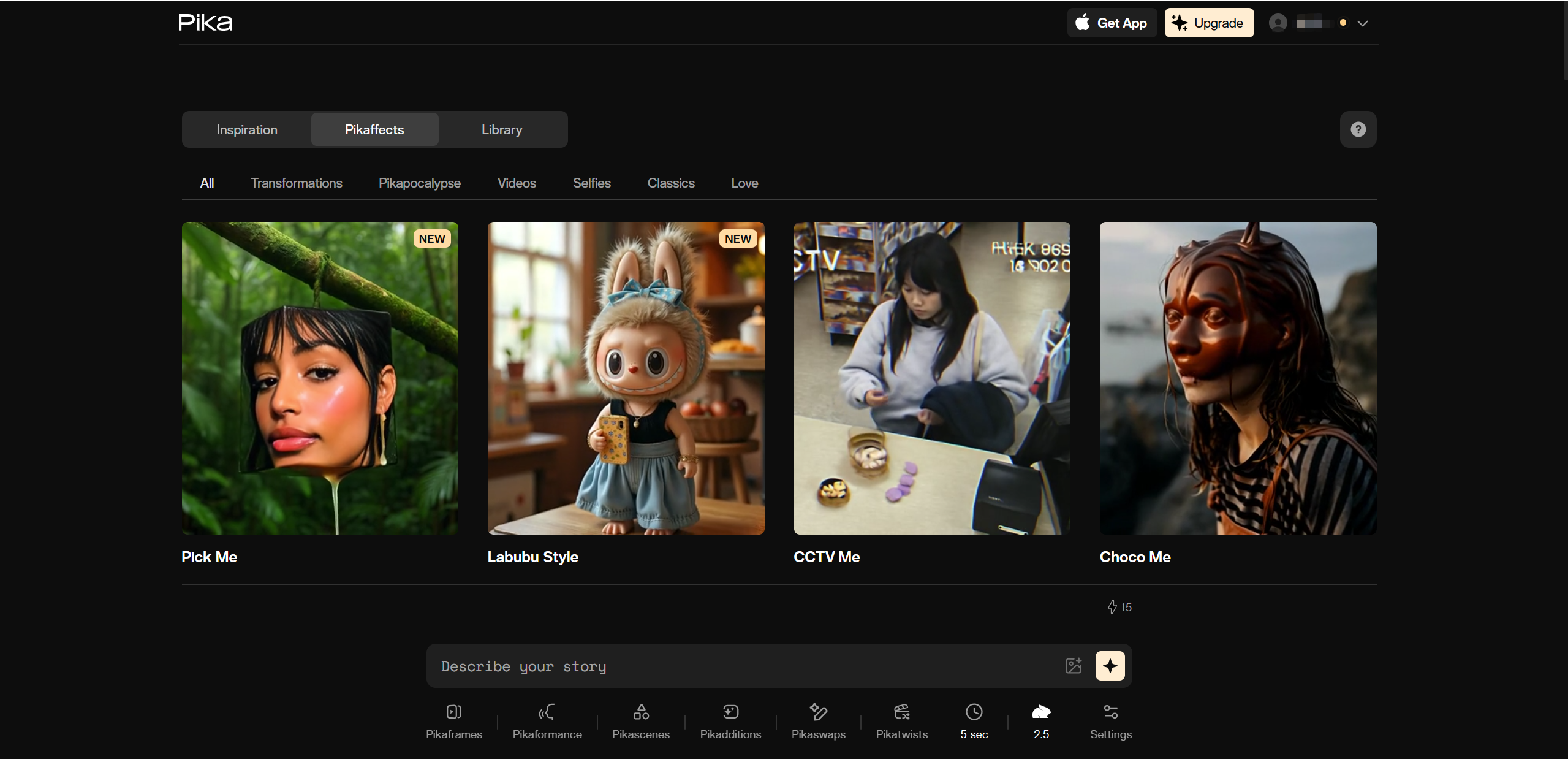
| Pikaffects | Applies creative effects like explode, melt, inflate |
Overall, Pika AI positions itself as a playful but powerful creative tool. It is less about technical perfection and more about helping ideas move, transform, and surprise.
How Pika AI Works: Behind the Scenes
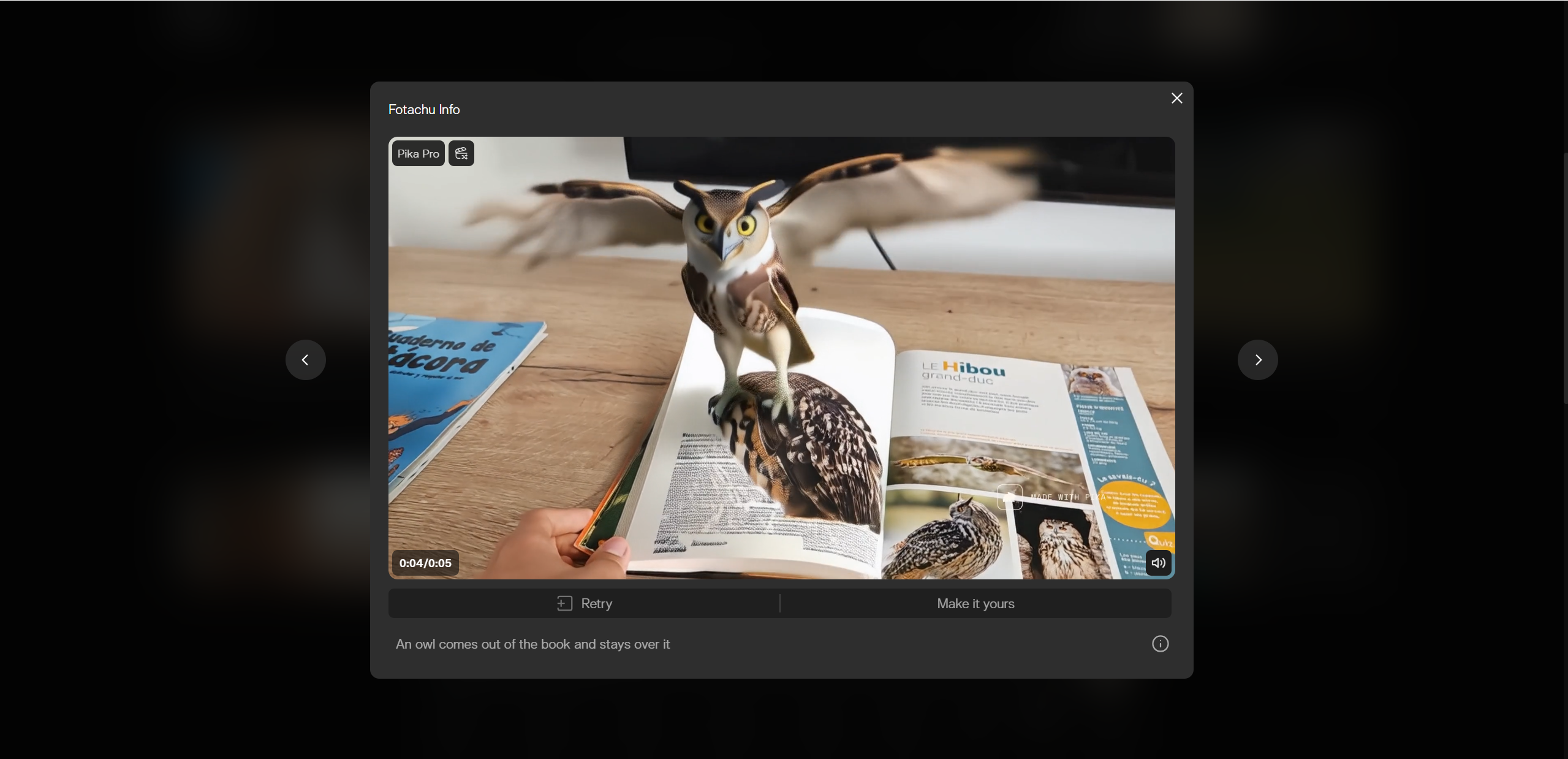
At a glance, Pika AI can feel like magic. You type a sentence, click generate, and suddenly you have a moving scene. Behind that smooth experience is a fairly straightforward workflow that keeps things friendly even for first time users.
Everything starts with a prompt. A prompt is simply a short description of what you want to see. For example, “a fluffy cat jumping on a couch in slow motion” or “a futuristic city glowing at night.” Pika AI reads that prompt and uses its trained video models to predict motion, lighting, and visual style that match your idea.
The platform currently runs on its latest generation model, often referred to as Pika 2.2. This version brings noticeable upgrades, including sharper visuals up to 1080p, smoother motion, and more natural looking physics. Movements feel less stiff, and transitions look more intentional rather than random.
Pika AI also adds creative tools on top of basic generation. Pikaframes helps extend scenes or guide how moments connect. Pikaswaps allows you to replace objects or characters inside a clip without starting over. These tools make the process feel more like shaping clay than pressing a single button.
The typical workflow looks like this:
Enter a text prompt or upload an image or video
Choose animation style and camera motion
Apply effects and tools like Pikaffects or Pikaswaps
Export the video after AI rendering finishes
In short, Pika AI hides the complex tech and lets you focus on ideas, which is a big part of its appeal.
Pika AI Test Results: Our Real World Experience
To move beyond hype, we spent time testing Pika AI the way most users actually would: experimenting with prompts, iterating on ideas, and pushing the tool a bit outside its comfort zone. Overall, the experience was fun, surprisingly smooth, and occasionally frustrating in a very “creative AI” kind of way.
For simple prompts and clear visuals, Pika AI performed well right out of the gate. Short descriptions like “coffee spilling in slow motion” or “neon jellyfish floating in space” often produced usable results on the first try. More complex prompts with specific camera moves, emotions, or multiple characters needed refinement and multiple attempts.
Generation speed stayed fairly consistent. Most clips rendered within a minute, which makes it easy to experiment without breaking creative flow. Image to Video results stood out as especially strong, with believable motion and pleasing transitions.
Here is a snapshot of our observed test results:
| Metric | Result |
|---|---|
| First try success rate | ~68% |
| Average generation time | 30 to 60 seconds |
| Image to Video quality | High |
| Complex cinematic prompts | Lower success |
One thing worth noting is the learning curve. Results improved noticeably once prompts became more specific but simpler in structure. Instead of cramming everything into one sentence, breaking ideas into clear visual actions helped a lot. Pika AI rewards experimentation, and patience pays off.
Pika AI Performance: Speed, Quality & Reliability
From a performance standpoint, Pika AI feels built for fast paced creativity. Speed is one of its strongest points. Videos generate quickly enough that it is easy to fall into a loop of testing, tweaking, and regenerating ideas. This makes it especially appealing for social content creators who value momentum.
Quality is strongest when expectations are aligned with short form content. For social clips, ads, and visual experiments, Pika AI delivers eye catching results. For cinematic realism or emotional storytelling, results can be inconsistent. Motion sometimes looks amazing, and other times slightly off, especially with faces or hands.
Reliability is decent but not perfect. There are clear limits, such as relatively short maximum video length, often around ten seconds. Complex scenes may require several attempts, and realism can vary between generations.
Quick performance breakdown:
Speed: Fast generation encourages creative play
Quality: Excellent for social visuals, weaker for realism
Consistency: Motion and faces can vary between attempts
Limits: Short clips and trial and error are part of the process
In short, Pika AI performs best when treated as a creative partner rather than a precision tool. If you enjoy experimenting and refining ideas, it shines.
Pika AI Pros & Cons (Balanced Review)
No AI video tool is perfect, and Pika AI is no exception. Its strengths are clear and impressive, but there are also tradeoffs worth considering before you commit time or credits. Below is a balanced look at what Pika AI does well and where it may fall short for certain users.

Pros
Easy and intuitive interface The platform is beginner friendly, with a clean layout that makes it simple to start creating without tutorials.
Fast generation times Most videos render in under a minute, making it ideal for rapid experimentation and iteration.
Creative and fun effects Pikaffects like explode, melt, and inflate add personality and viral energy to short clips.
Strong image to video transformation Animating still images is one of Pika AI’s strongest use cases, often producing smooth and visually pleasing motion.
Frequent updates New features and improvements roll out regularly, showing active development and long term potential.
Cons
Short clip length Limited video duration makes it difficult to tell longer or more complex stories.
Inconsistent visual style Some outputs can feel overly stylized or slightly cartoony, especially with complex prompts.
Credits run fast Advanced generations and repeated retries can quickly consume available credits.
Occasional technical issues Users have reported errors, failed renders, and slower support responses at times.
Taken together, Pika AI shines as a creative playground, but it rewards realistic expectations and a willingness to experiment.
Pricing & Plans (Is It Worth the Cost?)
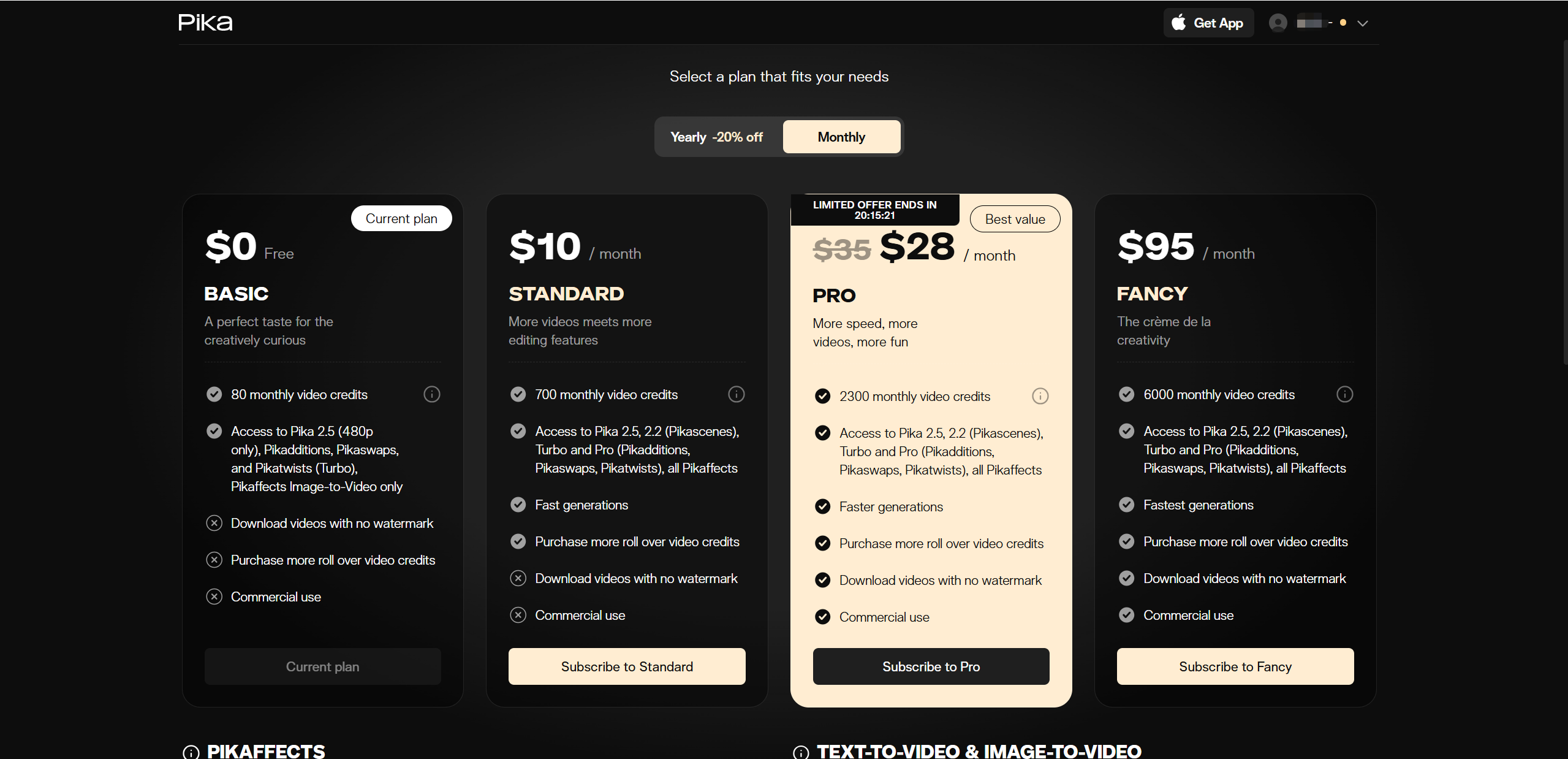
Pika AI uses a credit-based subscription model, meaning you pay monthly for a bundle of credits that are spent every time you generate or edit a clip. It’s flexible, but that also means the real cost per video depends on resolution, length, and tools you choose — so even on higher tiers, credits can disappear fast if you’re experimenting a lot.
Here’s a quick price summary many creators see in late 2025:
| Plan | Monthly Price (approx) | Credits / Month | Best For |
|---|---|---|---|
| Free Basic | $0 | ~80 | Trying out Pika, light use |
| Standard | ~$8–10 | ~700 | Regular creators & social clips |
| Pro | ~$28–35 | ~2,300 | Frequent creators & small teams |
| Fancy / Top | ~$70–80+ | ~6,000 | Agencies & heavy users |
Notes: • Paid plans usually unlock watermark-free downloads and commercial use rights, with higher tiers giving more credits and faster generation speeds. • Credits don’t always roll over month-to-month unless you buy extras. • Prices above are typical — Pika often shows yearly bills at a discount, and exact values vary by region and billing cycle.
Why It’s Worth Considering
Free credits let you experiment before spending.
Multiple tiers mean you can scale up as your needs grow.
Commercial rights (on paid plans) make Pika suitable for client work or social media ads.
What to Watch Out For
Credits can be used up quickly on longer or higher-resolution clips.
Even paid plans might feel limited if you’re churning lots of clips or heavy animations.
Pika AI vs Competitors (Quick Comparison)
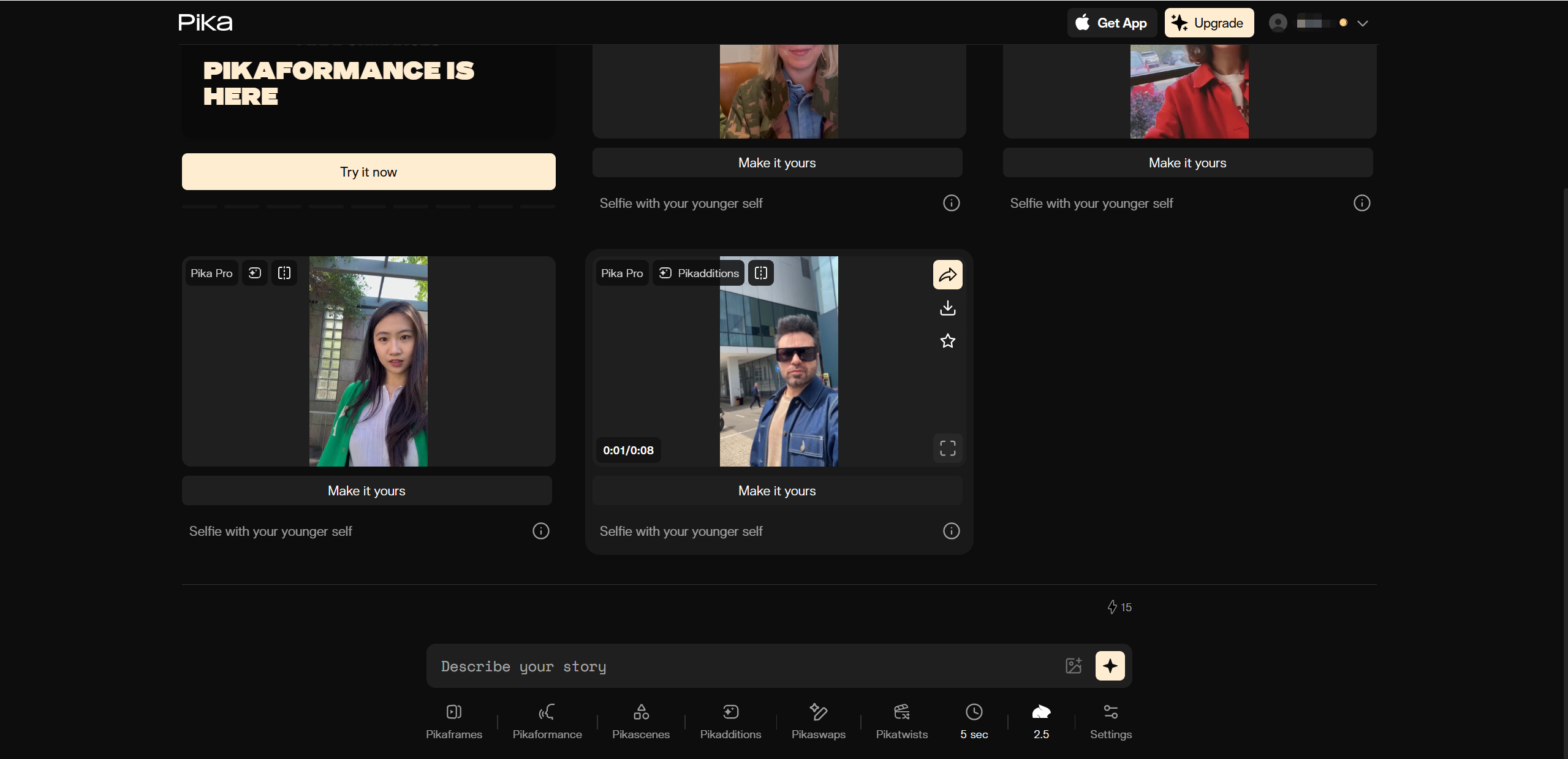
AI video creation tools are booming, and Pika AI is just one of several platforms creators turn to when they want to make short, shareable animations. To help you see where Pika stands in the crowd, here’s a quick comparison with some popular alternatives like Runway, Sora, and Kling.
How Pika AI Stacks Up
| Tool | Best For | Strengths | Weaknesses |
|---|---|---|---|
| Pika AI | Fast social clips | Very quick generation, creative effects, beginner friendly | Short max length (3–10s), less cinematic fidelity |
| Runway | Professional/stylized content | Precise motion control, up to 4K, strong consistency | Slower generation, more complex |
| Sora | Cinematic storytelling | High realism, strong physics & scene coherence | Slower and currently limited access |
| Kling AI | Longer videos & realism | Good 1080p output, up to 2 min clips | Sometimes slow, slightly less creative effects |
Why Some Creators Choose Pika
Speed & fun: Pika’s streamlined workflow means you can iterate fast — sometimes under a minute for short clips — which many creators love for social content and quick experiments.
Easy to use: Tools like Pikaffects and basic motion features let even beginners generate playful visuals without steep learning curves.
Creative effects: Pika’s unique effects (explode, melt, squash, etc.) make it feel more playful and visually distinct than purely realism-focused tools.
Where Others Might Outshine It
Longer videos & control: Runway and Kling often allow extended lengths and tighter direction options — especially helpful for commercials or narrative content.
Cinematic fidelity: Tools like Sora and Veo (not in the main table but rising fast) deliver more realistic motion, scene continuity, and physics-aware rendering when you need film-like quality.
Commercial integration: Runway’s established ecosystem, up to 4K output, and deeper editing control make it appealing for professional workflows.
Conclusion: Final Verdict on Pika AI
After hands on testing and comparison, the takeaway from this Pika AI review is clear: Pika AI is a fast, fun, and creatively empowering video generator that shines in short form content. Its biggest strengths are ease of use, quick generation, and playful visual effects that feel tailor made for social media and rapid experimentation. You do not need technical skills to get results, and the barrier to entry is refreshingly low.
That said, realistic expectations matter. Pika AI is not built for long videos or cinematic storytelling, and output quality can vary depending on prompt complexity and motion demands. It rewards creators who enjoy iterating, refining prompts, and embracing a bit of unpredictability in exchange for speed and visual flair.
If your goal is to create eye catching clips, ads, or creative visuals without a steep learning curve, Pika AI is absolutely worth trying. Start with the free credits, explore its strengths, and decide if its creative style fits your workflow. For a different approach, consider exploring Lovart AI as a compelling alternative.

Condividi Articolo