Freepik AI Image Generator Review: Is It Really Worth It in 2025?


Freepik AI Image Generator Review: Is It Really Worth It in 2025?
Introduction
AI image generation has exploded in the last few years, and by 2025 it’s basically become a standard tool in every creator’s toolkit—right next to Canva, a caffeine source, and a folder full of half-finished projects. Whether you’re a designer trying to speed up workflows, a marketer hunting for unique visuals, or a content creator who just wants something better than another generic stock photo, AI tools are now doing a lot of the heavy lifting.
Among these tools, Freepik AI has quickly become one of the most widely discussed platforms, thanks to its mix of speed, flexibility, and intuitive design for beginners. But with so many AI generators popping up, the real question is: Is this one actually worth your time?
In this Freepik AI Image Generator review, I tested its speed, image quality, usability, and overall value to help you decide whether it deserves a spot in your creative workflow. Spoiler: It’s more capable than you might expect—though not without a few quirks.
What Is the Freepik AI Image Generator?
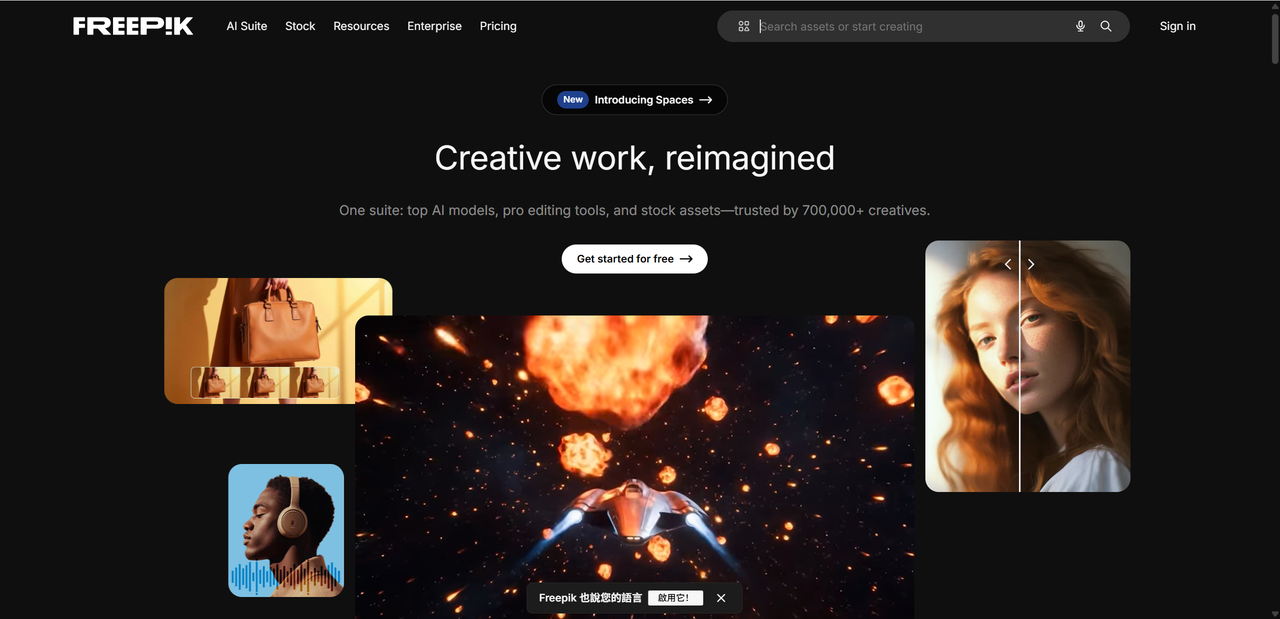
Before Freepik started dabbling in generative AI, it was already one of the largest creative resource platforms on the internet—home to millions of stock photos, vectors, PSDs, icons, templates, and every design asset you didn’t know you needed until five minutes before a deadline. If Canva feels like a playground, Freepik feels like the giant warehouse behind it.
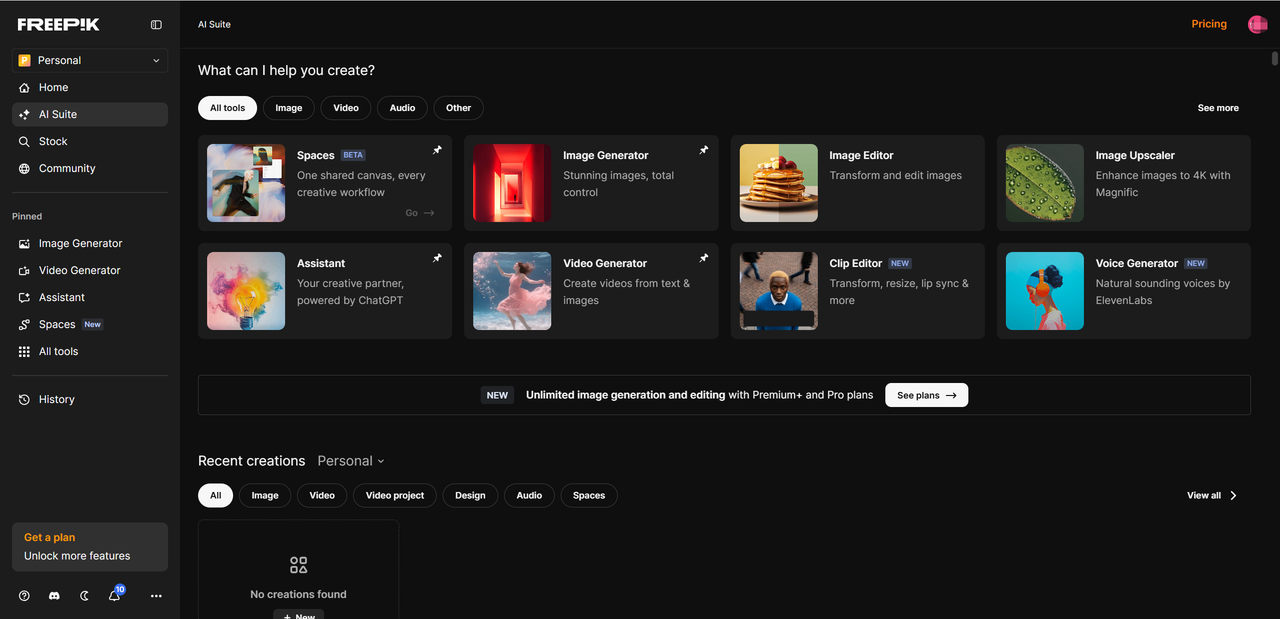
As AI tools became mainstream, Freepik rolled out the Freepik AI Suite, a growing collection of smart tools that run entirely in your browser. Designed to help creators generate and edit visuals faster than ever, they require no installations or heavy software. Just open your browser, start typing, and watch images appear like magic.
And because Freepik is built for commercial creators, most outputs include commercial use licensing, which is a massive win compared to free AI tools with more restrictive terms. Best of all, everything runs entirely in your browser,with no downloads or processing that taxes your device.
Freepik AI Pricing: Free vs Premium Plans
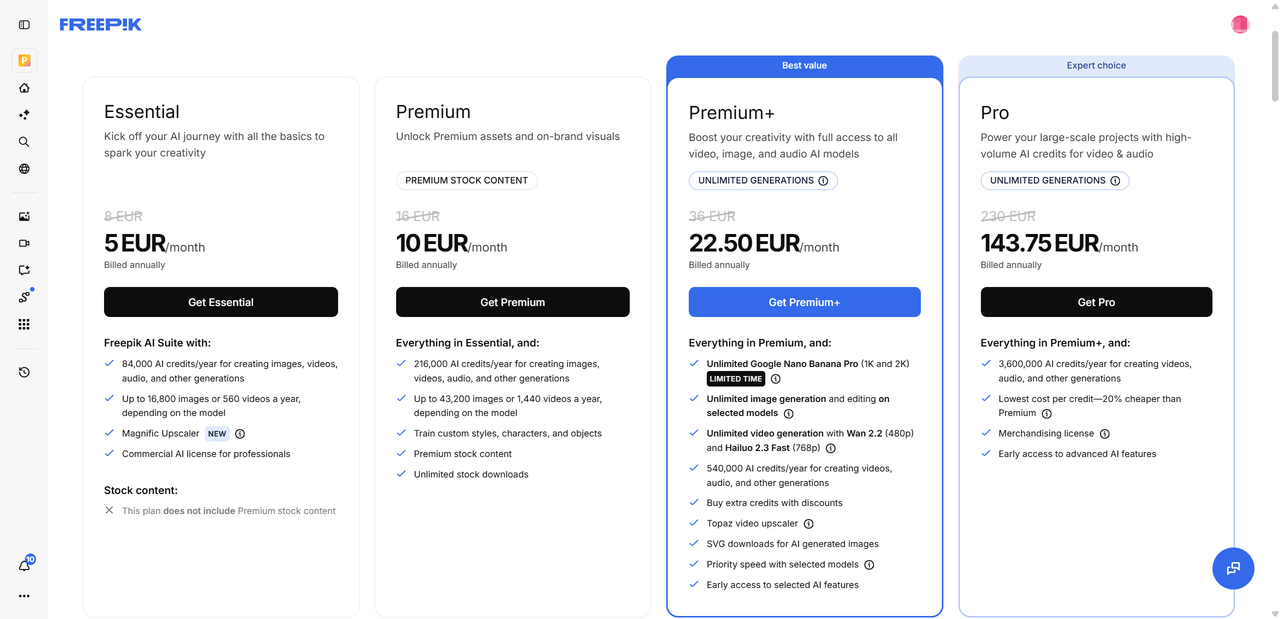
Here’s a look at how Freepik AI prices and what you get under its Free and Premium (or Premium+) tiers — plus who each plan might suit best.
Free Plan vs Premium / Premium+ Plans
| Plan | What’s Included | Best For |
|---|---|---|
| Free Plan | - Up to 20 images per day - Access to the basic AI models - Basic generation features only | Casual users, social media hobbyists, or light content creators experimenting with AI visuals |
| Premium / Premium+ | - Higher daily limits — or in some cases unlimited generation depending on plan - Faster rendering times - Access to advanced AI models (higher-quality, more sophisticated output) - More editing tools and resources (like upscaler, background remover, better fine-tuning control) | Professional creators, marketers, agencies, small teams, or anyone doing regular content production |
Who Benefits from Which Option
Free Plan
Great for: occasional use — blog images, quick social media posts, small personal projects.
Ideal when budgets are tight or you’re just exploring what AI image generation can do.
Limits are usually fine if you don’t have high-volume or high demand visual needs.
Premium / Premium+ Plan
Worth it for: small businesses, content creators, social media managers, agencies, or anyone who needs consistent output and better quality.
Faster rendering + high-quality models = less waiting, more polished visuals.
More editing tools give you better control — useful if you care about polish, brand consistency, or preparing for commercial use.
Freepik AI Performance Review
Here’s how Freepik AI performs in practice, along with what works really well — and where it tends to stumble.
What Works — Where Freepik AI Shines
Speed & generation time According to recent benchmark testing, image generation times on Freepik average about 7–12 seconds per batch of four — fast enough that you can quickly iterate on ideas without waiting ages. Many users praise the generator for being “slick” and giving a smooth experience when the network connection is good.
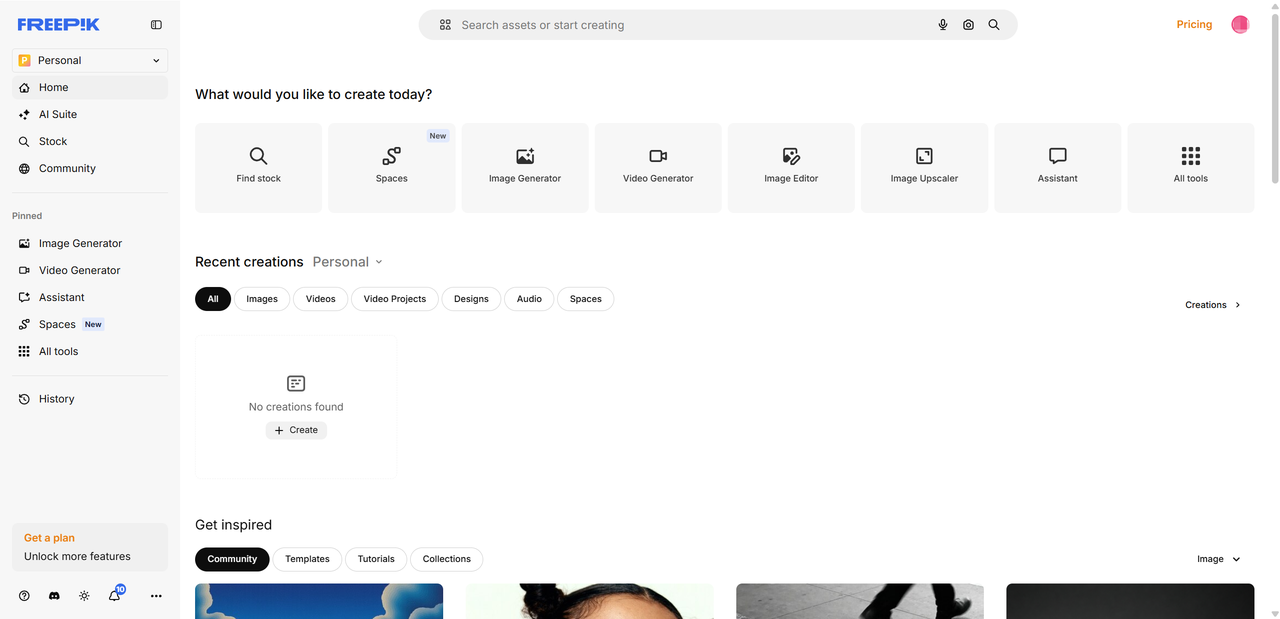
Workflow integration — create, edit, export all in one place Because Freepik AI is built into an existing platform for creative resources, you can generate an image, then immediately use its native tools (background remover, upscaler, and editor) or grab matching stock assets — all without leaving your browser. For marketers, small businesses, or content creators who need social graphics or campaign visuals, this seamless workflow greatly reduces task switching and accelerates production.
Flexibility thanks to multiple AI models Freepik offers a range of models — e.g. Flux, Mystic, Ideogram, Classic — each with different strengths.
For photorealistic results (portraits, real-looking scenes), models like Flux and Mystic often do a strong job, delivering detailed outputs.
For stylized, illustrative, or creative art, some modes offer good variety and help produce visuals that are tailored for design.
This flexibility makes Freepik AI suitable for a variety of use cases — from product mockups or social media graphics to creative illustration experiments.
Ease of use and accessibility The tool runs entirely in your web browser (on desktop or mobile), so there’s no heavy software to install.It has a friendly interface that most creators — even those without deep design or AI experience — can use without fuss. For people who want quick mockups, concept art, or simple graphics on the fly, it delivers value quickly.
Decent results for everyday needs For simpler prompts, especially ones that don’t demand highly specific styling or complex composition, Freepik AI often produces usable, attractive images. Reviewers frequently highlight how useful it is for mockups, social media posts, marketing assets, and other typical content creation scenarios.
Where Freepik AI Performance Struggles / What to Watch Out For
Inconsistency & unpredictability with complex prompts When prompts get complicated — e.g., many elements, detailed background, specific arrangements, or custom styles — output quality and consistency can drop. Some images miss subtle instructions or distort details. For serious or brand sensitive use (e.g. a series of images with a consistent look), this can be frustrating.
Quality limitations compared to traditional design tools or top-tier AI art generators While Freepik AI is convenient and often good, it’s not always on par with graphics crafted by hand or advanced art from specialist AI art generators. Some outputs still show artifacts typical of AI generation or lack fine control that a human designer could offer. When working with vector artwork, creating assets that adhere to strict brand guidelines, or preparing designs for professional printing, this limited precision and control may pose a challenge.

Prompt dependency — good prompt, good image; vague prompt, wonky image The tool’s performance depends heavily on how you write the prompt. With vague or ambiguous prompts, you might get something completely different from what you imagined. This means good prompt-writing skill (or trial and error) becomes part of the process — which can eat up time and sometimes credits.
Mixed experience with advanced editing — upscaling, mockups, and extras can be hit or miss Some users report that features like the upscaler or mockup tools don’t always handle every image well. Artifacts, weird distortions, or compatibility problems reportedly show up in some cases. For instance, complex scenes, characters, or consistent style reuse (e.g. using the same custom character across multiple images) may yield inconsistent results.
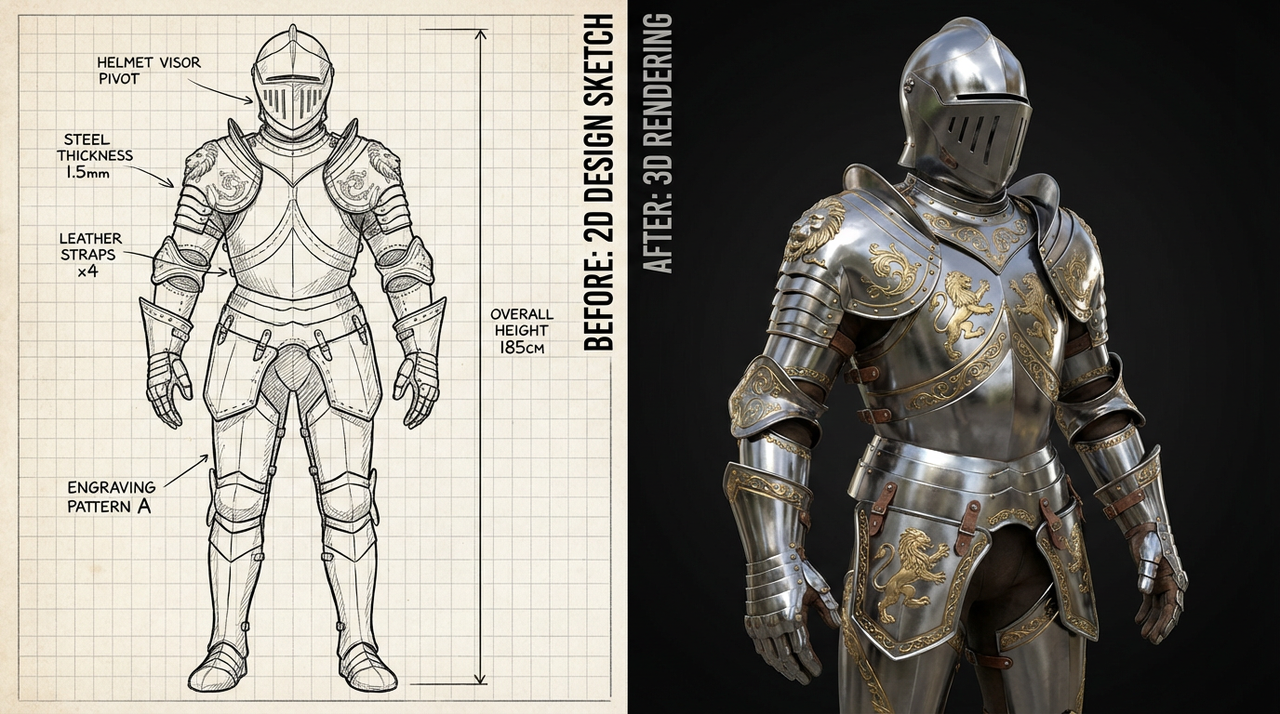
Output may still need manual refinement for serious or brand-level work Because of the above limitations, fully professional outputs — especially for branding, print, or detailed projects — often still require manual editing or post-production (e.g. cleaning up artifacts, adjusting composition, retouching in external software).
5. Practical Use Cases — Freepik AI Examples
Freepik AI isn’t just a playground for experimentation—it's surprisingly versatile across different creative needs. Whether you're building a brand, running a side hustle, or managing a busy content calendar, the platform can generate visuals that feel polished enough for actual use. Here are some practical scenarios where Freepik AI genuinely shines:
Social Media Content
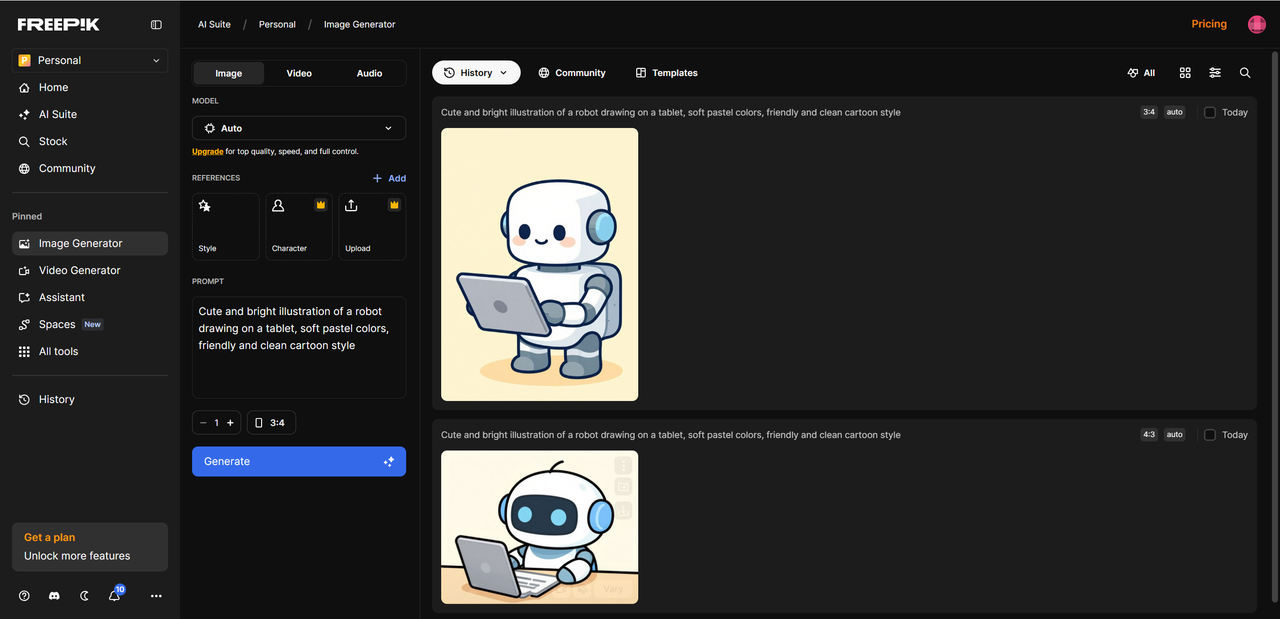
Creators can quickly spin up Instagram posts, Pinterest graphics, and TikTok/Reels covers that look professional without spending hours in design tools. With the right prompts, Freepik AI can mimic trending aesthetics—minimalist, bold color blocking, aesthetic photography, or dreamy illustrative styles.
Marketing & Branding Visuals
Businesses often use Freepik AI to generate:
Ads and promotional banners
YouTube thumbnails
Hero images for websites or landing pages Models like Flux handle photorealistic marketing visuals well, giving brands clean, modern designs that catch attention.
Product Images & E-Commerce Mockups
With reference image input, creators can generate:
Lifestyle mockups
Color variations
Product-on-white catalog shots
This is especially helpful for small shops or print-on-demand sellers who need variety without expensive photo shoots.
Concept Art & Creative Brainstorms
Designers, game developers, and storytellers use Freepik AI for:
Character ideas
Environment sketches
Mood boards Models like Ideogram excel at stylized or artistic directions, making them ideal for creative projects.
Corporate Presentations & Education
Freepik AI can produce visuals for:
Slide decks
Infographics
Classroom illustrations
These can make any business pitch or lesson more engaging.
Across these scenarios, the variety of AI models—Flux for realism, Mystic for depth, Ideogram for stylized graphics, and others—helps Freepik AI adapt to just about any creative task.
6. Hands-On Experie
nce: My Review
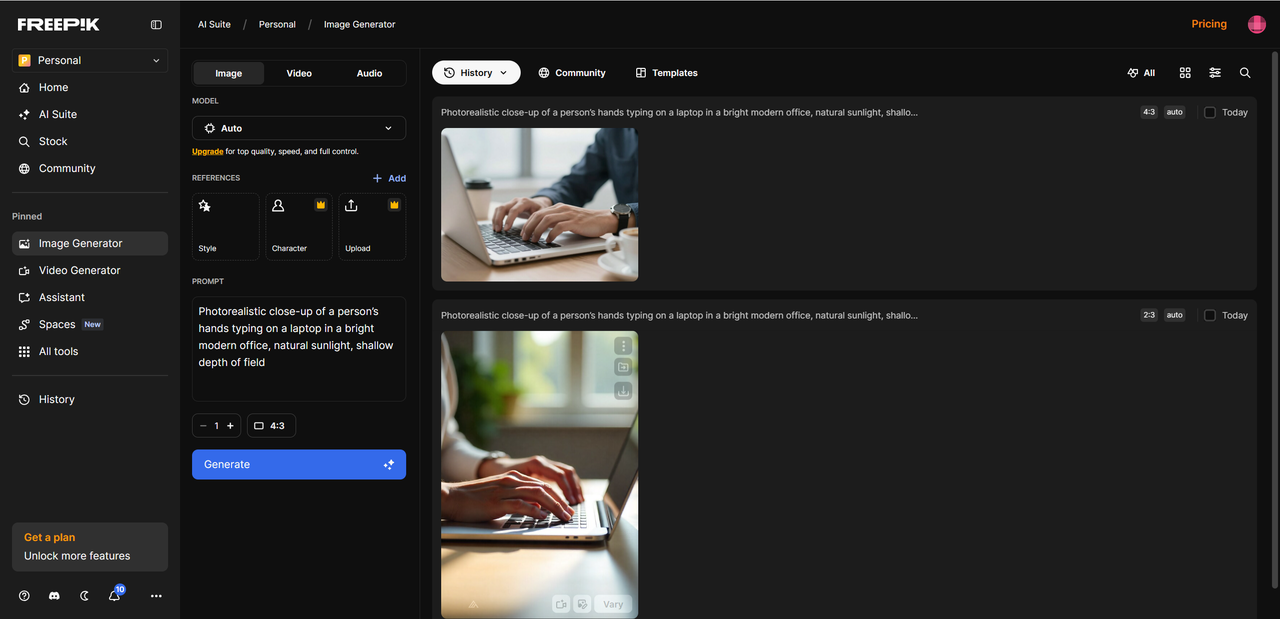
After spending time testing Freepik AI across different projects, I walked away pleasantly surprised by how smoothly it fits into a real creative workflow. What stood out first was the speed—each generation took under 10 seconds in most cases, which made it easy to iterate without losing momentum. I also found that models like Flux and Mystic consistently delivered the best overall results, especially for photorealistic scenes or clean marketing visuals. For more stylized or artistic concepts, Ideogram proved the most fun to experiment with, often producing bold, expressive compositions.
I also learned that prompts benefit from being clear and structured. Starting with a strong subject, adding style cues, and then specifying lighting or mood made a huge difference. Something like “a cozy reading nook, warm evening light, soft shadows, cinematic photography” gave much better results than vague one-liners.
That said, not everything was flawless. Complex scenes with multiple characters sometimes came out inconsistent, and certain artistic styles needed a few regeneration attempts before looking right. Still, compared to juggling multiple tools—or wrestling with more technical AI models—Freepik AI offered a refreshingly streamlined process. It didn’t replace my professional design software, but it definitely earned a permanent spot in my content creation workflow.
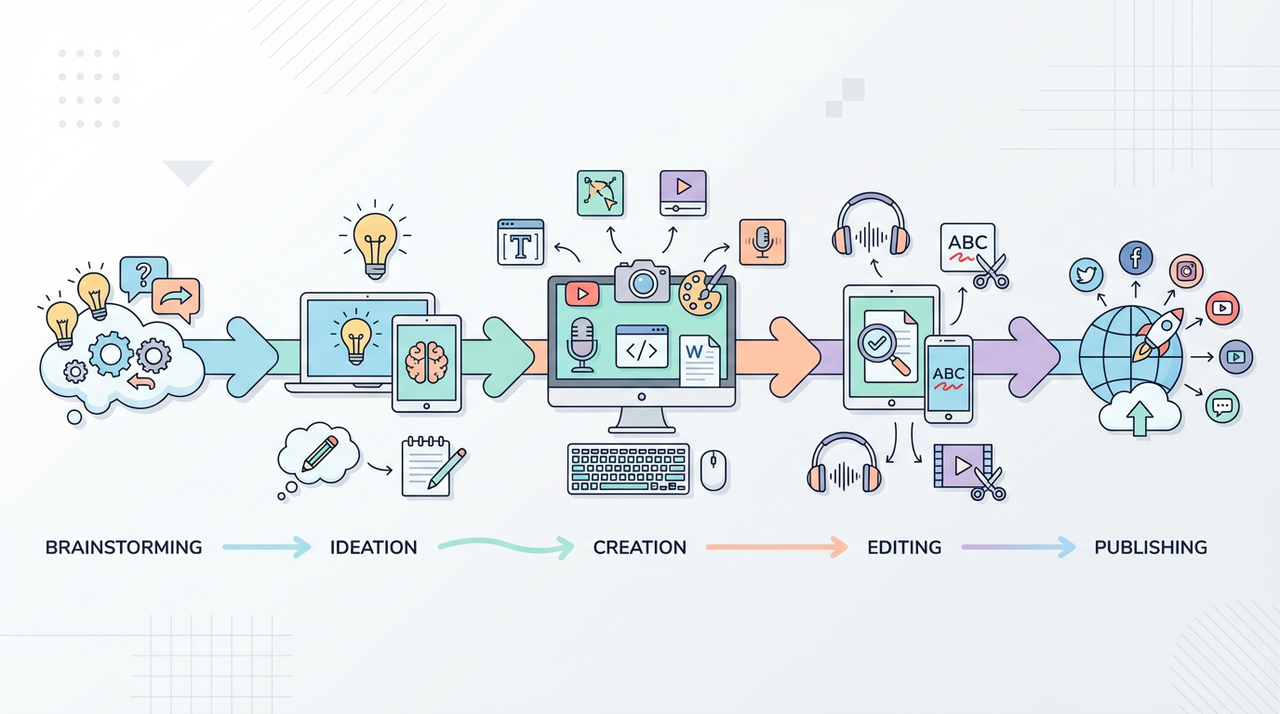
7. Comparison: How Does Freepik AI Stack Up Against Alternatives?
When comparing Freepik AI to tools like Midjourney, Adobe Firefly, DALL·E, or Canva AI, its biggest advantage is how all-in-one it feels. While Midjourney wins in pure artistic quality and DALL·E excels at creative precision, Freepik AI offers a seamless mix of generation + editing + asset sourcing, all in one interface. That alone makes it incredibly practical.
In terms of speed, Freepik AI is faster than Midjourney and roughly on par with Canva AI, often generating a batch in under 10 seconds. Its ease of use is also a standout — there’s no Discord interface to figure out, no plugins, and no technical setup. Just type a prompt and go.
Image quality varies by model: Flux and Mystic handle realism impressively well, while Ideogram style modes lean more artistic. It’s not always as refined as Firefly’s photographic output or Midjourney’s cinematic style, but it performs reliably across general use cases.
Where Freepik AI truly shines is pricing and workflow. With its built-in stock assets, templates, and editing tools, it effectively becomes a hub for content creation — something other AI generators can’t fully match. For everyday marketers and creators, that all-in-one convenience is a huge win.

8. Final Verdict — Is Freepik AI Worth It?
All things considered, Freepik AI offers a compelling mix of speed, ease of use, and creative flexibility. Its major strengths include fast generation, multiple AI models, built-in editing tools, and an enormous library of supporting assets — all of which make it an efficient, cost-effective solution for everyday content creation. Its limitations mostly appear in niche or high-end scenarios: extremely detailed illustrations, complex compositions, or for print work where brand integrity is critical.
For the majority of creators — especially marketers, small teams, content creators, educators, and solo entrepreneurs — the value for money is excellent. Whether you need social graphics, product images, or quick concept art, it performs reliably and saves a ton of time.
Overall, this Freepik AI Image Generator review shows that it’s a powerful, accessible tool for fast and versatile content creation — and absolutely worth considering for most modern workflows.And if you are looking for a better alternative to Freepik, Lovart AI is a good choice. Try it for free now!

Condividi Articolo