The Best AI Design Agent For Novices (Powered by Lovart)

Why Design Feels Impossible for Novices: Understanding the Real Problem
You've been there. You need a logo for your small business. A menu for your new café. A social media post that doesn't look like it was made in 2005. But when you open Photoshop, you're greeted by 50 toolbars, 200 buttons, and the sinking realization that you have no idea what "layer masking" means.
This isn't your fault. The professional design industry has evolved around a fundamental assumption: that creators have years of training, thousands of dollars for software licenses, and the time to master complex tools. For novices—small business owners, educators, freelance content creators, startup founders—this creates an insurmountable barrier.
The Four-Part Barrier Novices Face
1. Technical Skill Gap
Professional design software like Adobe Creative Suite demands months of learning before you can produce anything presentable. Understanding layers, vectors, color spaces, and export settings requires dedicated study—time most novices simply don't have.
2. Software Complexity
Modern design tools are built for professionals. They offer incredible power, but at the cost of accessibility. A restaurant owner shouldn't need to understand the difference between CMYK and RGB just to create a menu.
3. Time Constraints
Design iteration is time-intensive. Creating a single logo might require sketching, digitizing, refining colors, testing scales, and preparing multiple format exports. For someone running a business, this represents days of work.
4. Financial Burden
Hiring professional designers costs $500-5,000 per project. Software subscriptions run $50-80 monthly. Stock photo licenses add hundreds more. For bootstrapped ventures, these costs are prohibitive.
What Novices Actually Need
The solution isn't simplified versions of professional tools. Novices need a fundamentally different approach: conversational design. Instead of learning software, imagine describing what you need and receiving professional results—like having a design studio that speaks your language.
This is where design agents enter the picture.
What Is a Design Agent? The Paradigm Shift in Creative Work
A design agent represents the next evolution in creative tools. Unlike traditional software that requires you to manually execute every action, a design agent understands your intent and generates complete, professional designs from natural language descriptions.
Think of it as the difference between:
-
Traditional design: "I need to create a 1080x1080px image, import my logo, add a gradient background, position text with proper hierarchy, ensure print-safe colors..."
-
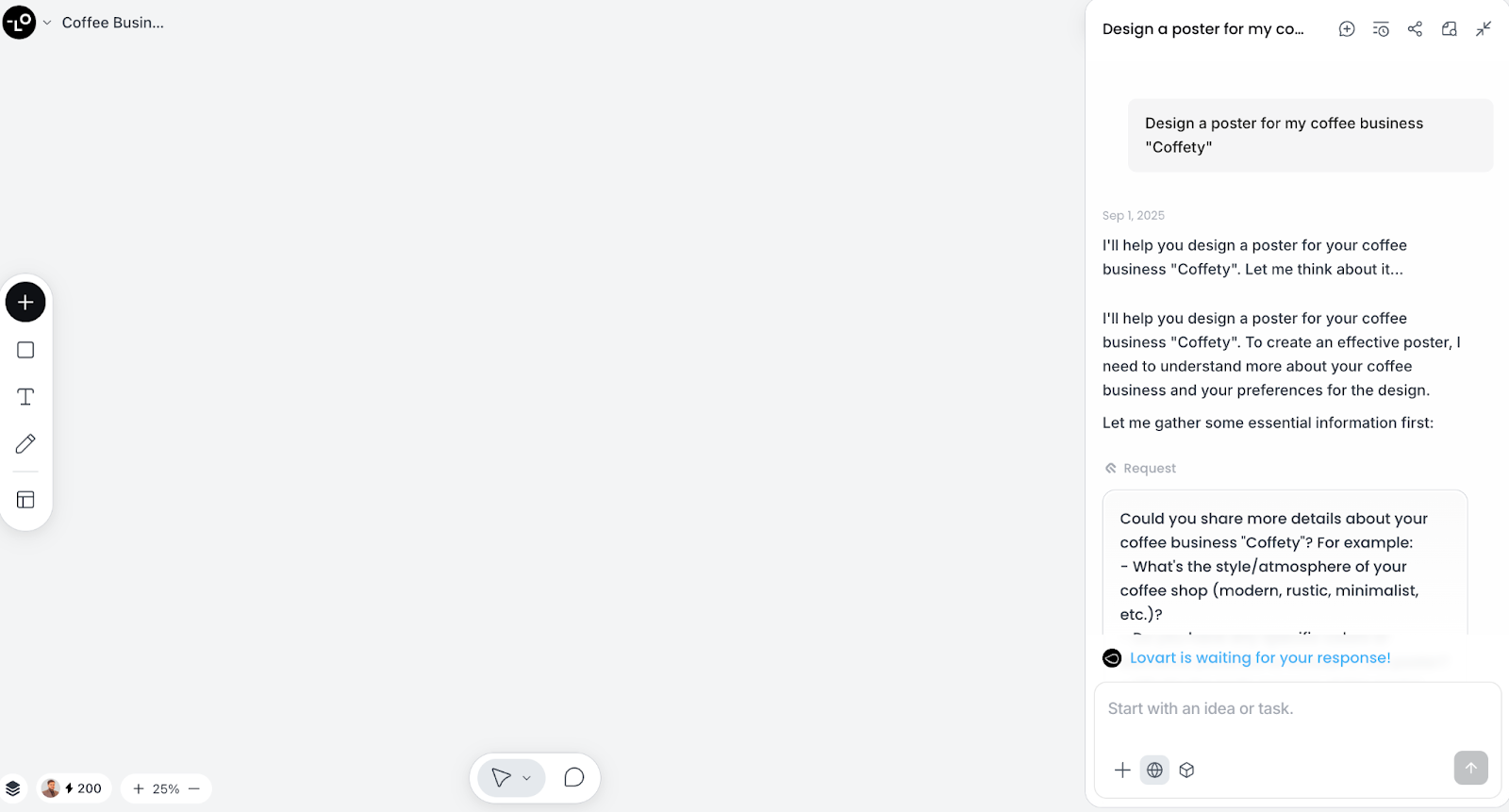
Design agent: "Create an Instagram post for my coffee shop's new holiday blend with warm, cozy vibes."
The Three Core Capabilities of Modern Design Agents
1. Multimodal Generation
The term "multimodal" means the agent can create different types of content—images, videos, audio, 3D models—within a single workflow. This eliminates the need to juggle separate applications for each media type.
2. Conversational Interface
Instead of buttons and menus, you communicate through natural language. The agent interprets your requests, asks clarifying questions when needed, and generates results that match your intent.
3. Intelligent Iteration
Design agents understand context. When you ask for adjustments—"make the text bolder" or "try a vintage aesthetic"—the agent modifies specific elements while preserving your overall design, something traditional tools struggle with.
How AI Design Agents Solve Novice Design Problems
The theoretical promise of AI in design is compelling, but how do design agents actually address the four barriers we identified? Let's examine the systematic solutions.
Solution 1: Zero-Learning-Curve Operation
The Problem: Novices lack design training and software expertise.
The Solution: Design agents replace technical skills with natural communication. You already know how to describe what you want—"professional," "modern," "warm and inviting." The agent translates these descriptions into design decisions: color palettes, typography, layout, and composition.
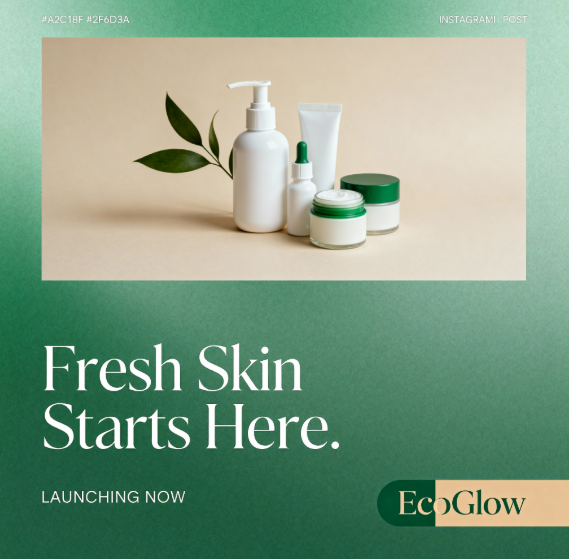
Real Example: A yoga instructor needs class promotional materials but has never used design software. With a design agent, she simply describes: "Create a peaceful poster for my Monday morning yoga class with flowing movements and natural colors." The agent generates multiple professional options instantly.
Solution 2: Unified Creation Environment
The Problem: Different design tasks require different specialized software.
The Solution: Design agents operate on a unified canvas where all content types—static images, animated videos, audio elements, 3D mockups—exist in the same workspace. This "infinite canvas" approach means you can create an entire brand identity without switching between applications.
Technical Note: The canvas concept stems from spatial computing principles, where all creative elements occupy the same virtual space and can reference each other. When you create a logo in one corner, you can instantly apply it to business cards, social media graphics, and product packaging elsewhere on the canvas.
Solution 3: Instant Iteration and Refinement
The Problem: Design revision cycles consume enormous time.
The Solution: Design agents enable conversational refinement. Instead of manually adjusting dozens of parameters, you describe desired changes in plain language: "make the background darker," "emphasize the phone number," "add more negative space around the logo."
The agent executes these changes while maintaining design consistency—a critical capability that traditional automation lacks. This reduces what would be hours of manual work to seconds of directed instruction.
Solution 4: Professional Quality at Accessible Cost
The Problem: Professional design services are financially prohibitive for most novices.
The Solution: Design agents deliver professional-caliber output at a fraction of traditional costs. Rather than paying $2,000 for a brand identity package, novices can generate comparable quality for under $50 monthly, with unlimited iterations and variations.
More importantly, this democratizes professional design. A food truck owner in a small town now has access to the same quality branding as a funded startup in San Francisco.
Introducing Lovart: The World's First Design Agent
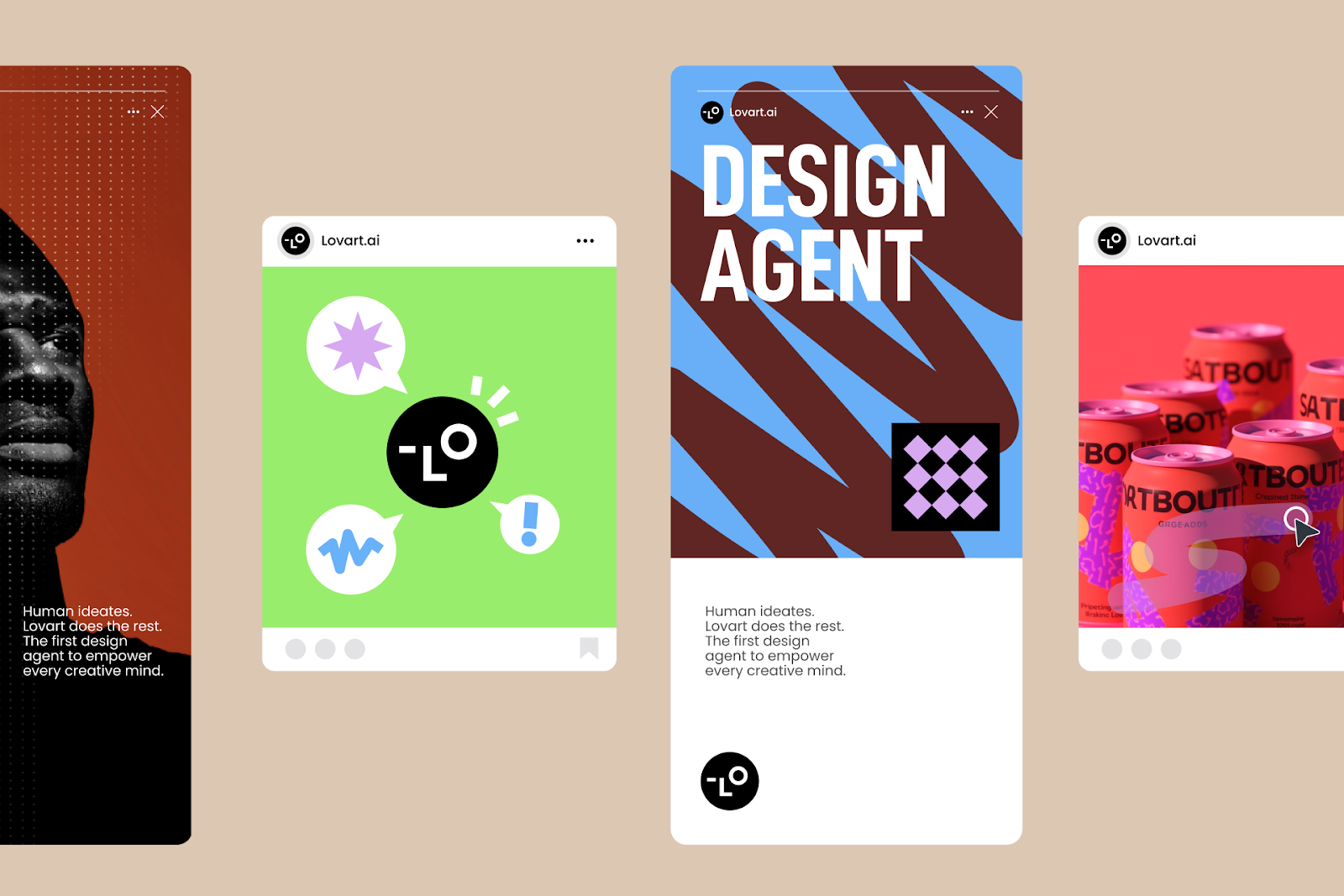
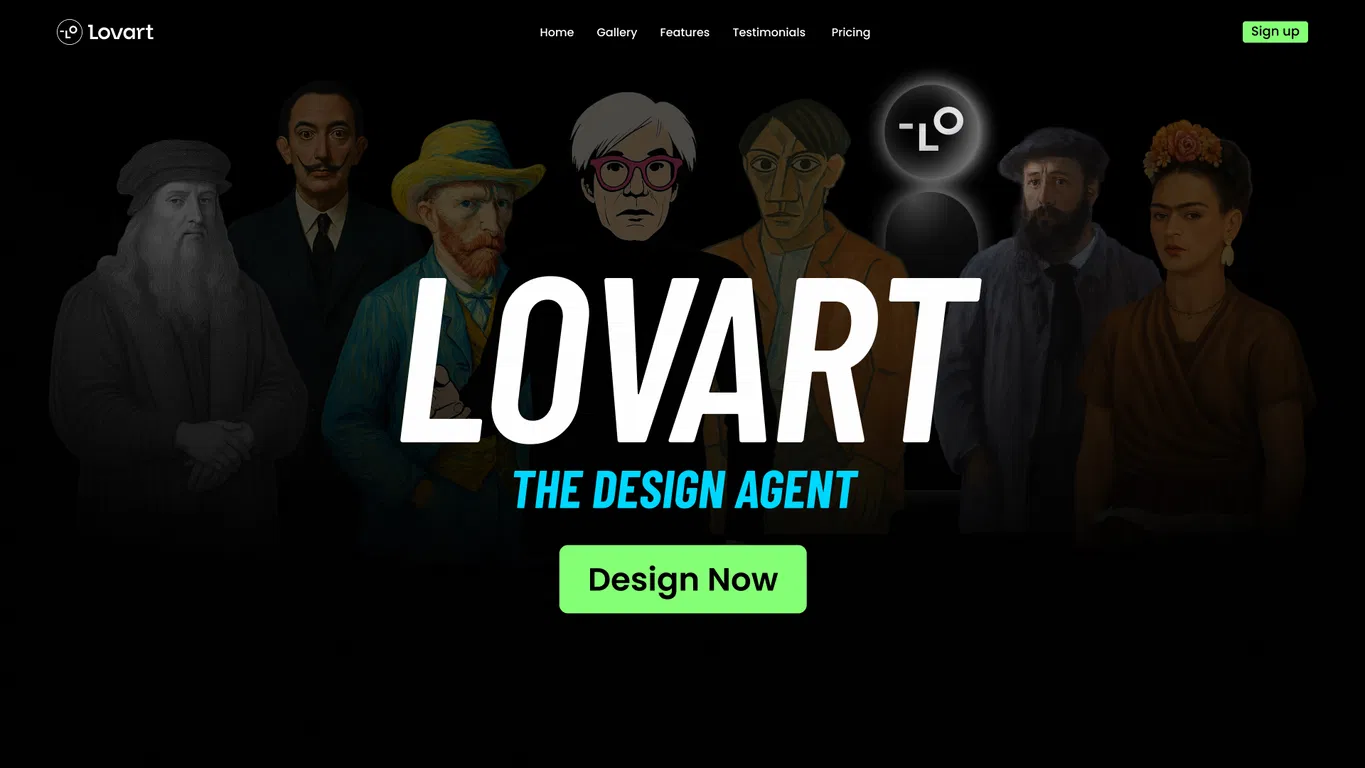
Among the emerging design agents, Lovart stands out as the first platform purpose-built as a complete design agent—not a chatbot with image generation, but a comprehensive creative environment where AI and human creativity merge seamlessly.
Founded in San Francisco and launched publicly in July 2025 after an 800,000-person waitlist, Lovart represents a fundamental rethinking of how design work happens.
What Makes Lovart Different
ChatCanvas: The Collaborative Workspace
Lovart's core innovation is ChatCanvas, an infinite digital workspace where you and the AI design agent work side-by-side. Unlike traditional AI tools where you submit a prompt and wait for results, ChatCanvas is dynamic and conversational. You sketch ideas, the agent interprets and enhances them. You provide feedback, the agent refines in real-time. This co-creation model mirrors working with a human designer, but with instant execution.
Nano Banana 2 Technology
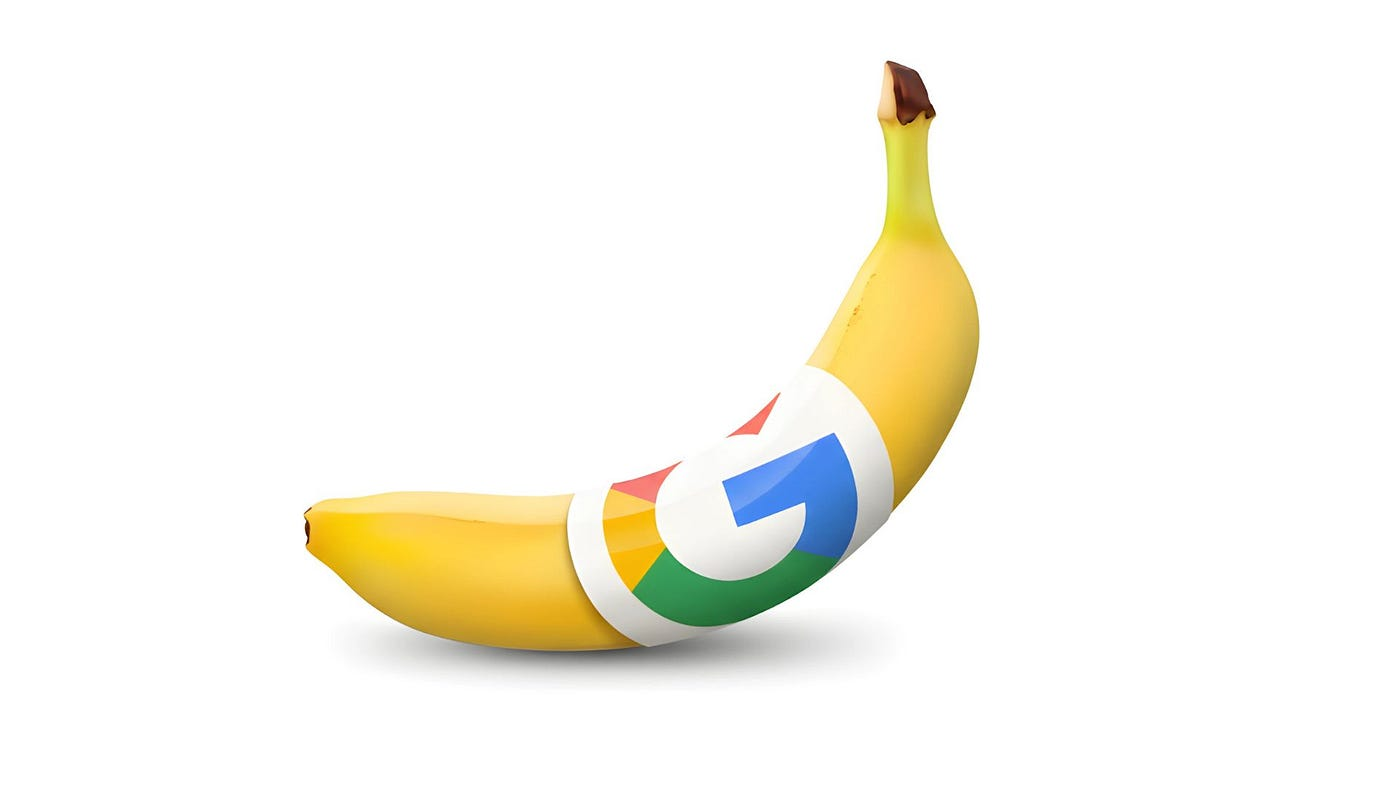
At Lovart's technical core is Nano Banana 2 (NanoBanana Pro), an advanced image generation system powered by Google's Gemini 2.5 Flash. What sets Nano Banana 2 apart is its exceptional character consistency and multi-image fusion capabilities. When you create a brand mascot in one design, Nano Banana 2 ensures that mascot looks identical across your website, social media, and packaging—a feat that typically requires meticulous manual work.
True Multimodal Integration
Lovart isn't just an image generator. Within the same canvas, you can:
-
Generate and edit high-resolution images
-
Create animated videos from text or image prompts
-
Produce voiceovers and background audio
-
Design 3D product mockups and renders
-
Build complete brand identity systems
This integration means a restaurant owner can design their menu, create promotional videos, generate background music, and produce 3D mockups of their signage—all without leaving Lovart's interface.
The Design Agent Advantage: Speed and Scale
During Lovart's San Francisco launch event at IDEO, Co-Founder Melvin Chen demonstrated the platform's capabilities with a live challenge: create a complete brand identity in five minutes. The agent generated:
-
A custom logo with three variations
-
A ten-piece brand kit (business cards, letterhead, social media templates)
-
Product packaging mockups
-
A short promotional video
All from a single conversational prompt: "Create a modern, eco-conscious brand identity for a sustainable coffee company targeting millennials."
This compression of time—from weeks to minutes—isn't hyperbole. It represents the core value proposition for novices: professional results without professional timelines.
How to Use Lovart: A Complete Step-by-Step Guide for Novices
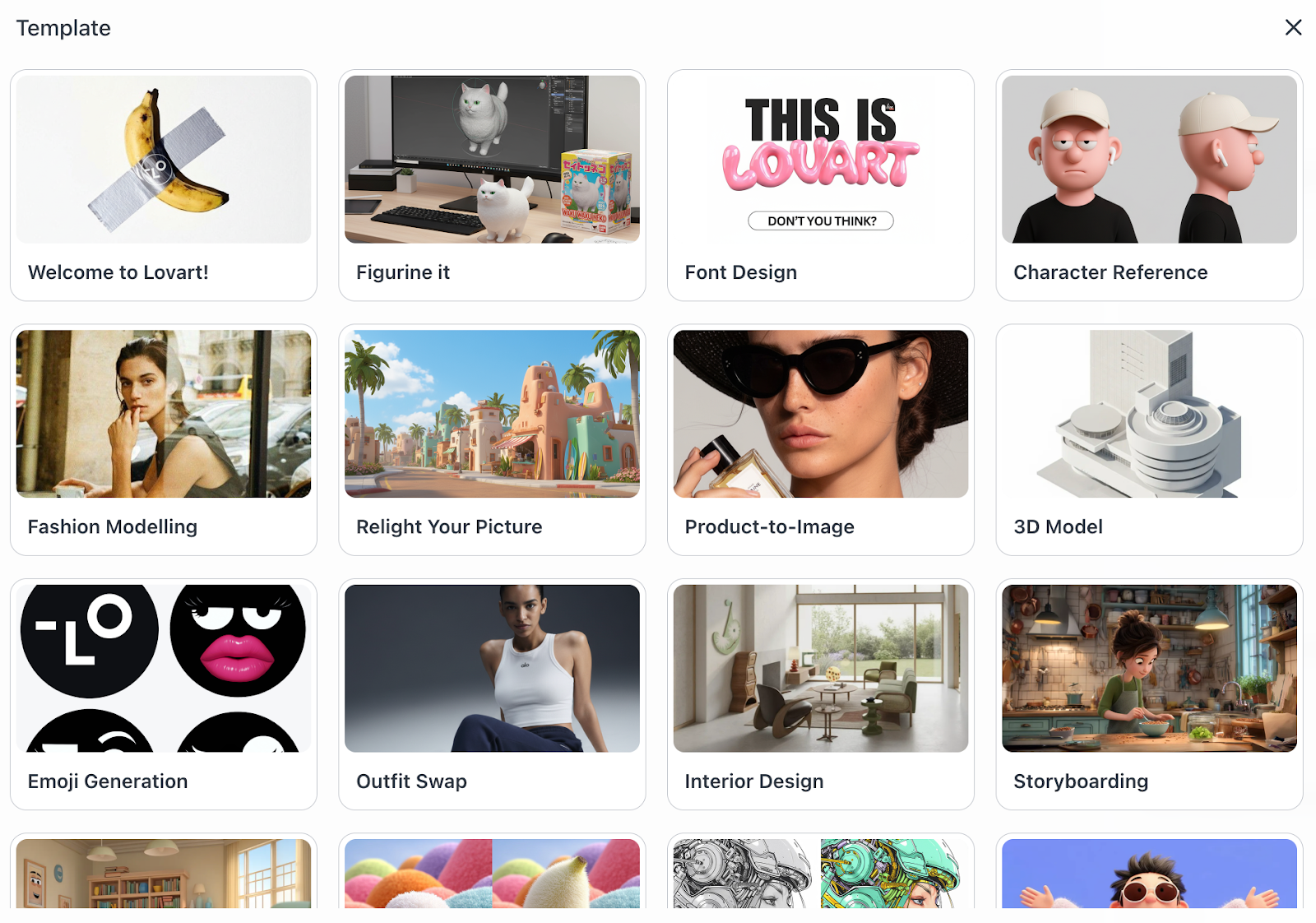
Let's move from theory to practice. This section walks you through using Lovart to solve real design challenges, from account setup to exporting production-ready files.
Step 1: Getting Started with ChatCanvas
Account Creation
Visit lovart.ai and create a free account. Lovart offers a free tier with generous usage limits, perfect for novices exploring the platform. For unlimited access and advanced features, paid plans start at $39/month.
Understanding the Interface
When you first log in, you'll see ChatCanvas—a large, blank workspace with a chat panel on the right. This simplicity is intentional. There are no complex toolbars or menus to navigate. You interact primarily through natural language conversation.
Your First Prompt
The key to effective design agent use is descriptive, clear prompts. Instead of vague requests like "make a logo," provide context:
Create a professional logo for "Green Leaf Organic Market,"
a local grocery store focused on organic produce and
sustainable packaging. The style should feel fresh,
natural, and trustworthy. Include a leaf element and
use earth tones—greens, browns, and soft beiges.
Hit enter, and Lovart's design agent generates multiple logo concepts within seconds. Each appears directly on your canvas, ready for review and refinement.
Step 2: Leveraging Nano Banana 2 for Visual Consistency
Why Consistency Matters
One of the biggest challenges in DIY design is maintaining visual consistency. Your logo should look identical whether it's on your website, business cards, or product packaging. This is where Lovart's Nano Banana 2 technology excels.
Creating a Consistent Brand Character
Let's say you want a mascot for your business. Provide a detailed initial prompt:
Design a friendly cartoon avocado character wearing a chef's hat
for my healthy meal prep service. The avocado should have a warm,
welcoming smile and appear across multiple marketing materials.
Nano Banana 2 generates your character with exceptional detail. Here's where the magic happens: when you ask Lovart to "place this avocado character on a recipe card," or "show this character in a promotional video," Nano Banana 2 maintains perfect character consistency. The proportions, colors, and styling remain identical across all applications.
Technical Advantage: Traditional AI image generators struggle with character consistency. Each generation might produce slightly different results—a larger smile here, different color shades there. Nano Banana 2's multi-image fusion capability ensures your brand identity remains cohesive, eliminating hours of manual adjustment work.
Step 3: Creating a Complete Brand Kit
The Brand Kit Challenge
Professional designers create brand kits—comprehensive collections of logos, color palettes, typography guidelines, and template assets. These typically cost $2,000-5,000 from agencies. Lovart generates comparable kits in minutes.
Prompt for Brand Kit:
Create a complete brand kit for "Zenith Fitness Studio,"
a boutique gym focusing on strength training and wellness.
Include:
- Primary logo and two variations (horizontal and icon-only)
- Color palette with hex codes
- Typography recommendations
- Business card design
- Letterhead template
- Instagram post template
- Email signature
What You Receive:
Lovart's design agent generates all requested assets on your canvas. Each element is editable and export-ready. You can immediately download high-resolution files suitable for printing or digital use.
Refinement Process:
Don't love the initial color palette? Simply ask: "Make the colors more energetic—add brighter blues and electric greens." Lovart updates your entire brand kit to reflect the new palette, maintaining consistency across all assets.
Step 4: Designing Marketing Materials
Social Media Graphics
Social media demands constant content creation. Lovart makes this sustainable for novices.
Example Prompt:
Create three Instagram post designs (1080x1080px)
for my handmade jewelry business. Theme: "New Spring Collection."
Style: Elegant, minimal, with soft pink and gold accents.
Include space for product photos and text overlays.
Lovart generates three distinct designs instantly. Each includes placeholder areas where you can easily insert product images. The designs maintain professional composition, typography hierarchy, and visual balance—elements that typically require years of training to master.
Quick Variations:
Need Facebook ad dimensions instead? Simply ask: "Convert these to Facebook ad format (1200x628px)." Lovart resizes and reformats while preserving design integrity—no awkward cropping or stretched elements.
Restaurant Menus
Let's tackle a common novice challenge: creating a restaurant menu that's both attractive and functional.
Example Prompt:
Design a modern cafe menu for "Sunrise Coffee House."
Include sections for Coffee Drinks, Tea, Pastries, and
Light Lunch Options. Style: Clean, minimalist with
warm wood textures and hand-drawn coffee bean illustrations.
Format: 8.5x11 inches, print-ready.
Lovart generates a professional menu layout with proper section hierarchy, readable typography, and appetizing visual elements. The design is immediately print-ready with correct CMYK color spaces and bleed margins—technical details you'd otherwise need to research extensively.
Menu Refinement:
Client feedback is inevitable. When your partner suggests "the pastry section feels cramped," simply tell Lovart: "Add more spacing in the pastry section and slightly increase font size for better readability." The agent makes surgical adjustments without disrupting the overall layout.
Step 5: Multi-Format Creation—Beyond Static Images
Video Content Generation
One of Lovart's most powerful features for novices is its ability to generate animated content without video editing expertise.
Example Prompt:
Create a 15-second promotional video for my online yoga classes.
Show calming nature scenes transitioning between sunrise,
flowing water, and meditation poses. Add text overlay:
"Find Your Balance—Join Our Online Yoga Community."
Background music: Peaceful and uplifting.
Lovart generates a complete video with smooth transitions, professional text animations, and integrated audio. You can preview immediately on your canvas and request adjustments: "Make transitions slower and more gradual," or "Change background music to something more energetic."
Technical Note: Lovart leverages multiple AI models for video generation, including integration with advanced motion models. This means your videos have realistic physics and natural movement—not the stiff, artificial quality of basic animation tools.
3D Product Mockups
Visualizing products before manufacturing is crucial for e-commerce businesses. Lovart's 3D capabilities make this accessible.
Example Prompt:
Create a 3D mockup of my skincare product: A cylindrical
glass bottle (100ml) with a pump dispenser, sitting on
a marble surface with soft natural lighting. The label
should display my brand logo and product name "Hydra Glow Serum."
Lovart generates photorealistic 3D renders that rival professional product photography. You can request different angles: "Show me this bottle from the side with the label clearly visible," or "Create a top-down view showing the pump detail."
Cost Comparison: Professional product photography costs $200-500 per product. With Lovart, you generate unlimited mockups for the cost of your subscription.
Step 6: Advanced Editing—Fine-Tuning Your Designs
Edit-in-Place Precision
Sometimes you need surgical edits to specific design elements. Lovart's edit-in-place feature allows targeted adjustments without regenerating entire designs.
Example Scenario: You have a flyer design you love, but the phone number font is too small.
Prompt: "Make the phone number text 20% larger and bold, without changing anything else."
Lovart's Nano Banana 2 technology performs this precise adjustment, maintaining lighting, colors, and layout while only modifying the specified element. This level of control was previously impossible with AI tools—you'd either accept the generation as-is or start over entirely.
Background Replacement
Lovart includes sophisticated background editing capabilities.
Example Prompt:
I have this product photo with a cluttered background.
Replace the background with a clean, professional white
studio backdrop while keeping the product perfectly intact.
The AI Background Generator seamlessly removes the original background and generates a clean replacement, maintaining proper lighting and shadows so the product looks naturally placed.
Style Transfer
Want to apply a specific aesthetic to your designs? Lovart supports style transfer between images.
Example Prompt:
Take this logo design and apply the color palette and
texture style from the attached reference image
(vintage travel poster aesthetic).
Lovart analyzes the reference image and applies its visual characteristics to your logo, creating a cohesive stylistic transformation while preserving your logo's core identity.
Step 7: Exporting Production-Ready Files
Understanding Export Requirements
Different applications demand different file formats and specifications. Print materials need high-resolution PDFs with CMYK colors. Social media requires optimized JPGs or PNGs. Web graphics need specific dimensions and compression.
Lovart's Smart Export
Here's where Lovart shines for novices: you don't need to understand technical specifications. Simply describe your use case.
Example Prompts:
-
"Export this logo for printing on business cards"
- Lovart generates high-res PDF with CMYK colors, correct bleed margins, and multiple size options
-
"Prepare these Instagram posts for uploading"
- Lovart exports optimized 1080x1080px PNG files under 1MB each
-
"Export this menu design for professional printing"
- Lovart creates print-ready PDF with crop marks, bleed, and embedded fonts
Batch Export
Need your entire brand kit in multiple formats? Request: "Export my complete brand kit with files for print, web, and social media use." Lovart generates organized folders with appropriately formatted versions of each asset.
Beyond the Basics: Real-World Scenarios Where Lovart Excels
Now that you understand Lovart's core functionality, let's explore specific industry applications. These scenarios demonstrate how Lovart functions as an all-in-one design agent for diverse business needs.
E-Commerce and Product Businesses
The Challenge: E-commerce sellers need constant visual content—product photos, lifestyle images, packaging designs, ad banners, email graphics, and social media posts. Maintaining visual consistency across channels while producing high volumes of content is traditionally time-intensive and expensive.
The Lovart Solution:
Product Photography Without a Studio
Generate professional product photography for my handmade
ceramic mug. Show it on a wooden breakfast table with
morning light, steam rising from hot coffee inside.
Soft, cozy atmosphere with warm tones.
Lovart's AI Product Background Generator creates studio-quality product imagery without physical photography. You can generate dozens of lifestyle scenarios—coffee table settings, gift box arrangements, outdoor picnic scenes—all featuring your product with perfect lighting and composition.
Packaging Design
Design sustainable packaging for my organic granola bars.
Include brand logo, nutrition facts area, and
"Made with Organic Ingredients" callout. Style:
Natural, earth-toned, with hand-drawn oat illustrations.
Lovart generates professional packaging designs with proper layout, color choices, and visual hierarchy. You can instantly visualize how your product will look on store shelves before committing to printing.
Seasonal Campaign Creation
When holidays approach, e-commerce businesses need rapid campaign launches. Request: "Create a Valentine's Day campaign package including Instagram ads, email banners, and website hero images, all featuring my jewelry collection with romantic, elegant styling."
Lovart generates a complete, visually cohesive campaign in minutes, ensuring your brand capitalizes on seasonal opportunities without missing critical timing windows.
Real Estate Marketing
The Challenge: Real estate professionals need continuous marketing materials—property brochures, open house flyers, postcards, digital ads, and signage. Each property requires customized materials, making design services prohibitively expensive at scale.
The Lovart Solution:
Property Listing Presentations
Create a luxury property listing presentation for
123 Oak Street—a modern 3-bedroom home with pool.
Include property highlights, neighborhood features,
and agent contact information. Style: Clean,
upscale, with professional real estate aesthetic.
Lovart generates professional listing designs that highlight property features with compelling layouts and professional photography integration spaces.
Direct Mail Campaigns
Real estate agents rely heavily on direct mail for local marketing. Lovart's postcard design capabilities enable agents to create targeted neighborhood campaigns quickly.
Example Prompt:
Design a "Just Sold" postcard for the suburban family
neighborhood of Maple Grove. Highlight my recent sale at
$625,000, showcase my track record, and include a
"Thinking of Selling? Get Your Free Home Valuation" call-to-action.
For Sale Signage
Yard sign design requires balancing visibility, brand consistency, and contact information. Lovart generates designs optimized for outdoor visibility with proper sizing and color contrast for readability at a distance.
Newsletter Creation
Agents maintain client relationships through regular market updates. Generate professional real estate newsletters with market statistics, featured listings, and community news—all formatted for email or print distribution.
Restaurant and Food Service
The Challenge: Restaurants need diverse marketing materials—menus, table tents, loyalty cards, social media posts, gift cards, and promotional flyers. Design consistency is crucial for brand identity, but hiring designers for each material type is cost-prohibitive for independent restaurants.
The Lovart Solution:
Complete Menu Design
Create a dinner menu for "Bella Trattoria,"
an Italian restaurant with rustic Mediterranean atmosphere.
Sections: Antipasti, Pasta, Main Courses, Desserts.
Style: Warm, inviting, with subtle Italian decorative elements
and imagery of fresh ingredients.
Lovart's restaurant menu design capabilities generate layouts with proper section hierarchy, appetizing visual elements, and professional typography that enhances readability under restaurant lighting conditions.
Table Tent Marketing
Table tents are prime real estate for promoting high-margin items like desserts, specialty cocktails, or seasonal specials. Request: "Design a table tent promoting our new craft cocktail menu with vibrant, colorful imagery and 'Happy Hour 4-6 PM' messaging."
Gift Card Design
Restaurant gift cards serve as both revenue generators and marketing tools. Lovart creates designs that reflect your restaurant's brand while maintaining the professional polish that makes them gift-worthy.
Loyalty Programs
Loyalty card design requires balancing branding with functional elements like punch squares or barcode areas. Lovart handles these requirements automatically, generating cards that look professional while serving their practical purpose.
Social Media Presence
Restaurants need constant social media content. Generate daily specials graphics, behind-the-scenes content, customer testimonial posts, and event announcements—all maintaining visual consistency with your established brand identity.
Education and Training
The Challenge: Educators need diverse materials—lesson plans, worksheets, presentations, certificates, course materials, and promotional content. Traditional design tools are prohibitively complex for educators already stretched thin with teaching responsibilities.
The Lovart Solution:
Lesson Plan Design
Create a structured lesson plan template for
high school biology: Topic "Cellular Respiration."
Include sections for Learning Objectives, Materials Needed,
Step-by-Step Activities, Assessment Methods, and
Homework Assignment. Style: Clean, professional,
with space for diagrams and notes.
Lovart's lesson plan design capabilities generate organized, standards-aligned lesson structures that educators can customize for specific subjects and grade levels.
Educational Worksheets
Generate custom worksheets with appropriate difficulty levels, clear instructions, and professional formatting. Request: "Create a math worksheet for 3rd graders practicing multiplication tables 1-10, with 20 problems and space for showing work."
Course Materials and Presentations
Online educators and training professionals need polished course materials. Lovart generates presentation slides, workbooks, and supplementary materials with cohesive visual design that enhances learning engagement.
Certificates and Awards
Certificate design for course completion, student achievements, or training certifications requires balancing formality with visual appeal. Lovart creates elegant, printable certificates appropriate for framing and professional portfolios.
Classroom Posters
Visual learning aids enhance classroom environments. Request: "Create an educational poster explaining the water cycle for elementary students, with clear illustrations and simple text explanations." Lovart generates engaging classroom posters that make complex concepts visually accessible.
Content Creators and Social Media
The Challenge: Content creators need constant visual assets—YouTube thumbnails, Instagram stories, podcast cover art, channel banners, and promotional graphics. Maintaining brand consistency while producing high-volume content is creatively exhausting without design expertise.
The Lovart Solution:
YouTube Thumbnail Creation
Thumbnails significantly impact click-through rates. Generate attention-grabbing designs optimized for small sizes and mobile viewing.
Example Prompt:
Create a YouTube thumbnail for my video "10 Productivity Hacks
That Actually Work." Include bold text, energetic colors,
and an image suggesting organization and efficiency.
Style: Modern, slightly playful, with high contrast for visibility.
Instagram Content Strategy
Maintain cohesive Instagram aesthetics by generating complete content sets. Request: "Create 9 Instagram post designs forming a cohesive grid for my fitness coaching brand. Theme: Motivation and transformation, with inspirational quotes and workout imagery."
Podcast Branding
Podcast cover art appears across multiple platforms at various sizes. Lovart ensures your design works equally well as a small icon in Apple Podcasts and a large hero image on your website.
Channel Banners and Headers
Different platforms require different banner dimensions. Generate versions optimized for YouTube (2560x1440px), Twitter (1500x500px), and LinkedIn (1584x396px) from a single prompt, ensuring visual consistency across your social presence.
Small Business Marketing
The Challenge: Small businesses need professional marketing materials but lack the budget for agencies or full-time designers. They require business cards, flyers, banners, email graphics, and promotional materials—often with quick turnaround times.
The Lovart Solution:
Brand Identity Creation
Start with comprehensive logo design that establishes your visual identity. Lovart generates multiple logo concepts, helping you test different styles before committing to one direction.
Business Card Design
Professional business cards make critical first impressions. Generate business card designs with proper dimensions, bleed requirements, and layout that balances information with visual appeal.
Flyer and Poster Design
Promote events, sales, or services with professional flyers and posters. Request: "Create a grand opening flyer for my pet grooming salon with 20% off special offer, address, and appointment booking information."
Digital Banner Ads
Banner design for Google Ads, Facebook, or website headers requires size variations and message clarity. Lovart generates complete banner sets optimized for each platform's specifications.
Email Marketing Graphics
Email campaigns need header images, promotional banners, and signature graphics. Lovart creates email-optimized graphics that load quickly while maintaining visual impact.
Pro Tips: Getting the Most from Lovart
After working with hundreds of novice users, these strategies consistently produce the best results:
Crafting Effective Prompts
Be Specific About Style: Instead of "professional," specify "corporate and trustworthy" or "startup-friendly and innovative." Lovart's language understanding translates these nuances into appropriate design choices.
Include Context: Mention your industry, target audience, and use case. "Create a logo for my law firm targeting corporate clients" generates very different results than "Create a logo for my children's entertainment company."
Describe Desired Emotions: Design communicates feeling. Specify "warm and welcoming," "energetic and motivating," or "calm and meditative" to guide the emotional tone of your visuals.
Reference Visual Elements: Mention specific elements you want included: "incorporate a coffee bean icon," "use geometric patterns," or "include hand-drawn illustrations."
Iteration Strategies
Start Broad, Then Refine: Generate multiple concept directions first, then choose one for detailed refinement. This exploration phase ensures you don't get locked into a direction too early.
Test Multiple Variations: Request 3-5 variations of critical designs like logos. Small changes in composition, color, or style can significantly impact effectiveness.
Use Comparative Prompts: "Show me this design in both warm earth tones and cool blues" helps you compare options side-by-side before committing.
Organization Best Practices
Name Your Projects Clearly: Use descriptive names like "Spring 2025 Social Media Campaign" rather than "Project 1." This becomes crucial as you accumulate multiple design projects.
Group Related Assets: Keep all elements of a single campaign together on your canvas. This makes batch editing and export more efficient.
Save Frequently Used Prompts: When you develop prompts that work well, save them for future use. "Instagram post for [product name] with lifestyle imagery, soft lighting, and brand colors" can become a reusable template.
Leveraging Lovart's Unique Capabilities
Use ChatCanvas for Feedback: Instead of generating designs in isolation, use the conversational interface to provide feedback: "I like option 2, but can we try it with option 1's color palette?" This iterative conversation often leads to results superior to initial generations.
Exploit Multi-Image Consistency: When you need multiple designs that should share visual elements—like a logo appearing across various materials—create them in sequence, referencing previous generations: "Use the logo from the business card design and place it on this website header."
Combine Media Types: Don't limit yourself to single-format thinking. A comprehensive marketing campaign might include static images, animated social media posts, audio branding elements, and 3D product mockups—all creatable within Lovart.
Why Lovart Represents the Future of Novice Design
The trajectory of creative tools has always moved toward accessibility. Photography transitioned from expert darkroom technicians to smartphone users. Video editing evolved from specialized edit bays to free mobile apps. Design is now undergoing the same democratization.
Lovart's significance extends beyond being a useful tool. It represents a fundamental shift in who can participate in professional-quality design work. Small business owners, educators, content creators, and entrepreneurs no longer face the binary choice between expensive professional services or amateur-looking DIY results.
The Democratization of Design Excellence
For decades, professional design remained gatekept behind technical barriers and financial requirements. This created an artificial scarcity: most people had design needs and creative ideas but lacked the means to execute them professionally.
Lovart removes these barriers not by simplifying professional tools, but by reimagining the design process itself. The platform doesn't teach you Photoshop—it eliminates the need to learn Photoshop in the first place.
The Time Factor
Consider the math: a small business owner creating a logo, business cards, website header, and social media templates might spend:
-
Traditional Method: 20+ hours learning tools + 10+ hours designing = 30+ hours
-
Professional Designer: 5+ hours briefing + 2 weeks waiting + revision cycles = 2-3 weeks
-
Lovart Method: 30 minutes describing needs + instant generation = Same day
This time compression doesn't just save hours—it fundamentally changes what's possible. A restaurant can test menu redesigns between lunch and dinner service. An online store can launch seasonal campaigns the same day they conceive them.
Quality Parity
Perhaps most remarkably, design agents like Lovart have achieved quality parity with junior to mid-level professional designers for many common tasks. A Lovart-generated logo or menu design is often indistinguishable from work produced by design services charging $500-2,000.
This doesn't threaten professional designers—high-level strategic design work, complex brand development, and innovative creative direction still require human expertise. But it does transform the accessible baseline, lifting the floor of what non-designers can achieve.
The Learning Curve Advantage
Traditional design education requires learning software interfaces, design principles, color theory, typography, composition, and technical specifications. This represents months to years of study.
Lovart inverts this model. You learn by doing and describing. Each interaction teaches you what works: which style descriptions produce appealing results, how color language translates to visual choices, which layout requests create effective compositions. This experiential learning is faster and more intuitive than traditional instruction.
Many Lovart users report developing design literacy—the ability to analyze and articulate what makes designs effective—through regular platform use. This emergent education happens naturally through the creative process rather than through separate study.
Common Questions and Troubleshooting
"The first results aren't exactly what I wanted. Did I do something wrong?"
This is completely normal. Design agents work best through iterative conversation. Your first prompt establishes direction; subsequent refinements dial in specifics. Think of it as sketching with words—you're collaborating with the agent to reach your vision.
"How do I know my designs are print-ready?"
When exporting, specify your use case (print, web, social media). Lovart automatically handles technical requirements like color spaces, resolution, and file formats. For professional printing, request PDF format and mention the specific print application.
"Can I upload my own images to incorporate into designs?"
Yes. Upload reference images, logos, product photos, or style examples directly to your canvas. Lovart can integrate them into new designs, extract colors and styles, or use them as composition inspiration.
"What if I need very specific dimensions not mentioned in my prompt?"
Specify exact dimensions: "Create an email header banner exactly 600x200 pixels" or "Design a poster for 24x36 inch printing." Lovart handles precise sizing requirements.
"The AI chose a font I don't like. Can I change just the typography?"
Absolutely. Request font changes specifically: "Keep this design but change the headline font to something more playful and rounded" or "Replace all fonts with serif typography for a more traditional look."
"How do I maintain brand consistency across multiple projects?"
Create a brand identity document first—logo, color palette, typography. Reference this in subsequent projects: "Use the brand colors and fonts from my Zenith Fitness brand kit in this new flyer design."
"Can I collaborate with team members on designs?"
Lovart supports team collaboration. Share canvas access with colleagues, allowing multiple people to review, comment, and request refinements. This eliminates the back-and-forth of file sharing.
Getting Started: Your First Project
Ready to begin? Here's a concrete first project that demonstrates Lovart's capabilities:
Project: Create a Social Media Welcome Post
-
Log into Lovart and open ChatCanvas
-
Enter this prompt:
Create an Instagram welcome post for my [your business type]
introducing my brand to new followers. Include space for
a welcoming message, my logo, and a "Follow for [your value proposition]"
call-to-action. Style: [describe your brand personality].
-
Review the generated options and select your favorite
-
Refine with follow-up prompts:
-
"Make the text larger and more prominent"
-
"Change background to [preferred color]"
-
"Add more spacing around the logo"
-
-
Export for Instagram: "Export this design optimized for Instagram posting"
-
Post immediately to your account
This single project will give you hands-on experience with Lovart's core workflow: prompting, reviewing, refining, and exporting. From there, expand to more complex projects as your confidence grows.
Conclusion: Design Without Limits
The promise of AI in creative work has always been liberation—freeing creators from technical constraints to focus on ideas and expression. Lovart delivers on this promise in concrete, immediately useful ways.
For novices specifically, Lovart solves the fundamental paradox: you need professional design to build a professional business, but you can't afford professional design until your business succeeds. By removing cost and skill barriers, Lovart enables bootstrapped ventures, side hustles, and independent creators to compete visually with established enterprises.
More philosophically, Lovart represents a shift from design as a specialized technical skill to design as a form of communication. Just as smartphone cameras made everyone a photographer, design agents are making everyone a designer—not by teaching complex software, but by translating human intent directly into professional visual output.
The world's first design agent is here, publicly available, and ready to transform how novices approach creative work. Whether you're launching a small business, managing a classroom, building a content channel, or simply exploring creative expression, Lovart provides professional-quality tools that speak your language.
Start your design journey today at lovart.ai. Try Nano Banana free to experience the platform's capabilities firsthand, or explore complete feature offerings to understand the full scope of creative possibilities.
The future of design isn't about learning complicated tools—it's about having conversations with AI agents that understand your vision and bring it to life instantly. Welcome to that future.

Partager l'Article