Animaker User Review: Is It Practical for Daily Production Work?


Animaker User Review: Is It Practical for Daily Production Work?
If you create videos regularly, whether for marketing, education, or social media, you have probably come across Animaker more than once. It often shows up in “best video maker” lists and AI video discussions, but how practical is it when deadlines are real and content needs to go out consistently? That is exactly what this Animaker review aims to answer.
In this article, we take a grounded and honest look at Animaker from a daily production perspective. Instead of hype, we focus on how it actually performs for creators, startups, and small teams who need speed without sacrificing quality. We will cover core features, pricing structure, strengths, weaknesses, and realistic use cases you might encounter in everyday work.
This Animaker video maker review is written for people who want clarity before committing time or budget. Whether you are a solo creator testing AI tools or a business exploring scalable video solutions, this review will help you decide if Animaker fits smoothly into your workflow or stays on the wishlist.
What Is Animaker? Background & Company Overview
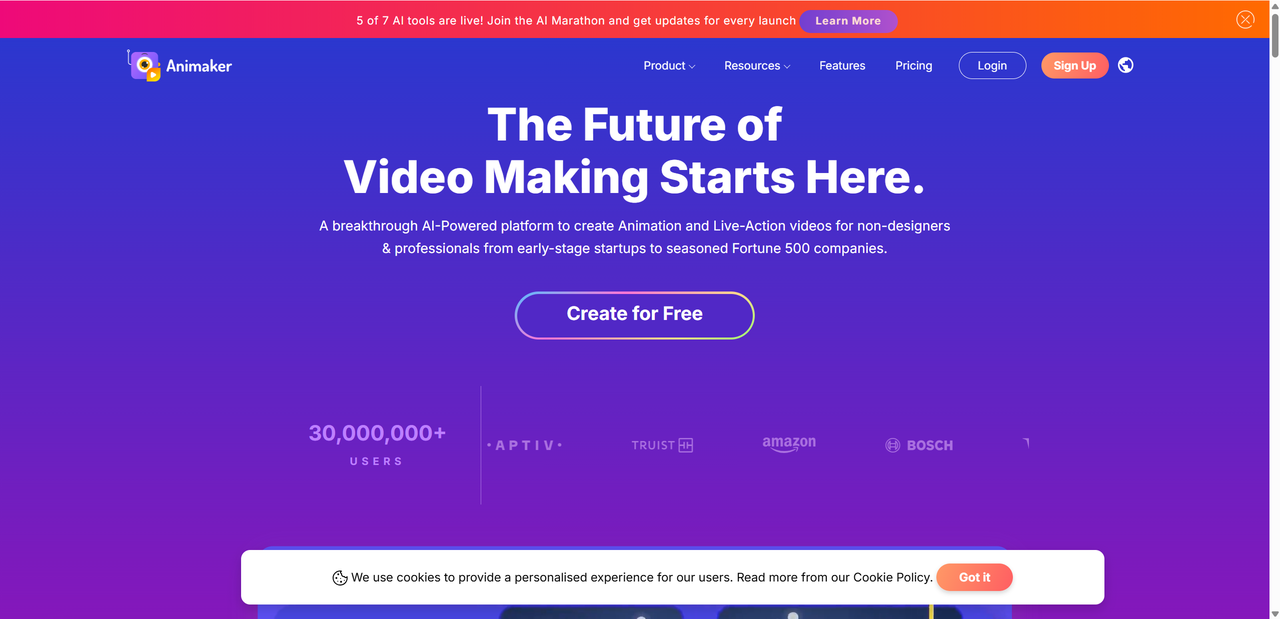
Animaker is a cloud based video creation platform designed to make animation and video production accessible to non designers. Founded with the idea that anyone should be able to tell stories visually, Animaker has grown steadily over the years and now serves millions of users worldwide. Today, it sits within a broader creative ecosystem that includes tools for animation, presentation videos, and AI assisted content creation.
At its core, Animaker allows users to create animated and live action style videos directly in the browser. There is no need to install heavy software or learn complex editing systems. Everything runs online, making it easy to collaborate or switch devices without losing progress.
What Animaker offers can be summarized simply:
- Animated video creation using drag and drop tools
- Live action video editing with templates and stock assets
- Character builders, scenes, and transitions for storytelling
- AI powered features that speed up scripting and design
In recent years, Animaker has added more AI driven capabilities, which is one reason it continues trending among content creators and marketers. These enhancements aim to reduce manual work while helping users produce videos faster, especially for social media, training, and promotional content.
Below is a quick snapshot of what defines Animaker today:
| Aspect | Overview |
|---|---|
| Platform type | Cloud based video creation tool |
| Primary users | Marketers, educators, small businesses |
| Key focus | Animation, explainer videos, AI assistance |
| Skill level required | Beginner to intermediate |
Overall, Animaker positions itself as a practical, all in one video solution that lowers the barrier to entry while still offering enough flexibility for daily production needs.
Key Features at a Glance
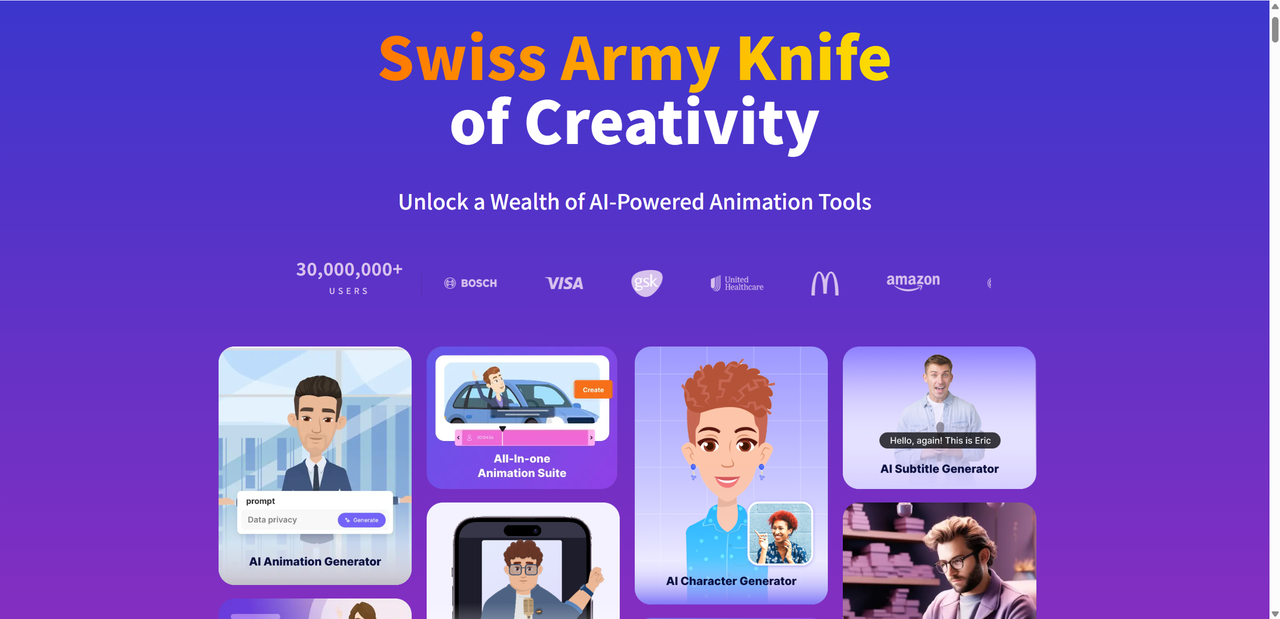
Animaker packs a surprisingly wide range of tools into a browser based platform. For day to day production work, its feature set is clearly designed to minimize friction while still offering enough creative control to avoid cookie cutter results.
Core Video Creation Tools
At the heart of Animaker is a drag and drop editor that feels approachable even if you have never touched animation software before. Scenes are built visually, timelines are easy to understand, and most actions are just a click or two away.
Key core tools include:
- A large library of ready made templates for marketing, education, and social media
- Animated characters with preset actions and expressions
- Scene backgrounds, icons, transitions, and effects
- Built in music and sound effects library
On top of the basics, Animaker integrates several AI powered tools that aim to speed up production:
- AI voiceovers with multiple languages and tones
- Automatic subtitle generation
- Auto resize for different platforms like YouTube, Instagram, and ads
- AI assisted asset generation to fill visual gaps quickly
These tools are especially useful when producing content at scale, where saving even a few minutes per video adds up.
What Sets Animaker Apart
While many video makers offer templates and stock assets, Animaker stands out in a few specific ways.
First, the character builder is a major highlight. You can create custom animated characters by adjusting facial features, clothing, skin tone, and expressions. This is ideal for brands or educators who want recurring characters instead of generic figures.
Second, Animaker claims access to over 100 million assets and templates. In practice, this means you rarely need to start from a blank canvas. For fast turnaround projects, this library alone can justify the tool.
Finally, the growing list of AI enhancements helps streamline workflows rather than complicate them. Instead of replacing creativity, they reduce repetitive tasks and keep production moving smoothly.
Pricing & Plans (Quick Comparison)
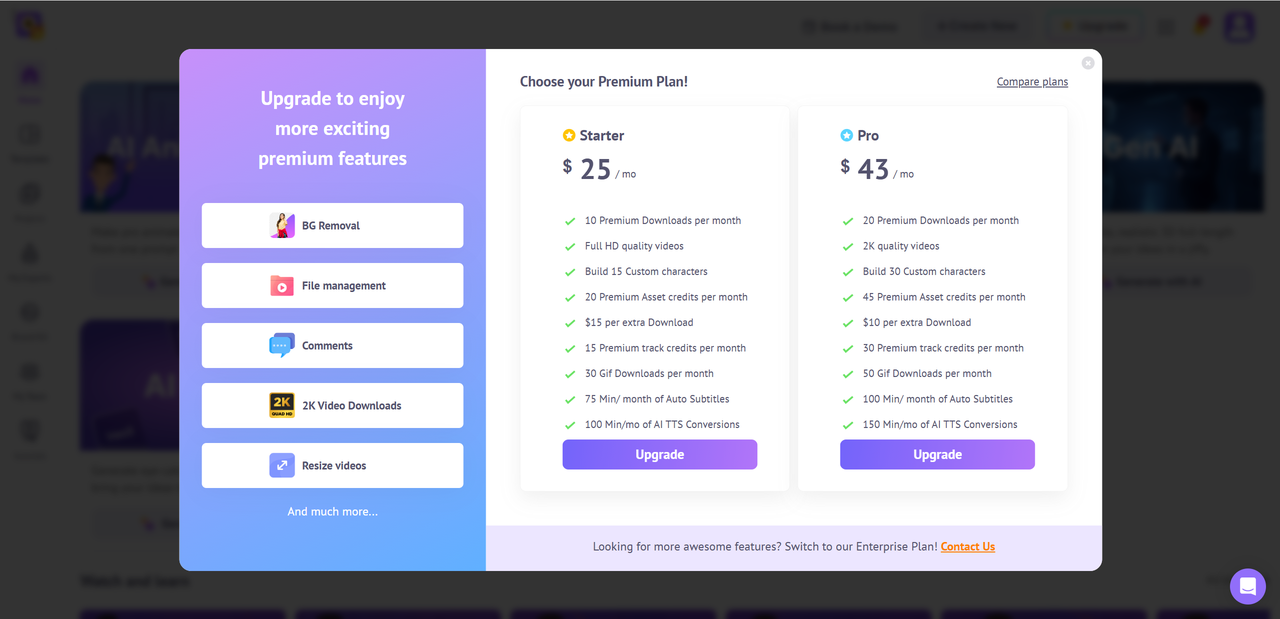
Animaker uses a tiered pricing structure that scales with video length, export quality, and access to advanced features. There is a free plan for testing, but most serious production work will require a paid tier.
Here is a simplified comparison of the main plans:
| Plan | Monthly* | Max Video Length | Key Features |
|---|---|---|---|
| Free | $0 | Limited | Watermarked exports |
| Basic | ~$15 | ~5 mins | HD export, basic AI tools |
| Starter | ~$25 | ~15 mins | Full HD, AI subtitles |
| Pro | ~$43 | ~30 mins | 2K output, more assets |
| Enterprise | Custom | Unlimited | Full suite, team features |
*Prices vary by billing cycle
For individuals and small teams, the Starter or Pro plans tend to offer the best balance between flexibility and cost. Enterprise plans are clearly aimed at larger organizations that need collaboration features, branding control, and unlimited production.
Overall, Animaker’s pricing feels competitive, especially considering the breadth of assets and AI tools included at higher tiers.
Pros — Why Users Like Animaker
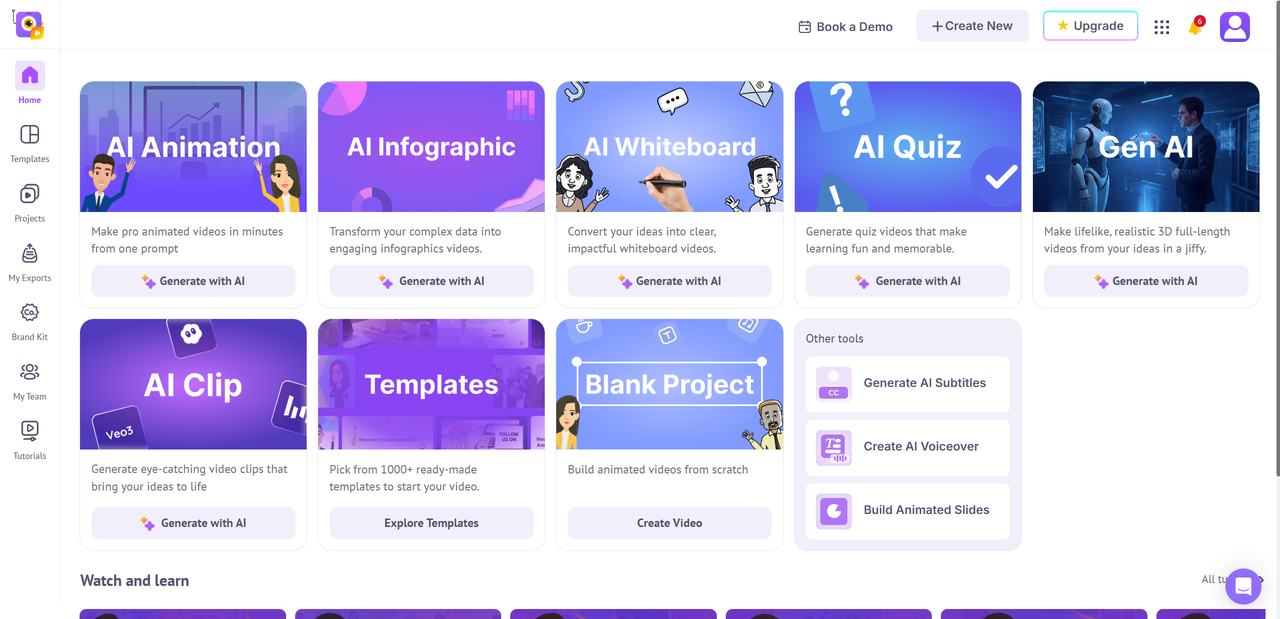
Animaker’s biggest strength is how quickly people can get productive with it. The interface is clean, visual, and clearly designed for beginners, which means most users can start creating usable videos within their first session. There is very little technical friction, even for those without design or editing experience.
Users also consistently praise the size and variety of Animaker’s asset library. With so many templates, characters, icons, and scenes available, it is easy to produce content without starting from scratch every time.
Some standout advantages include:
- Beginner friendly editor with a fast learning curve
- Large library of templates and visual assets
- AI tools that simplify subtitles, voiceovers, and resizing
- Strong fit for business content like social promos and explainer videos
- Integration options for sharing content across social and marketing platforms
For marketers, educators, and small businesses, Animaker strikes a comfortable balance between speed and creative control, making it well suited for repeat content production.
Cons — Where Animaker Can Improve
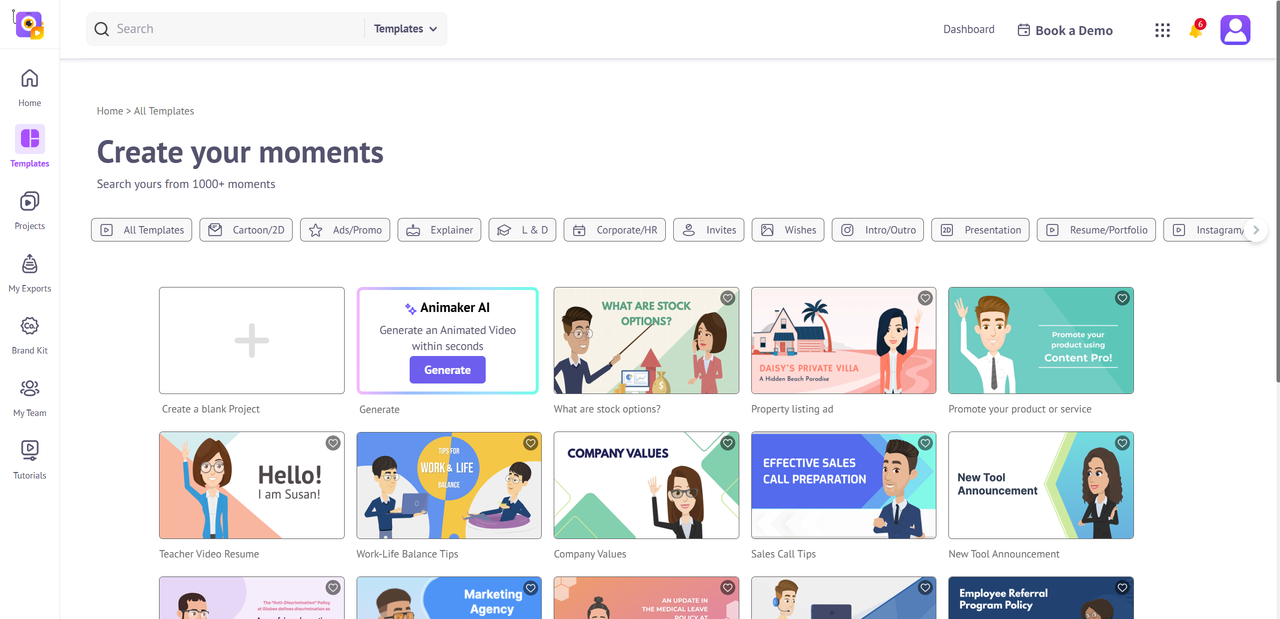
Despite its strengths, Animaker is not without limitations. Users coming from professional animation or video editing software may find the advanced animation controls somewhat restricted. Complex motion design, fine grained timing, and custom effects are not Animaker’s focus.
The free plan is another common pain point. While useful for testing, it includes watermarked exports and tight usage limits, which make it impractical for ongoing work.
Reported drawbacks include:
- Limited advanced animation features compared to pro level tools
- Restrictive free plan with watermarks and short video limits
- Occasional performance slowdowns on larger or more complex projects
- Basic audio editing options that may feel limiting for polished productions
These issues do not break the experience, but they are important to consider if your workflow demands high precision or heavy post production control.
Animaker for Business — Use Cases
Animaker is often marketed as a general video tool, but its real strength shows up in business focused scenarios where speed and consistency matter more than cinematic polish. Many marketing teams use Animaker to produce short social promos, product highlights, and campaign visuals without relying on dedicated video editors. The template driven approach makes it easy to keep branding consistent across multiple pieces of content.
In HR and internal communications, Animaker is commonly used for onboarding videos, policy explainers, and employee engagement content. Animated characters and simple storytelling help turn otherwise dry information into something more approachable. This is especially useful for remote teams, where video plays a larger role in communication.
Educators and training professionals also benefit from Animaker’s structure. For e learning and explainer videos, the combination of visuals, subtitles, and voiceovers helps break down complex topics into digestible segments. Lessons can be updated quickly without rebuilding entire videos from scratch.
Typical business use cases include:
- Social media marketing videos and ads
- Product explainers and feature walkthroughs
- Employee onboarding and internal updates
- Educational and training content
For teams that need repeatable, scalable video output, Animaker offers a practical middle ground between simplicity and capability.
How Animaker Performs for Daily Production
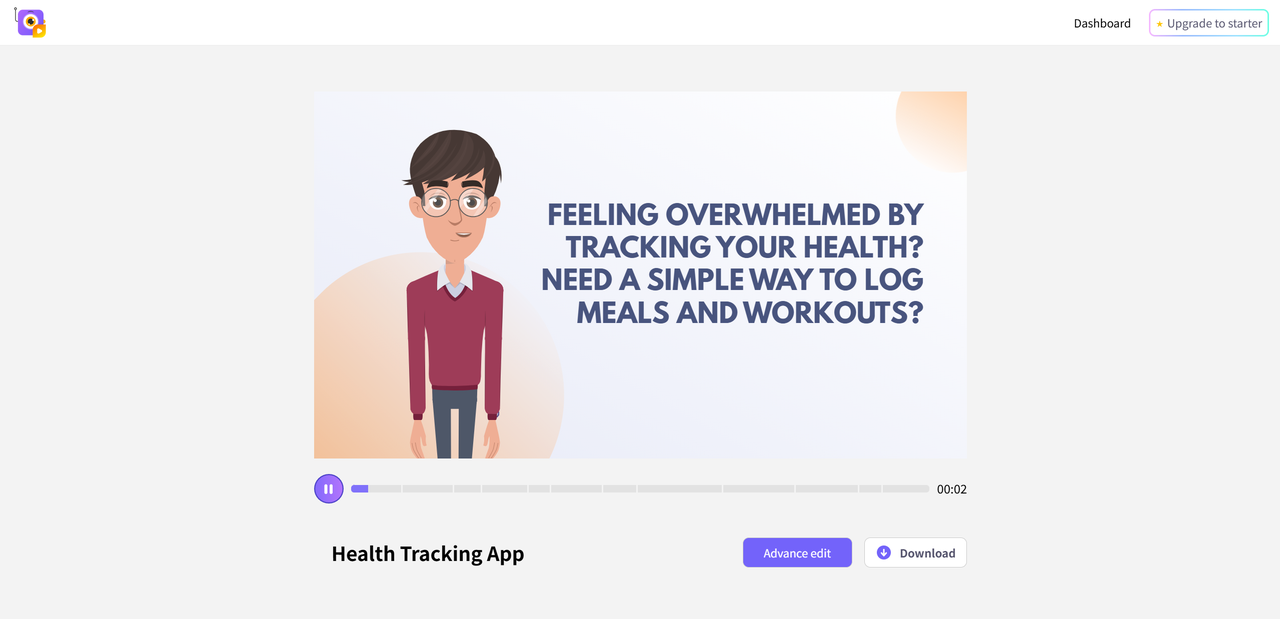
When it comes to daily production work, Animaker performs best in short to medium length projects that follow a familiar structure. Creating quick marketing videos, social content, or explainers can be done efficiently, especially when templates and saved brand assets are reused.
Where Animaker truly shines is speed. Drag and drop editing, prebuilt scenes, and AI tools reduce setup time and repetitive tasks. However, productivity can slow down when projects become complex. Longer timelines with many scenes or layered animations may feel less responsive, particularly on slower internet connections.
To get the most out of Animaker for daily work, consider these workflow tips:
- Start from templates instead of blank projects
- Save brand colors, fonts, and characters for reuse
- Use AI presets for subtitles and voiceovers
- Keep videos modular and avoid overly long timelines
Used with these practices, Animaker fits comfortably into a daily production routine without becoming a bottleneck.
Animaker Alternatives — Quick Comparison

Animaker is not the only player in the video creation space, and depending on your goals, an alternative might be a better fit. Some tools focus more on branding, while others lean toward advanced animation control or ultra fast output. Understanding these differences helps clarify where Animaker sits among its peers.
Here is a quick comparison of popular options often mentioned as Animaker alternatives:
| Tool | Best For | Notes |
|---|---|---|
| Renderforest | Branding videos | Affordable and versatile |
| Powtoon | Animated explainers | Strong business focus |
| Vyond | Custom character animation | More advanced animation features |
| Moovly | Flexible templates | Good for multi use content |
| Biteable | Quick video production | Very easy learning curve |
Renderforest is often chosen by users who want polished branding videos without spending much time on customization. Powtoon works well for corporate presentations and internal explainers, especially in business environments. Vyond stands out for users who need deeper control over character animation, though it comes at a higher cost. Moovly appeals to teams that want flexibility across different content types, while Biteable prioritizes speed and simplicity.
Compared to these tools, Animaker offers a balanced mix of assets, customization, and AI assistance. It may not be the most advanced in any single category, but it performs consistently across many use cases. For users researching Animaker alternatives, this balance is often the deciding factor.
Final Verdict — Is Animaker Practical for Daily Use?
Animaker proves to be a practical choice for daily video production when speed, accessibility, and consistency are top priorities. It is especially well suited for small teams, marketers, educators, and beginners who need to create videos regularly without relying on professional editing skills.
For routine tasks like social content, explainer videos, training materials, and internal communications, Animaker delivers reliable results with minimal setup time. The combination of templates, a rich asset library, and AI tools helps keep production moving efficiently.
That said, users with advanced animation needs or complex timelines may find the platform limiting. Budget is another consideration, as meaningful daily use typically requires a paid plan.
Overall, if your goal is steady, scalable video output rather than cinematic perfection, Animaker is a solid and dependable tool for everyday production work. Meanwhile, Lovart AI also presents itself as a notable alternative, particularly for its distinct animation style.

Artikel teilen